
If you also want to use the OpenAI ChatGPT app but have questions like “Is the ChatGPT mobile app free?” or “Can I use ChatGPT without paying?”don’t worry. I’ve answered all these common questions in simple language.
You’ll also find a step by step explanation of how to use the ChatGPT app and how to generate images using it. Everything is explained clearly and in detail.
ChatGPT is free 2025
Yes, the ChatGPT app is free and available on both the App Store for iOS and the Google Play Store for Android. It is OpenAI’s official app, and users can sync their chat history across devices.
ChatGPT is free, No you can use ChatGPT app for free for some time.
For advanced features, a paid plan like ChatGPT Plus ($20/month) is required.
Free ChatGPT Application Download
To download free ChatGPT mobile application, you can easily download it by going to get app store:
-
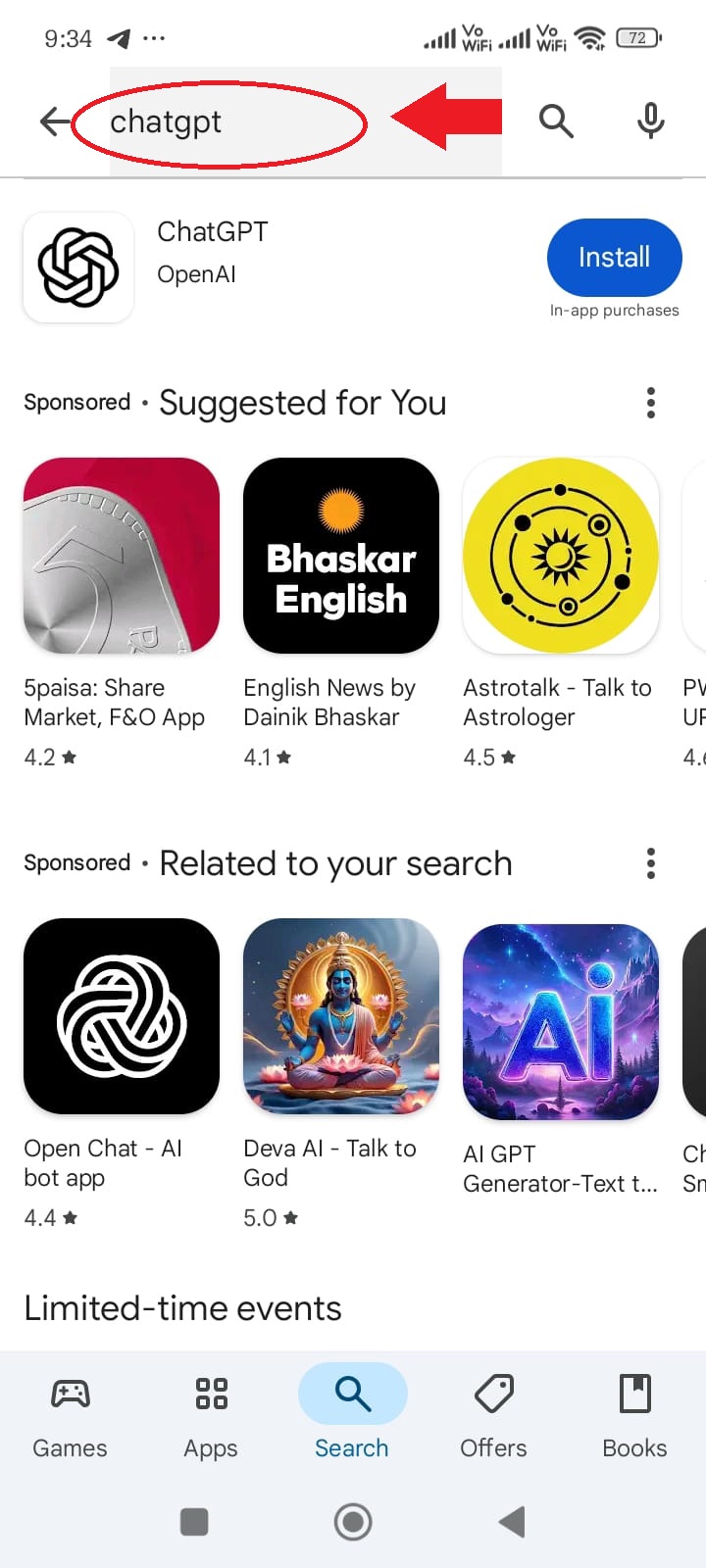
Open the Google Play Store on your mobile phone.
-
In the search bar at the top, type ChatGPT.
-
Look for the official app by OpenAI and tap on it.
-
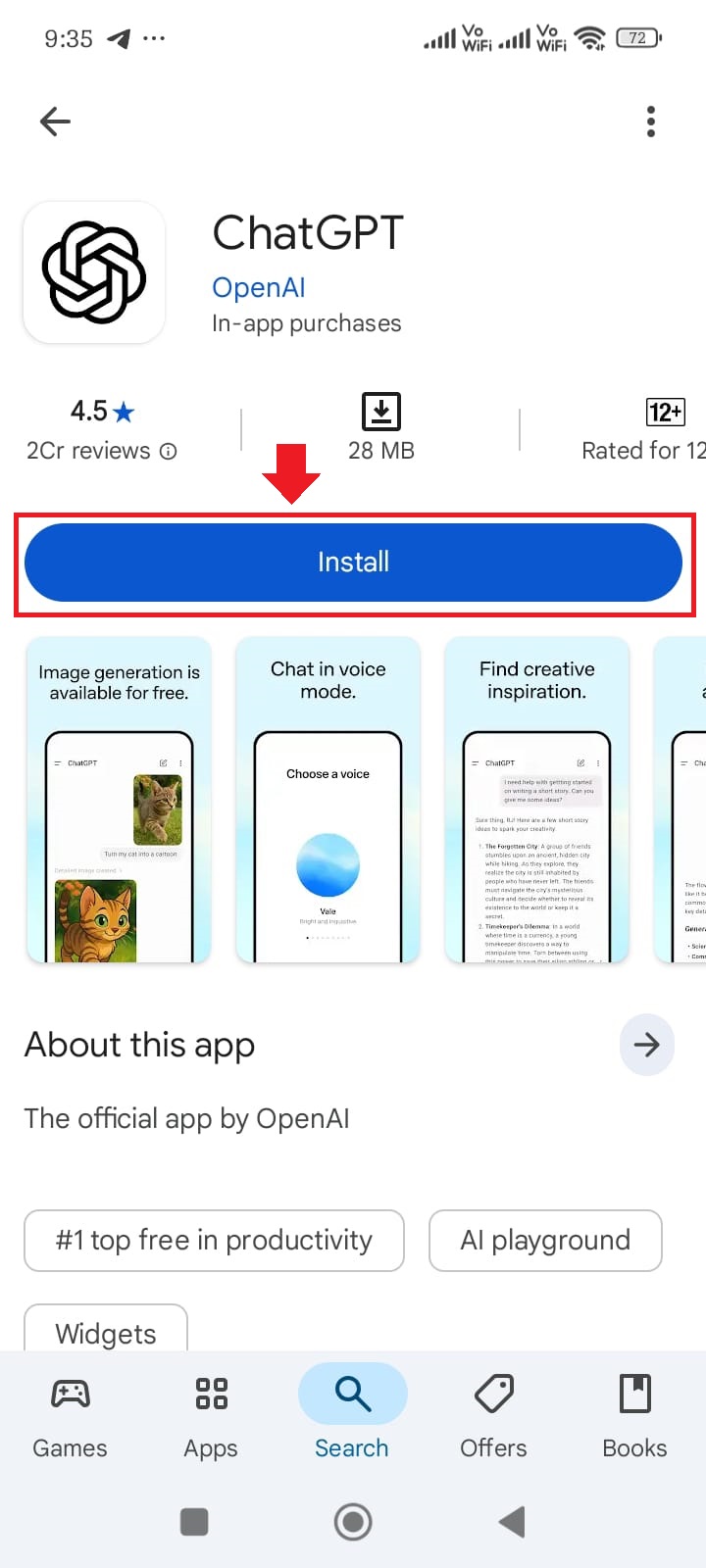
Hit the Install button to start downloading the app.
-
Once installed, you’ll find the ChatGPT icon on your home screen or in your app drawertap it to open and start using.
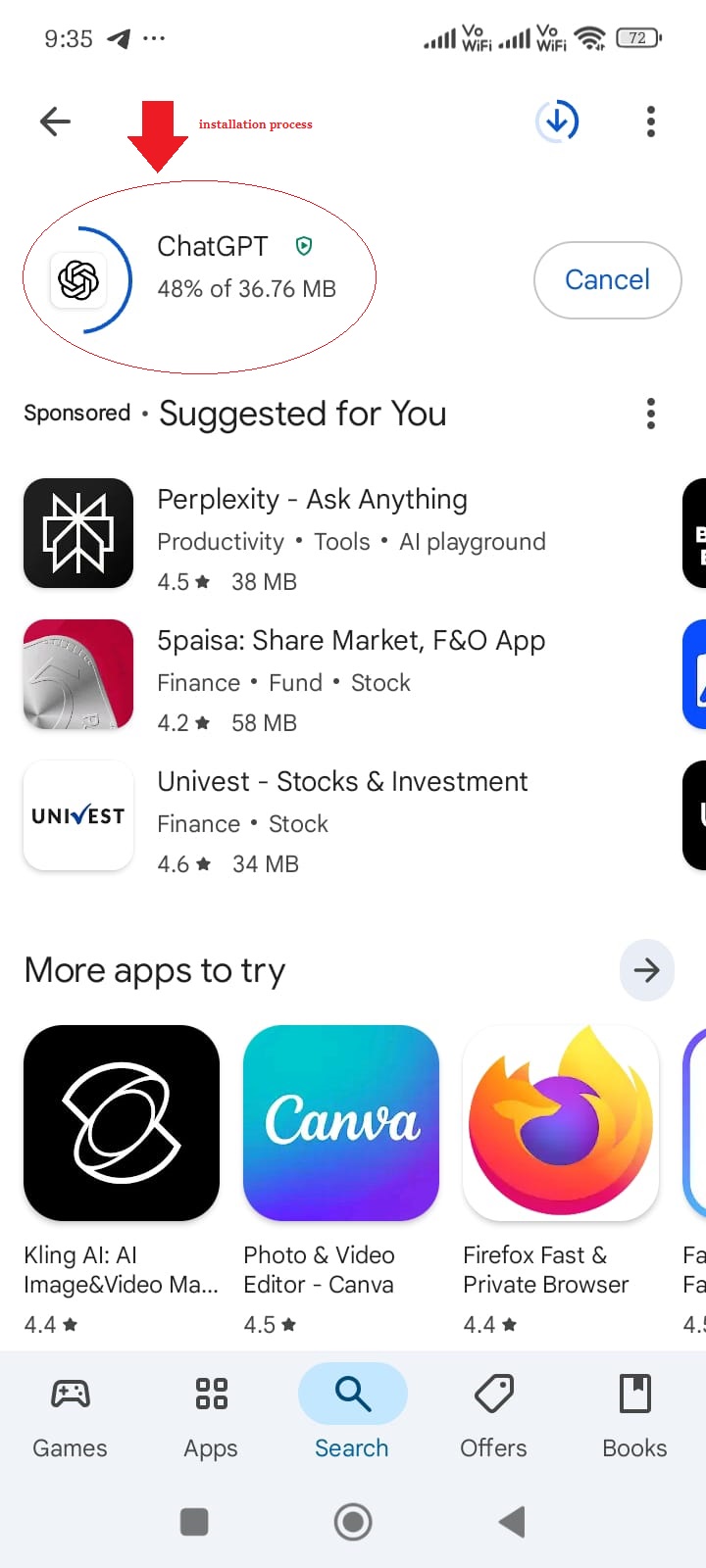
So friends, you can easily download Chat GPT in this way.
Can I use ChatGPT Website online for free?
Yes, you can use ChatGPT for free on chat.openai.com. The free version provides access to GPT-3.5. GPT-4 requires a premium plan.
Can I use ChatGPT App online for free?
You can use the ChatGPT app for free. OpenAI’s official iOS and Android apps provide a free tier with limited access to GPT-4o, web search, image and file uploads, and custom GPTs, albeit at a lesser rate than paying tiers.
Important Update: To use ChatGPT, you need to know whether you are on the mobile app or the official website. You can log in and use it for free, but only for a limited number of chats. After that, you have to wait or come back later and use it easily.
How to use ChatGPT for free?
If you want to use ChatGPT, first go to chat.com or the app and sign in. If you have a paid plan, choose your AI model. Now enter a prompt below text, image, or audio. Once you get a response, you can copy, edit, share, regenerate, or rate it.
Check Below Guideline For ChatGPT App Use:
- Go to chat.com or open the mobile app
- Log in or sign up (free)
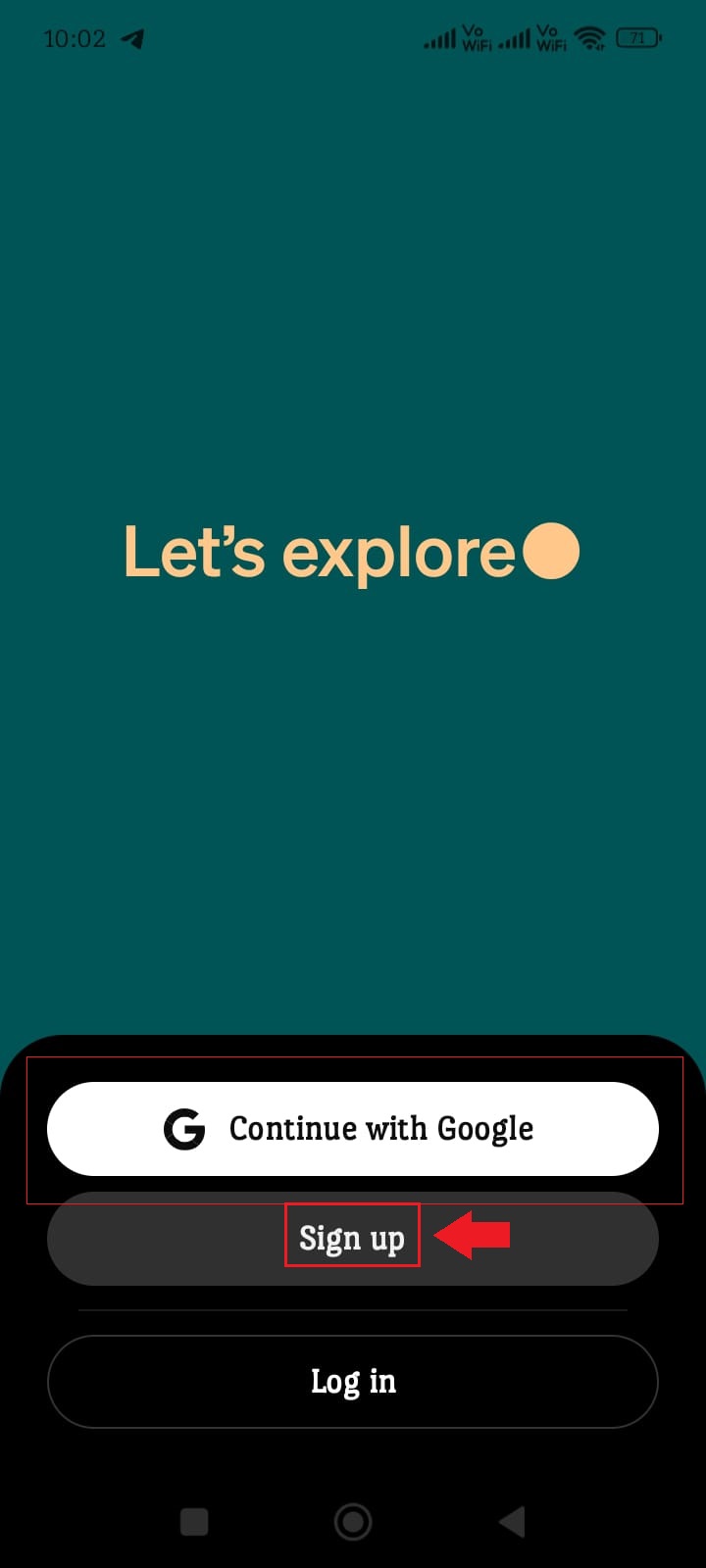
- Choose your AI model (if on a paid plan)
- Enter text, image, or audio prompt
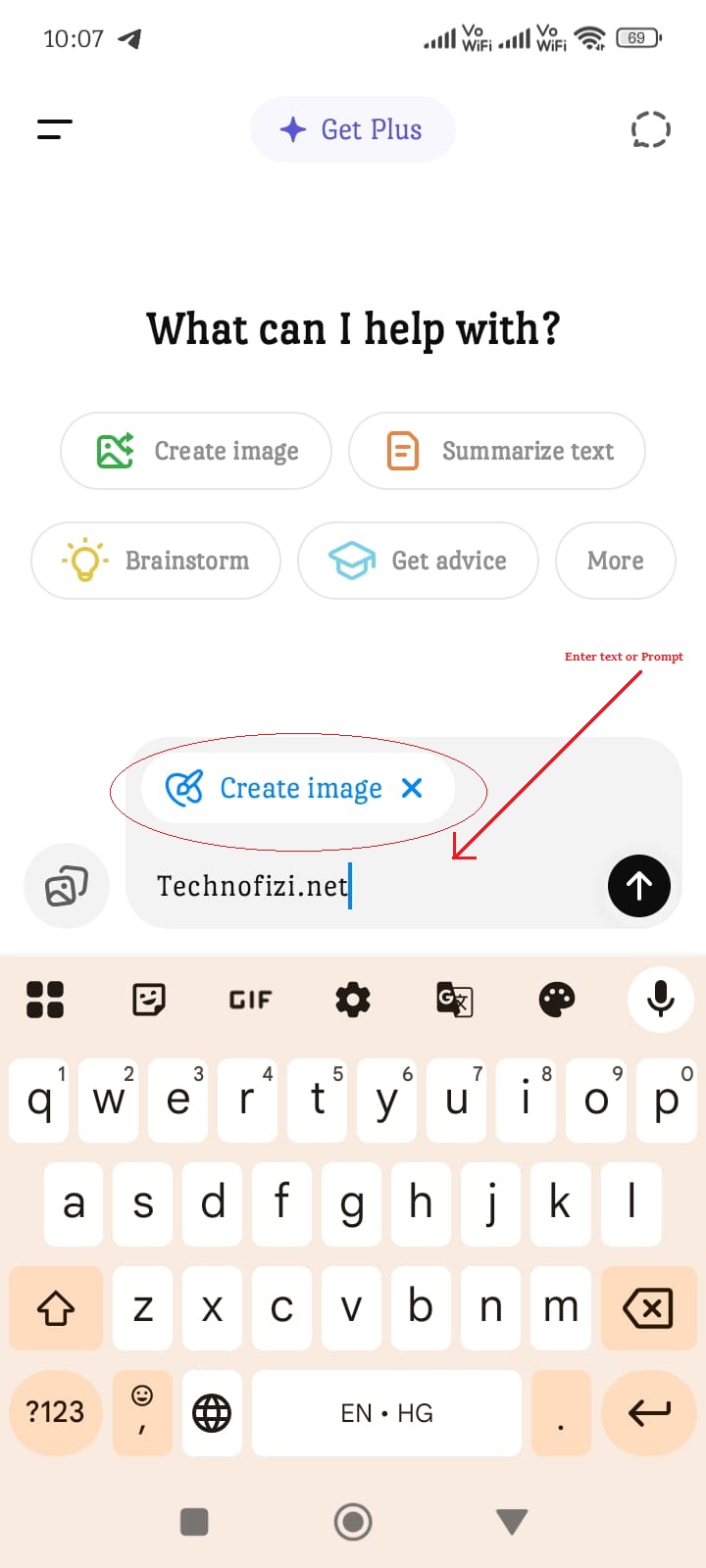
- Once response appears, you can:
- Edit your prompt
- Enter a new prompt
- Review sources
- Copy the response
- Regenerate response
- Like or dislike
- Share it
Check This: AI Prompts for Baby Photoshoot Free
How to Generate Original Images on ChatGPT
If you want to generate images for free on ChatGPT mobile application, then first of all you have to create a new account on ChatGPT mobile application. If you want to know how to create a new account for first time login, then you can know the complete process by clicking on the link given this link -> https://technofizi.net/chatgpt-login-openai-com/.
Let’s generate original images step by step:
- First of all open the ChatGPT app.
- Now where “Ask anything” is written, enter your image prompt there.
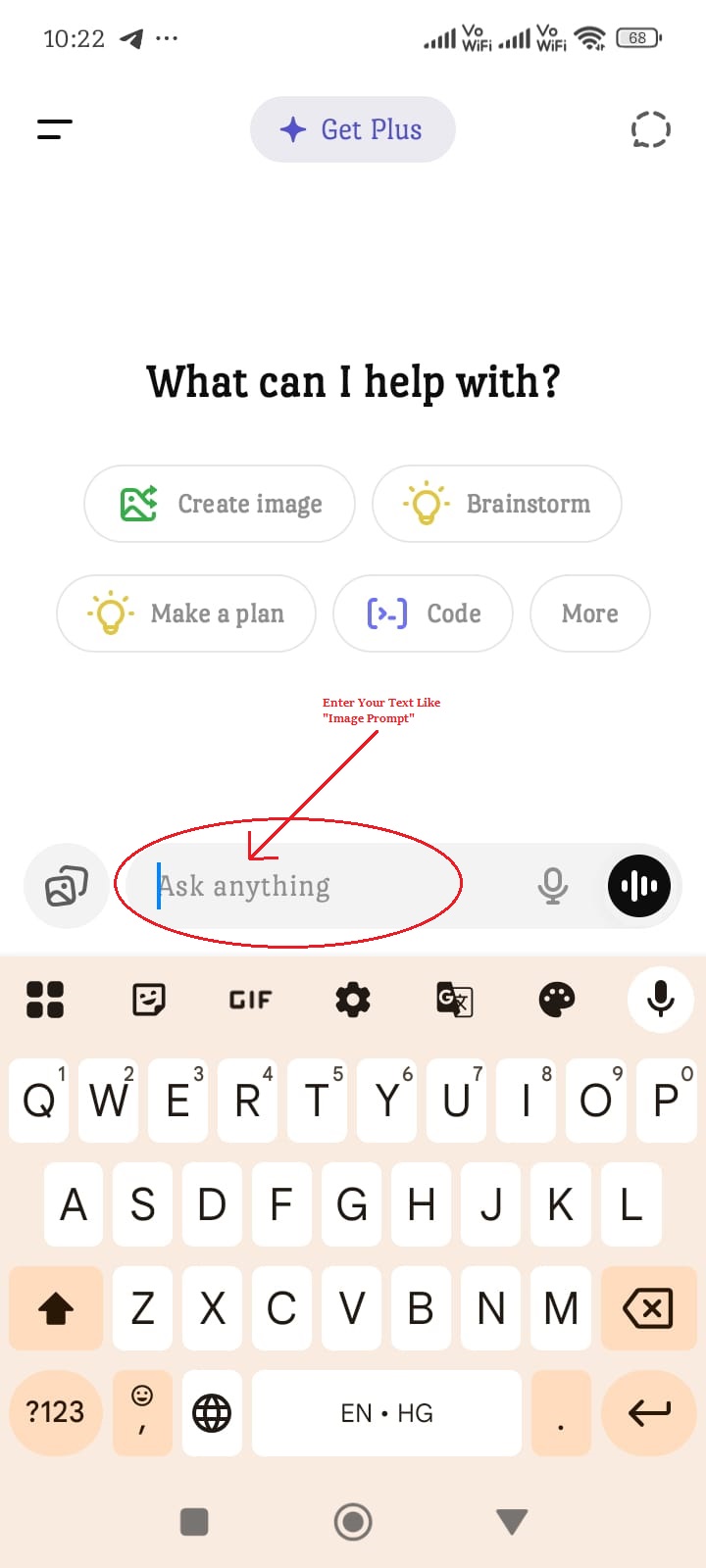
- After entering the prompt, click on the given image option and click on the pencil-like icon (Create image) given there.
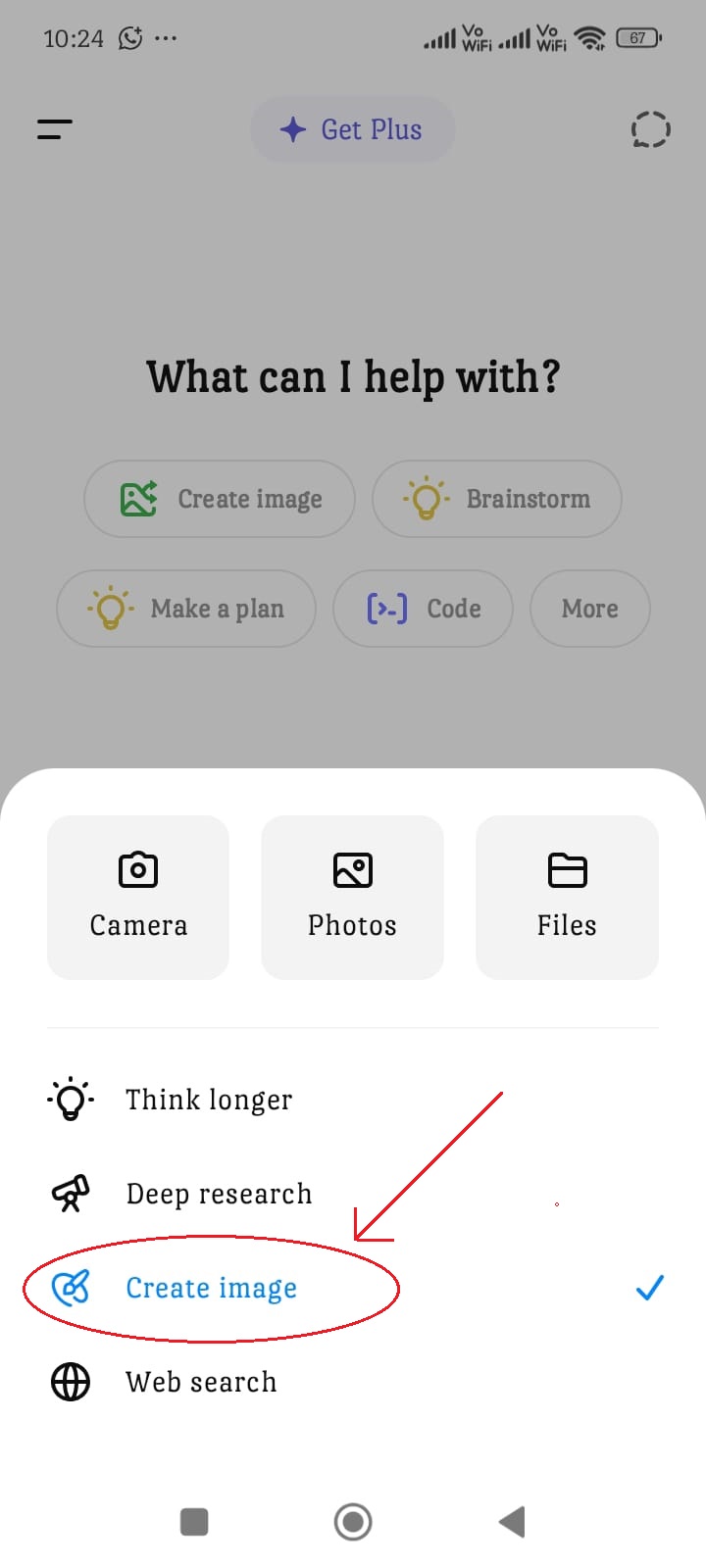
- After doing all this, click on the down to up arrow option to generate the image.
- Now wait for a few seconds, you will see the image below.
- You can download and use the generated image.
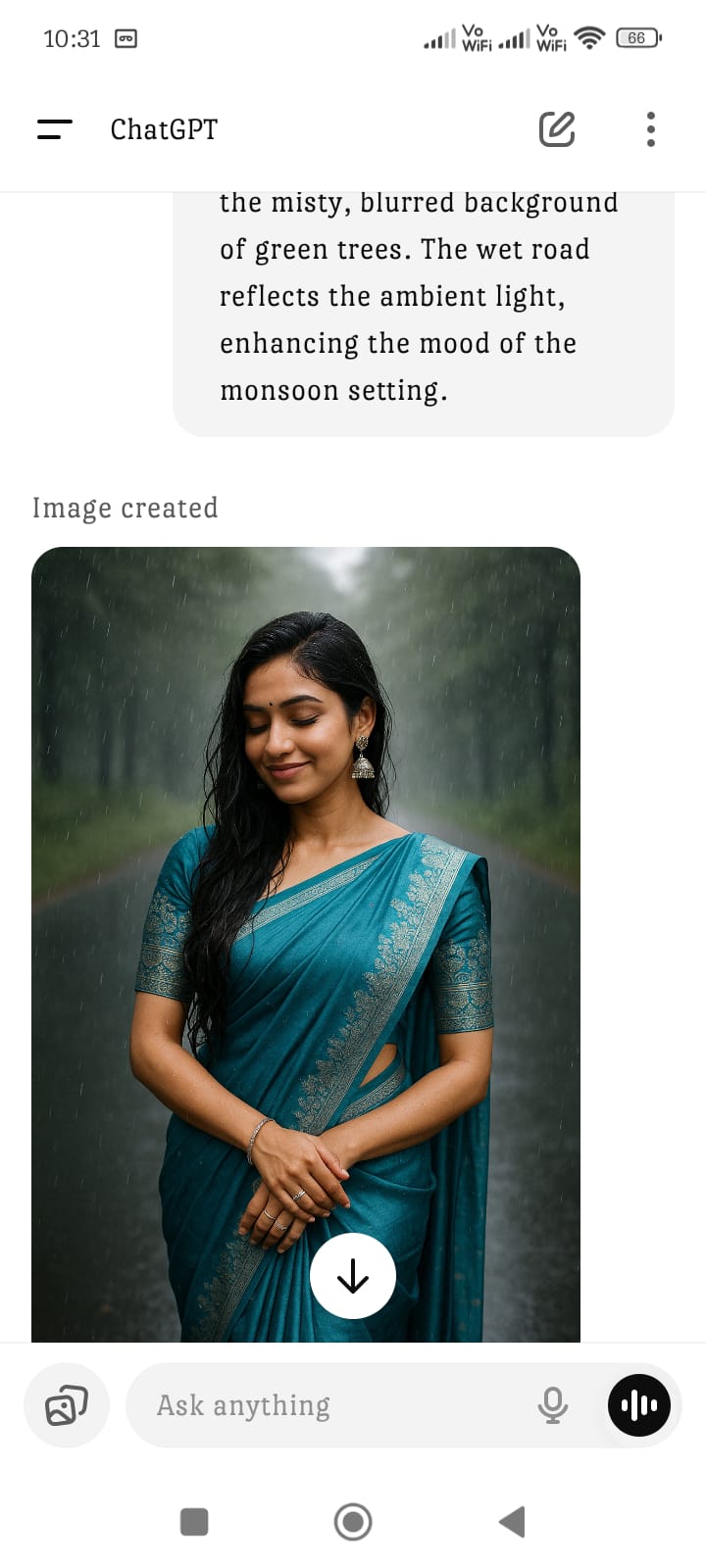
So friends, you can easily generate such images. If you still have any problem in generating images, you can visit this YouTube channel.
Conclusion
So if you also know how to download ChatGPT app, is it free, and how to use it without paying any money. If you like this information then share it with your friends so that they can also take advantage of it.