
Are you interested in Nano Banana Photo Editing? You’re at the correct spot. Google’s AI picture editor, Nano Banana, has gained popularity for its ability to create realistic, styled graphics from simple text inputs.
Whether you want to alter backdrops, add cinematic flare, or transform your selfie into a classic figurine, Nano Banana makes it simple and entertaining. It’s based on Gemini 2.5 and meant to keep your face and style constant even after repeated adjustments.
Google’s Latest Image Editing Model – Nano Banana
People online are going absolutely bananas over Nano Banana Google latest image editing model. Just hours ago, it landed inside Gemini and Imogen, unlocking mind blowing AI editing for everyone.
With Nano Banana, you can now edit, blend, and enhance your photos using just text prompts. Whether it’s for product shots, fashion content, or Instagram posts, this tool gives you complete creative control for free.
In this guide, you’ll learn exactly how to use Nano Banana inside Gemini and Imogen to level up your visuals in minutes.
Let’s get started.
How to Use Nano Bananas
You have two simple methods to use Nano Banana:
1. Google Gemini
Simply input your prompt and let Gemini handle the editing. It’s strong, but each output contains a watermark something to keep in mind if you want clear images.
2. Imogen App (iOS, macOS)
If you want greater freedom and cleaner outcomes, choose Imogen. It’s a sleek, freemium software designed for creative and social media professionals. With Nano Banana integrated in, you can now do jaw dropping tweaks, seamless backdrop switches, and style changes with just one tap. No need to start Gemini.
Limitations of Nanobanana
Nano Banana is effective, but not flawless.
If you use it for virtual try ons or outfit swaps, it may not always remove the original garments properly. You’ll see leftover textures and weird overlaps.
When modifying faces across numerous turns, expect some distortions, particularly around the eyes or grins. Repeated alterations can significantly reduce image quality, resulting in blurring or artifacting.
And there’s one more thing: if you’re editing using Google Gemini, each image is branded with the Gemini logo in the bottom right corner. However, if you switch to Imogen, you will receive the same high quality edits only without the watermark.
Nano Banana Photo Editing Prompts List
Style Change Prompts:-
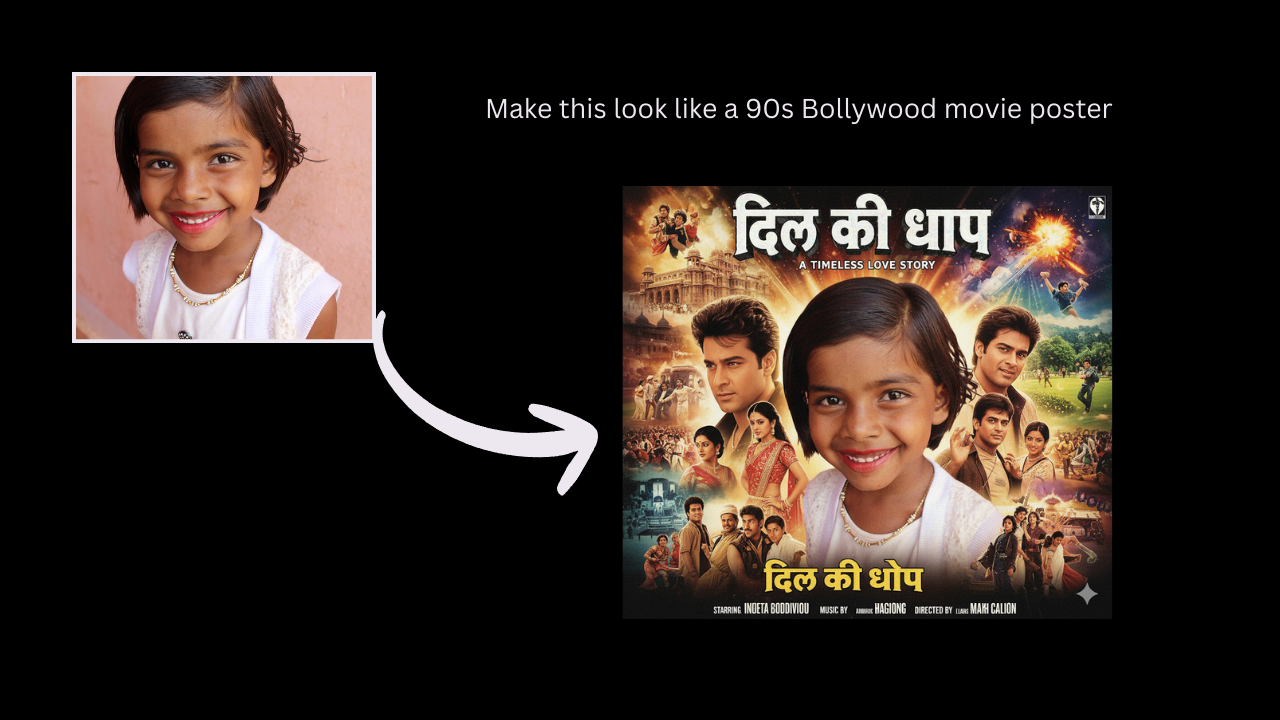
- Make this look like a 90s Bollywood movie poster
- Turn this photo into a hyperreal oil painting
- Apply soft vintage film tones with faded colors
- Convert this into a Vogue magazine-style portrait
- Give this a neon cyberpunk Tokyo vibe
Virtual Try-On Prompts:-
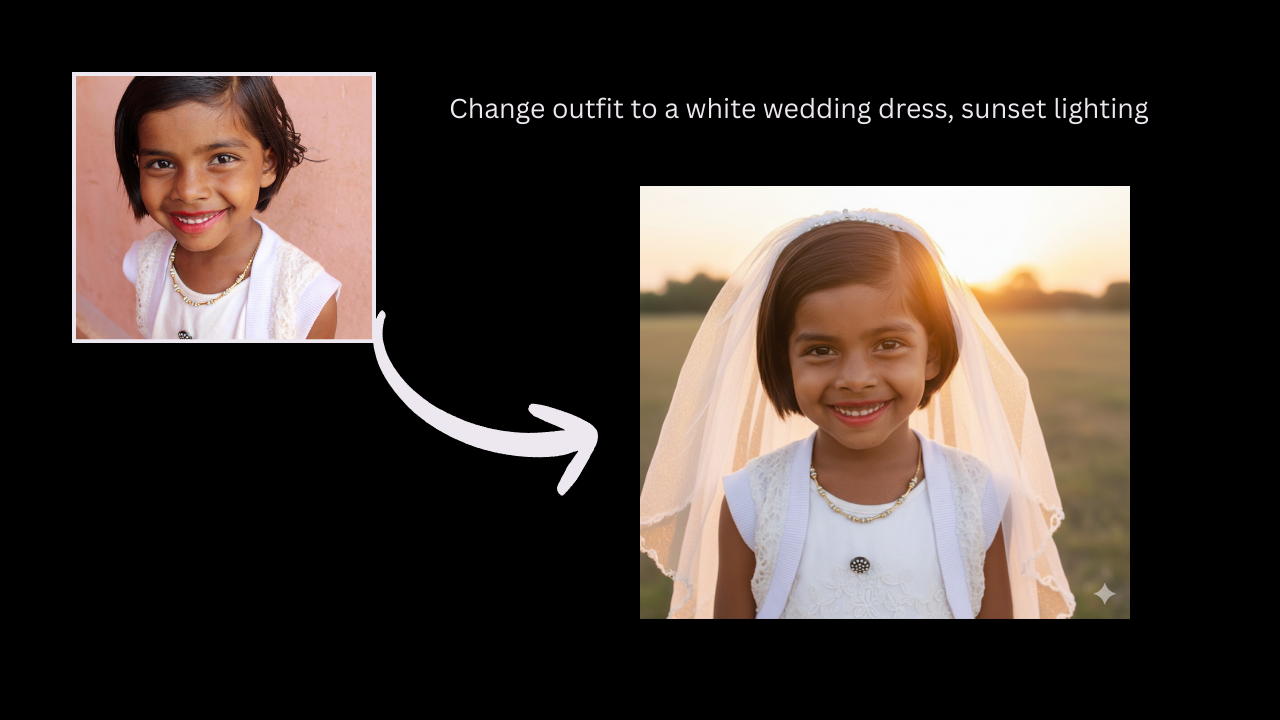
- Change outfit to a white wedding dress, sunset lighting
- Add a black leather jacket and sunglasses, moody vibe
- Swap outfit with a traditional Indian saree, royal background
- Put this person in a business suit, office environment
- Try on 90s denim with Polaroid frame
Artistic + Trending Prompts:-
- Transform this into a claymation character photo
- Turn this into a 3D toy figurine, shelf lighting
- Create a watercolor portrait with soft pastels
- Add floating sparkles and dreamy bokeh lights
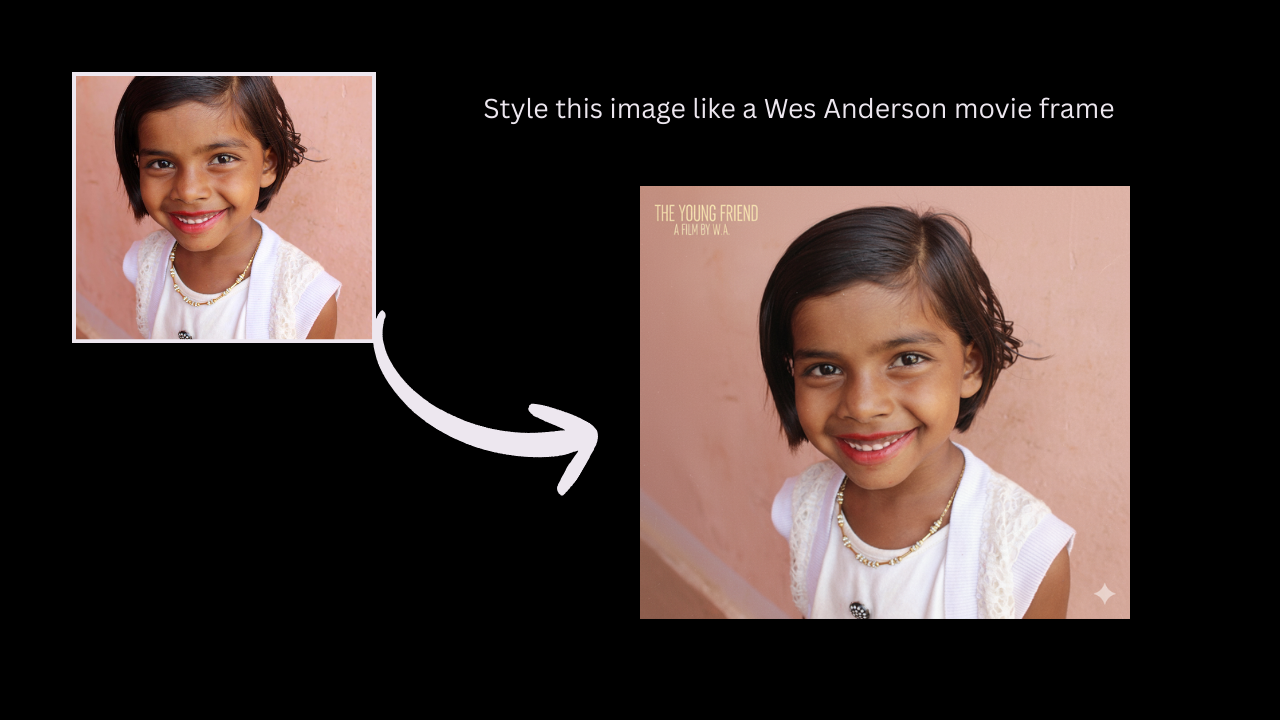
- Style this image like a Wes Anderson movie frame
Fun AI Prompts for Social Media:-
- Turn this into a comic book panel
- Make it look like a paparazzi photo
- Add royal crown and velvet throne, royal style edit
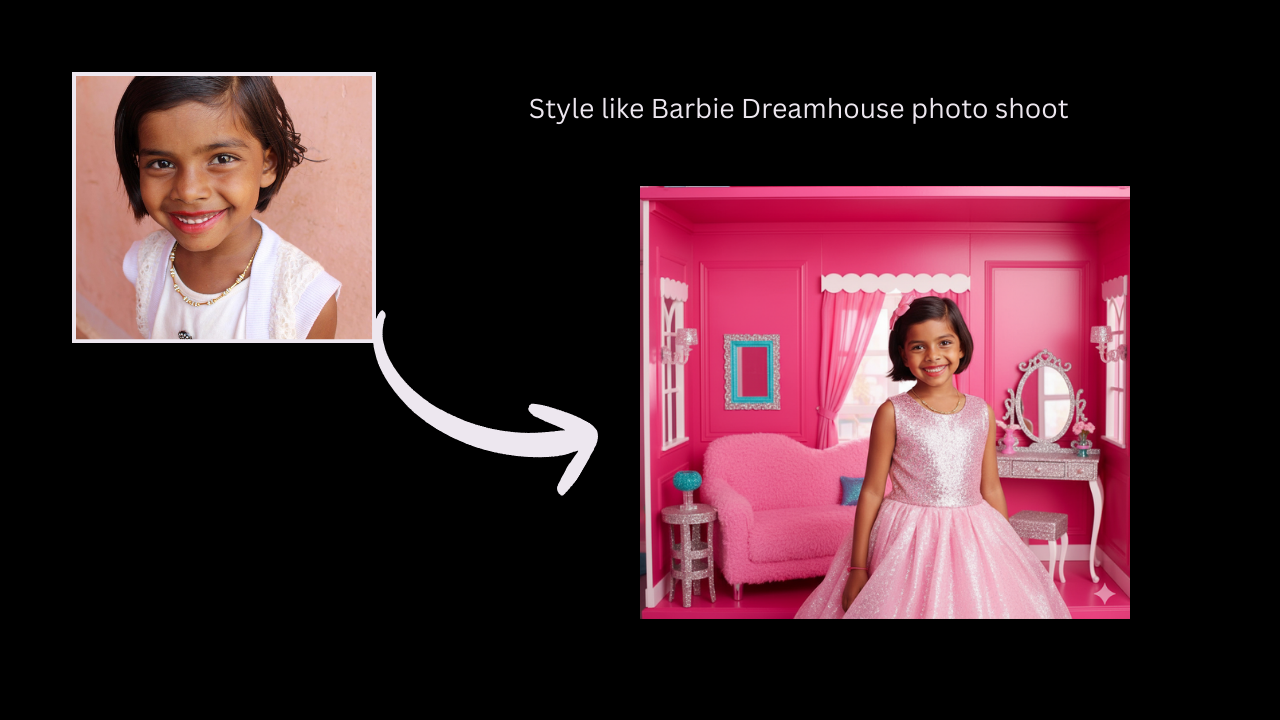
- Style like Barbie Dreamhouse photo shoot
- Give it a dramatic K-drama feel, rain in background
Trending Nano Banana Photo Editing Prompts
Viral & Trending Aesthetic Prompts:-
- Style this as a Barbiecore selfie with pink lighting
- Convert to a toy doll in box packaging, pastel background
- Make this look like an AI generated K-pop album cover
- Add dreamy sparkle makeup and soft blush glow
- Create an angelic glow edit with lens flares and white wings
Toy-Style / Figurine Prompts (Huge trend):-
- Turn this into a 3D anime figurine on display shelf
- Miniature toy version of this photo with glossy plastic texture
- Action figure pose, custom box design, collector’s edition look
- Transform into a Funko Pop style character
- Photo as a limited edition capsule toy, dramatic lighting
Travel & Dream Location Edits:-
- Teleport me to Santorini, white walls and blue domes
- Place this subject on a glass bridge in the Himalayas
- Set background to a lavender field at golden hour
- Make it a solo travel photo in Iceland’s Blue Lagoon
- Add northern lights in background with snowflakes falling
Bridal / Fashion Edits (Great for portraits):-
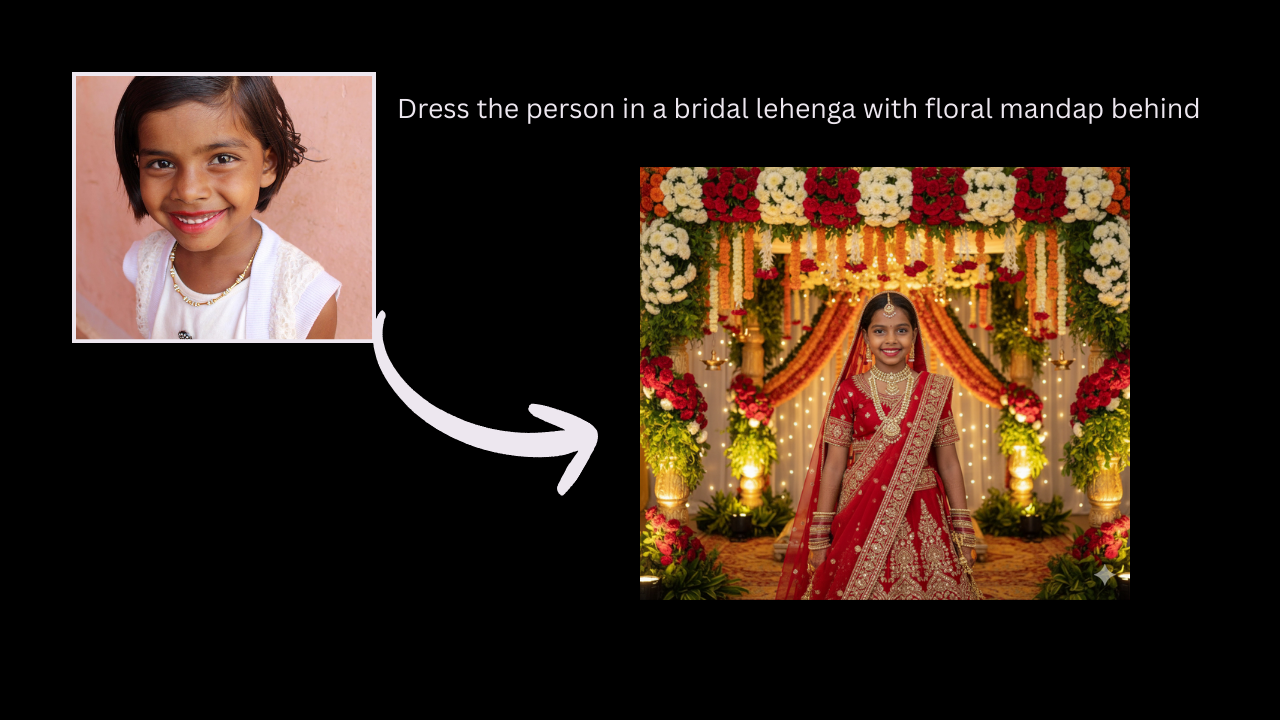
- Dress the person in a bridal lehenga with floral mandap behind
- Convert outfit into Met Gala look, red carpet background
- Traditional Rajasthani royal portrait with vintage frame
- Add pearl jewelry, white lace gown, vintage bridal style
- Saree with flowing pallu and wind blown hair effect
Fantasy & Dreamscape Prompts:-
- Turn into a moonlit fairy with glowing wings and star trails
- Place this person inside a storybook forest, enchanted lighting
- Make it look like a dream sequence in a fantasy movie
- Create a floating island scene under a pink sky
- Photo as a goddess in a temple ruins, overgrown vines
AI-Style Art Edits (Perfect for reels):-
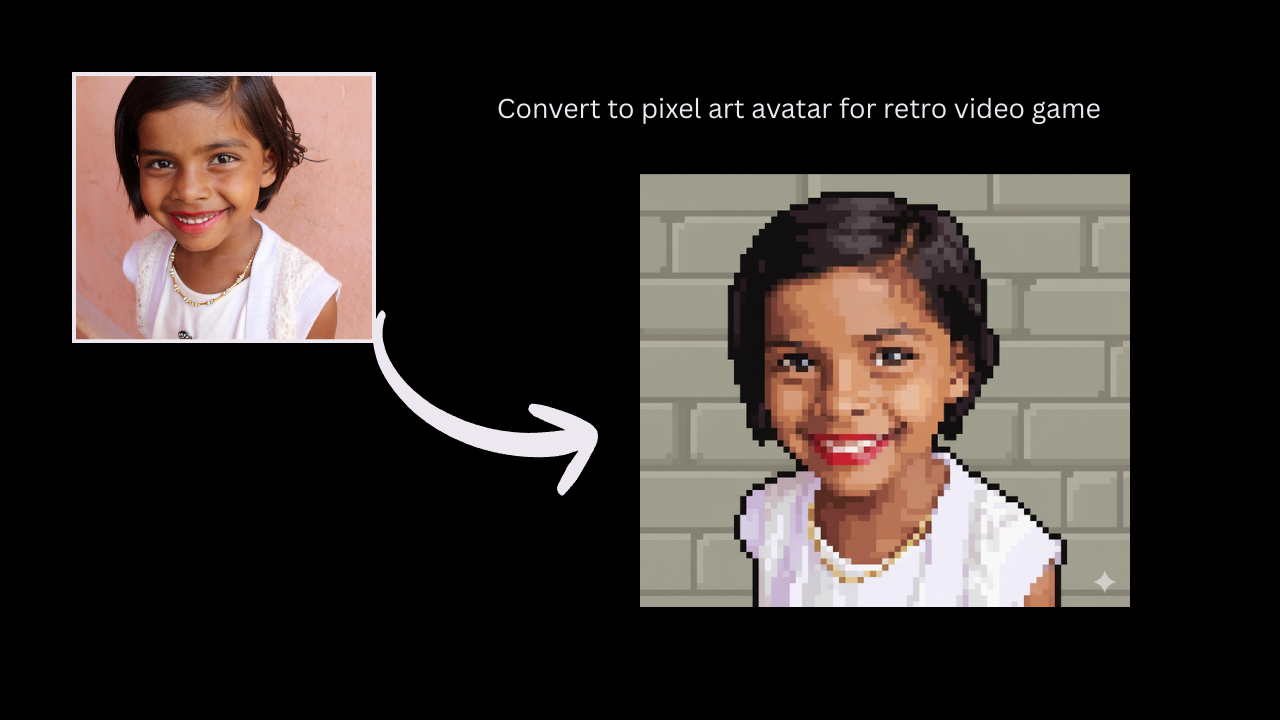
- Convert to pixel art avatar for retro video game
- Oil paint texture with brush strokes and canvas background
- Turn into a 1980s sci fi movie poster
- Anime-style close-up with sparkly eyes and soft shading
- Cyberpunk cityscape with neon reflections and rain
Final Thoughts
Nano Banana is not simply another AI tool it represents the future of picture editing. Whether you’re a creative, a brand, or simply enjoy toying with photographs, this model gives you studio grade editing capabilities. No design skills are necessary. Simply type, tap, and transform.
From cinematic headshots to fantasy edits and viral figurine styles, the options are limitless. Gemini grants you access via a watermark. Imogen provides clean edits with more creative freedom.
Do you want your images to pop in 2025? It is time to go crazy.
FAQs
1. What is Nano Banana?
Ans: It’s Google’s AI powered image editing model built into Gemini and Imogen.
2. Is it free to use?
Ans: Yes both Gemini and Imogen let you use Nano Banana for free, though advanced features may require a subscription in Imogen.
3. Does it leave a watermark?
Ans: Gemini adds a watermark; Imogen doesn’t.
4. Can I change clothes or backgrounds with it?
Ans: Yes, you can do outfit swaps, background changes, and style edits with simple text prompts.
5. What’s the best app for clean edits?
Ans: Imogen is your best bet if you want watermark free, high resolution results.