
AI filmmaking is changing how videos are made, and Google Flow AI Filmmaking Tool makes it simple for everyone. With Google Flow, you can create cinematic videos, plan scenes, control camera movements, and turn basic ideas into professional videos using AI. It is perfect for beginners, creators, filmmakers, and social media marketers.
This guide will explain what Labs Google Flow AI is, its main features, and how to use it step by step to create stunning videos easily.
What Is Google Flow AI?
Google Flow is a browser based AI filmmaking tool that enables artists to transform textual ideas into dramatic video scenarios. By merging strong models like as Veo, Imagen, and Gemini, it is able to provide smooth motion, consistent characters, and realistic sound effects.
Flow functions as a creative collaborator, assisting with everything from initial concepts to final scene development. Professional style video creation is faster and more accessible because to features like text to video, image to video, scene enlargement, and built-in editing.
Key Features & Capabilities of Google Flow AI
Text to Video Creation:
- Just describe your idea in words, and Google Flow turns it into a high quality video automatically.
Image to Video Animation:
- Convert static images whether uploaded or AI generated into smooth, dynamic video scenes.
Scene Builder for Storytelling:
- Connect multiple clips and extend scenes easily to create longer, well-structured video stories.
Character & Scene Consistency:
- Flow keeps characters, backgrounds, and visual style consistent across all clips, which is a big advantage in AI filmmaking.
Powered by Advanced AI Models:
- Uses Googles latest generative AI technology, including Veo and Imagen 4, to deliver realistic visuals, motion, and physics.
Full Creative Control:
- Control camera angles, movements, perspective, and edits making Flow work like a digital storyboard and video editor.
How do I use Google Flow?
- Visit the official Google Labs Flow website at https://labs.google/fx.
- Sign in using your Google account.
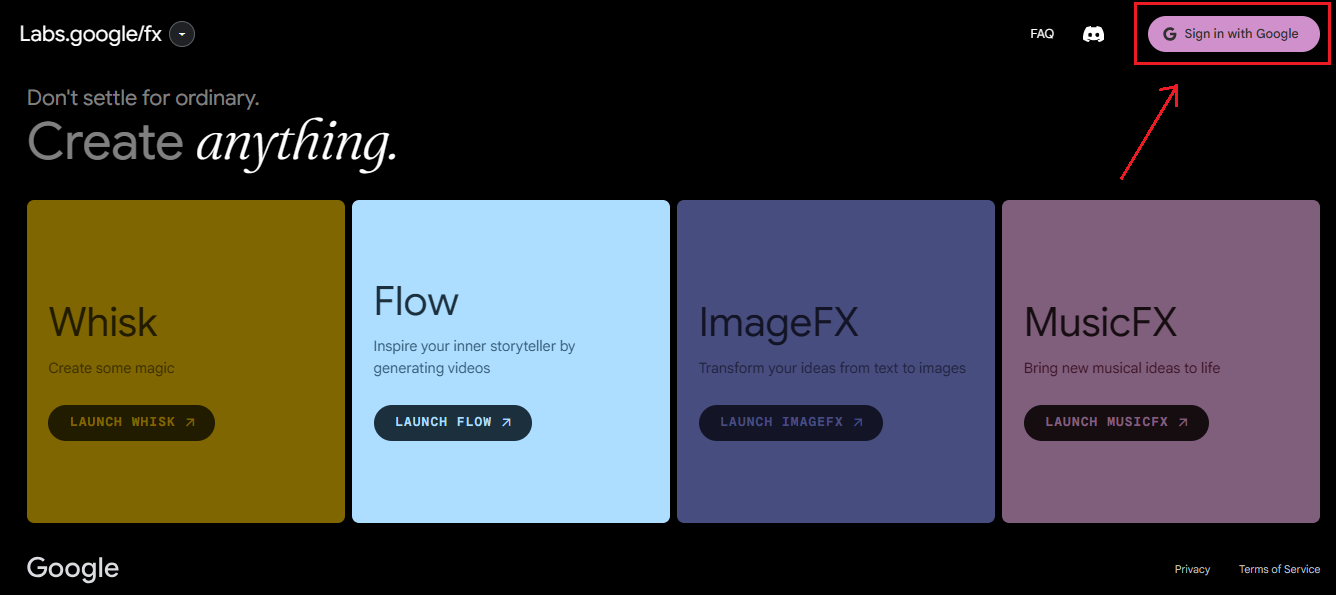
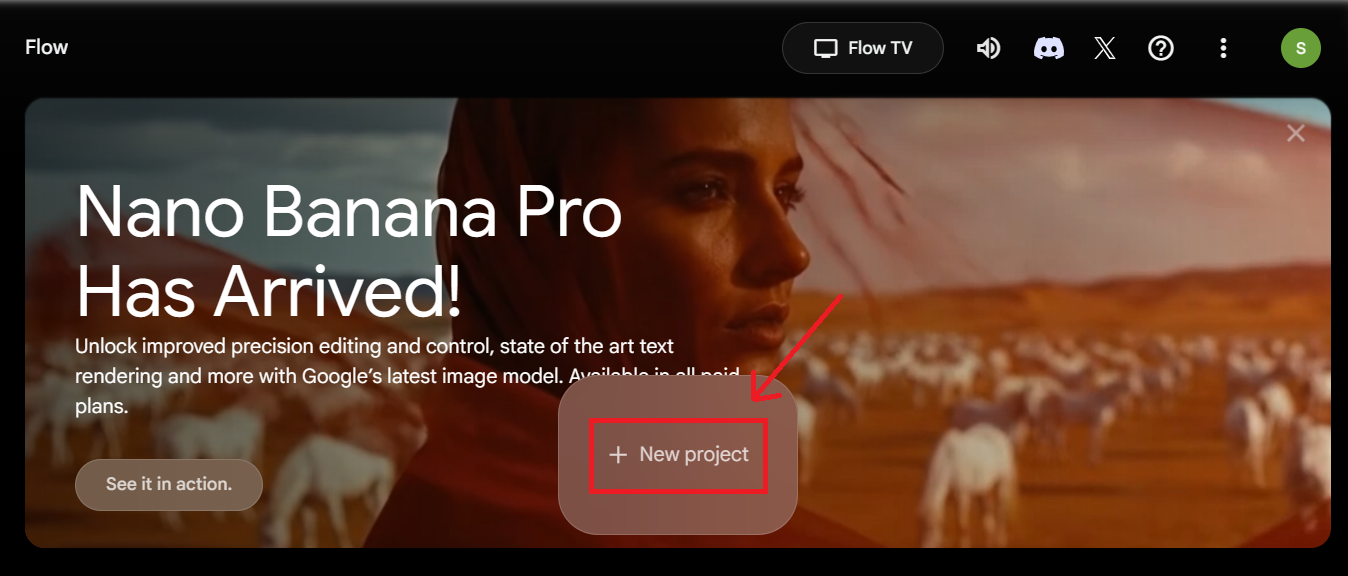
- Next click on “Launch Flow” and select “New Project.”
- Choose a creation option: Text to Video or Image to Video.
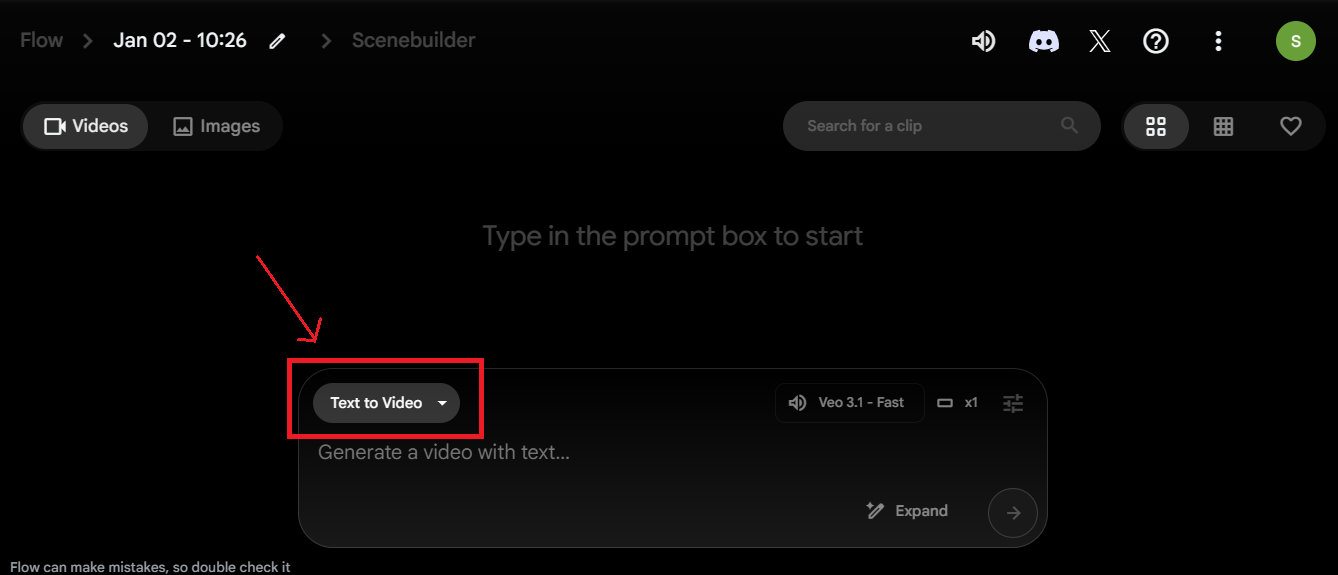
- Enter your prompt with scene details, style, and camera movement.
- Generate the video and preview the result.
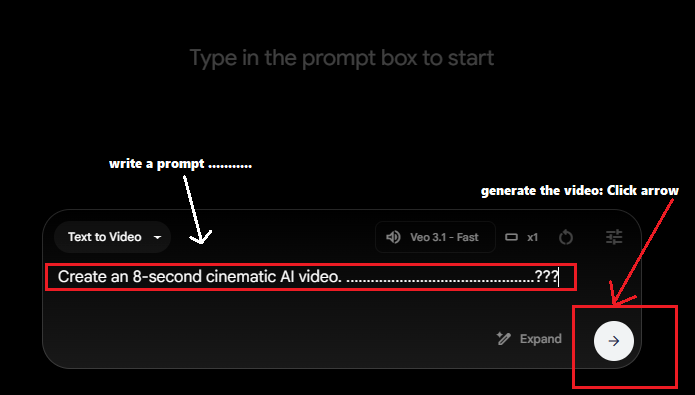
- Use Scene Builder to edit or extend scenes.
- Adjust camera and visuals for better consistency.
- Export the final video and share it on social media or use it in your project.
Advantages of Using Google Flow for AI Filmmaking
- Fast video creation: You can turn an idea into a video in minutes, not days.
- Easy for beginners: You don’t need filmmaking or editing skills to start.
- Cinematic look: Videos feel more like movie scenes, not basic animations.
- Better consistency: Characters and scenes stay more stable compared to many AI tools.
- Quick experimentation: Try different scenes, moods, or camera angles without extra cost.
- Great for short content: Perfect for reels, shorts, ads, and quick story visuals.
- Story-focused workflow: It helps you think in scenes and shots, not just random clips.
- Powered by Google AI: You get strong video quality backed by Google latest models.