
If you’re a student and want to top your class, you can easily improve your studies with these free AI tools. Many of my students have achieved excellent grades using them. These tools can save time and simplify your studies, helping you understand difficult topics more quickly.
In today’s article, I’ve provided detailed information about over 20+ AI tools in simple language that can help you succeed in your studies and become the topper of your class. Let’s learn more about these tools.
What is the AI Tools?
Before we dive into the tools themselves, let’s first understand what AI tools are. AI stands for Artificial Intelligence.
AI tools are software or apps that use Artificial Intelligence to perform tasks that typically require human thinking like learning, reasoning, writing, or analyzing.
Simply put, AI tools are smart apps that help you perform tasks like writing, idea generation, coding, image creation, building websites, and much more.
Here are several strong and trendy AI tools every student should know ChatGPT, Grok AI, Krea AI, Google Gemini, Midjourney, and Synthesia. These tools may radically revolutionize the way you learn and create!
Top 20 Must Have AI Tools for Students in 2025-26
Below I have given a list of 20 such AI tools for students, with the help of which students can understand any of their difficult subjects in simple language.
| AI Tool Name | Use For | For New Version |
|---|---|---|
| ChatGPT | AI Writing | Unlimited |
| Grammarly | Grammar and Editing | 300 docs or 150k words/month |
| Quillbot | Paraphrasing | 125 words at a time |
| AIstudio Google | Research | Unlimited |
| ChatPDF | Research | 3 PDFs and 50 Questions/day |
| Natural Readers | Text to Speech | 4k characters/day |
| Mubert | Text to Music | 25 tracks/month |
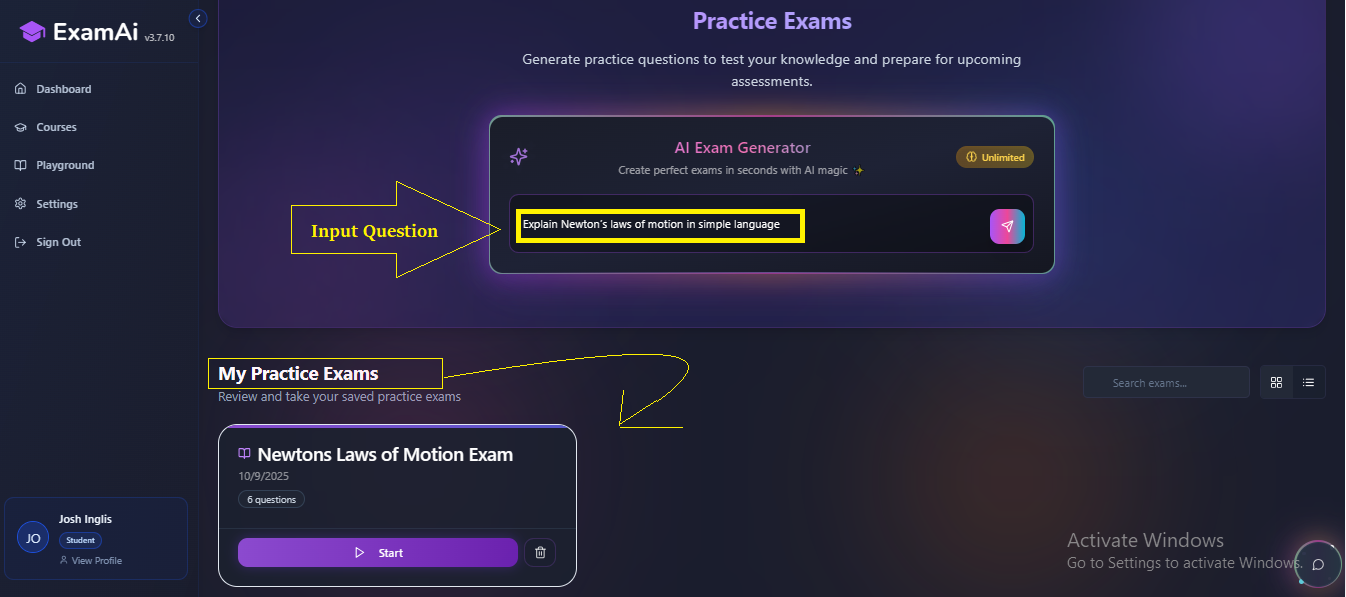
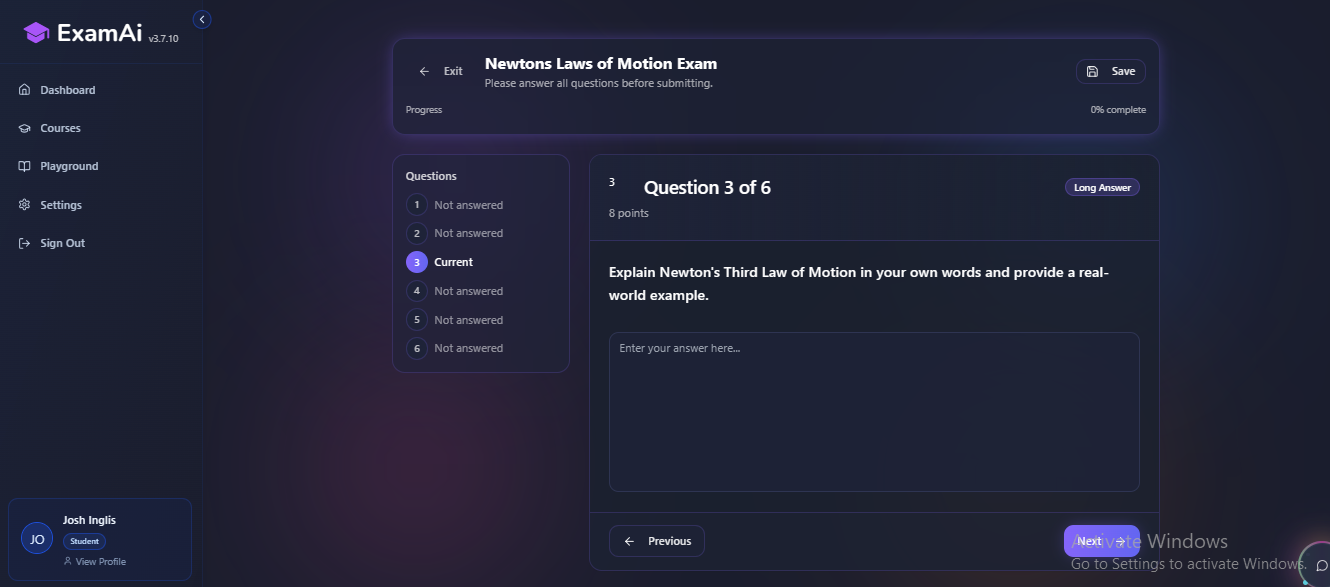
| ExamAI | Learning | Access Notes and Quizzes |
| Caktus AI | Learning | 3 queries/month |
| AskCodi | Coding | 50 credits/month |
| Hocoos | Website Building | Limited customization |
| Kickresume | Resume Building | No downloads |
| Claude | AI Writing | Free tier available |
| Perplexity | Research Assistant | Free access with some limits |
| Julius AI | Data Analytics | Free version available (limited queries) |
| ElevenLabs | AI Voice Generation | 10k characters/month |
| BypassGPT | Humanizing AI Content | 125 words at a time |
| Otter AI | Transcription & Summaries | 300 mins/month |
| NoteGPT | Video Summaries | Limited (login required) |
| Grok AI | Q&A & Memes (X/Twitter AI) | Free with Premium X account |
Want the Best AI Tools? Check Out My Students’ Favorite AI Tools In 2025!
| ChatGPT For Writing Help | Google Gemini For Smart Research |
Grammarly For Fixing Grammar | QuillBot For Rephrasing | Otter AI For Transcribing Lectures |
| ChatGPT can write essays, break down complex topics, and summarise notes in seconds. The free version (GPT 3.5) is sufficient for daily tasks and study help. | If you currently use Google Docs or Sheets, Gemini will fit right in. It assists with research, outlines, and summaries, all inside the Google tools you use every day. | Need to improve your writing? Grammarly detects grammatical problems, recommends better word choices, and increases clarity. The free edition is ideal for school work and email. | QuillBot lets you rephrase phrases without losing their sense. Ideal for minimizing redundancy and rewording study information. The free tier handles brief texts effectively. | Don’t feel like taking notes? Otter AI transcribes speech recordings into text. With 300 free minutes every month, you may easily convert lectures or study group talks to notes. |
20 Free AI Tools For Students 2025
(1) ChatGPT
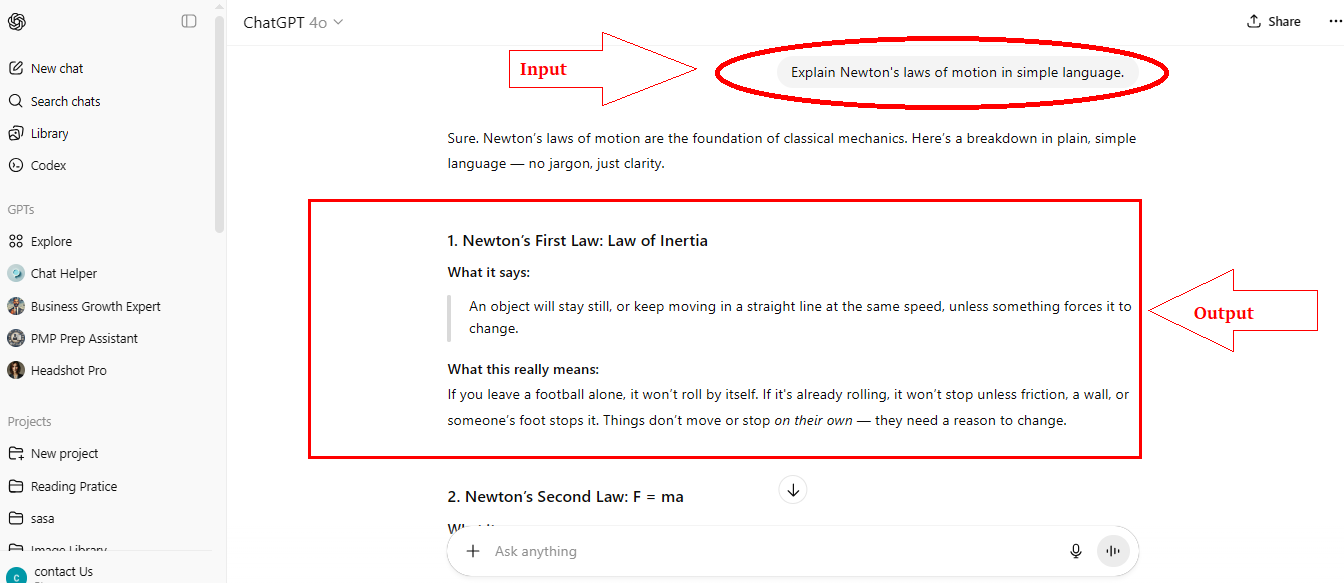
ChatGPT is an AI tool that helps students ask any type of question, write essays, explain topics, and create study notes. You can ask questions, and it provides clear answers within seconds. In the screenshot below, I’ve asked a question (Explain Newton’s laws of motion in simple language.), with the answer explained in clear and simple language. You can also ask questions like this using the free tool.
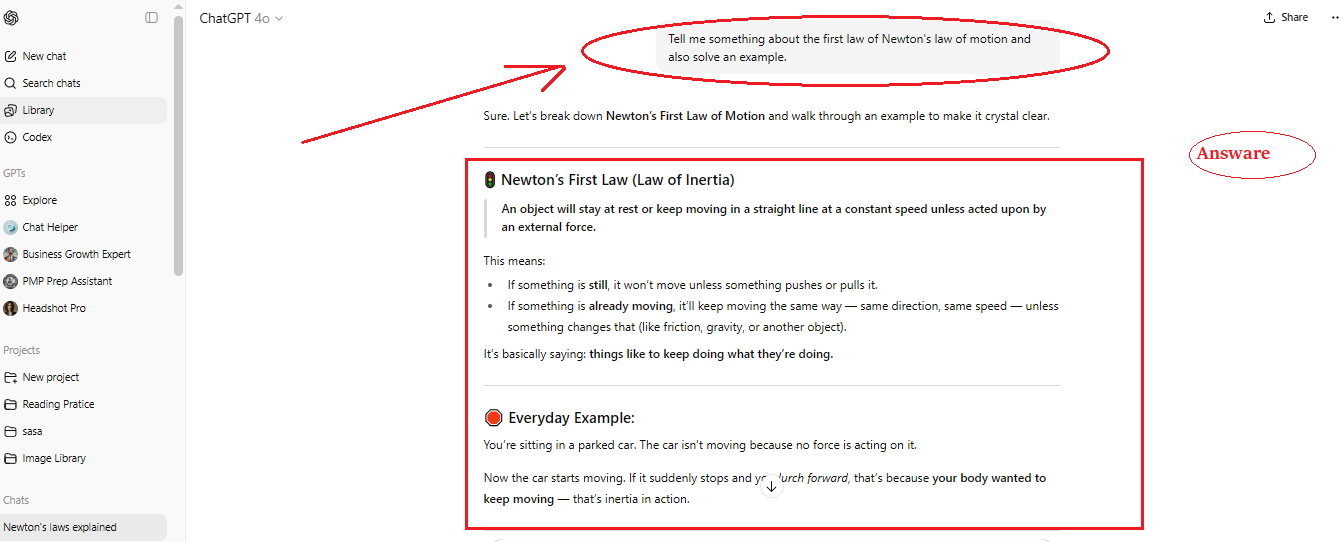
Next I asked, tell me something about the first law of Newton’s law of motion and also solve an example and tell me.
ChatGPT’s free plan provides limited access to GPT-4o and allows you to create custom GPTs for jobs such as writing, research, coding, and diet planning. It’s an effective all-in-one tool for pupils.
Use ChatGPT: AI writing
Price: The free plan includes limitless content production.
(2) Grammarly
Grammarly improves your writing by correcting spelling, grammatical, and punctuation issues. It also proposes improved wording and sentence structures to help you write more clearly and professionally.
The free version is ideal for students who want to improve essays, emails, and homework without extra effort. For example, I deliberately made this mistake once I looked at the paragraph in the screenshot.
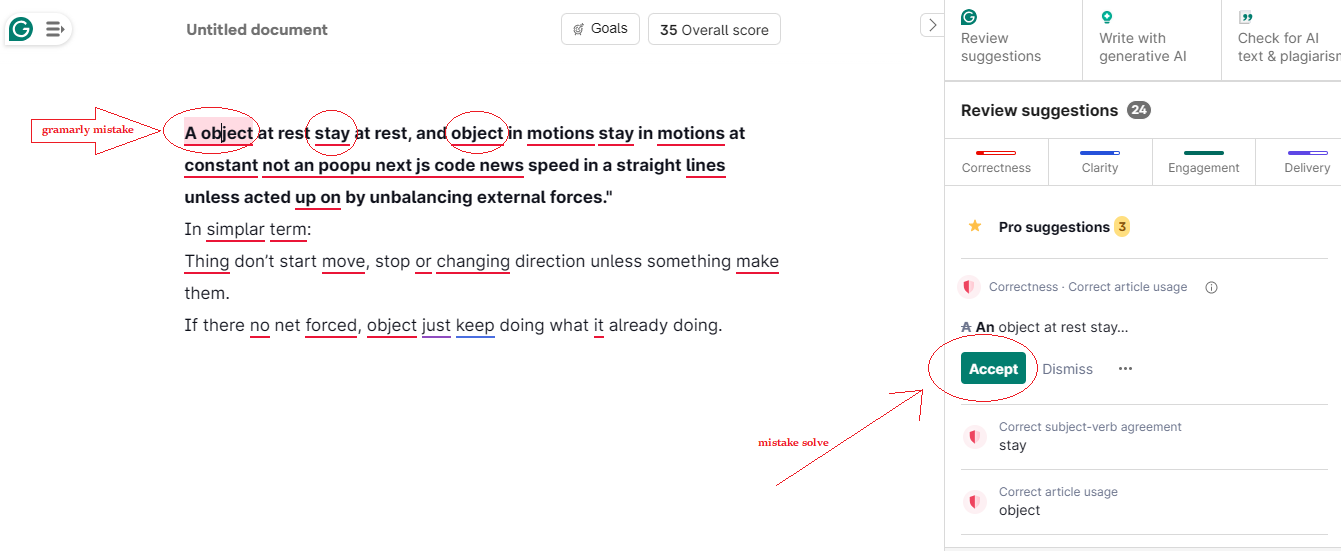
And the Grammarly tool offers suggestions for correcting the mistake. So, students can use this tool to get their notes checked in PDF format and get accurate information.
Grammarly may help you identify grammatical errors, correct writing flaws, and increase clarity. Ideal for students seeking neat, error-free homework.
Use Grammarly for: editing and grammar.
Pricing: Free and premium subscriptions provide 300 documents or 150k words per month.
(3) Quillbot
QuillBot is an artificial intelligence (AI) program that helps you rewrite and enhance texts. It includes several modes, including Standard, Fluency, Humanize, Formal, Academic Simple, Shorten, and Creative.
You can select a mode according to your writing style. The free version allows you to easily and swiftly paraphrase small texts.
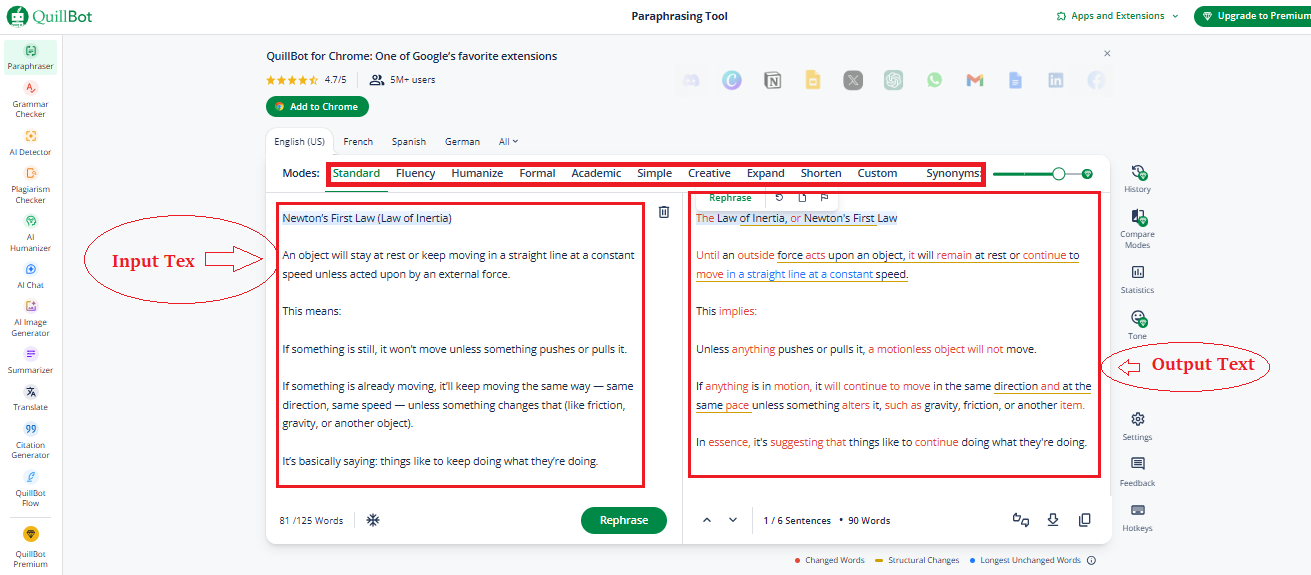
QuillBot’s free plan covers 23+ languages and has two paraphrase modes: Standard and Fluency. It also provides features such as a grammar checker, summarizer, and citation generator. You can observe which words were altered or added to improve your writing.
Use QuillBot for: Paraphrasing
Pricing: Free plan allows up to 125 words at a time.
(4) AIstudio Google
Google’s AI Studio is a free tool for experimenting with and building AI chatbots based on Google’s Gemini architecture. It enables students and developers to create test prompts, study aids, and smart responses.
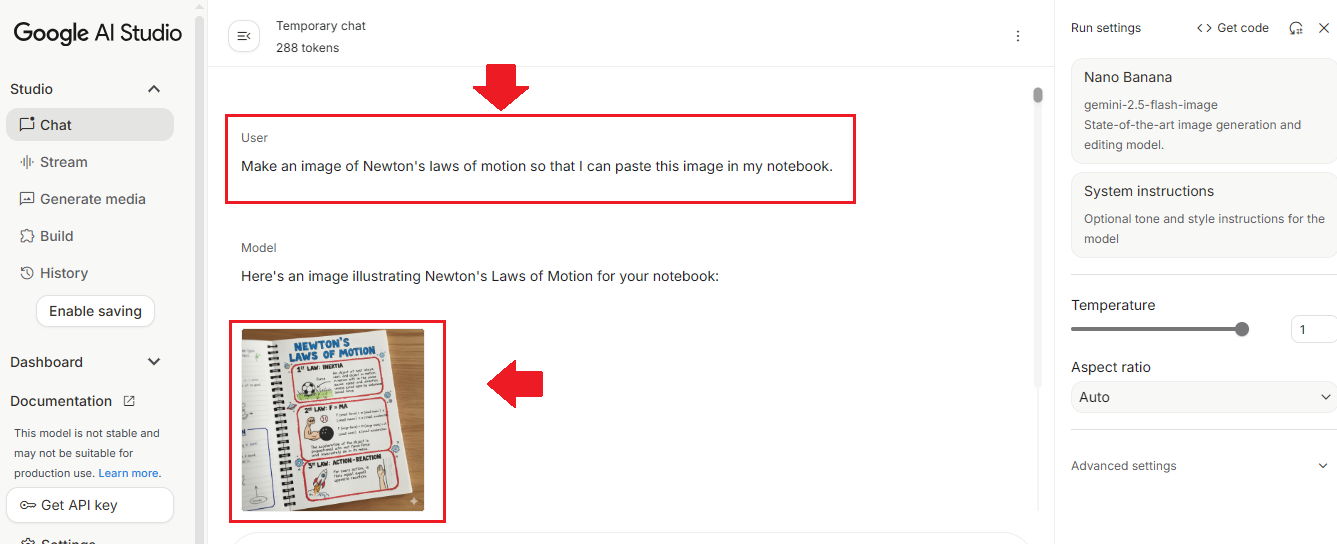
It’s easy to use and works directly in your browser without any installation. As I asked for an image below, it generated an image of Newton’s laws of motion.
Overall, if you need to update your study with the most recent facts, Google aistudio is your best option!
Pricing: AI Studio by Google is free to use but has token limits that reset after some time.
(5) ChatPDF
With the help of the ChatPDF AI tool, students can easily chat by uploading PDFs of their notes. This tool allows students to easily find answers to any questions they have.
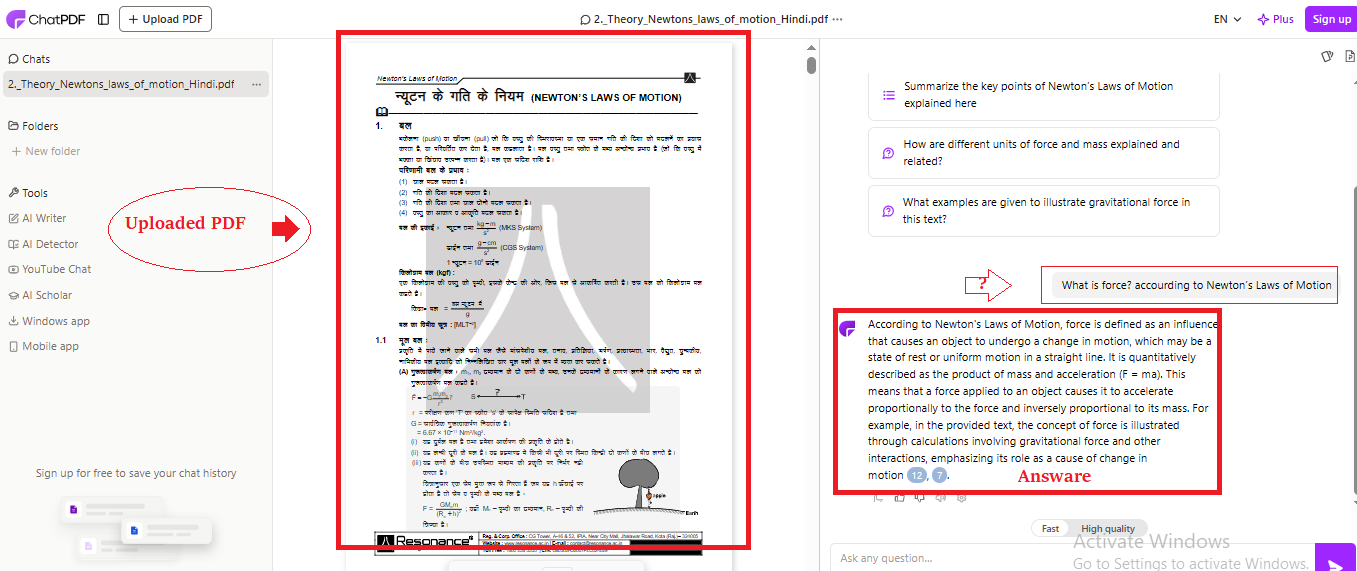
For example, I’ve uploaded a Hindi PDF below and asked, “What is force? according to Newton’s Laws of Motion?” Using this AI ChatPDF tool, I found the correct answer.
Pricing: Free plan allows 2 PDFs daily with up to 20 questions (max 120 pages).
Best For: Quick research and study help and no sign up or no login.
(6) Natural Readers
Natural Readers is a ai text to speech for personal Use application that reads written stuff in a natural voice. It allows you to listen to notes, articles, or PDFs instead of reading them. It’s useful for learning on the go, and the free version has basic voices and daily character limits.
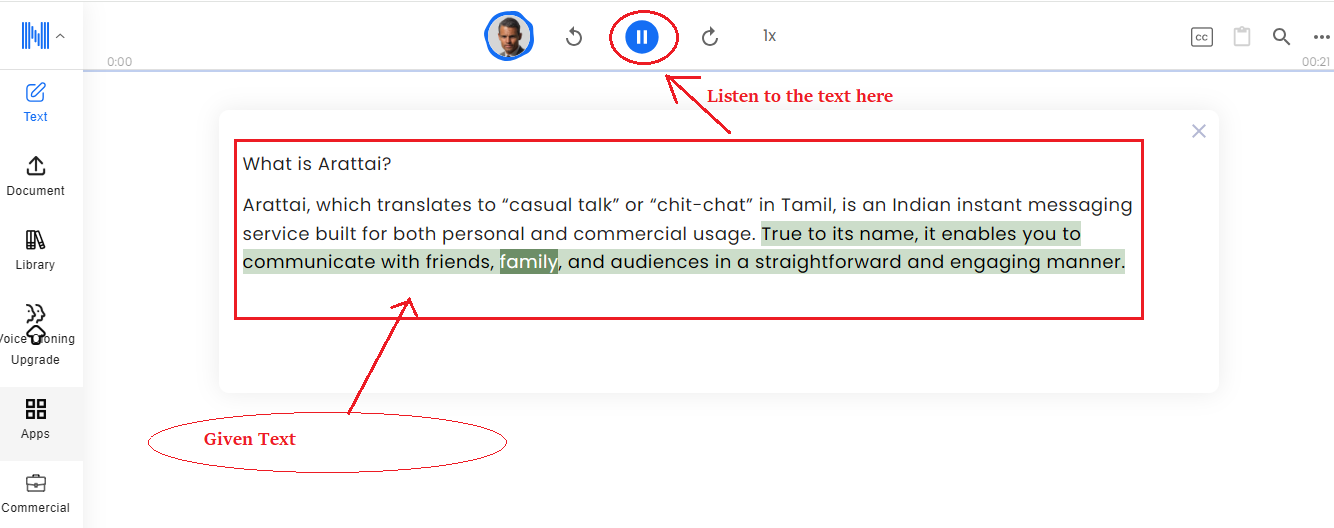
Natural Readers convert text into voice. For example, if you enter “What is Arattai?” it will read it out. Students can submit their notes (PDF or text) and listen rather than read. It’s a simple and effective listening-based learning tool. Check below screenshot.
Pricing: The free plan includes unlimited basic voices, 20k characters/day for Premium, and 4k/day for Plus voices no audio downloads.
For text to speech for personal Use and ideal for listening to notes.
(7) Mubert
Mubert is an AI music application that generates unique soundtracks based on text prompts. Students can use it to create background music for movies, presentations, and study sessions.
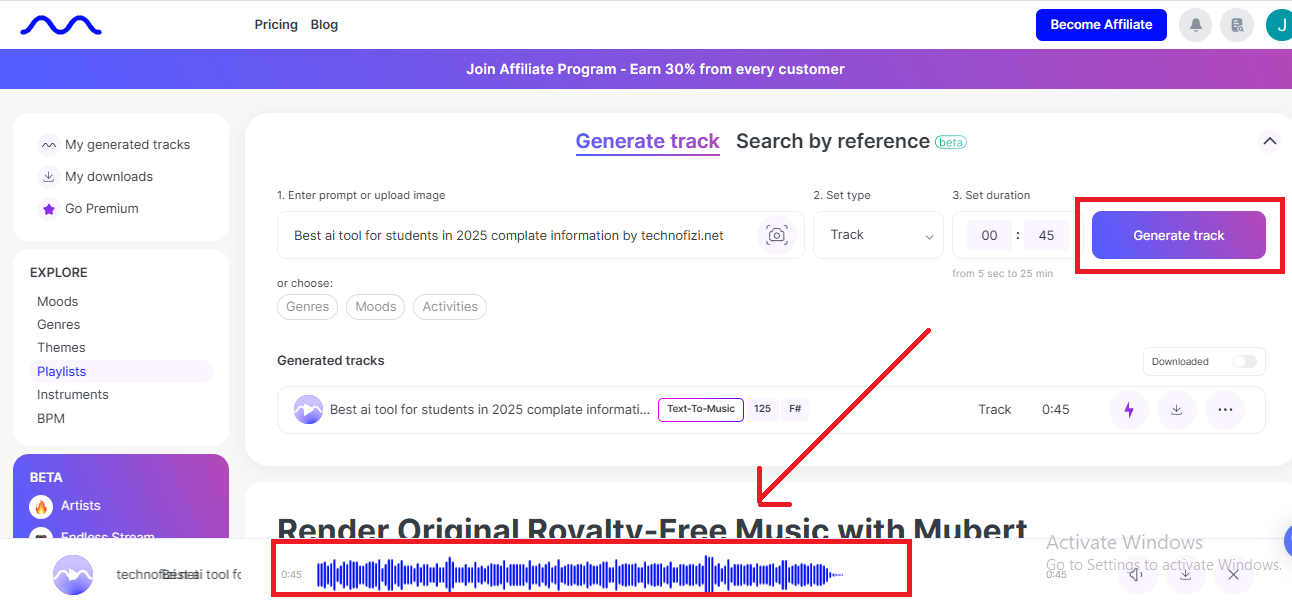
The free edition provides a limited number of tracks per month, but it’s ideal for rapid, copyright free audio that doesn’t require editing abilities.
(10) AskCodi
AskCodi is an artificial intelligence (AI) application that helps students and developers write code faster. You can instruct it to generate code, correct errors, or explain programming principles. It supports a variety of languages, including Python, JavaScript, and more.
AskCodi enables you to write code in over 55 programming languages. You can also translate code into another language and receive simple explanations for it.
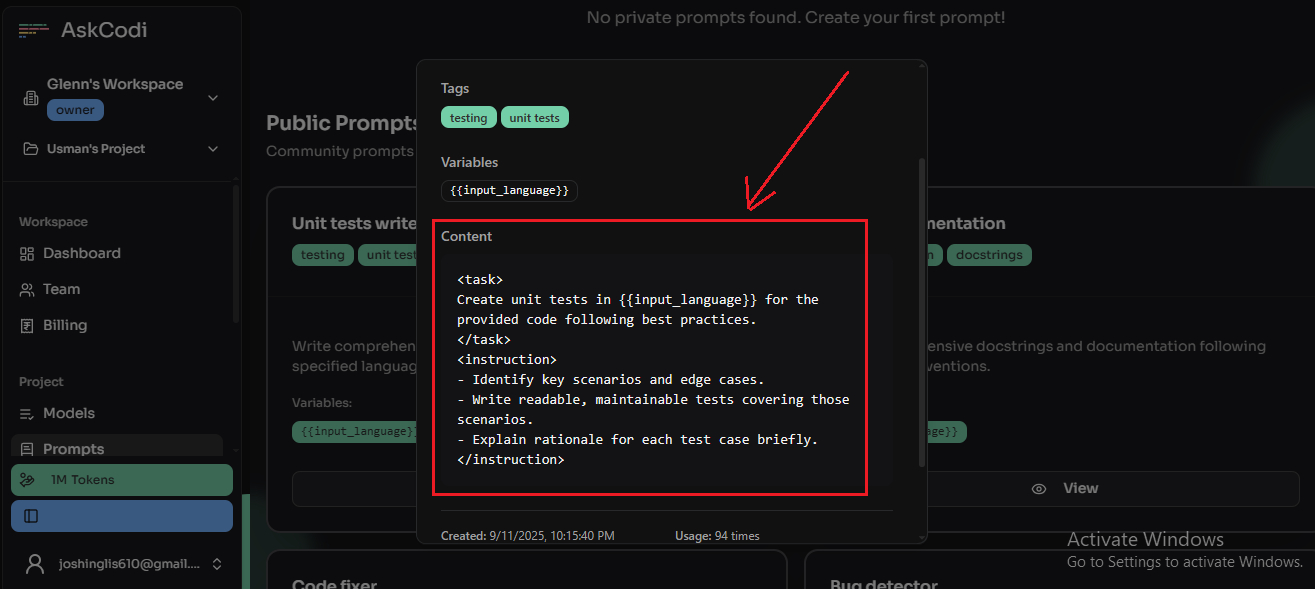
What’s cool is that you can select your preferred AI model, such as GPT 3.5, GPT 4.0 mini, or Claude 3 Haiku.
AskCodi may be used for a variety of tasks, including coding, testing, and document creation. If you’re new to coding, this tool can help you learn and progress.
Pricing: The free plan provides 50 credits each month, which is sufficient for most students.
Use AskCodi for: Coding
(11) Hocoos
Hocoos is an AI website builder that allows you to design a whole website in minutes. Just answer a few easy questions, and it will create the site for you.
It’s ideal for students or newbies looking to create a website without coding. The free plan offers basic features.
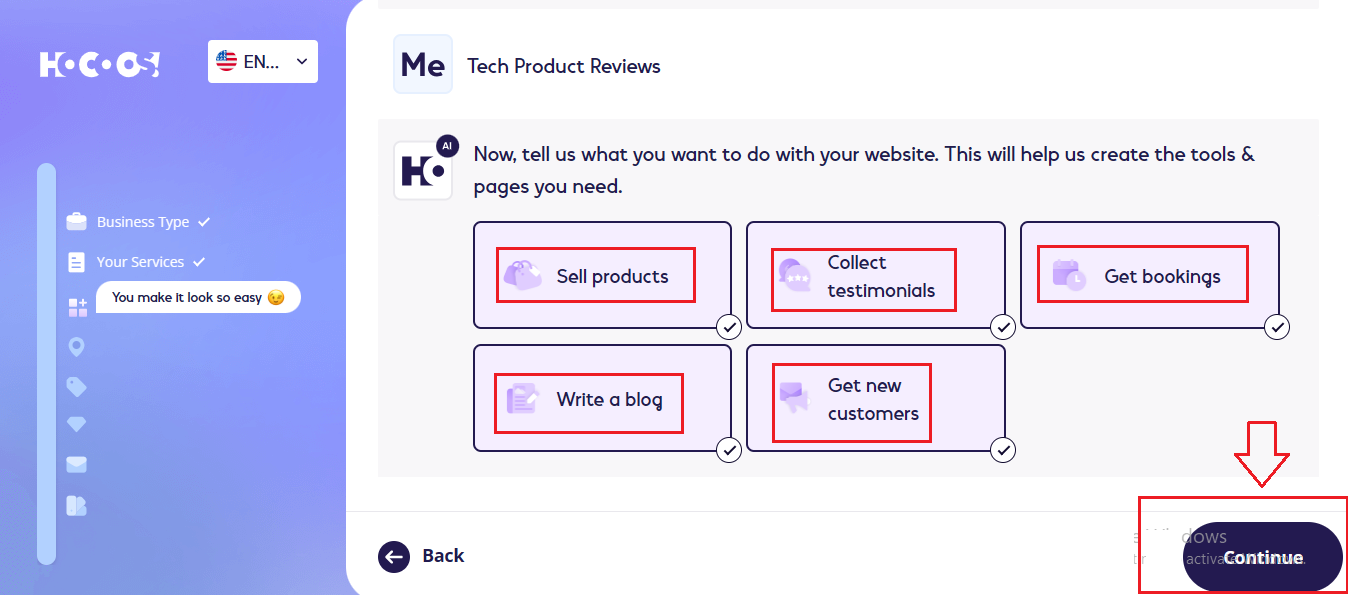
With Hocos, you can create a fully customized website and generate up to 20 pieces of AI content for free. It’s easy to use and requires no coding skills. I created a tech blog like the one below.
(12) KickResume
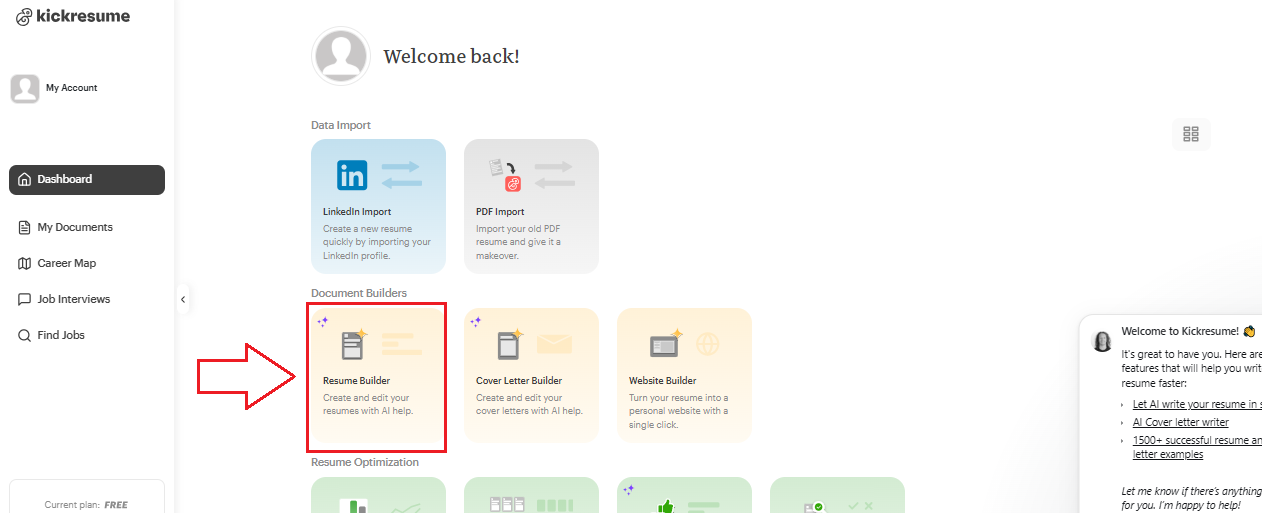
If students are looking for work, they may easily generate a professional CV using KickResume. It assists users in creating resumes, cover letters, and portfolios using ready made templates and AI support. This website create a fully customized CV or Resume.
Pricing: Free with basic templates.
Use KickResume For: Resume, cover letter creation, interview questions etc.
(13) Claude.ai
Of all the AI tools listed above, this Cloud.ai tool is especially useful for students, as it’s not just for students, but also for those who don’t know coding, writing, or design, or even content creation. Using this tool, they can create content without any coding, writing, or design, and for free. Let’s explore this with some examples.
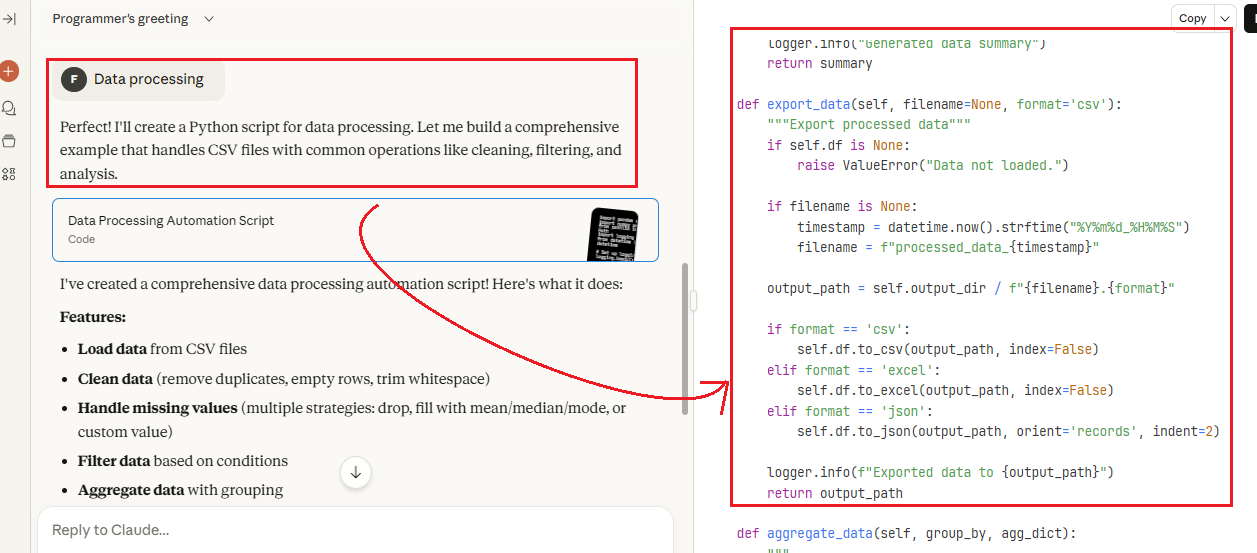
As I said, I created a Python script for processing CSV files. This script was created for me very easily and quickly. See the image below.
Pricing: Free plan available with limited daily usage.
Use Claude.ai for: Writing, analysis, Q&A
(14) Perplexity
Perplexity AI is a clever search tool that uses artificial intelligence and real world online sources to provide answers. It provides clear explanations and links, so you can trust the information. The free edition is adequate for general questions, while subscription levels provide deeper research and additional capabilities.
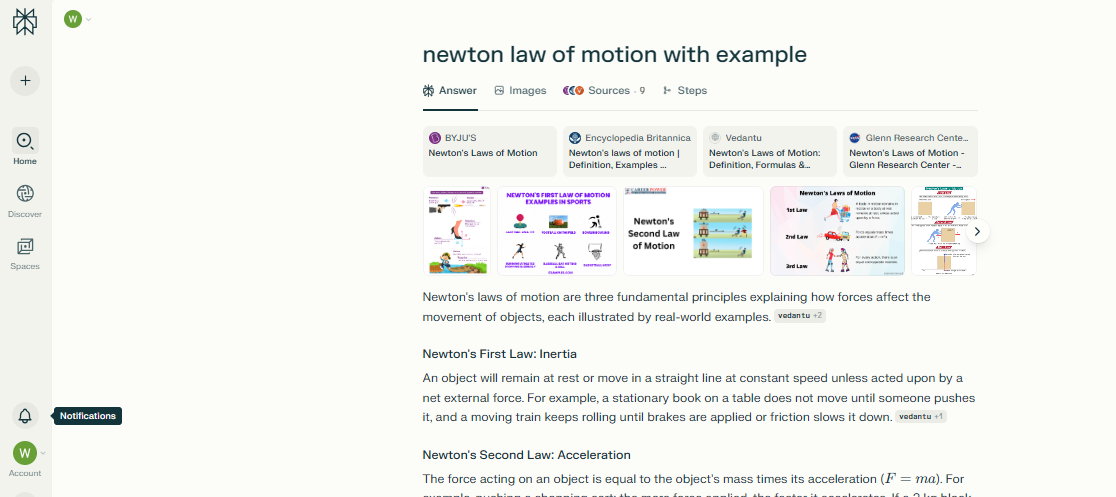
This application is excellent for helping students prepare for examinations. It not only provides precise answers, but also proposes relevant inquiries. When I looked for Newton’s laws of motion, it explained the subject with illustrations and provided follow-up questions to assist me comprehend.
Pricing: Free basic plan, Pro at $20/month, and Enterprise at $40/month.
Use for: AI-powered search, research, summarization, and answering inquiries.
(15) Julius AI
Julius AI functions similarly to a clever data analyst. You just connect your data, ask questions in easy English, and it displays charts, insights, or summaries no code required. It’s ideal for students working on data projects or anybody looking for rapid results from spreadsheets or databases.
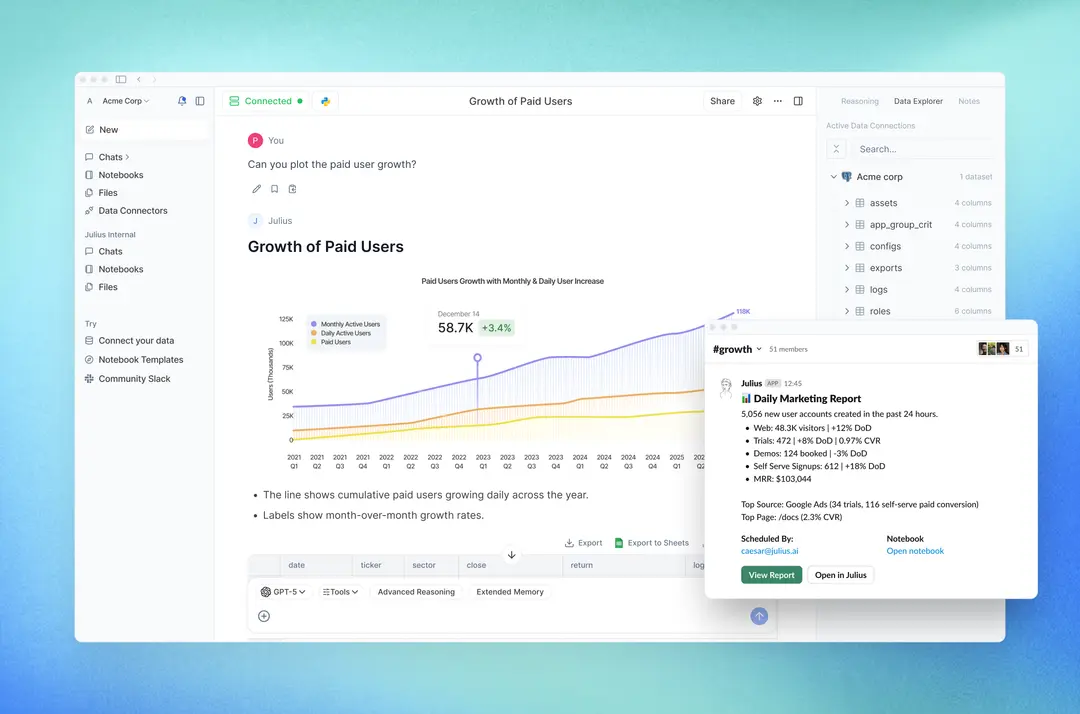
Julius AI is a data analysis tool that doesn’t require coding experience. This utility supports Excel, CSV, PDF, and Google Sheets files. You may ask basic questions about your data and get visual insights in seconds. This is perfect if you are not familiar with data analysis in Python or Excel.
Pricing: The free plan includes 15 inquiries every month, while premium subscriptions begin at $20 per month.
Use For: simple English to analyze data, create charts, and get insights.
(16) ElevenLabs
ElevenLabs is an AI voice technology that converts text into natural sounding speech. Students can utilize it to listen to articles, lectures, and books. The free plan provides 10,000 credits per month for basic text to speech access.
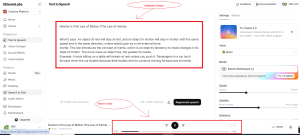
Students may utilize ElevenLabs to convert their notes into clear, natural sounding audio. Listening to these speech recordings might make it simpler to recall and grasp crucial concepts, especially when revising or multitasking.
Pricing: Free plan gives you 10,000 credits/month (for basic text‑to‑speech).
Use For: Turning your notes into speech, creating voiceovers, and listening to reading material.
(17) BypassGPT
BypassGPT is a sophisticated tool that humanizes AI writing to avoid detection systems while ensuring that the material is 100% plagiarism free and original. It provides error-free writing with no grammatical or spelling issues, assures SEO friendly structure with keyword rich output, and aids in the creation of natural, authentic material that avoids spam filters in emails.
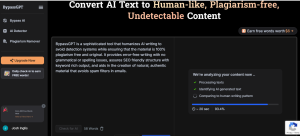
Students may use BypassGPT to make their AI generated material sound more human and genuine. It’s handy for rewriting assignments, essays, or project reports in a way that evades AI detection and plagiarism checkers. Furthermore, it enhances grammar and clarity, making the information cleaner and simpler to grasp.
Pricing: Paid plans start at $8/month. (5,000 words to 30,000 words)
Use For: Humanizing AI text and bypassing AI detection.
(18) Otter AI
Otter AI is a meeting assistant solution that provides real time transcripts, automated summaries, action items, and smart templates. You may also communicate with your meeting notes to receive rapid responses. It enables students and professionals to save time and concentrate better during lectures or team meetings.
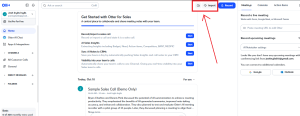
The Otter AI technology is highly beneficial to students since it automatically translates lectures or online lessons into text. This simplifies note taking and saves time. Furthermore, students might have a better understanding of their subject by listening to or reading recordings later.
(19) Notegpt.io
NoteGPT is an all in one AI learning aid that helps students study more quickly. It is capable of summarizing YouTube videos, PDFs, essays, lectures, and other content. You may convert material into concise notes, mind maps, or presentations. It also allows you to interact with the content to better grasp difficult concepts.
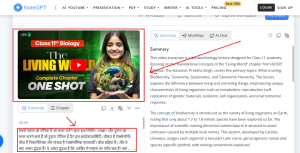
Students can convert videos into text using this Notegpt.io tool. As soon as I pasted the YouTube link here, the text of the video was ready.
Pricing: Free with limited access.
Use For: Summarizing study material and creating notes.
(20) Grok AI
Grok AI is a chatbot created by xAI (Elon Musk’s firm) and available on X (previously Twitter). It answers inquiries, provides real-time information, and reacts in a funny, human-like manner. Students may utilize it for fast explanations, current events, or informal studying right inside the X platform.
Pricing: Free with X Premium (~$8/month).
Use For: Chatbot Q&A and learning on the X app.
Free AI Tools For Students Download
| Tool Name | Use For |
|---|---|
| ChatGPT | Q&A, essay writing, explanations |
| Grammarly | Grammar correction, writing help |
| QuillBot | Paraphrasing, rephrasing text |
| ChatPDF | Ask questions from PDF files |
| Otter AI | Transcribe lectures to notes |
| NoteGPT | Summarize videos, PDFs, lectures |
| Perplexity | Smart research with sources |
| Caktus AI | Solve math, essays, coding help |
| AskCodi | Code generation and debugging |
| Natural Reader | Text to speech for notes |
Which is the best AI for students free?
ChatGPT (free plan) is the finest overall AI for students. It makes writing, solving problems, summarizing notes, and understanding complicated topics easier. Grammarly is useful for grammar, whereas QuillBot is good for paraphrasing. ChatPDF and Otter AI are excellent for PDFs and lecture transcripts. These apps work together to save time, increase learning, and help you study smarter all for free.
Benefits of AI Tools for Students
Here are some short, clear benefits of AI tools for students:
- Save Time: Instant answers, summaries, and writing help.
- Improve Writing: Fix grammar, rephrase content, and boost clarity.
- Understand Complex Topics: Get simplified explanations fast.
- Boost Productivity: Automate notes, research, and coding tasks.
- Study Smarter: Personalized learning and quiz generation.
- Accessible Learning: Text-to-speech, transcription, and more.
Conclusion
In this post, we looked at 20 amazing AI tools in 2025-26 that may improve students lives simpler and wiser. If you are a student, I really hope that these tools will help you study quicker, write better, and save time.
Personally, I like ElevenLabs, Hocoos, and Gemini because of their inventiveness and simplicity of use.
Do you have a favorite AI tool among the ones I’ve mentioned? Have you used these tools before? Please let us know in the comments below. That’s all for now. Be sure to visit our website to learn more.
FAQs Related To Students AI Tools
Q1. What are the best free AI tools for students in 2025?
Ans: Top free AI tools include ChatGPT, Grammarly, QuillBot, ChatPDF, Otter AI, NoteGPT, and Perplexity. These help with writing, research, grammar, note taking, and summaries.
Q2. Is ChatGPT free for students?
Ans: Yes, ChatGPT offers a free plan using GPT-3.5, which is perfect for writing help, Q&A, and learning complex topics in simple language.
Q3. Which AI tool can summarize study material for free?
Ans: NoteGPT and ChatPDF can summarize YouTube videos, PDFs, and documents for quick understanding without reading long texts.
Q4. Can students use AI for writing essays for free?
Ans: Absolutely. Tools like ChatGPT and Grammarly help students write clear, well-structured, and grammatically correct essays for free.
Q5. What is the best AI for paraphrasing and rephrasing?
Ans: QuillBot is the most popular free AI tool for paraphrasing. It offers different rewriting modes to improve clarity and style.
Q6. Are there any free AI tools for coding help?
Ans: Yes, AskCodi and Caktus AI offer free coding help. Students can get explanations, write code, or debug small programs easily.
Q7. Which AI tools help with lecture transcription?
Otter AI is great for transcribing recorded lectures into notes. It gives students 300 free minutes per month.