Blog Page 67

10 Best Remote Work Tools for Working From Home

0

Remote working has essentially become the backbone of working in today’s times. All businesses, be it small or big, are trying to necessitate remote working to commensurate with the need of the hour. The question remains, are we prepared to work remotely?

Remote working has its own set of inherent perks and challenges. There is a lack of physical interface, supervision and even the motivation levels of the employees are on shaky grounds. As a business owner, it has now become essential to ensure that there are remote working facilities available for employees to work on.

You can find more information on how business’s functionalities are bottlenecked based upon the location of the employees. Even not having access to the office fax machine can cause an evident bottleneck in functioning. 

There are efficient tools such as CocoFax that offer ease to the employees even while they are remote. As a business owner, it offers benefit to both the employer and employee to have the below mentioned tools in place:

1. CocoFax

CocoFax is an online fax service provider that enables people to send and receive faxes remotely. It essentially acts as a translator connecting the digital and telephonic signals and allows sending out faxes through computer, phone, iPads and any internet compatible device.

 Faxes are preferred by corporations by and large because of the security and reliability they provide. Expecting the employees to buy a fax machine for office is unreasonable. This is where remote faxing abilities serve as a great way to people to send and receive faxes. 

CocoFax has the immaculate standing and reputation of being the most preferred faxing application. It needs hardware in the form of a fax machine. There is less dependency upon office infrastructure and sending and receiving faxes becomes a piece of cake. 

2. Communication Devices

The employees must be provided for mobile devices for enabling communication between them and their superiors, subordinates and even third parties they need to communicate with. The devices must have relevant plans that encourage them to speak without inhibitions. 

The employees must feel encouraged to communicate and work for the objective of serving the business. Having all remote workers talk every now and then creates a sense of general air that work is being done despite the distance.

 3. Remote Working Guidelines

The concept of remote working can be a comparatively new concept for many people. Therefore, remote working should be backed by remote working guidelines and rules. IThe people should have guidelines to refer to when they have questions about remote working.

The guidelines should serve as a go-to document for any confusion, ambiguity or overlap of communication that remote workers are having. Instead of seeking irrelevant remote working information guidelines from the line manager, the guidelines can always be referred to.

4. Remote working Tips

While guidelines could be formal informative documents that levy the weightage on essential information like attendance, leaves, etc., sometimes employees also need personal assistance. The remote working tips could be an informal way of assisting the remote workers in better performance of their functions.

It is obvious that every individual has a different set of working situations at home. Some live alone, some with roommates, some with children, some in an absolutely confined space, etc. An informal document must be circulated to assist the workers in ensuring that they can make the best of the situation. 

5. Line Manager Supervision

Another important tool is that there should be adequate supervision from the line manager. The line manager must be informed and aware of the conduct of the subordinate. There must be a clear code of conduct of marking the line manager to all relevant mails, supervision, calls, check ins that must be followed.

6. Video Conferencing

There are video conferencing tools that allow employees to stay in touch in a regular manner. There can be bilateral, virtual team meets, etc. that allow users to stay in touch in a regular manner. It also covers up for the lack of physical interface in work.

7. Document sharing

There are newer document sharing tools like google documents that allow simultaneous upload and editing of documents. It is compatible with all file kinds be it word, excel, and other file types.

8. Online performance Review

Employee motivation becomes highly ambiguous in a remote working set up. By virtue of recurrent and regular online performance review and evaluation, you can attain parity in performance of your employees as a business. 

9. Elite HR Softwares

Managing human resources remotely could be a very tedious task. Vouching on the individual engagement, work hours and actual work done by the employees becomes highly ambiguous in a remote setting. 

This is where elite HR softwares comes into play. They allow the employees to follow a system of recording the hours spent on their systems, recording work hours and work done. With differences in work, the softwares can be customized to meet the individual job requirements.

10. Mobile Hotspots

Remote working is totally dependent upon reliable internet. In situations when your internet connection is compromised, you can severely impact your work. Therefore, having internet back ups is much needed in a remote working set up.

Your communication devices and data plans must allow for a provision of mobile hotspots in order to allow users to have an internet backup in case of emergencies. The employer should ensure that all mobile phones are backed up with sufficient internet data to continue work. 

Conclusion

The support of the employer is essential for ensuring that remote working does not impact the productivity of the workers pejoratively. Tools such as CocoFax have emerged as an employer favourite to ensure that business communication continues to flow in an unhindered manner. 

You can find more information as to why CocoFax is more preferred over other remote faxing applications. You can even try the app on its 30 day free trial and know yourself first hand why CocoFax enjoys loyal patronage from users around the world.

7 Best FileBot Alternative Tools to Organise & Rename Media Files

0
Everyone knows that FileBot was the best software for renaming and managing files and also to download subtitles. But what happened that people are looking for Filebot alternatives? In its initial development stage, FileBot was an open-source project that solely relied on crowdfunding. When the app gained popularity, the creators removed the portable version, and now only the paid version remains. Many people had donated during the crowdfunding, and most users argued that the app was not worth $40 for Windows or $50 for mac version. This is the sole reason for the downfall of FileBot. We all know that FileBot is the ultimate tool for renaming your movies, TV shows or anime and for even downloading subtitles and is supported by Windows, Linux and Mac. Here in this article, we are going to present you with the best alternatives for FileBot.

Contents

Best 7 Alternatives of FileBot Software:

1. MediaElch

MediaElch

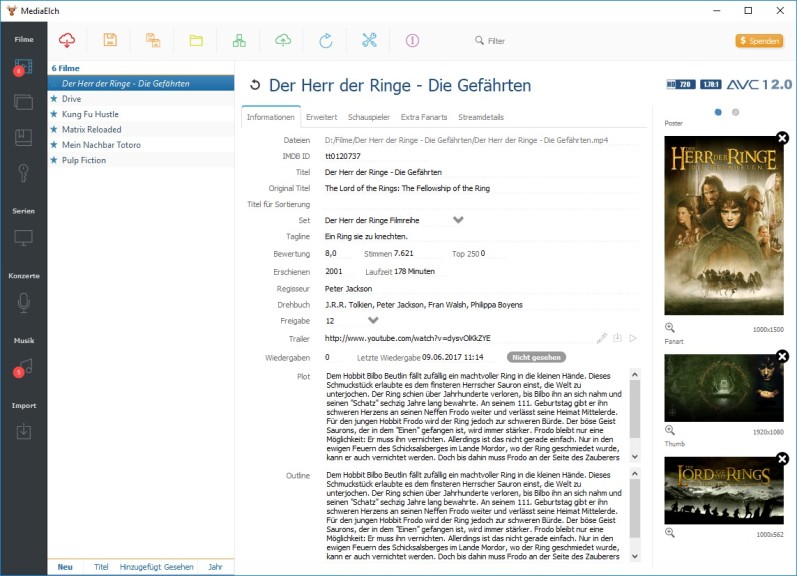
MediaElch is an is open-source software and free to use media file organizer. It’s easy to use and works on Windows, Mac and Linux. With MediaElch, you will be able to manage all your media files including movie files, TV shows and music files. You can import new files into MediaElch and the application would rename these new files automatically. By using “scrapers” you can select the source of your file name titles. It has a number of scrapers that includes IMDB, the Movie DB, the Audio DB, the TV DB and fanart.tv.

Highlights of MediaElch:

  • Free to Access
  • Easy UI
  • A large collection of Scrapers

2. Shoko Desktop

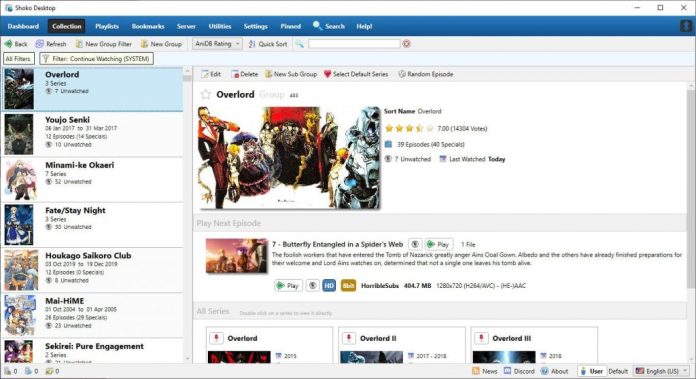
Shoko Desktop

Highlights of Shoko Desktop:

  • Specially designed for anime
  • Create custom filters
  • Has different tools to fulfil your every need

3. Advanced Renamer

Advanced Renamer

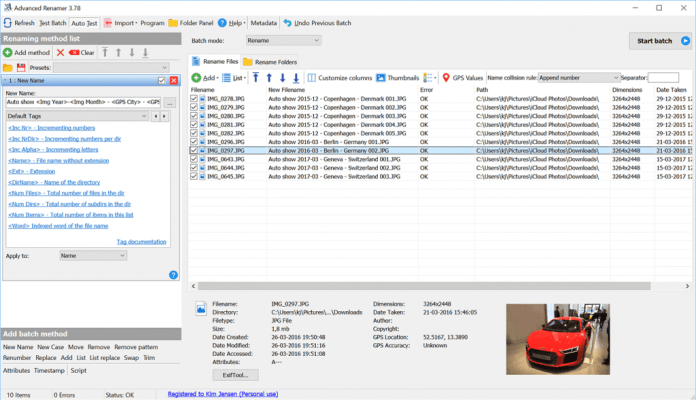
Advanced Renamer is a Windows only application that enables you to organize your media files and any other type of files too. It provides a number of methods to rename your files, therefore you can easily decide which method was best for each file type. Advanced Renamer can be used for images as well as your media files. Advanced Renamer allows you to even add GPS data to the image. Advanced Renamer works differently to FileBot in the methods used to name your media files that not suit everyone.

Highlights of Advanced Renamer:

  • Free to use
  • Multiple methods to rename your file
  • Additional features such as adding data using GPS

4. Rename My TV Series 2

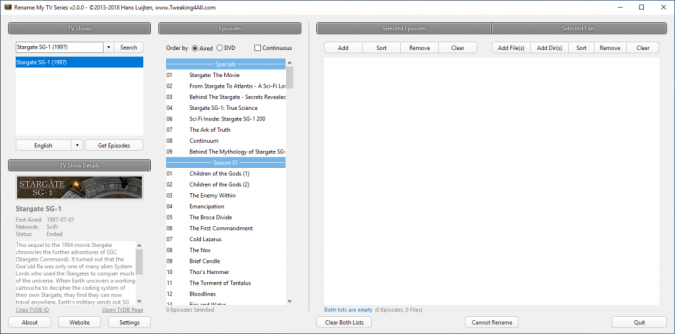
Rename My TV Series 2 Rename My TV Series 2 is a tool that is used to rename TV series episodes. It’s the updated version of Rename My TV Series / Name My TV Series. The new version updates the user interface and supports the new API of TheTVDB.com, supports 64-bit version for mac, and supports SSL. It is free to use software that can be used to create an NFO file for each TV Show or episode. The renamed files can be moved to directories; whose names can be defined based on TVDB data.

Highlights of Rename My TV Series 2:

  • Dark mode support
  • Free to use
  • 64-bit mac support

5. Rename Master

Rename Master

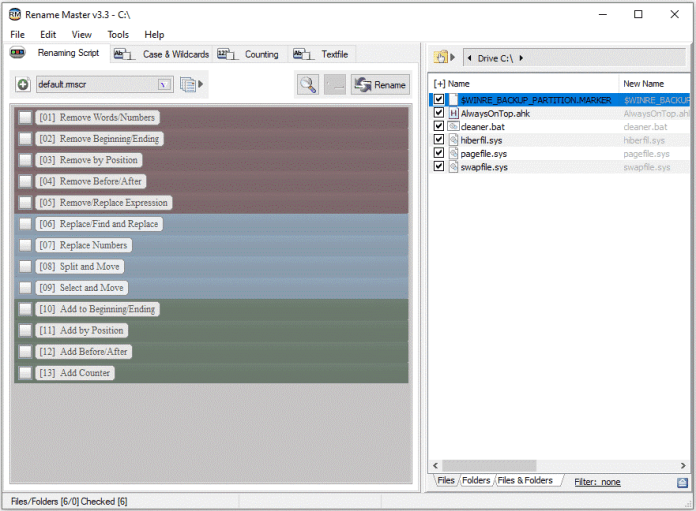
  With the Rename Master, you can rename a whole bunch of files with just a single mouse click. Rename Master can only be used on Windows computers. Rename Master has a very basic look, thus making the UI easy. The app provides a multitude of renaming instructions to set up your file names the way that you want them and has no scraping feature for media files. You can change multiple filenames at once by simply choosing the file naming instructions that you want them to have. With the preview facility, you can see what the files will look like before you rename them.

Highlights of Rename Master:

  • Free to use
  • Simple and Easy UI
  • Preview facility available

6. Media Manager

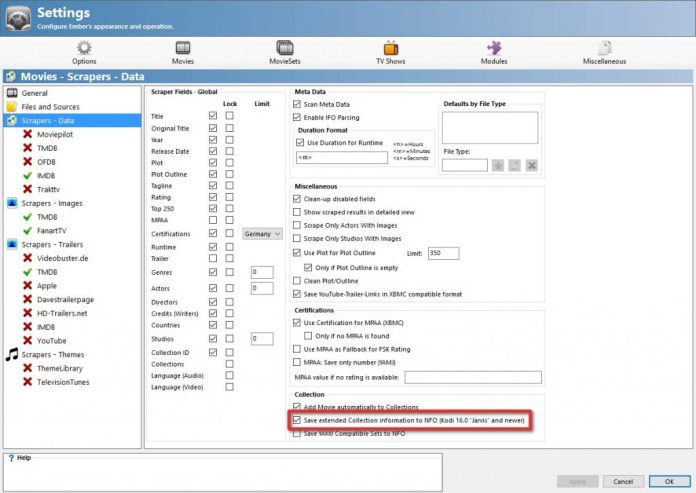
Media Manager Ember Media Manager is a Windows-only open source movie and TV Show collections management tool. It was created to be used with XBMC. It supports most of the other media centre application out there and empowers home theatre enthusiasts to manage and organize their entire movie and TV Show collections. Ember scrapes movie and TV Show information from various sites along with their posters, fan-art, actor photos and even movie trailers. Ember can also be used as a standalone movie organizer, but the main objective is to export all the data and images to a format which can then be imported into your favourite media centre application.

Highlights of Ember Media Manager:

  • Automatically extracts media metadata
  • Free to use
  • Supports most other media centre applications

7. Media Center Master

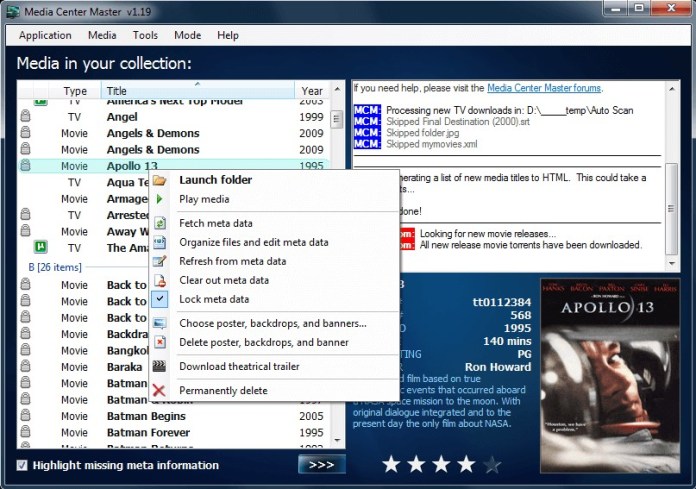
Media Center Master Media Center Master is a Windows only application that can be integrated fully with Kodi which makes things a lot easier. Media Center Manager works in dynamic mode to update your media files when you add new ones and the free version does a pretty good job. All you have to do is to select the folder for each type of file and then choose your naming convention. Media Center Manager uses a number of sources such as the Open Movie Database, the TV Database, IMDB, Fanart.tv and various torrent sites to scrape information. You can go for the premium version for a lot more functionality.

Highlights of Media Center Master:

  • Can be integrated with Kodi
  • Dynamic modes for operation
  • Scrapes information from a number of sources

Conclusion

We hope that you found what you were looking for, the best FileBot Alternatives. Filebot is considered to be one of the best, but you can use any of the above alternatives for a fast and smooth experience. Most of the free tools work in par with Filebot, and you won’t have any regrets using them. Follow our page for more latest updates.

10 Best Orcpub Alternative D&D5e Tools

0

On 22nd February 2020, the Orcpub website was shut down. But the community version of Orcpub is still running. The Orcpub website was once the most admired and preferable suite of tools for Dungeons and Dragons. 

Now, that it is officially is taken down due to which the fans and users are looking for the best Orcpub alternatives on the internet. If you read this article completely you will get the best sites like Orcpub which we have listed after the great research. 

Best Alternative of Orcpub | 10 Sites like Orcpub

Here are a few Orcpub alternatives listed below which will give a similar experience with your gaming sessions. 

  1. D & D Beyond

D & D Beyond

D & D Beyond is one of the well-known Orcpub alternative. It is the official digital toolset for Dungeons & Dragon’s fifth edition. It is a website that hosts the online version of dungeons and dragons with the help of online tools like a character builder and a digital character sheet. Thus, this makes it one of the best replacement of Orcpub.

Advantage: 

  • The tool is available free of cost. But other than that there are some tools and options available for the premium users.
  • It can be accessed from any web browsers and mobile phones or tablets. 
  • The website of D & D is renewed regularly based on the input of the users.

Disadvantage:

  • Unlike Orcpub it is not a free platform. Some tools and contents are available for free but not all. Also, to make an account the users need a subscription.
  • To access all tools you need to buy a premium membership. With the help of the premium membership, you can create a personal account. 

2. Beyond Tabletop

Beyond Tabletop

Beyond tabletop is a free website that provides the online free tool. Unlike most online gaming platforms this one is much easier to use and access. The players make all the setup so it is a great platform for the RPG players. But what makes it one of the best Orcpub alternative is that it is a free tool for online gaming. Also, it is open source for Windows and Mac users.

Advantage:

  • Beyond tabletop is a free platform for online gaming. So, it provides you with the alternative to designing your character.
  • It is easier and manageable than other online gaming applications. This makes it suitable for the new players who have less online tabletop gaming experience.

Disadvantage:

  • Beyond tabletop doesn’t provide comprehensive offerings and ideas for playing Dungeons & Dragons.
  • It doesn’t provide a good visual and audio experience for playing Dungeons & Dragons.

 3. Roll20

Roll20

Roll20 is a browser-based online gaming tool. Due to which this alternative has a huge fan base. It is specially designed for unique gaming sessions that are joined by users. It allows users to communicate with each other. The users communicate through integrated text chat, voice chat, and video chat on Google Hangouts integration. Due to these features Roll20, is considered to be a good alternative for Orcpub.

Advantage:

  • Roll20 is a free open-source for tabletop online gaming.
  • It gives a feel of actual table games to the users. By providing effects such as automated dice rolling, shared maps with a basic character and enemy tokens, and triggered by sound effects for the better experiences.

Disadvantage:

  • Roll20 is not available on other operating systems except Windows and Mac. 
  • It is not available for Linux users.
  • The users cannot use it on a mobile phone or a tablet.

4. Adventurer’s Codex

Adventurer's Codex

Adventurer’s Codex is a free and easy online gaming tool. It provides great visuals and sound effects that grab the attention of the users. Thus, it makes it a suitable platform for the players of D & D. It is a browser-based application for tabletop games. Its in-person Dungeons & Dragons fifth edition gaming system for characters, campaigns, and parties. Adventurer’s Codex is considered to be a good alternative too.

Advantage:

  • Adventurer’s Codex is an open-source website. It doesn’t require any money for registration or for accessing the tools.

Disadvantage:

  • Adventurer’s Codex is not available on other devices like mobile phones and tablets.

5. Talespire

Talespire

Talespire is an online platform for a graphical progression of playing role-playing games with other gamers and friends. It provides a nice camera effect on all scenes. Due to w which the users get a wholesome online tabletop gaming experience. Also, it gives the users access to an online store where the players can purchase extensions for their games.

Advantage:

  • Talesspire can be accessed through the Windows operating system.
  • It provides an online role-playing feature for multiple players. This role-plying feature gives a great experience of playing with multiple people at once.
  • Also, it is a good option to connect with your friends and family members. 

Disadvantage:

  • Talespire is not available for other operating systems.
  • It is a paid website. Thus, it is not open-source.
  • It can not be used on a mobile phone or a tablet. 

6. Hero Lab 

Hero Lab 


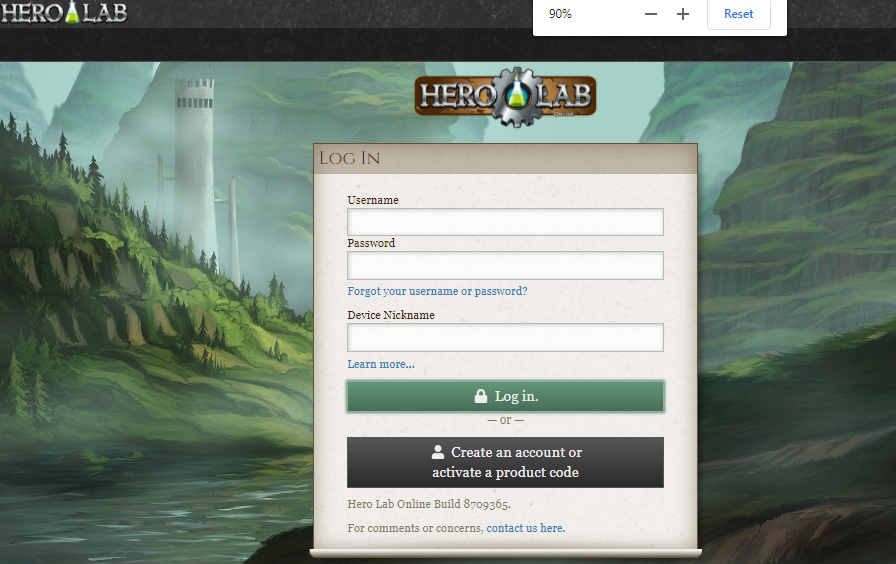
HeroLab is a user-friendly online gaming tool. It grants support for many games including Dungeons & Dragon’s fifth edition. It can be supported on both Windows and Mac operating systems. Thus, it is easily accessible by users. The website comes with its own scripting language. It has a customizable character creation tool that can be accessed by other games too.

Advantage:

  • HeroLab provides the option to customize your character from the basic level. Thus, it serves as a good selection option for users. 
  • It is available on Windows and the Mac operating system. So, the users can access it anytime anywhere on their personal laptops or PC.

Disadvantage:

  • HeroLab is a highly-priced web gaming tool in comparison to other options available.
  • It is not an open-source website.
  • It cannot be accessed on mobile phones and tablets.

7. Rolisteam

RolisteamRolisteam is a free virtual table software. It provides specialities such as the sharing of maps and pictures between the players. It also communication tools that are used to communicate with your friends. It makes your online gaming experience similar to on table game experience that can help you to have an amazing playing time with your friends and competitors.

Advantage:

  • Rolisteam is a free open-source for Mac, Windows, and Linux operating systems.
  • It also provides important gaming tools for free of cost.

Disadvantage:

  • It cannot be accessed on mobile phones and tablets.

8. Aurora Builder

Aurora Builder

Aurora builder is specially made for building your character for Dungeons & Dragons. It allows you to manage and create your gaming characters from very basic with the help of the bundled content. All tools and functions are available for free on this website. Thus, it is an open-source website. The aurora builder is available on the Windows operating system and this means it is a web-based tool. 

Advantage:

  • Aurora builder is a free and open-source website that is easy to use.
  • It can be accessed through the Windows operating system.

Disadvantage:

  • It is not available on devices. People with personal computers and laptops with the Windows operating system can access it.

9. PlanarAlly

PlanarAlly

PlanarAlly is a web tool that supplements customized characters and virtual battle-maps. It is shared between the users with various unavoidable tools on your D&D toolbox for a better experience. It is a self-hosting site that comes with an offline support system, simple layers, and an Infinite canvas for better gaming experience and simple using process.

Advantage:

  • PlanarAlly is a free online gaming tool that comes with an offline support system.
  • It is open-source which can be used on Mac, Windows, and Linux Web. So, it is a self-hosted platform.

Disadvantage:

  • PlanarAlly cannot be used on a mobile phone or a tablet. Thus, it is a disappointment for many users without a PC or laptop.

10. DiceCloud

DiceCloud

DiceCloud is another online gaming tool that comes with a realtime D&D 5e Character Tracker. It’s a straight forward website which is used for character designing. It might take a little longer time than other websites. The goal of an online sheet is to make the game more streamlined, interesting, and ultimately more fun for the users.

Advantage:

  • DiceCloud is a free open-source online tool for tabletop games including Dungeons & Dragon’s fifth edition.
  • Character designing is considered to be one of the best available tools out there.
  • It can be accessed through different operating systems including Windows, Mac, and Linux.

Disadvantage:

  • DiceCloud cannot be used on a mobile phone or a tablet which can be a disappointment for some users.

More about the Orcpub

It’s renowned for its peculiarities like sharing maps and pictures in the game. The game sessions can have multiple players so people can share their game experience with other users or with their friends. One of the most liked features of Orcpub was the customizing of your character.

Apart from this, it also had amazing sound effects and graphics that were used to make other tabletop games. It was an open-source online tool for tabletop games that can be accessed by all platforms and operating systems.

Conclusion:

So, all these were the best Orcpub alternatives. And offer similar experiences as Orcpub. Other than these alternatives, Orcpub2 is also considered a good replacement for Orpub. Some of these alternatives are paid whereas some are free, available online with many useful tools and customization options. It provides one of the best platforms for on tabletop online gaming as Dungeons & Dragons fifth edition. Now, get ready to pick any tool according to your taste and preference.

What to Expect from the BetterHelp App

0

The internet has become the venue of choice for everything from board meetings to doctor visits to family reunions. Once so many workers started doing their jobs remotely, collaborating via Zoom calls became the norm. 

While this change has forced everyone to get a little more tech-savvy, many people still aren’t aware that the BetterHelp app is available to connect them with certified mental health therapists. Here’s what you need to know about the app.

BetterHelp is an online counseling platform

BetterHelp is a mental health app that connects you to licensed, certified mental health professionals. You can interact with a therapist via text, live chat, voice, or videoconferencing through the app. Whether you’re suffering from depression, anxiety, or other mental health challenges, you can use it to get help, support, and treatment. 

How long it’s been around

BetterHelp was founded in 2013. Two years later, Teledoc, Inc. acquired the platform to add to its growing telehealth services list. You can learn about the founders and history of BetterHelp at https://en.wikipedia.org/wiki/BetterHelp.

Is BetterHelp the best mental health app?

Many current and past BetterHelp clients say that it is the best mental health app they’ve tried or heard about. It’s highly rated on both the App Store and Google Play Store and has high ratings on many review sites as well.

Who can use the BetterHelp app

The app is rated for ages 12 and up. Teens and adults can use the app to engage in therapy with the counselor they choose. You can check the app specs on Play Store or the App Store to find out if your phone is compatible with it.

Your privacy is protected

BetterHelp therapists go by the same professional code as other licensed mental health counselors. They will not share information from your sessions with anyone else, just as a local counselor wouldn’t. The platform is highly secure, so you don’t have to worry about your identifying information getting stolen online. 

Who the counselors are

BetterHelp counselors are certified therapists who are licensed through their home state to provide counseling services. These therapists have excellent qualifications and include Ph.D. and Psy.D. psychologists, licensed clinical social workers, licensed marriage and family therapists, and licensed professional counselors. Many of the therapists also practice in their local area, providing in-person counseling at a counseling center or private office.

What conditions they treat

Counselors at BetterHelp can treat you for nearly any mental health issue you’re experiencing. These include:

  • Depression
  • Anxiety
  • Social phobia
  • Relationship issues
  • Grief
  • Eating disorders
  • Addiction issues
  • And more

There are only a few mental health problems that a BetterHelp counselor cannot help you manage. If you’re having thoughts of harming yourself, a BetterHelp counselor will point you to a local therapist for immediate treatment where you are.

The benefits of BetterHelp

Many people find that connecting with a counselor offers tremendous support for their mental health whenever they need them. They also appreciate that they can reach their counselor from wherever they have their internet-connected computer or mobile device. And, for people in some locations, no counselors are even available to them locally. 

Because the counselors are trained to help with a wide range of issues, many of the app’s benefits are much the same as in-person counseling from a local therapist. One significant difference that many people like is that they don’t have to have a formal diagnosis to use the app. While insurance companies require you to have a specific diagnosis, the mental health professionals at BetterHelp can address your issues without labeling you.

How you get paired with a counselor

After you download the app, you are directed to a questionnaire. You answer a few simple questions about yourself and what types of issues you’d like to address in therapy. You also get a chance to record your preferences, such as whether you want a male or female counselor. 

You are presented with the top suggestions for you, and you can look at their qualifications, their favored treatment modalities, and even see their photo. You choose the counselor you prefer. And, if you don’t click with the first counselor, you can switch to a different one very easily.

When you connect with your counselor

After you sign up and are paired with a counselor, you can send them a text message any time, 24/7. They will reply to your message during the hours they’ve set aside for BetterHelp clients. You can schedule a live chat, voice call, or videoconferencing session at a time that’s convenient for you. Because BetterHelp counselors are working in many different time zones, it’s easy to find one who can connect you at a time that works for your schedule and preferences. 

Many people find that it’s comforting to be able to leave a message at the very moment they are experiencing their greatest fears or distress, even if that is in the middle of the night. Then, during their counselor’s office hours, they can address those specific thoughts and feelings. 

Where can you get it

You can download the BetterHelp app from the Apple App Store or the Google Play Store. If you want to connect through your laptop or desktop, you can simply go to BetterHelp.com and go from there. The app itself is free, and counseling services through BetterHelp are affordably priced at rates at or below the average cost of face-to-face therapy. 

With the BetterHelp app available, there’s really no need to put off therapy if you’re struggling with mental health issues. This easy-to-use app makes improving your mental health more convenient, affordable, and comfortable. 

8 Best Photo Background Removing Sites & Apps

0

It would be really hard to believe if you ever walk to me and say you never faced a situation when you wanted to remove the background from a picture. You may always confuse in selecting the best background removal websites and apps to edit your image. 

There are lots of different applications as well as different websites which will remove the background from your pic in just a few clicks. But, there are hundreds of applications and websites to choose from and choosing an effective/working app/website from them might be challenging. 

Best Sites to Remove Background From Image

In this article, we will be discussing the best Applications/Websites available for Background Removing. 

1. Remove.bg

https://www.remove.bg/

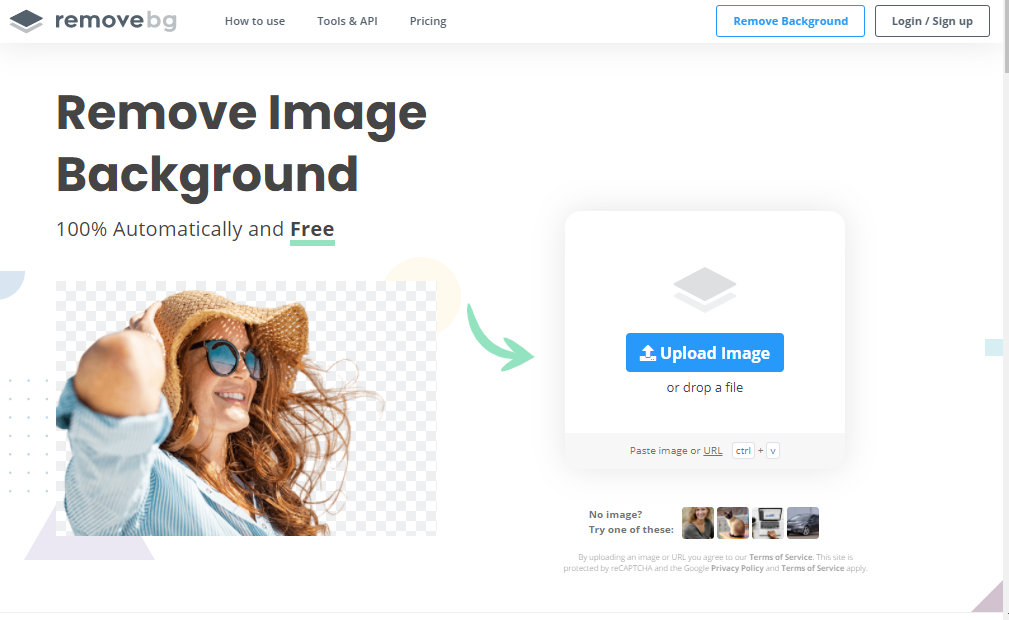
Remove.bg is one of the best and easy to use websites for removing background from any picture you want. It has a very simple user interface and it is very effective. 

It is really simple to use this website as you have to upload your image on the website, and the website will take care of the rest. 

You also have the option of adding a new background or colour in the background once the original background has been removed. The final image generated is compressed which saves memory on your device too. 

However, this website should only be used to remove background from images which have only a single object. Otherwise, the end result might not be what you expected. 

2. Photo Scissors

photoscissors.com

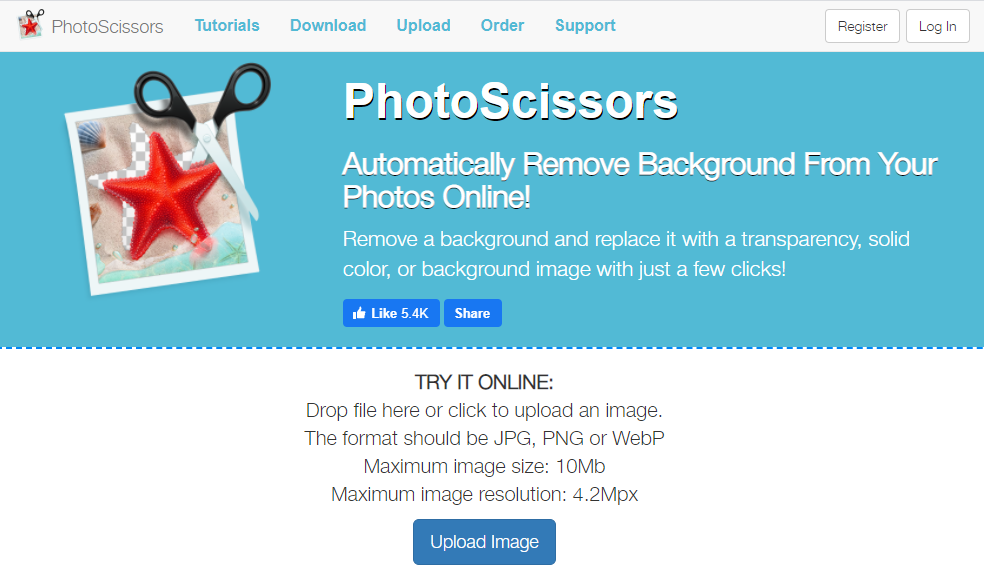
Photo Scissors is one of the most popular online tools for Background Removal because of its simple user interface. 

Just like Remove.bg you just need to upload the image on the website and the website will do the rest. 

You also have the option of adding a new background or adding a new color in your background after the original background has been removed. However, unlike remove.bg, you also have the option of removing background from your picture manually using the tools provided to you. 

3. Background Burner:

Background Burner

The name of this website speaks for itself. It is one of the most visited websites because it helps people remove background from their image with great ease. 

After you have uploaded your image on the website, your image is read by the website and it automatically removes the background. You also get the option of adding touch-ups to your picture if you want some changes to be made. 

However, one of the benefits of using this website is that you have the option of choosing your final image to be either in the .png or .jpg format. 

Best Applications for Background Removal:

1. Ultimate Background Eraser

ultimate background eraser

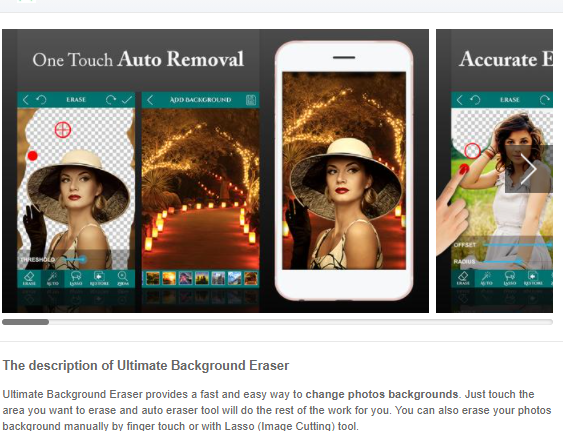
Ultimate Background Eraser is one of the best mobile applications if you want to remove the background of your image. It makes the use of advanced AI Technology to detect the edges of objects in your image and then works upon removing the background. 

To combat the small screen size of your mobile phones, you have the option of magnifying glass so that you can choose the exact area from which you want your background to be removed. 

After the background has been removed, you also have the option to choose a new background. You also have the option of adding texts or emojis to your image which might be a useful feature for many users. 

2. Touch Retouch:

Touch Retouch

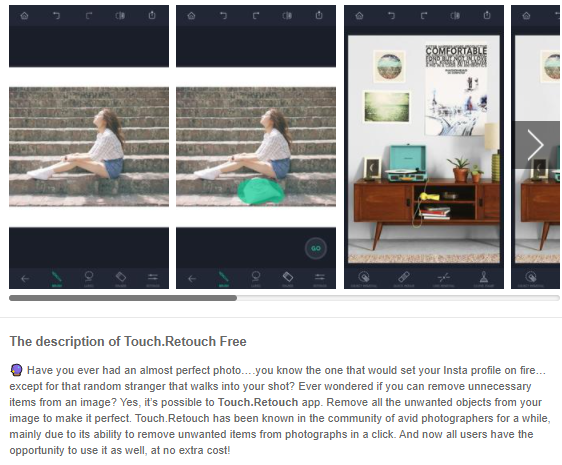
All the above-mentioned applications and websites are indeed great. But what if instead of removing the entire background, you just want to remove some part of it like a person/object in the background. 

Touch Retouch is the application for the same purpose. You just need to tap on the Line Remover option present in this app to remove any wires from your picture. 

You also get a brush tool or a lasso tool using which you can select and crop any object you want to. However, unlike other applications which were free to use, you will have to pay 2 US Dollars to download it on your device. 

3. Adobe Photoshop Mix:

Adobe Photoshop Mix

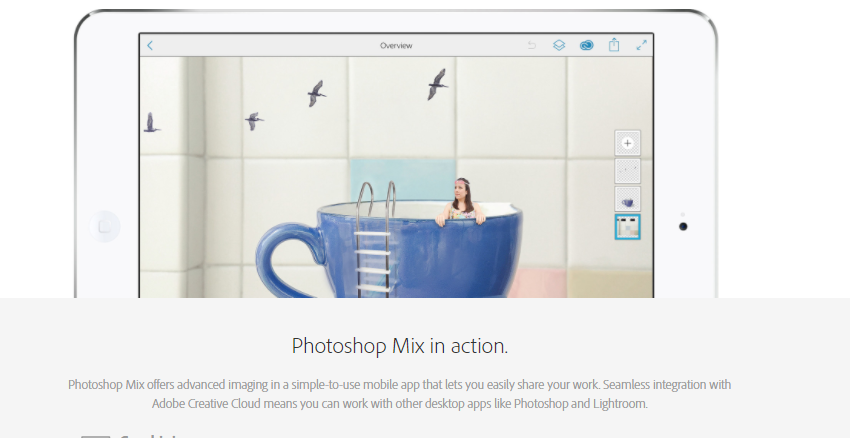
How come we talk about Photo editing applications and not mention a product from Adobe. Adobe Photoshop is still the ruler amongst Photo Editing Applications and almost every graphic Designer/Professional editor uses Adobe Photoshop when it comes to editing their stuff. 

But Adobe Photoshop is indeed not everyone’s cup of tea. But there is no need to worry because now Adobe has realised this issue and released this Adobe Photoshop Mix app which caters to the needs of people with zero photoshop skills. 

You can use this app to do some basic editing of pictures on your device like removing the background, adding background, changing exposure and adding filters. 

You get two tools for the purpose of Background Removal: Basic and Smart Selection Tools. 

This application is very simple to use and it is safe to say, it does the job almost perfectly. However, if this app still makes an error, you have the option of undoing the changes and doing it on your one. The best part is that it is completely free to use. 

4. Photo Layer: Superimpose:

Photo Layer: Superimpose

This app is recommended for you if you want to edit your background with great detail. When you install this application and use it for the first time, you will get a tour of the application where you will learn how to use the basic tools. 

Once you have basic knowledge of the tools, you can use them to edit your pictures perfectly and do things like never before. 

Why Edit Images with online Websites and Applications?

When it comes to removing the background from an image, it might seem to be a daunting process at first. You might be living under the impression that you need to have knowledge at par with a Graphical Designer when it comes to removing the background from your picture. But what if I say there is no truth to this statement. 

Yes, you heard it right. Even if you have no knowledge of Graphic Design/Photoshop, you can still remove background from any picture you want. All you need to have a Computer/Laptop or a Mobile Phone with an active internet connection. 

Conclusion:

We have mentioned the best applications and websites for removing background from your pictures. All of these apps and websites serve different functions and all of them do their work just well. We found remove.bg to be the best in results and it’s really fast. The final decision of choosing an app/website from them lies solely on you based on your own personal preferences. 

Back Up Your Data and Transfer Large Files Using FileWhopper

0

If something happens to your smartphone or your computer’s hard drive and you lose all your precious data, how exactly will you feel? Yes, we know, it’ll be a complete disaster! 

Imagine you want to show large project files to a friend or client because you want to hear their feedback but you can’t because they’re far away. You then decide to check for file transfer services that can help you send them, only to realize that they all require you to pay a monthly subscription fee.

Even if you find an affordable cloud-based transfer service, the low transfer speed it offers can be disheartening. Imagine enduring a 24-hour wait just to transfer a 10GB folder. Then there’s the issue of size limits: most file transfer platforms give you a limit on how much data you can share. This won’t do, especially if you handle files as large as 150 GB and need to transfer them in the shortest possible time.

Whether you’re a media expert who deals with large media files or an employee in a different industry, everyone has data they do not want to lose – ever! Students also have files they want to keep safe or share with their peers and teachers. Engineers have large files they want to share with their collaborators for editing and feedback. Losing these files without warning or having to endure slow transfer speeds can be a nightmare. 

It doesn’t matter whether your files are for personal or professional use; for instance, losing memories gathered during a family trip is something none of us want to experience. However, it can happen!

A file deletion may suddenly occur while you’re surfing the net, downloading files, or transferring data. This error can be due to a network disconnection, data corruption, or accidental drive formatting. A virus infecting your drive can also cause unintended file deletions.

You can lose your data for many reasons, and you might never be able to recover it. This is why it’s essential to have backups of any important data you never want to lose. To achieve this, you need a file transfer service that is secure, has high transfer speeds, and works even when your internet connection is poor. 

FileWhopper is an efficient file transfer service that you can use to back up your data and share it with whomever you want, no matter their location. FileWhopper is a cloud-based platform. It has a user-friendly interface and allows you to transfer files and folders of any size at high speeds.

Features of FileWhopper

FileWhopper has many unique features that make it one of the best backup and data transfer platforms for large files. These features are as follows:

  • High Upload and Download Speeds

With FileWhopper, you can transfer huge amounts of data at high speeds. The tool allows you to back up and share any file type without wasting too much of your time. As long as you have a good internet connection, the upload process won’t take long. You also get to enjoy high download speeds.

  • No Upload or Download Limits

You can upload or share any file size. FileWhopper allows you to back up and download ANY amount of data that you want. There are absolutely no size limits!

  • Simultaneous Uploads and Downloads 

If you want to share files with a colleague or client, he/she can start downloading the files while you are still uploading them. This is great, especially if you are both on a deadline where every minute counts.

  • No Monthly Subscription Fees

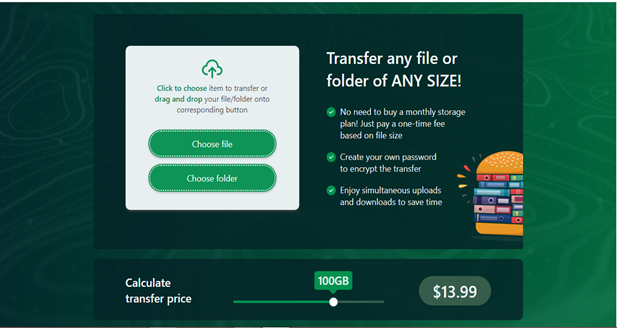
Unlike other cloud-based platforms with complicated billing structures requiring you to pay monthly subscriptions, FileWhopper allows you to pay a one-time fee for the file size you wish to transfer. Simply choose the file or folder that you want to send, and you’ll get a one-time price quote. There are no monthly subscriptions and no complicated pricing system.

  • Guaranteed File Integrity 

This feature protects the integrity of your data – no matter what happens. Imagine your internet connection goes off or your battery runs out when the file upload progress is 95%. You don’t have to start all over again because FileWhopper will continue exactly from where it stopped when your internet connection is reestablished or when your system is back on. This saves you both time and money.

  • Security and Encryption

FileWhopper protects your data from being intercepted by hackers during transfer. It automatically encrypts any file or folder you want to upload and prevents any third party from accessing it without your permission. Also, it gives you a secure password. Without this password, nobody can download your file or folder. You can share this password with your client or co-worker to provide them with access to your file or folder. This will allow them to view and download the data from wherever they are.

  • Preserved File Quality

This feature allows you to upload your files exactly as they are without compressing them. We all know that compressing a file reduces its quality. This is why FileWhopper was designed to allow you to upload your files without compressing them, no matter the size of the data they contain.

How to Use FileWhopper to Transfer and Back Up Files and Folders of Any Size

You need to visit the official FileWhopper website to choose the file or folder you want to upload and transfer it in a fast and secure way:

  1. First, you need to check the price quote for the file or folder you want to upload. On the welcome page, go to the slide feature and drag it until you reach the file size that you intend to transfer. This will show you the one-time price quote for the file/folder.
  2. If you want to upload a single file, click on the Choose file option. However, if you want to upload a folder containing several files, click on the Choose folder option. This will take you to a new page.
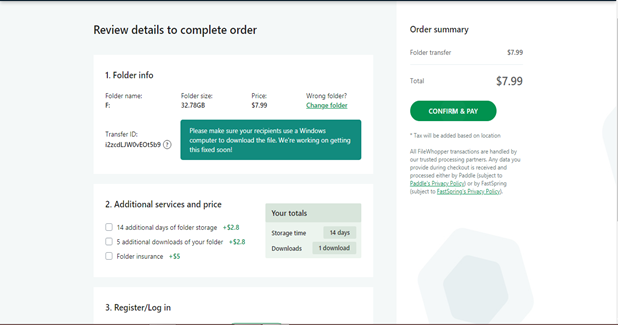
  3. On the new page, you’ll be shown the size of the file or folder that you want to upload. You’ll also see the payment options. Ensure you choose the correct file/folder and click on CONFIRM & PAY. This will redirect you to the payment page.
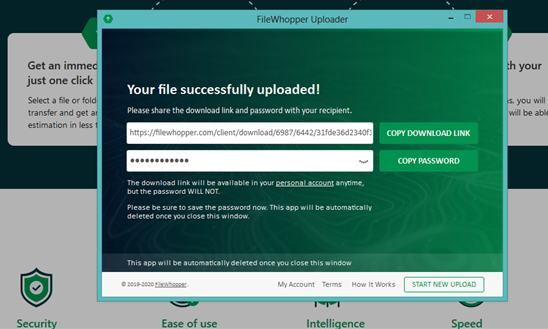
  4. After you’ve made your payment, the website will take you to a new page from where you can initiate the data transfer. Click on START TRANSFER. This will download a small-sized app on your system. This tiny, lightweight app takes little-to-no storage space on your computer. It’ll automatically delete itself once your upload is complete. The app helps to encrypt your data during transfer. It also ensures that the integrity of your files is maintained during the entire upload process.
  5. After the app has been installed, run it by clicking on it. At this point, click on COPY DOWNLOAD LINK. You can share this link with the person you want to share the data with. They can use the link to start downloading your file or folder while you’re still uploading it on your end.
  6. Also, click on COPY PASSWORD to copy the password needed to access the data. The download link and password are necessary to access and download your file or folder. Share them both with your client or co-worker, or you can write them down somewhere safe for future use (if you’re uploading the data as a personal backup).
  7. Now that the upload is complete, the tiny app will automatically delete itself.

Conclusion

FileWhopper is a cloud-based transfer platform that allows you to transfer files and folders of any size at high speeds. It also offers encryption and increased security for your files while ensuring that their quality is maintained. 

Go to the website and get a quote for the file or folder you want to transfer. No monthly subscriptions are required.

7 FREE Scrivener Alternative | Best Sites like Scivener

0

Scrivener is one of the best writing websites for writing long text. But as you know there are lots of Scrivener alternatives are also available in the market.

The Scrivener website was established for keeping the user’s requirements in mind that makes it a user-friendly website. It is a platform to produce, edit, and organize your documents online. Thus, it helps in writing and maintaining records of your document in a much easier way. It has an ample amount of tools and options for writing and revising the document. 

The best part is that it comes with an inbuilt collection of different varieties of templates. It is accessible on almost all operating systems such as Mac, Windows, and iOS. It also provides the ability to edit multiple documents at once at all platforms. But it is also a paid website that brings its alternatives to come at its place. It also, doesn’t provide native collaboration features to its users. 

So, there are many apps and sites like Scrivener out there which can be a great Scrivener alternative. Now, let’s take a look at some of the Scrivener alternatives. 

List of Best Scrivener Alternatives

1.Bibisco

bibisco.com

Bibisco is a software for writing fictional stories and is one of the best Scrivener alternatives. It has a free version and a paid version too. The free version of this fiction writing website can assist you to write lengthy texts in the form of stories and novels. It also has the strength to create chapters and scenes that are suitable for story writing. It allows the users to create unlimited numbers of projects and provides storage for all the documents.

Advantage:

  • Bibisco has a free version of the software. It comes with all the necessary tools and options to create a document for long text.
  • The users have the choice to interpret different sections of the book and word counts of the text. So, this software is a good choice for writers.
  • It can also help in exporting the text as pdf or .doc file.

Disadvantage:

  • Many advanced features are not included in the free version of this software. For example, the timeline function.
  • It doesn’t have a mobile application.
  • You don’t get the ability to dock the program. It can only run from its folder and the base program can’t be moved anywhere else.

2.GingkoApp

gingkoapp.com

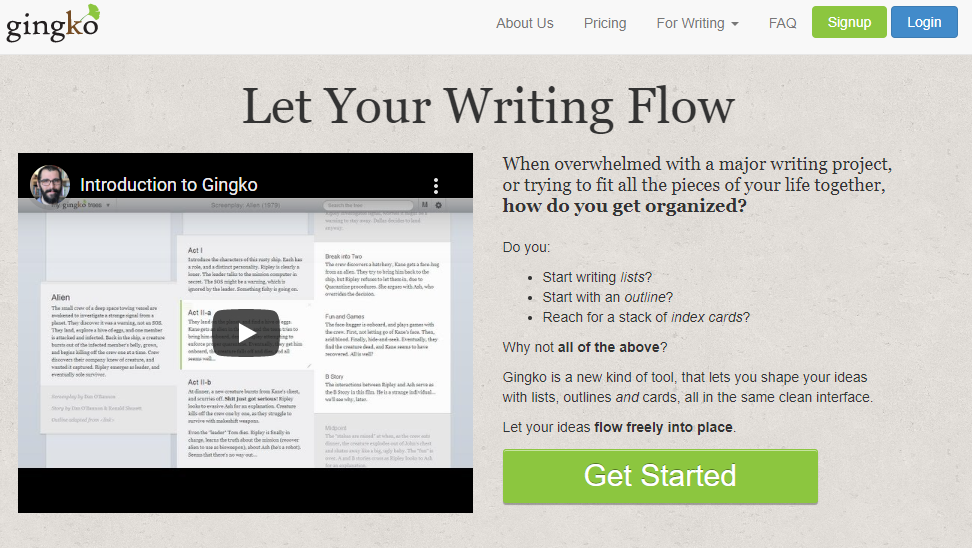
Unlike, other text editors this editor can organize the text into a table form. GingkoApp is one of the best Scrivener substitute. It organizes the text in the form of trees. It gives a base column in which cards can be added. Here, each card can take as many words as you want. Just enter the text, click to save it, and then you can drag and drop the cards to order or re-order them as you like. What makes the application preferable is that all these options are provided for free.

Advantage:

  • GingkoApp is a great choice for collaborative assignments. The writer can assign the editing link to anyone. So, that they can access the document from any location with their device.
  • It is a better option than editing on a file on the same server.
  • It is a free platform for writing long texts with an option to produce several documents.

Disadvantage:

  • The writing and editing area of the GingkoApp is small due to which it makes it difficult to handle long texts.
  • It doesn’t allow managing your documents on your device. 

3. Plume Creator

plume-creator.eu

Plume Creator is a free online text editing tool. It gives you the fundamental options and features to create a document and write stories and novels featuring designated characters and scenes. The main benefit of using it is that this editor allows you to preview your manuscript before sending it to anyone. 

Advantage:

  • Plume Creator is one of the best Scrivener alternatives for Windows and Linux.
  • It is a user-friendly website.
  • It is free software available for writing online text.

Disadvantage:

  • It doesn’t have a good number of features and tools for professional writing.
  • Its usage is a bit complicated for new users.

4. ProWritingAid

prowritingaid.com

ProWritingAid Pros is one of t scrivener alternatives for writing stories and novels. But it has a much more radical option that can be used on almost all devices. It comes with an in-built grammar checker for word processer. This grammar checker comes as a desktop application with no word limit. It works as a writing coach that can give you feedback and suggestions on everything and anything.

Advantage:

  • ProWritingAid Pros can be accessed with all operating systems such as Windows, Mac, and Linux.
  • It is a straightforward and simple application used for writing long texts.

Disadvantage:

  • It is a paid application. So, you need to purchase a premium package that allows you to reach different tools.

5. Write! App

writeapp.me

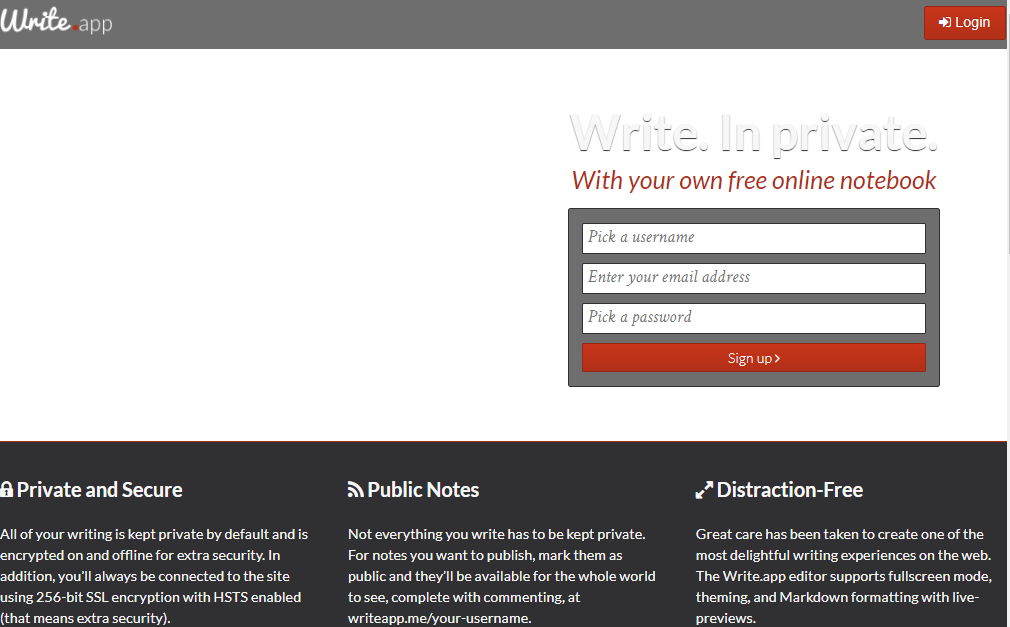
Write! App is a distraction-free writing platform. It comes with a focus mode that blocks all notifications, pop-ups on your device, and applications from the website. It makes sure that nothing can distract the user from writing their piece of text. Also, it allows you to collaborate with other people by sharing the link of the document. 

Advantage:

  • Write! The app works across almost all operating systems such as  Windows, Mac, or Linux.
  • It comes with a lifetime package and there are special offers and discounts for students.

Disadvantage:

  • It’s not a free tool for online writing.
  • It cannot be accessed through a mobile phone or tablet.
  • It doesn’t provide the same level of export as Scrivener does.

6. Zoho Writer

zoho.com

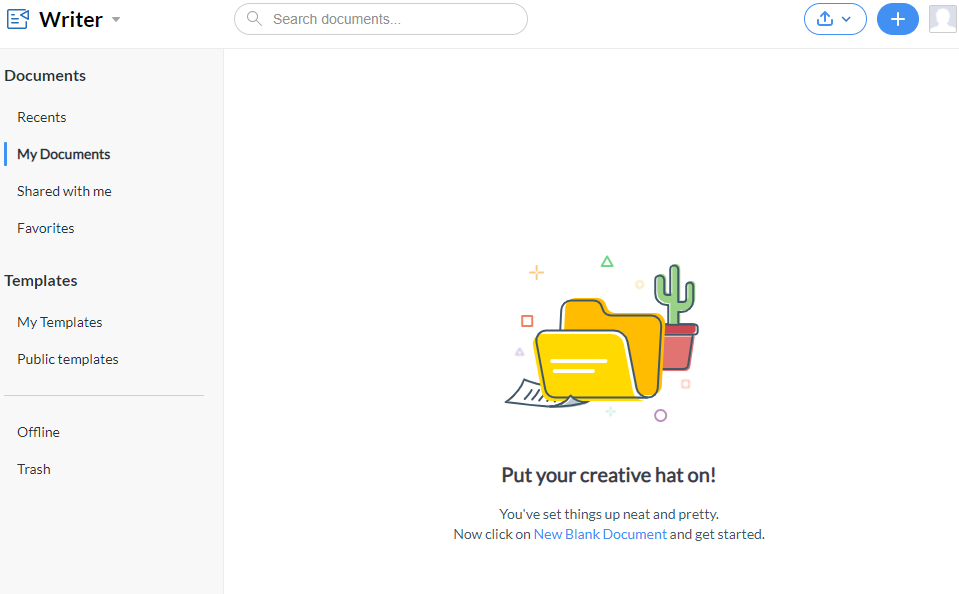
Zoho Writer is one of the best word processors available in the market. It provides a lot of user-friendly keyboard shortcuts which are common among the writers. Also, it provides you with templates that are available for different purposes. It is very simple and easily manageable for new users. The main part is that it is available for free which makes it one of the most liked tools for editing text.

Advantage:

  • Zoho writer is a free-platform for writing.
  • It can share files and invite anyone to collaborate with the help of the invitation link.
  • It is one of the best Scrivener alternatives for android and IOS.

Disadvantage:

  • The customer support system functions very slowly which is the main downside of using it for editing text.

7. Final Draft

finaldraft.com

Final Draft is designed to focus more on plays and screenwriting other than blogs and essays. It is a paid online writing tool. It is a great platform for performing group projects. It also provides us with the ability to edit our documents for all the users at the same time.

Advantage:

  • Final Draft can be accessed from most of the devices such as Windows, Mac, and Linux.
  • There are templates for screenplays, novels, and movie scripts.

Disadvantage:

  • It is a costly tool for text editing.
  • It doesn’t provide a distraction-free writing environment.
  • Also, it doesn’t have an active customer support system.

Final Words

Undoubtedly, Scrivener has been an excellent tool where users can tackle their writing projects. But it’s not available for free after the trial period. Scrivener is not a complete package. Due to which there are so many Scrivener alternatives out there. The best part about the Scrivener alternatives is that some alternative are free and some have some extra features too.

12 Best Evite Alternatives – Sites like Evite for Event Planning and Invites

Best Evite Alternatives

Evite is a social planning website for creating, sending and managing of the online invitations. It was launched in the year 1998 and is a free, advertisement-supported service. It has a simple interface that creates the online invitation through the website. This online invitation in general, is called as ‘an Evite’.

The host has to just enter the email address of prospective guests and Evite sends emails to the guests. It is one of the best online services for creating invention cards. Evite not only provides and creates platform for the creative to unleash their creative skills, it also has the system for providing party ideas as well.

In its section related to party ideas, you can positively get the best tips and advises regarding the arrangement of a party.

evite

Below we have listed the 12 best alternatives sites like evite, all with the similar functioning and features-

12 Best Alternatives Sites like Evite

1.Anyvite

Anyvite

It is an online card maker which provides the freedom to use creative tools to the creators to create the professional level of invitation. Not only does it provide the tools for the purpose of setting up the invitation cards of all types and for all occasions, Anyvite also offers its users the provision of sharing the invitation cards with their friends as well.

2.Pingg

pingg

Pingg is an online e-cards and invitation maker and invitation sending platform. It falls under the category of those unique types of online services that offers it users with a diverse range of ideas like system for party ideas etc. You can explore for unique and trending party ideas to make your day remarkable. It is the leading platform of invitation.

3.Celebrations.com

Celebrations.com

Celebrations is an online platform from where you can get the tools for the creation of invitation cards and also the latest party ideas. You can invite guests and also lets you choose the template by occasions like birthday or a wedding. You can choose a template according to your needs and create its respective invite instantly. All its steps and settings are provided on a single page.

4.PurpleTrail

PurpleTrail

Purple Trail provides you with the apt invitation solutions for every situation or event, just name, it whether it be birthday or wedding party or holidays. It comes with more than 5000 designs to choose from. You can customize it according to your wish like adding your own message, photo, embellishment. Invitations can be sent for free and there are no ads as well. If you are interested in spending few dollars then you can get your invitation card printed and delivered to the guests just like in the conventional styles.

5.Shindigg

Shindigg

It is an event creator as well as event management platform that helps you with the setting up the events, cards, tickets and sells and manages them online with the help of its event producer and management system. Shindigg is reliable to give great blowout bashes irrespective of the scale of the no. of guests to be invited.

6.Manvite

Manvite

It is an online invitation platform where users can avail easily and simply invite rather than online summons that are blessed with flowery fonts and dabbling champagne glasses. As the name suggests it is basically an invitation service for men. If you are planning on hosting a football match or a bachelor’s party and want to invite only boys then Manvite is the right choice for you.

7.Zoji

Zoji

Zoji caters online tools to aid you plan activities offline. Its service lets you manage events for various theme parties as well as get-togethers of social groups; be it with work friends, relatives or even BBQ buddies. It is relatively simple as- get to the site – > pick an invitation design – > input information about your event – > add attendees, and you are done. Tracking it is also simple.

8.PaperlessPost

PaperlessPost

PaperlessPost is an online platform where you can create custom card and invitations. It turned up to redefine the tradition of stationery. It is more of a practical solution so that you can dispatch and track online custom cards and invitations. It has wide variety of beautiful templates to offer. You can do multiple things like choosing a template and entering text accordingly or seeing the RSVP status of the guests or reschedule or totally cancel an event or share photos of the event in the photo gallery. If going for the free version it lets you invite up to 500 guests while paid version lets you invite up to 15000 guests.

9.PunchBowl

PunchBowl

If you are all tensed about how to throw a rocking get-together well PunchBowl is the solution to all your worries. It helps you plan it from the very beginning to the end. It also gives you suggestions based on your answers to questions regarding the party. It has no. of impressive party planning traits like gift gestures, potluck management, native vendor search and customizable digital invitations. It also sees if your guests can make it to the party or not.

10.PsPrint

PsPrint

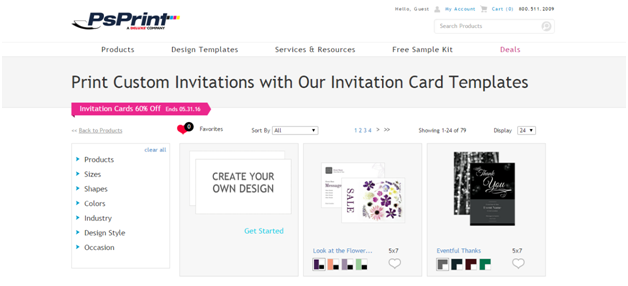
It is an online design market place. It provides you the customizable templates of the invitation and e-cards. If, in case, you are in a hurry to send party invitation card tour beloved ones, in that case PsPrint is the best platform for this purpose. It will make you get the templates of the stylish and highly decorated invitation card.

11.Canva

Canva

Canva is a very easy and straightforward platform for the purpose of making elegant and creative e-cards and invitation cards.

12,Smilebox

Smilebox

Smilebox is an online platform for creating and sharing the invitations in an online environment quickly and easily. It deals in slideshows, scrapbooks and photo albums creation as well.

With the above Evite alternatives you can easily send customized invitations to your loved ones. They are to make your work less complicated and more organized.

TOP 10 Best ATX Mid & Full Tower PC Cases

Are you in the market for PC cases that support ATX size cases, then you have come to the right place. While buying a PC most of us do not give any preference to the PC case, as they contribute less to the performance of the computer you are setting up for yourself. But believe me, PC case has an enormous impact on how your computer works and the long lasting of the components of your CPU.

At a glance:

CaseFeatures Ports Price
NZXT Phantom 410 Mid Tower Computer Case
Fans:
2xFront
2xTop
1xSide
1xRear
2x USB 3.0
2x USB 2.0

External: 3x5.25”
Internal: 6x3.5”
Check Price at Amazon
ROSEWILL SECC STELL ATX FULL TOWER COMPUTER CASEFans:
2xFront
1xTop
1xSide
1xRear
2x USB 3.0

External: 3x5.25.”1x3.25”
Internal: 10x3.5”/2.5”
Corsair Carbide Series 100R Mid Tower Case Fans:
2xFront
2xTop
1xRear
2x USB 3.0
External: 2x5.25"
Internal: 8x3.5"/2.5" (Shared)
Azza CSAZ-GT 1 Full Tower Computer Gaming CaseFans:
1xFront
1xTop
1xSide
1xRear
1xBottom

2x USB 3.0
2x USB 2.0
External: 3x5.25" / 1x3.5"
Internal: 8x3.5"/2.5" (Shared)
CUK Switch 77 Red/Black Mid Tower ATX / Micro-ATX Desktop PC Computer CaseFans:
3xFront
1xTop
1xRear
2xBottom
2x USB 3.0
2x USB 2.0
No External Drive bays
Internal:
3x2.5"
2x3.5"
Phanteks Enthoo EVOLV ATX Mid Tower Chassis, Black CasesFans:
1xFront
1xTop
1xRear
1xBottom
2 x USB 3.0
External: 2x5.25"
Internal:
4x3.5"
6x2.5"


Rosewill B2 SPIRIT ATX Full Tower Gaming Computer CaseFans:
2xFront
2xTop
1xSide
1xRear

4x USB 3.0
2x USB 2.0
External: 2x5.25"
Internal:
6x2.5/3.25"
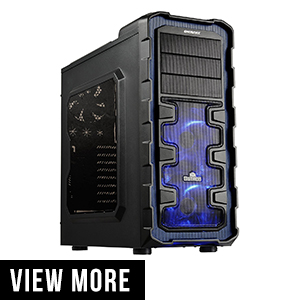
Enermax Ostrog GT ATX Mid Tower Computer CaseFans:
2xFront
2xTop
1xRear
2x USB 3.0
2x USB 2.0
External: 2x5.25"
Internal:
4x2.5/3.25"

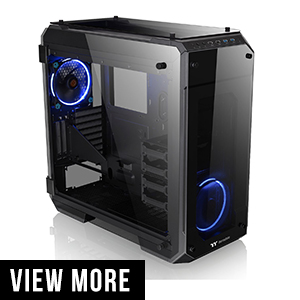
Thermaltake View 71 4-Sided Tempered Glass Vertical GPU Modular SPCC E-ATX Gaming Full Tower Computer CaseeFans:
3xFront
3xTop
1xRear
2xBottom
2x USB 3.0
2x USB 2.0
No External Drive bays
Internal:
4x2.5"/3.25"
5x2.5"
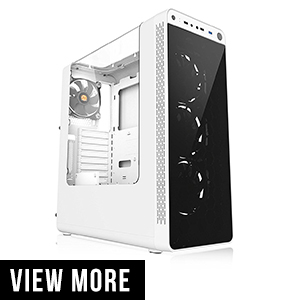
Thermaltake View 27 Snow Edition Gull Wing Window SPCC ATX Mid TowerFans:
3xFront
1xRear
2x USB 2.0
External:
3x5.25"
Internal:
6x3.5"/2.5"

Buying Guide for ATX Cases

Before starting our discussion on Top PC cases available are for you to buy. So, let’s make a guide on what you should look for before the purchase of a PC case. You might be wondering why you have to think so much for a PC case, well you have to keep two things in mind. Firstly, if you are buying a case, you are going to invest in that case for at least quite some time and also you have to keep future expansion in mind as technology is expanding rapidly. Lastly, whether all the components you are buying fits comfortably but at the same time, there is enough space for air movement.

  • Motherboard size:

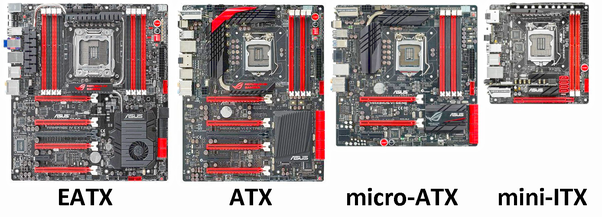
The motherboard used in the PC comes in different sizes, the largest being the E – ATX and smaller being mini – ATX. Here is the list of all the motherboard size that are available.

  1. E – ATX is the largest among available motherboard; it has a size of 12×13 inches.
  2. ATX, with size up to 12×9.6 inches, this is the size of the most common motherboard.
  3. Micro – ATX has a size up to 9.6×9.6 inches, it can be smaller than that but larger than mini – ATX.
  4. Mini – ATX is smallest of all the motherboard size; it has a size of 6.7×6.7 inches.

Here we will be discussing all the PC cases based on ATX sized motherboard.

  • Size does matter:

    Now that we have seen the size of the motherboard, we now see how the size of the PC case will affect it and vice-versa. PC case size is classified as “Full tower” case, “Medium Tower” case and “Mini Tower case.” As we will be using ATX sized motherboard, both “Full tower” and most of the “Medium tower” sized case supports it.

  • Drive Bay:

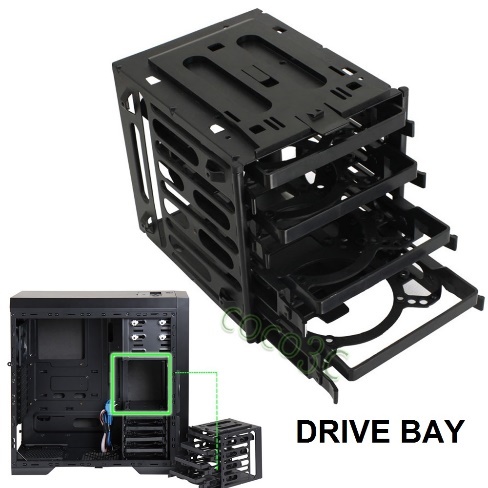
    Next thing on our checklist is the drive bay, it is an essential checklist as it depends on what and how many drivers and hard drive are you planning to insert. There are three types of drive bay, each for a different set of drivers. Plan ahead what kinds of drivers you want to use and keep in space for future inclusion of more drivers.

  1. 5.25 inches for the DVD or Blu-ray drivers. Most of the PC case harbors 2 to 3 of such drive bay while few of them do not have any.
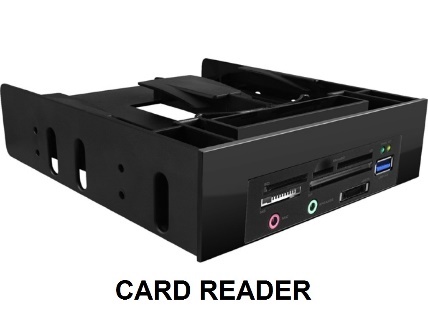
  2. 3.25 inches drive bay for a hard disk and card reader. Most of the PC cases have at least 4 of such drive; some have even more than 8. These drivers are sometimes hybrid to allow you to install SSD also.
  3. 2.5 inches drive bay for SSD drivers. These come in 2 or 3 in number. As SSD is becoming common, their numbers are growing but still as stated above they come in the hybrid slot for Hard Drive and SSD.

  • Tool Free:

    It is advised to buy a tool-free PC cabinet as it removes the hassle of screws and nuts. Though this is not that important most of the new PC cases are coming with this specialty then why not buy it. Generally, the tools free is applied to the drive bay which comes with clams and levers by which you can mount the drivers without the need of screw.

  • Expansion Slot:

    If you are planning to add an extra hard drive or Graphics card (GPU) then be sure to check the expansion slot that is being provided by the PC case. In general, a PC case comes with 7 or more expansion slots. Check them if you are planning to make a gaming PC, then these slots come handy. Note that you need two expansion slots for each graphics card.

  • Front Panel: 

    Here all the ports like USB, audio and microphone jack are present. Some PC case also comes with a card reader. Check them whether all are present or not. Some PC case has a variation of USB 2.0 and USB 3.0, be sure to check as all USB have upgraded to 3.0.

  • PSU Mount:

    PSU or the power supply unit decides the threshold on the total consumption of your PC. You should consider the power requirement based on the total consumption of the PC. As PC cases come with Fans and LEDs, you should buy a PSU for your PC case, which should be more than the average requirement.

  • Fan Mount:

    Most important to look is how many fan systems can you mount on the PC case. Fans help in keeping the components cool. There should be enough fans to maintain a good ventilation system. Fans also come in different diameters, and if you are planning to buy fans, then you should check which fan size would fit with your PC case. The range of the fan size starts from 80mm, 92mm, 120mm, 140mm, and 200mm. Among them, the 120mm and 140mm are the most common that you can find in the case.

  • Motherboard Standoff:

    These are particular kind of small screws (but not same as regular screws) that you turn it on the motherboard tray, on which you place your motherboard so that your motherboard does not come in contact with the PC case. They should go with the PC case. In case they are missing or is not provided ask the seller to provide one. They must be cut and shaped to go smoothly to your motherboard tray.

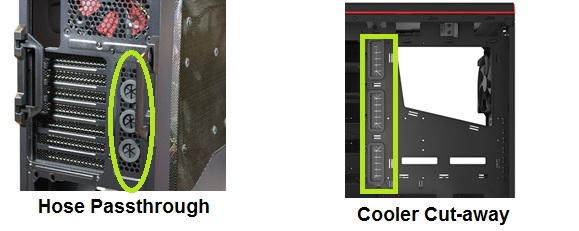
  • CPU Cooler Cut-away and Hose Passthrough:

    Most PC case should have cutaways for the cooler inlet and outlet. These are specially designed for you to make a connection with your cooler without the need to move the motherboard. This comes in handy when you have already installed your motherboard. With these, you can access the back of the motherboard. Some cooler hardware requires it to be mounted outside, then using this inlet and outlet cutaways you can directly place them without the need to drill holes for the pipe.

Best ATX PC cases:

Each ATX sized PC cases has its own features, some come with stylish finish look, while some give importance to the ventilation system. Keeping the buying guide in mind and what components you plan to add, we have listed some of the best PC cases that you can buy.

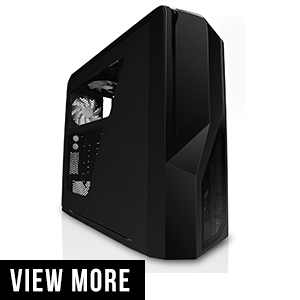
1.NZXT PHANTOM 410 MID TOWER COMPUTER CASE, BLACK (CA-PH410-B1)

NZXT has introduced a new model called Phantom 410. This is a mid-sized case, comes in a variety of color. You have red, black (model is shown here), gray and white. Unlike its predecessor, the PC case comes with acrylic glass to admire the internal components.

Price: $95.99 (Black color variant)

Features:

  • Comes with a dual radiator. There is a clearance of 240 mm for the radiator
  • It has removable HDD cage so that you can have extra space
  • The front panel is on the top with two USB 3.0, two USB 2.0 one audio and one microphone jack.
  • It comes with 3 external 5.25 inches driver bay for DVD drive, Blu-ray or Card reader. 6 internal 3.25 inches driver bay for Hard Disk Drive(HDD) or Solid-State Drive(SSD). These drive bays are tool-free.
  • The case comes with three fans installed in the case. One in the front, one in the rear and one at the top. The PC case supports two 120mm fans in the front, one 120mm or 140mm at the rear, one 120mm or 140mm fan on the side and two 120mm or 140mm fan at the top of the cabinet.
  • You can install LED fans to make it more attractive.
  • It comes with 30 W three-step fan control speed, which controls all the speed of the fan for better ventilation management and noise control.
  • It supports ATX size motherboard. Other than this you can also use this PC case for micro-ATX and mini-ATX.
  • It has seven expansion slots.

Pros

  • Screw-less and removable 3.25 inches drive bays
  • Fan control speed with noise suppression
  • Three convertible external bays for DVD or Blu-ray
  • Better cooling and ventilation system

Cons

  • Internal fan brackets reduce top space
  • Side panel is plastic and not durable

Verdict:

This PC case is made for Gamers. There is a broad range of color case to choose from. Each case has its own set of LED light fans which is a plus point. Though it is a Mid-tower, it has enough space; you can remove the detachable drive bay if you need extra space. The side panel is not so rigid, but that will not be a problem if you handle it with care. It’s a must buy if you like a quiet PC case.


2. ROSEWILL SECC STELL ATX FULL TOWER COMPUTER CASE THRONE-WINDOW BLACK

Rosewill case is made to deliver ultimate performance but at the same time keeping cooling in mind. It offers what gamers all want. With full metal case which makes it sturdy and durable.

Price: $109.99


Features:

  • It supports ATX sized motherboard.

  • The case is entirely sturdy as it is made with steel.
  • It has 2 external 5.25 inches drive bays for DVD drive, Blu-ray drive or Card reader and 1 external 3.25 inches drive bay. There is 10 x 3.5 inches drive bay for HDD or SDD depending on what you want to use.
  • The driver bays have clams to make to tool-free.
  • It has an acrylic window on the left side panel to view the behind the scene action of your computer parts.
  • On the top of the PC case, you have all your ports and jacks. It has four USB 2.0, two USB 3.0, one audio and one microphone jack.
  • It comes with 5 pre-installed fans for cooling. There is two blue LED 120mm fans on the front of the case, one 120mm fan on the rear, one 120mm fan on the side and one blue LED 120mm fan on the top. You can install two more fans adjacent to the ten 3.25 inches drive bays to calm your hard disk and SDD.
  • It comes with 10 expansion slots.

Pros and Cons:

Pros

  • It is a full metal body (made out of steel)
  • Good air cooling system
  • Sturdy and durable

Cons

  • It is quite heavy without any internal components
  • The Internal parts like drive bay, etc. are not so sturdy.
  • Driver bay cooling fans do take up a lot of space

Verdict:

It is quite a sturdy PC case, made entirely out of steel; the only downside is the internal parts of this case are made from a cheap material (not steel). Has a good cooling system, it has enough space for you to add any device you can think of. If you need a lot of space with the proper cooling system, then this is the one to go for.


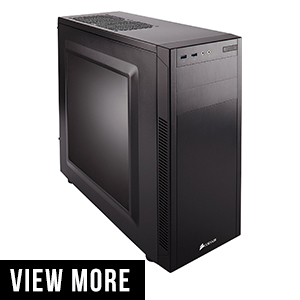
3. CORSAIR CARBIDE SERIES 100R MID TOWER CASE

Corsair has made this PC case to give the customers to pick the best gaming rig that they can think of. Easily expandable to include more fans. Tool-free drive bays. Carbide 100R though looks simple, but on the inside, everything is there to make a beast. It also has another variant called 100R Silent which has all its features except it is made to produce less sound.

Price: $49.99

Features:

      • It has two 5.25 inches external drive bays for the DVD or Blu-ray drivers. It also has four 3.25 inches hybrid internal drive bay slot for your hard disk and SSD.

      • The drive bay is constructed with clams to allow tool-free installation for your HDD and SDD
      • It does not come with any first mesh finish to reduce any noise generated.
      • It has a specially constructed structure to allow more air flow to your GPU to extend your gaming experience.
      • The case harbors five fan mount. It comes with one fan of 120mm; you need to buy the rest four. The 2-front side fan draws the cold air into the case, and rest three – one in the rear and two on the top side draws out the hot air out of the PC case.
      • The front panel houses two USB 3.0, one audio and one microphone jack.
      • On the left side has a flush-mounted side panel window to see your powerful components in action
      • It comes with 7 expansion slots for adding Graphics card and other external hardware to your motherboard.
      • It supports ATX sized motherboard, but you can also fit micro-ATX in case you want to.

Pros

  • The fan mount is designed to get the fresh air from outside directly to your GPU

Cons

  • This model is not silent. (You can go for 100R Silent)
  • No Cooler cutaways or Hose pass through. Which will cause a problem if you install the liquid cooler?

Verdict:

One of the budget PC case on the list. Do not just go away thinking it is cheap quality. It gives the best value for the mone At just $50 you are getting more than you can imagine. Good air cooler system with fans placed strategically to give the maximum input. However, it has bad cable management and no cut-throughs for cooler inlets and outlets which might cause a problem. If you do not have any problem with the air cooler inlets, then you can definitely go for this product.


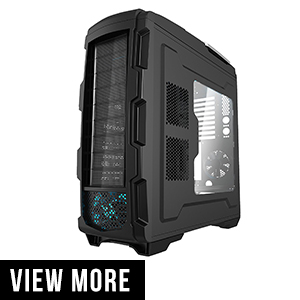
4. AZZA CASAZ-GT 1 FULL TOWER COMPUTER CASE, BLACK

AZZA GT1 brings a model with an unprecedented feature to choose from. It has one of the best ventilation systems with vertical airflow to maximize the cooling. It is a full tower case, meaning you get a lot of space for your components to put in.Removable motherboard tray with both side placement of the plate.

Price: $135.96


Features:

      • Designed for E-ATX, you can use it for ATX, micro- ATX sized motherboard also.
      • It has a reversible motherboard tray so as to make the GPU place at the top, close to the top of the fan for fast heat removal.
      • It has in total 5 fans mount. It has one 230mm fan at the top, one 140mm fan at the bottom, one 120mm fan on the side, one 120mm fan at the rear and one 90mm LED fan on the front panel.
      • The case is designed to maximize vertical airflow for faster dissipation of heat.
      • You can also go for liquid cooling hardware. It supports dual radiator. One at the top with a clearance of 480mm and one at the bottom with a clearance of 280mm.
      • You can place any size Nvidia or ATI graphics card with a space of up to 400mm.
      • The ports and jacks are located on the top. It harbors two USB 2.0, two USB 3.0, one audio and one microphone jack.
      • It has 9 expansion slots to put any hardware like GPU.
      • It has 9 hybrid drive bay tray for your 5.25 inches DVD or Blu-ray drive, 3.25 inches for your Hard Disk Drive (HDD) and 2.5 inches for your Solid-State Drive (SSD).

Pros and Cons:

Pros

  • Spacious PC case to handle any components
  • Reversible motherboard tray for better management of GPU
  •  State of the art cooling system, with vertical air flow

Cons

  • Quality is ok, not that great. Made out of plastic
  • Not noise proof.

Verdict:

One of the best PC case that you can get in the price range. The only downside is that the quality of the material built from is not that good, else you have everything you can ask for. Better management of component installation, spacious, better ventilation system with vertical airflow technique to maximize heat dissipation. If you have the budget, then you should go for this PC case.


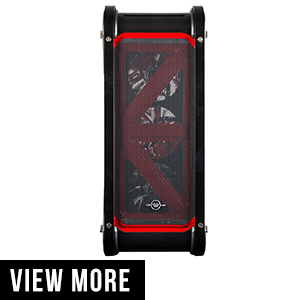
5. CUK SWITCH 77 RED/BLACK MID TOWER DESKTOP PC COMPUTER CASE (AC-CC-0046)

Comes with multiple color variant to choose from. It has a stylish design to fit you with the mood. CUK Switch 77 is a mid-tower case that you can use for all-purpose Desktop use.

Price: $99.99


Features:

      • It supports ATX sized motherboard case
      • The front panel has two USB 2.0, two USB 3.0, one audio jack and one microphone jack.
      • Behind you have 7 expansion slots if you want to add any Graphics card or any other hardware component to your motherboard.
      • You can put your graphics card (GPU) through the expansion slot and has a clearance up to 390mm maximum
      • It has no 5.25-inch drive bay for DVD and Blu-ray. There are 3 internal 3.25 inches drive bays for the Hard disk (HDD), and four 2.5 inches drive bays for Solid State Drive (SDD).
      • It has many cooling fans to keep all your components cool. It has one rear Fan, three front side fans, one fan on the top, two fans at the bottom.
      • The fans come in 7 different colors to match your mood of computing.

Pros and Cons:

Pros

  • Good ventilation system for better air flow

Cons

  • It is compact
  • No External Drive bay for DVD or Blu-ray

Verdict:

One of the good and sturdy PC case if not the best. It has a significant limitation on total space available. No DVD or Blu-ray drive. If you want a PC case with small few components, no external drivers, stylish looking PC case and good ventilation system, then you should go for.


6. PHANTEKS ENTHOO EVOLV ATX ALUM/STELL TOWER COMPUTER CASE (PH – ES515E_BK)

Phanteks Enthoo evolves a mid-tower case with all Aluminium exterior. It is a durable case without compromising anything in the interior. Spacious and have room for the radiator, tools free HDD brackets to name a few. It comes with three different color variant – Black, Grey, and galaxy silver.

Price: $153.71

Features:

      • The case comes with three pre-installed fans. There are two intakes in the front, one outlet fan in the rear. You can also increase the number of the fan by adding more to build a proper ventilation. You can add three fans in the front, one in the rear, two in the top and one at the bottom.
      • This case does not have any Drive bay for DVD and Blu-ray drives. You have 6 to 8 internal 3.25 inches drive bays for Hard Disk Drive (HDD), and 4 internal 2.5 inches drive bay for Solid state drive (SSD).
      • All the side panels are hinged, makes it super easy to open and close.
      • This variant also has glass-sided panels so that you could see your components in action
      • Three different areas to install the radiator. One in the front, one at the top and one at the bottom. It has a form factor of 120mm or 140mm
      • It comes with vibration dampeners, there are two drops and lock SSD brackets, 3 modular HDD cage and removable drive bay to create more space for PSU or Graphics Card.
      • The case comes with 3 dust filters, one at the top, one at the front and one at the bottom. The top filter is integrated.
      • The body is made of Aluminium of 3mm thick. The interior is clear with hidden PSU and HDD drive bay.
      • The front panel has two USB 3.0, one audio jack and one microphone jack.

Pros and Cons:

Pros

  • Spacious and separate component for PSU and HDD for better management.
  • Good ventilation system
  • Build from high-quality material

Cons

  • No external drive bay for DVD and Blu-ray drive

Verdict:

One of the high-end PC cases, there is nothing much wrong with this Case. The case is very spacious with an excellent ventilation system. It has been Made from one of the best quality material (Aluminium) and feels light. If you have no problem with DVD or Blu-ray drive, then you can definitely go for this product.


7. ROSEWILL B2 SPIRIT ATX FULL TOWER COMPUTER CASE

Rosewill B2 Spirit is one of their flagship PC cases. It is sturdy and offers a stealthy appearance. Underneath this silent beast, you are offered with a lot of flexibility that you can imagine. This full tower case has a lot of space that you can never run out.

Price: $109.99

Features:

  • This PC case supports as larger as E-ATX motherboard. You can use it to insert your regular ATX cases.
  • The top panels can be lifted up
  • There are five fans that you can mount. It comes with three pre-installed fans. You will find one LED fan in the front, one Fan at the rear, and one at the top. You can place addition fans at the side, front and top to make more ventilation.
  • The two fans at the front can pop up to clean them, quickly.
  • There are over 13 internal 3.25 inches and 2.5 inches hybrid slot for hard disk Drive (HDD) and Solid-State Drive (SDD). It has four external drive bay for DVD and Blu-ray drivers.
  • The design is tool free with removable HDD drive trays to create space
  • The ports and jacks are at the top with four USB 3.0, two USB 2.0, one audio jack and one microphone jack.
  • There are over 10 expansion slots for your Graphics Card (GPU) or any other hardware device.
  • The left side has an acrylic window panel to see all your component in action

Pros and Cons:

Pros

  • Lot of Drive Bays
  • Good ventilation system, with dust filter
  • Spacious to host a lot of hardware component
  • Noise dampener

Cons

  • Heavy
  • Enormous dimension

Verdict:

One of the best ATX PC case you can go for. It is silent with a lot of space to harbor any amount of your hardware component. Add up to 13 HDD or SDD to mount your computer space. Do not worry about the heat; the good ventilation system will make sure your components stay cool. If this PC case falls under your budget, then this is the one to go for.


8. ENERMAX OSTROG GT ATX MID TOWER CASE ECA3280A – BL BLACK/BLUE

Enermax Ostrog GT comes loaded with features. It offers more than what you pay for. LED fans, removable drive bay, and good ventilation system. It comes in many different color variant like red, Blue, Blue – Black and green. It is spacious to fit any hardware you throw at it.

Price: $63.20

Features:

  • One of the best ventilation with mesh finish for better air flow.
  • It can support up to 12 fans. It comes with three pre-installed fans. These are – two blue LED (comes with this model) fans at the front, one at the rear. You can install more at the top and the bottom.
  • The case has three external 5.25 inches drive bays for your DVD and Blu-ray drive. There are 8 internal 3.25-inch drive for Hard Disk Drive (HDD), one 2.5-inch drive for SDD
  • The HDD cage can be removed to create more space; the HDD rails are rubber padded to absorb any vibration.
  • The ports and the jacks are at the top of the case; it has two USB 2.0, two USB 3.0, one audio jack and one microphone jack.
  • It can support 20 to 30 cm monster fan for cooling. You can put liquid cooling radiator with a clearance of 240mm to 280mm.
  • It comes with dust filter which can be removed to clean it.
  • There are 8 expansion slots to support your graphics card (GPU).
  • On the left side panel, an acrylic glass is provided through which you can see your beast in action

Pros and Cons:

Pros

  • Budget PC case offers the best value for money
  • Number of USB ports
  • Free LED fans included

Cons

  • No hybrid tray slots for SDD
  • HDD and SDD drive bays are not tool free
  • No top or front panel radiator support.

Verdict:

It provides one of the best performance among all the ATX PC case. This budget PC case offers the best value for money. The Enermax ATX case is spacious and powers a good ventilation system. If you do not mind using screws to install HDD and SDD, then you can definitely go for this budget ATX PC case.


9. THERMALTAKE VIEW 71 4-SIDED TEMPERED GLASS VERTICAL GPU MODULAR SPCC (CA – 1I7 – 00F1WN – 00)

One of the stylish looking PC cases. Thermaltake view 71, comes with a four side tempered glass panel. It is a full tower case with enough space to fill up any hardware device you throw at it. This comes in two variant 71 TG and other as 71 TG RGB. There is nothing different between two variant; only the latter has RGB LED lights to make your PC case look more glamorous.

Price: $169.99 (Model: 71 TG)

Features:

  • Complete four sides tempered glass covered to give an all side view of your beast in action
  • The front panel harbors 2 USB 3.0, 2 USB 2.0, one audio jack and one microphone jack.
  • It comes with 8 horizontal expansion slots and 2 vertical expansion slots to install your Graphics Card (GPU) or other hardware devices.
  • This PC case does not come with any external 5.25 inches drive bay. There are hybrid slots for internal drive bays. You get 10 2.5 inches drive bays for Solid State Drive (SSD) or 7 3.5 inches Hard Disk Drive (HDD).
  • The drive bay trays are tool-free and are removable to get extra space for your GPU
  • The PC case comes with a GPU bracket to hold the weight of your GPU card and remove the pressure from the motherboard.
  • This PC Case comes with two LED color fans. One is installed at the front and other at the rear. You can install three 120 mm fan or two 140 mm fan at the front, three 120mm or 140mm fan on the top, two 120mm fans at the bottom and one 120mm fan at the rear.
  • The case has a radiator space at the front, back and the top.
  • The case mounts a maximum of E – ATX size motherboard. However, you can input ATX as well as micro – ATX.

Pros and Cons:

Pros

  •  Excellent ventilation system.
  • Spacious to hold any hardware device
  • Dynamic and modern look
  • Good cable management

Cons

  • The glass might be prone to scratch
  • No External drive bay for DVD and Blu-ray drives

Verdict:

One of the best-looking PC case. It has a dynamic and modern look. You will find enough space to hold any hardware device. It has a good ventilation system with good cable management provided by the manufacturer. If you like the funky look of the all side glass panel and don’t mind the non-available of DVD or Blu-ray drivers, then you can definitely go for this product.


10. THERMALTAKE VIEW 27 SNOW EDITION GULL WING WINDOW SPCC CA 1GT – 00M6WN – WT

Another thermal take product. This is the alternative to the above product. Thermaltake has brought another model view 71 in a snow color variant with mid-tower size. This model is all about the looks and views you get on the inside.

Price: $109.99


Features:

  • The left and top panel are made of acrylic glass to give you the view of the inside components
  • The front panel has one USB 3.0, two USB 2.0, one audio jack and one microphone jack.
  • There is built-in cover to separate the PSU, allowing good cable management
  • The case supports 4 fan mounts for ventilation, three 120mm fans in the front and one 120mm in the rear. These fans come pre-installed in your case with white LED.
  • You can even add radiator of 240mm in the front and in rear
  • There is no external drive bay. There are four 2.5 inches internal drive bays for Solid state drive (SSD) and two hybrid slots of 3.5 inches or 2.5 inches for both HDD or SDD.
  • The case comes with 8 horizontal expansion slots and two vertical expansion slots

Pros and Cons:

Pros

  • Tool-free hybrid slot
  • Free LED fans
  • Better cable management

Cons

  • No external drive bay for DVD or Blu-ray drive
  • The glass is prone to scratches

Verdict:

A cool looking model, with acrylic glass to view inside while the beast is running, PSU compartment is separated to make good cable management. The drawback is there is no external drive bay, if you do not need the drive bay then you can definitely go for that product.


Conclusion:

Thus, we come to the end of our list of some of the top ATX case you can go for if not the best. There are thousands of such case, but it is good to go for the one which has better features and more space. Always see it has met all your requirements as that is important or else the case will be useless.

If you liked the article and was helpful to you, then do share it with others who are looking for ATX PC case so they could also select from the about list.

TOP 10 BEST MID TOWER CASES FOR PC WITH BUYING GUIDE

0

Most people while buying a computer does not pay attention to the computer’s cabinet. It’s the last important thing to buy while shopping for a new computer unless you are a serious computer geek. Most people while visiting a dealer see whether the case of equipment meets his/her requirements and buys it.

However, there are plenty of things here, which can go wrong. There are a lot of stuff that you should consider before the purchase of a proper computer case. For instance, size and space of drive bays. How spacious is the cabinet? And much more. Below we give you small buying tips that you must see to buy a spacious case for your CPU, at the same time keeping the future installation in mind.

CaseFeatures Ports Price
NZXT Phantom 410 Mid Tower Computer Case
Editor Choice
Fans:
2xFront
2xTop
1xSide
1xRear

Motherboard :
ATX
Micro-ATX
Mini-ATX
2x USB 3.0
2x USB 2.0

External: 3x5.25"
Internal: 6x3.5"
THERMALTAKE COMMANDER G42
Editor Choice
Fans:
1xFront
1xRear
3xOptional

Motherboard :
ATX
Micro-ATX
Mini-ATX
External: 3x5.25"
Internal: 6x3.5"/2.5" (Shared)
Fractal Design Define R5 Gaming Case CasesFans:
1xFront
1xRead
4xOptional

Motherboard:
ATX
Micro-ATX
Mini-ATX
External: 2x5.25"
Internal: 8x3.5"/2.5" (Shared)
Nanoxia Deep Silence 1 Rev. B Mid Tower Computer Case Fans:
2xFront
2xTop
1xSide
1xRear

Motherboard:
ATX
Micro-ATX
Mini-ATX
2 x 3.0 USB on Front I/O
External: 3x5.25" / 1x3.5"
Internal: 8x3.5"/2.5" (Shared)
BitFenix Aurora Midi Tower CaseFans:
2xFront
2xTop
1xRear

Motherboard:
E-ATX
ATX
Micro-ATX
Mini-ATX
No External Drive bays
Internal:
3x2.5"
2x3.5"
Zalman ATX Mid Tower Computer Case ZM-Z9 NEOFans:
2xFront
2xTop
1xRear

Motherboard:
ATX
Micro-ATX
Mini-ATX
External: 2x5.25"
Internal:
4x3.5"
6x2.5"

2 x USB 3.0
2 x USB 2.0
MasterBox 5 Mid-tower Computer CaseFans:
3xFront (with driver bay removed)
2xTop
1xRear

Motherboard:
ATX
Micro-ATX
Mini-ATX
External: 2x5.25"
Internal:
6x2.5/3.25"
Corsair Carbide Series Air 740Fans:
8x120mm

Motherboard:
ATX
Micro-ATX
Mini-ATX
External: 2x5.25"
Internal:
4x2.5/3.25"

SilverStone Technology Performance Gaming ATX Tower Computer CaseFans:
3xFront
1xRear
3xTop

Motherboard:
ATX
Micro-ATX
Mini-ATX
No External Drive bays
Internal:
4x2.5"/3.25"
5x2.5"
Zalman ATX Mid Tower PC Case Z11 NEOFans:
2xFront-Inlet
3xTop-Outlet
1xRear-Outlet

Motherboard:
ATX
Micro-ATX
External:
3x5.25"
Internal:
6x3.5"/2.5"

Contents

The Best Mid-tower Case for PC:

Each Case has its feature and its own pros and cons. You as a buyer should decide what your requirements are and how much are you willing to spend. Mid-Tower cases range from as little as $50 to as high as $800, but most of the $100 cases fulfill most of the feature and requirement.
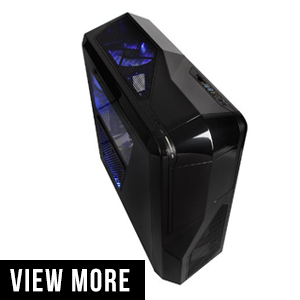
1. NZXT PHANTOM 410 MID TOWER COMPUTER CASE (CA-PH410-B1)

First in our list is NZXT Phantom. It is a mid-size case. It comes in different colors like red, white, black, gray and much more. It also has LED backed fan which looks beautiful without drawing much attention to it.

Price: $95.99 (Black color variant)

Features:

  • Removable HDD rails to make more space for your graphics card.
  • If you want to install water cooling system, it has space made for that at the top of the case with 240 mm clearance and dual fan system of 120/140 mm for good air flow
  • On the front, there is 2 USB 2.0, and 2 USB 3.0 with one audio and one microphone jack for you work purpose.
  • It has 5.25 inches, and 2.5 inches drive bay for you DVD, hard drives and SSD with screw-less that secures them without the need of screw, making it tool free. There are in total 3 external and 6 internal drive bays available.
  • You can connect up to 8 fans. Two 120mm fans and one 140mm fan with LED light is provided with the case.
  • Single 120/140 mm side fan with acrylic window for interior viewing
  • 30-watt 3 step fan control speed
  • It supports all motherboard size, ATX, micro-ATX as well as mini-ATX.

Pros

  • Scree-less and removable drive bays
  • Fan control speed with noise suppression
  • Three convertible external bays for DVD or Blu-ray
  • Better cooling and ventilation system

Cons

  • No radiator in the front panel
  • Internal fan brackets reduce top space

Verdict:

As an award winner of 2012 as best performance and quality case, you know there is anything much to say. There are six variants of colors available which you can choose from depending on your choice. It is the best on the list and is a perfect product you can go for.
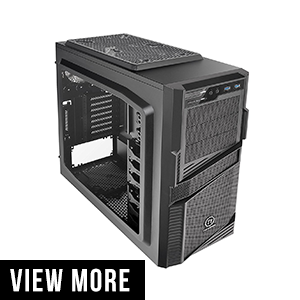
2. THERMALTAKE COMMANDER G42 WINDOW SPCC ATX COMPUTER CHASSIS CA – 1B5 – 00M1WN – 00:

This is a budget gaming mid tower case you can get hold of. It has ample amount of space and also space dedicated for cooling system hardware both internal as well as internal. It has a LED built in fan system and a wide open left panel case for viewing interior components.

Features:

  • Full black outside body structure and perforated panel design to bring in more space.
  • It supports all motherboard size, ATX, micro-ATX as well as mini-ATX.
  • Tool free design drive bay. It comes with three 5.25 inches external drive bays and six 3.5/2.5 hybrid internal drive bays for hard disk and SSD
  • This case has 8 + 1 PCI-E expansion slot for the graphics card which supports both 4-way ATI CrossFireXTM and NvidiaSLITM.
  • If you are thinking of adding Cooling system hardware, the G42 has a clearance of 38mm for the cooling system. It can support up to 240mm water cooling system radiator.
  • G42 comes with 2 fans, one at the front and other at the rear. You can add three more fans if you want to. All of which are 120mm
  • In the front, you have two USB 3.0 ports and one audio and one microphone jack.

Pros

  • Ample space even for a mid-tower case
  • Built in LED rear fan and acrylic left panel for interior viewing
  • Tool-free and easy handling of drive bay tray.

Cons

  • Cooling system inflow and outflow hose might not match with inbuilt ones
  • Default fans do not have speed control hardware

Verdict:

Built for the gamers with a budget cut. It has vast space, and removable drive bay tray for graphics card makes it the most ideal. If you do not like the LED, it is removable which makes it ideal for both quite as well as stylish looking users.
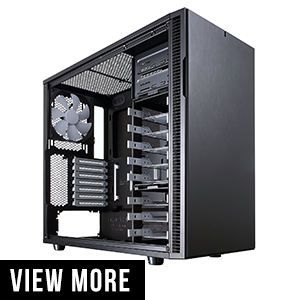
3. FRACTAL DESIGN DEFINE R5 CASE FDCADEFRBK:

Fractal design to define R5 is conceived as silent and compact case, with expansive air and liquid cooling support. Made with material with sound absorbing quality. A perfect for silent gamer

Features:

  • Design for reducing noise. The chassis is made from noise-reducing materials which can absorb sound.
  • Optimally built to make sure there is no compromise in the ventilation system and there is enough air flow with excellent fan system.
  • It comes with two 140mm fans; one is on the rear and other on the side.
  • Dedicated space for cooling system, which house radiator up to 420 mm in the top and 360 mm in the front
  • Total of eight 3.5 or 2.5 inches driver bay which you can use to house both Hard drive and SSD.
  • It has two USB 3.0 and two USB 2.0 with one audio and microphone jack at the front.

Pros

  • Thick sheet metal
  • Heavy insulated with Asphalt damped panels
  • Dust proof design
  • Excellent cooling system with low noise ratio
  • Spacious

Cons

  • Heavy

Verdict:

A very well design and large case. It has noise reduction materials but at the same time proper ventilation for the better cooling system. If you a gamer who wants a silent PC case then this is the one for you. Though is a bit bulky, its nothing to what it offers.
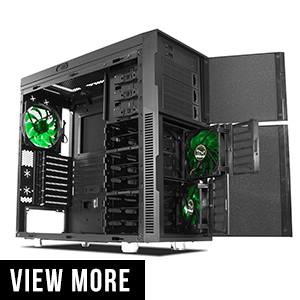
4. NANOXIA DEEP SILENCE 1 REV. B CASE, BLACK (NXDS1B):

Another mid tower PC case which is made to reduce noise but has a good ventilation system for air flow and dust removal filters. A simple yet a high-grade case with a competitive price with other mid tower cases.

Features:

  • Almost noiseless with 0.7 mm thick noise absorbing materials. It also has special coated bitumen and foam coated to reduce both airflow and structural noise.
  • Good ventilation system with tool free dust filter access to clean the dust filters.
  • This case can support upto six fans. It comes with two 120mm fans at the front and one 140 mm fan at the read. It also comes with fan controller for all the six fans
  • It supports all the three size of the motherboard, that is, ATX, micro-ATX, and mini-ATX.
  • It supports liquid cooler with 240mm in the front and 140mm to 240 mm on the top.
  • It comes with three 5.25 inches drive bay externals with one optional 3.5 inches driver bay. Eight 2.5/3.25 inches internal drive bay. All this drive is tool free, and all of them except the external drive bay can be uncoupled and detached to create more space
  • The case Comes with eight expansion slots and four water hose at the rear of the case for the cooling system.

Pros

  • Noise dampening material
  • Good ventilation system for airflow
  • Detachable drive bay
  • Fan controller with dust filter to make dust proof case
  • Spacious and good wire management

Cons

  • Mounting GPU might cause problem due to alignment of the expansion slot with driver bay tray
  • Heavy

Verdict:

One of the best case in the deep silence series, a simplistic yet a unique case. It has won many awards over the year with its specially coated materials for noise-damping and well-tuned fan system. The case can be modified according to your need and is one the best mid-size case you can go for.
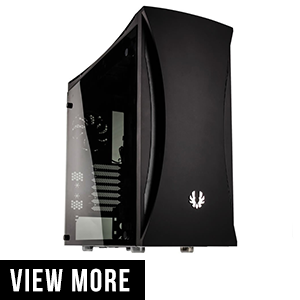
5. BITFENIX AURORA CASE WITH TEMPERED GLASS WINDOW BFC – ARA – 300 – KKWSK – RP

Aurora chassis comes in two variant midnight black and arctic white. It is simple yet elegant with water cooling system with elegant theme curved line and glass window with RGB chroma control for elegant and mesmerizing look.

Features:

  • Very high quality tempered glass. The entire left panel is made out of it
  • RGB chroma control and SSD RGB LED lights which are not foundin this price range
  • Supports all mother board size, that is ATX, mini-ATX, and micro-ATX
  • Front panel host two USB 3.0 and two USB 2.0 with one audio and microphone jack.
  • Fans are included for Cool air flow
  • Rear has seven extra expansion storages and two water hose inlet and outlet.
  • It has 2 internal slots for HDD and 2 slots for SDD. It does not have external drive bay hence you cannot add DVD or any external driver.

Pros

  • One of the cheap case with tempered glass
  • Four USB port
  • Integrated RGB light controller
  • Supports dual radiator

Cons

  • Front dust filter cannot be cleaned without using compressed air
  • No external drive bay, no DVD or Blu-ray player supported

Verdict:

The case has an inferior dust management system. It does not include enough include fans and no drive bay for DVD or any external drive. Overall,it is spacious and durable. If you can do not need any such features mentioned before, then you can go for it.
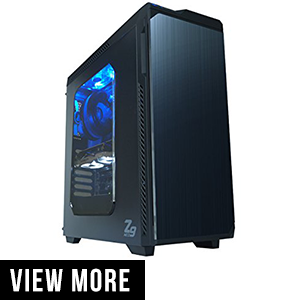
6. ZALMAN ATX CASE ZM-Z9 NEO – BLACK:

One of the budget mid tower case. It has some noise dampening case and large space to assemble any company of your like. It has a good ventilation system for good air flow. The front panel which can be open to access the optical drive like DVD or Blu-ray drive acts as a noise suppressor from both the air noise and structural noise. It is one case that you might love which has a meager budget.

Features:

  • Supports dual radiator one at the top and one in the front for maximum cool air
  • The Case comes with five pre-installed fans of which two 140mm in the front and two 120 mm LED fans at the top and one 120mm fan at the rear for maximum cooling of Heat generated by the hardware
  • It supports all size of the motherboard, that is, ATX, micro-ATX, and mini-ATX.
  • On the front, you have two USB 3.0, two USB 2.0 and one audio and microphone jack
  • It supports 2 external 5.25 / 3.25 / 2.5drive bay for DVD or Blu-ray drive, HDD or even SDD. Two internal 2.5 SSD bay and two internal 3.25 HDD bay.
  • At the rear, there are7 expansion slots and different hardware like GPU.

Pros

  • Budget gaming case
  • Supports dual fan radiator
  • The case comes with 5 fans
  • Excellent noise dampening

Cons

  • ATA style power fan power

Verdict:

A good noise damping with a good ventilation system for maximum cooling effect. Z9 with its excellent price point and unique feature making it the proper value for money product that you should go for.
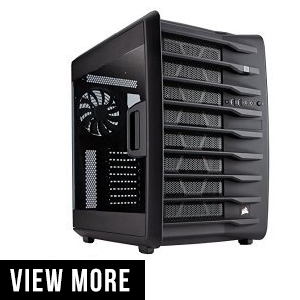
7. CORSAIR CARBIDE SERIES AIR 740 – QUIT EDITION HOGH AIRFLOW FAN SINGLE PACK:

This variant comes with a fan; you also have the option to buy only the case or the case with PSU. It up to you which you decide. The case is the mid tower case with a stunning mesh finished topped with a grilled look. The left panel is made out of plastic and shows the mesmerizing look of the inside of the case. The enormous space allows you to add any number of hardware you want. The SSD and HDD drive bays are separated out in the different compartment to maximize the space.

Features:

  • Dual chamber design to maximize air flow to cool all the hardware present inside the case
  • It offers massive internal space. You can move the SSD and HDD to different compartments to maximize the space
  • Comes with customized Air series AF140L fans which provide the best inflow and outflow of air. It is the best award-winning fan system.
  • You can add upto three radiators for keeping your hardware chilled down or eight fans of 120mm or 140mm.

Pros

  • Powerful cooling system
  • Can support up to three large radiators
  • Can support motherboard up to E-ATX (biggerthan ATX).

Cons

  • Noisy
  • Quite expensive comparing with other mid-tower cases.
  • No air filter for the two bottom fan.

Verdict:

As a buyer who wants to mount three radiators for keeping the hardware chill, this is the one for you. If you do not want such space, then you should look and decide whether you want or not.
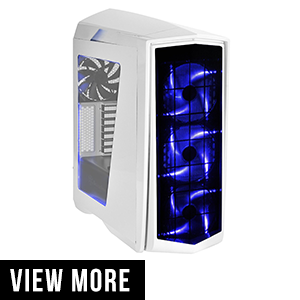
8. SILVER STONE TECHNOLOGY COMPUTER CASE PM01WA – W:

One of the incredible, stunning looking case which grabs our eye instantly. It also comes with another variant which is called tempered glass option. Its left panel is made of tempered glass and is black.

This case has a stunning finish with an oversize mesh finish in the front of LED fans behind it. It gives the feeling of the luxurious case. The interior is spacious to support all the hardware requirement that you want to put in.

Features:

  • It comes with three stunning looking LED fans at the front side for a mesmerizing look. If you do not want the LED, you can disable it too.
  • It supports up to 360 mm All in one cooler for your hardware.
  • It comes with 4-segment LED controller to control the LED brightness and modes
  • The case also has fan management hub for controlling all the 10 fans that you can install in the case
  • On the top, you get two USB 3.0 and two USB 2.0 and one audio and microphone jack
  • It has 7 expansion port which can add hardware like GPU.
  • Spacious case means you could add radiators for better cooling of the hardware components.

Pros

  • Excellent cooling feature
  • Good noise damping feature
  • LED show off to make it look stunning
  • Budget case but with a premium finish

Cons

  • Drive cage is riveted hence cannot be removed
  • LED light factory installed, not even RGB LED, with a singlecolor

Verdict:

The recommended mid tower case. It is one of the stunning looking with incredible features, one of the top performance case that you should go for.
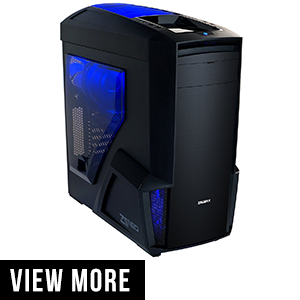
9. ZALMAN ATX MID TOWER PC CASE Z11 NEO:

Zalman Z11 Neo offers a dynamic look and feels with brushed aluminum style front door to SFX designed top air vents. The air vents are designed to maximize heat removal with two air intake fans and three outlet fans. This mid tower case aims to eliminate much of the noise generated by the fans and hardware. Enormous space is provided to add any hardware like up to 8 HDD to dual radiator AIO cooler system.

Features:

  • It supports ATX and micro-ATX sized motherboard
  • This case has PCI – E / AGP card compatibility with supported size up to 400 mm
  • The case has stunning like SFX design which helps in better air flow. It has different outlet for air inlet and outlet
  • On the top Z11, Neo has two USB 3.0, two USB 2.0 and one audio and one microphone jack.
  • The case has three external 5.25 drive bay for DVD and Blu-ray drive and six internal 3.25 and 2.5 drive bay for Hard drive and SSD. These drive bay are not tool free, and you need screws and screw driver to tighten them together.
  • It has seven expansion slots for adding additional hardware like GPU with the motherboard with size up to 420 mm.
  • It also supports dual radiator with AIO (All in one) cooler
  • It comes with five 120 mm fan ventilation system for better air flow and to remove the heat generated; the case has two front intake fans for cooling air inflow and three fans for an outlet the hot air; two are placed at the two and one in the rear.
  • The front has a dust filter where the two-intake fan is present, for dust proof case.

Pros

  • Front panel ports
  • Made from the best quality material that provides rigidity
  • Materials are designed and structured in such as way
  • One of the best ventilation system available with stunning two ways for air inlet and outlet

Cons

  • Break away slots are covered

Verdict:

Z11 Neo offers one of the best quality features at a reasonable price range. From brush aluminum style, frontal door to SFX style top air vents gives a premium and dynamic look. However, the breakaway slots covers do not do the justice this case required. However, overall, it is one of the premium looking mid tower case that you will find on this budget.

PC Case Buyer’s Guide:

PC cases are not just a box of metal. Since you are planning to buy just one for an extended period, this cover will not change it, as long as you use your CPU. So it is mandatory to buy a good case in order to make your PC look good and be productive at the same time.So, let us go through these few buying guides which buzz around a PC chassis buyer, which will help you buy the best mid tower case for your PC.

Size does matters: The first thing to look is the size that you need for your PC case. Bigger means more room for air flow, more space to add drives and easier to add a graphics card. Generally, the size of PC cases comes in the form of “Full Tower” “Mid Tower” and “mini-tower.” As the name suggests, full-tower being the biggest and mini-tower being the smallest. Motherboard size: While buying you need to note what is the size of the motherboard you are hosting. Each case has space for different motherboard size. Motherboard size is classified in order as:

  • ATX which is the most common motherboard with size 12×9.6 inches
  • Micro-ATX, with size up to 9.6×9.6 inches and can be smaller than that
  • Mini-ITX with 6.7×6.7 inches

Check the board, if you buy a small case then after putting the board, there will be little or no space left to fill other components. So, it’s better to check the specs before buying.
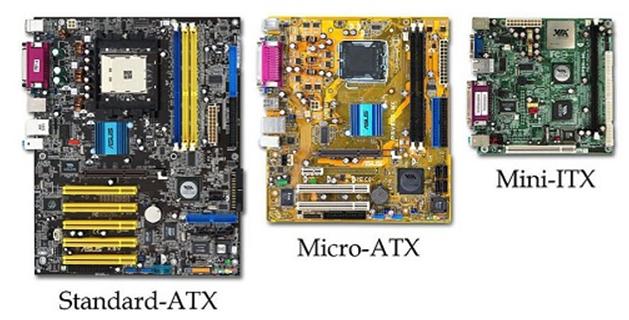
Drive Bays: Larger the case, more driver bays are present. You generally use driver bays to allocate DVD or Blu-ray drive, hard drive and SSD. The more drive bays are present the more you can allocate. Of course, you cannot allocate everything to the same drive. Each component has different dimensions to get allocated.


  • 5.25 inches drive bay. This is the wide one which is used to attach DVD or Blu-ray drive. You can also connect Fan to it if you want.
  •  3.5 inches for an external card reader or to attach your hard disk.
  • Some individual cases come with 2.5 inches dive bay for SSD but become very common now a day.
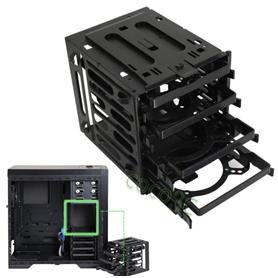
Most of the mid tower cases come with three to four 5.25 inches drive bays, and two to three 3.5 inches drive bays for the hard disk. 2.5 inches Drive bay are rare but are found in many. Though 3.5 inches drive bay, do have the facility to attach SSD, but some case does come with 2.5 drive bay dedicated only to SSD.
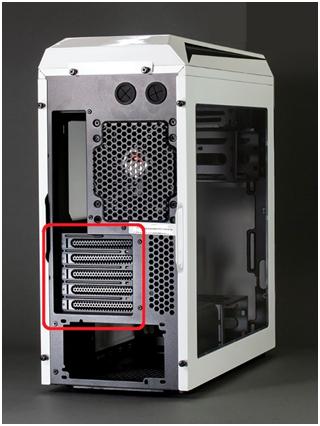
Expansion slots: Most full tower and mid tower cases come with 10 Expansion slots. These are important if you are planning to add multiple graphics card. Also, if you add any additional hardware, then these expansion slots come very usefully. Check your requirement with the Case spec before buying.


  • Front panel ports: Numerous jacks and ports come in the front of the case. Be sure to check that you have them all. Other than open hatch to insert DVD’s, there are numerous ports like two to three USB 2.0 and USB 3.0. Audio and microphone jacks should also be present. Current day cases also come with card reader port.
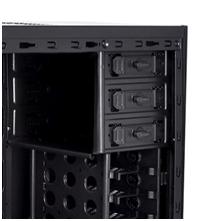

  • Tools free: Gone are the days where you need to have a screwdriver while assembling your computer. These days most of the Cases come with hand screw nuts and bolt which do not need a screwdriver (expect motherboard). The drive bay also comes with clamps and lever which can mount these drives without the need of screw.


  • PSU Mount: PSU or the power supply unit, which provides power to your entire CPU. They are usually mounted on the top or at the bottom. Though it directly does not affect chassis as most cases do support the average size of the power unit. There are units which might require small PSU. Do check the specification of your PSU and your case.
  • Fan Mount: Some case comes with the fan mounted. While others have fan mount space, where you can attach the fan to make better ventilation system. There is a variation of fan available starting with 80mm, 92mm, 120mm, 140mm, and 200mm. Most cases support 120mm and 140mm but, be sure to check before buying. Some screws come with the case to screw the fan in the pre-drilled socket. Also, check how many fan mounts do you want in the case. Every case has a different number of available fan mount.
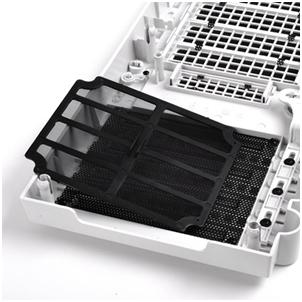
  • Additional Features: Other than the above basic buying requirement, you might opt for some fancy requirement as LED RGB colors, whether you want a plastic case to view its content, illuminated fan mount. If you are planning on using the liquid cooling system, see whether you have space to install the cooling hardware inside or outside, which depends on the case, if it is outside you will be having water-cooling inflow and outflow hose to pass the liquid.

Now that you know what to look for before buying your mid tower case for your computer, here we are listing the top 10 best mid-tower case you can think of buying.
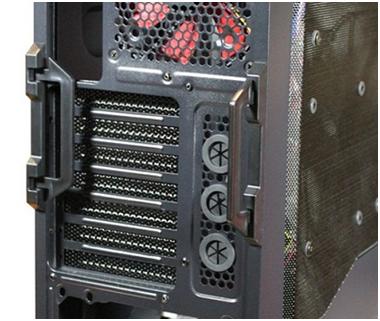
Conclusion:

As said earlier, each case has its own sets of pros and cons. While most of them might look the same, each of them is different in functionality and are made for multiple uses.So, it is up to you to choose your best pick, based on the buying guide and what type of hardware you need, you can choose your favorite mid tower case.

If you liked this article and it helped you in deciding the mid tower case you want, please do share it with others so they could also get the required help from it.

Hotstar Premium Cookies : Watch TV Online for FREE

0

Everyone loves to watch movies, TV shows, web series, live TV, and sports. Founded in 2000, Hotstar is one of the best OTT platforms to spend your time. Then what’s keeping you from having an amazing time? Yeah, that’s right: a premium membership. Wouldn’t it be for the best if you can access all these contents for free without having to purchase a premium account? In this article, we will tell you how to get access to these contents for free by using the Hotstar Premium Cookies.

Using Hotstar Premium Cookies is one of the easiest ways to access paid content on Hotstar for free. A yearly subscription of Hotstar Premium + Disney will cost you around 1499 Rupees, while Disney + Hotstar VIP costs Rupees 399 per year. But by using the Hotstar Premium Cookies, you can access all these premium contents, like the best TV shows, web series, and live sports for free. To understand how this works, let’s first understand what a cookie is.

Hotstar Premium

What is a cookie?

Have you ever noticed that if you search for a particular product on google, say One Plus 8, and while browsing Facebook or Instagram, you may get an ad related to the same product?

The ad may contain One Plus 8 being on sale on Amazon or Flipkart. Ever wondered how and why this happens? This is all possible thanks to cookies. A cookie is a piece of information that’s stored on your computer by the website that you visit.

Later on, when you visit the same website, this piece of data is used to retrieve all your credentials and info. For example, if there were no cookies, your cart will reset to zero each time you click on a new link. This will make online shopping difficult. In simple terms, cookies are used to store data about websites that you visit regularly.

Also, we recently wrote a guide on how to watch hotstar in USA.

What are Hotstar Premium Cookies?

Hotstar cookies store your data such as your membership details, your recent watch list, and other info on your system. So basically Hotstar Premium Cookies will store data of an account with a premium membership onto your system.

Therefore, whenever you log into Hotstar using a web browser, the cookies ensure that you always log in with a premium account. All you need to do now is to click on the show you want to watch and enjoy it.

The cookies are created by programmers who want everyone to have access to paid OTT contents. They are responsible for creating the database of the premium accounts. All you need to do is to modify the cookies and enjoy Hotstar Premium for free. 

Since this is an illegal method, Hotstar regularly rolls out regular security patches that disable these cookies. In such a case, when the cookies don’t work anymore, all you need to do is simply install new cookies, and then you can enjoy your show for free.

What can you do with a free Hotstar account?

Even with a free account, Hotstar provides multiple OTT contents for you to watch. You can watch most of the Star Network Tv shows, all the episodes except the latest one. You can choose from a huge list of Bollywood movies to enjoy. You can even get a 5 min free preview of live sports.

Benefits of Disney+ Hotstar premium –

Disney+ Hotstar premium offers the following services at Rs. 1500 per year – 

  • Live Streaming of Sports such as IPL, Football, Cricket, NBA, and many other sports
  • Full access to all the Star Network TV serials
  • Watch Star Serials before they are aired on TV
  • Disney+ content: Disney+ Originals, Shows, Movies & Kids content
  • Latest American TV Shows & Movies: Uncut, ad-free & minutes after the American release
  • Exclusive Hotstar Specials contents
  • 7 Multiplex blockbusters

Benefits of Disney+ Hotstar VIP –

Disney+ Hotstar VIP offers the following services at Rs. 399 per year –

  • Live Streaming of Sports such as IPL, Football, Cricket, NBA, and many other sports
  • Exclusive Hotstar Specials contents
  • Full access to all the Star Network TV serials
  • Watch Star Serials before they are aired on TV
  • Disney+ content: Disney+ Originals, Shows, Movies & Kids content (Dubbed)
  • 7 Multiplex blockbusters

From the above comparison, it is clear that Disney+ Hotstar premium provides more content than Disney+ Hotstar VIP, at an affordable rate. But with the Hotstar Premium Cookies on our website, you don’t have to pay anything to avail of these exclusive contents. Here’s how to install and use the cookies:

How to use Hotstar Premium for free on PC –

Using the following methods, you can get Hotstar premium for free-

  1. Firstly, you need to install the “Edit This Cookie” extension on your Chrome browser. The link is given below. 

https://chrome.google.com/webstore/detail/editthiscookie/fngmhnnpilhplaeedifhccceomclgfbg?hl=en

  1. After adding the plugin on your browser, you need to visit the Hotstar official website on your browser.

https://www.hotstar.com/in

  1. Click on the extension that appears on the top right corner of your browser.

Hotstar Premium Cookies

  1. After that, tap on the Delete icon that appears on the leftmost side.Hotstar Premium Cookies
  2. Now click on the Import option and paste the cookies for Hotstar you copied.Hotstar Premium Cookies
  3. Now refresh the Hotstar log in page. You will be logged in with a Hotstar premium account. That’s all it takes to enjoy your favourite shows.

You wait for free-content ends here. All you need to is to select your favourite show to watch

How to watch Hotstar Premium for free on phone?

The above steps were useful if you planned on watching Hotstar on your PC. But what if you want to stream it on a phone? Don’t worry, for the smartphone users, just follow these steps to get Hotstar premium for free –

1.Firstly, you will need to install the Yandex Browser on your smartphone.

Click here to download the browser

  1. After installing the Yandex Brower, click on the link below to install the “Edit This Cookies” extension on your browser.

https://chrome.google.com/webstore/detail/editthiscookie/fngmhnnpilhplaeedifhccceomclgfbg?hl=en

  1. Now visit the Hotstar official website on Yandex Browser or simply click on the link below.

https://www.hotstar.com/in

  1. After that, click on the 3 dots on the left corner and then click on the extension tab.
  2. Now click on the “Edit This Cookies” option and delete all the saved cookies. 
  3. Import the downloaded cookies.
  4. Now reload the page, and you will be logged in with a Hotstar premium account.

By using the above methods, you can get a Hotstar premium for free. Click on the links below to download the cookies:

https://tii.ai/hotstarcookies20

https://tii.ai/hotstarcookies21

https://tii.ai/hotstarcookies22

Other methods to access premium content:

Using Hotstar premium cookies is one of the ways you can view premium content for free, either on your phone or your PC. The other ways to get free Hotstar premium content are –

  1. Using a Premium Account

If you search on the internet, you will find that there are many websites that provide information on premium User Ids and passwords. Since it’s an illegal way, and due to regular Hotstar security updates, these Ids get blocked over time. You can always search for a new Premium account on the internet. Simply enter the User Id and password provided by such websites into the Hotstar login page, and enjoy premium content for free.

  1. Using mod apk files. Apk is a format in which apps are stored in Android OS. If you search on the internet, you can find various websites that provide mod apk. Search for a website that provides a mod version of Hotstar.
  2. Download it, install the apk on your phone, and run it. You get a free Hotstar premium account in just a few simple steps. Remember, due to security updates by Hotstar, these apk becomes obsolete over time. In that case, search and download a new mod apk and you are good to go.

You must also check : Netflix premium cookies

Hotstar is one of the best OTT platforms. As the IPL season has started, the demand for Hotstar membership increased rapidly. Be it IPL or any other TV show or movie, you can watch everything for free using Hotstar Premium cookies. Visit our website regularly for new updates and more tips and tricks.

How to Watch Hotstar in USA/UK

0

Hotstar is an ultimate Indian entertainment platform. Whoever likes Indian content (TV shows, Bollywood movies, cricket, HBO content and etc.) can see on Hotstar. The platform is only available in India, it’s not available for other countries.

That’s a big problem to Bollywood and Indian TV shows’ lovers. Hotstar access your system location and matches that user should be in India.

In case of other countries, they can also enjoy bollywood by using VPN. Virtual Private Network (VPN) is the way to use the Hotstar outside India. There are so many VPN are available to use.

I would suggest you the best VPN after guiding you how to install Hotstar on Firestick. Now I am going to tell you what is the exact process to see Hotstar from out of India.

If you want to use Hotstar from USA or other countries you need to download it on your device. It is available on Android, iOS, and FireStick. It is very simple to install Hotstar on iOS and Android, but you can face some difficulties if you are not quite aware about Firestick.

Here I am going to guide you to install Hotstar on Firestick with VPN. There are some steps that you should follow to install it on your Firestick.

Step 1: As I guided you about best VPN service providers, it is your turn to choose one. Click on the icon which is located beside the home button.

Step 2: Now type Hotstar in the search section and then click on the ‘Hotstar’.

Step 3: After clicking on the Hotstar there would be a download button, click on it and download the Hotstar application. Installation of application would run automatically after successfully downloading of Hotstar application.

Don’t open the Hotstar app without ensuring VPN service. Make sure your VPN is working properly according to India region. To watch Indian content you need to switch your location to India.

Step 4: After changing your location to India, now open the application. You can see the home screen of Hotstar application here.

Now Hotstar is here. You are ready to see everything that you like about Indian content. But there is one issue that if any show/movie showing that it is only accessible in premium plan then you can’t access them without paying for them. You need to pay for premium plan or just stuck to the free one.

When you bought the plan of Hotstar Premium, you have to sign in to access your Premium account. You may also use Hotstar premium cookies.

Step 5: Sign in to your premium account either using your Facebook account or email address. After filling email address and password click on the login button. It will lead you to home screen of the Hotstar.
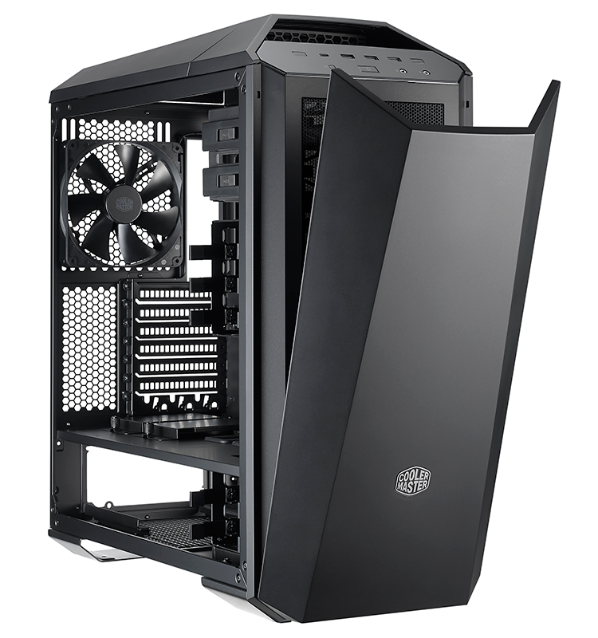
Now everything is settled up. After signing in you are allowed to use premium content. Now you are free from any obstacles until your plan ends. We have listed few VPN’s that you can use to watch Hostar in USA, UK or anywhere in the world.

Top 3 VPN for Hotstar

  1. Surfshark

Surfshark serves in 60+ countries with 1040+ servers. In my opinion it is the best VPN service provider. It can help you to use Hotstar and enjoy the bollywood and cricket. Surfshark provides the cheapest plan $1.99/mon. You would not get as cheap as Surfshark’s plan. It reduces your budget and increases the enjoyment. You can go directly to choose Surfshark plan from here.

Why Choose Surfshark???

  • Cheapest Packages

 The plans of Surfshark is the best for the low budget customers or users. To see the live   cricket match without any disruption. You only have to pay $1.99/monthly.

  • Speedy

Speed is the very point to choose a VPN service provider and surf in the ocean of the Internet and Hotstar as much as you want to.

  • Location

It’s extremely important to see the locations or countries that is covered by VPN provider.   Surfshark covers 60+ countries, I think that is a big number.

  • Security

This is the most reason why people choose Surfshark because they give 100% security to   device and database.

2ExpressVPN


ExpressVPN is the best VPN service provider. It covers 94 countries and 160 locations. They provide unlimited speeds. ExpressVPN can let you see Indian content and HBO content through Hotstar. The best thing of ExpressVPN is it’s IP address never gets down.You can claim money back within 30-days money back policy. 

Why ExpressVPN??

  • Location

This VPN service provider covers a lot of number countries, they cover around 94 countries and 160 locations.

  • Protection

 ExpressVPN keeps you and your data totally secured. It never let hackers to access your   device or content.

  • Speed

Surfing speed is quite good of ExpressVPN.

  • Assurance of Service (Money back guarantee) 

When you got the service of ExpressVPN you don’t need to think about your money and   their service. If, you don’t like it’s service then you can claim money back within 30 Days.

3. PUREVPN

OMG!!!, here is the mega offer, PUREVPN.

PUREVPN provides their service 140+ countries with 2000+ servers. It’s huge number of locations where they are providing their best service. PUREVPN giving exciting offers and services with assurance. It is the most popular VPN for live streaming and hotstar. They serves speedy performance over the globe. Plus their 31-days money back guarantee is the most exciting offer that they are offering.

  • Location 

PUREVPN covers a huge part of globe, they are giving service in 140+ countries with 2000+ servers.

  • 24/7 Customer Service

 Now you don’t need to worry about installation, security, or any other customer’s service   issue.

  • 31-Days Money Back Guarantee

There is no risk to take your money back if you don’t like their service. It’s all depend on  you how much you liked the service.

  • Data Security

You are free, don’t think too much about the security, you are in the secure hands. PUREVPN keeps your data safe and encrypt it with their best service.

  • 5 Multi Devices

You can login same account in 5 devices simultaneously.

Choose the best VPN service provider from the above described VPN, it will let you use Hotstar. I recommend you to give preference to Surfshark because it’s cheapest plan. In $1.99/monthly, you are getting everything that other VPN service providers are not giving. Imagine how cool is it to have a such like of a VPN in your device. Enjoy the best bollywood movies and cricket only on Hotstar.