Blog Page 85

3 Tips and Tricks to Easily Create an Evergreen eLearning Course

0

The wave of online education is in full swing.

After years and years of traditional classroom methods, the world has finally moved to a 100% convenient education solution. eLearning.

And for all the goodness, this shift has bridged the gap between trainers and learners across the globe. But is it easy to implement?

Even with the right knowledge to train, educators usually have a tough time coming up with a comprehensive eLearning course.

That’s where this blog post can come in handy. Here are 3 simple tips to help you create an evergreen eLearning course.

1. Evergreen Content Requires Evergreen Topics

As simple as it gets, for creating an evergreen eLearning course you’ll need an evergreen topic. Something that passes the test of time and can entertain your audience for a really good span.

So start exploring your niche. Hunt for issues that have constantly been bugging learners for a long time.

In most cases all such issues would already have been covered by niche leaders. If that happens, you can go through their content and look for loopholes.

If you can come up with a better and more useful copy, go on. You’ve found your topic.

Tip: You can also use keyword research tools like Ahrefs and Google keyword planner for popular topic ideas.

2. Be Useful

As you plan on creating an evergreen eLearning course, usefulness becomes super important.

While a ”in-the-trend” kind of eLearning course may perform well even without adding much value to the learners’ life, a supposedly evergreen piece can fall with chins to ground.

So, make sure all the content that goes into your eLearning course is of top quality and highly valuable.

3. Work Smart not Hard

One of the main challenges that hits most trainers aspiring to create an eLearning course is design and development.

No matter how aesthetic and accessible your dream eLearning course appears to you in your head, turning it into reality can get the best in sweat.

So, what’s the solution?

Thanks to technology, the realm of education is now equipped with smart software and tools that can make eLearning course development feel like a walk in the park.

Still don’t get how? Let’s learn a little about the top two course development and management tool types.

(i). Authoring Tools: An eLearning authoring tool is a set of software that allows trainers to efficiently and easily create, package and manage course content.

Various types of eLearning authoring tools are:

  • HTML5
  • SCORM
  • Flash
  • Cloud Authoring Tools

For stunning course designs and your ease of access, choose the best cloud eLearning authoring tools for creating your course.

(ii). Learning Management System (LMS): A learning management system is a set of software that allows trainers to manage their eLearning course’s data. Speaking of what all an LMS manages, it covers up almost everything from student data, attendance, tasks completed, lessons attended to tests and challenges cleared (if applicable).

Different types of learning management systems are:

  • Installed LMS
  • Web-based LMS
  • Cloud LMS
  • Hosted LMS
  • Open Source LMS
  • Closed LMS

Using tools like these will allow you to easily maintain and upgrade your eLearning course’s content. This type of constant updates will keep your course alive and in action for a longer span of time and that too without the hassle of editing the source code.

Final words

As you try to create an evergreen eLearning course, there’s a bunch of things that you’re gonna need.

In this post, we talked about top 3 of those. Hopefully, this was helpful.
5 Best Photo Viewer for Windows 10: Alternatives to Windows Photos

Back in 2015, when Microsoft launched Windows 10 and integrated some new apps like Photos, Groove Music, Microsoft Edge, Music and TV app and more. Talking about the new Photos App, Microsoft replaced it with old and loved Windows Photo Viewer. The new Photos app is not bad, but most of the Windows users are not happy with this replacement. Photos do support most of the picture formats but is quite heavy and take a bit more time to load the images.

The earlier photo viewer was reliable and straightforward to use and showed a single image on click and all images of the folder for Slide Show. Sadly getting back to it is a bit tough task and can only be done by going to the Registry and making the Photo Viewer default again.

Best Photo Viewer for Windows 10

So if you are a Windows user and is not happy with the buggy Photos app, we have compiled a list of few best alternatives to the Photo Viewer. Made after receiving feedbacks from different Windows users and their responses to Microsoft’s latest photo viewer app “Photo.”

Contents

Best Photo Viewer for Windows 10

We all know Google no longer supports Picassa and we still got no idea why did they shut it down. Picassa was the most favorite photo viewer among Windows users and was most stable and feature-rich photo viewer ever. It also supported shortcut keys to full screen, delete, edit a photo and most importantly was easy to use. Google Picassa was favorite of many, some of its lovers like myself still use it as default photo viewer on Windows. However, there are many Picasa alternatives apps which are the best photo viewer for Windows 10.

1. FastStone Image Viewer

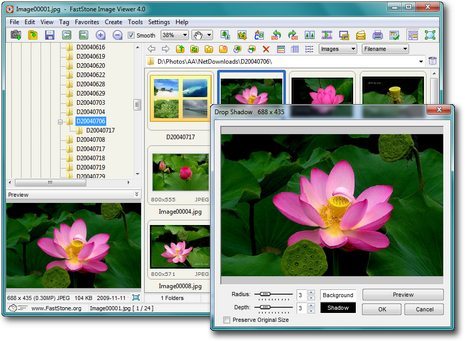
FastStone is a great photo viewer and the best alternative to the Windows Photo Viewer. It is simple, fast and has lots of features related to fix or edit a photo. The FastStone Photo Viewer supports mostly all the formats and even has the tool to convert an image to different formats. Editing photo, drawing a line or Adding text to it is easy and can be done while on the go. The reliable part is the FastStone Image Viewer App comes for free without any ads.

Best Photo Viewer for Windows 10

Also, its slideshow is even better than Picassa’s and has more than 150 transitions and effects. Instead of creating albums like Picassa, FastStone creates a folder to show photos. It also has few color schemes to choose from and is a great Viewer if you can deal with tons of sidebars and lots and lots of customizations.

2. XnView Photo Viewer

XnView is amongst the most popular photo viewer for Windows 10. The XnView is for you if you need a photo viewer with a wide range of over 500 image format support. Xnview is fast and provides features just like Windows Photo Viewer did. It also has an inbuilt converter to change the formats. XnView also allows viewing images in different ways like Full-Screen, Thumbnails or FilmStrip and SlideShow view with some Effects. You can also compare and edit images with basic editing tools.Best Photo Viewer for Windows 10

One of the unique features, we will have to mention is its Duplicate Image Finder to Search for the Duplicate Images saved on your Hard-Drive. For managing your images, it also has a great support of Batch Renaming, Batch Processing, and Metadata Support. XnView is a freeware tool for personal use with no Spyware or Adware added.

3. IrfanView Photo Viewer

IrfanView named after its creator Irfan Skiljan is fast and a great lightweight app for Windows. It also supports a wide range of image formats and post-processing tools to fix or edit your images. IrfanView has a simple UI with just 2 MB of software footprint and a great support for plugins. Apart from Batch Image management tools like Batch conversion, it can also work as a basic multimedia player to play music or videos of some popular formats.

Best Photo Viewer for Windows 10

IrfanView Photo Viewer is also available for Linux and can also be used on your Android Device for free for personal use and educational purposes. Also, it also supports few PhotoShop filters and lets you take screenshots of your display.

4. KrojamSoft PhotoViewerPro

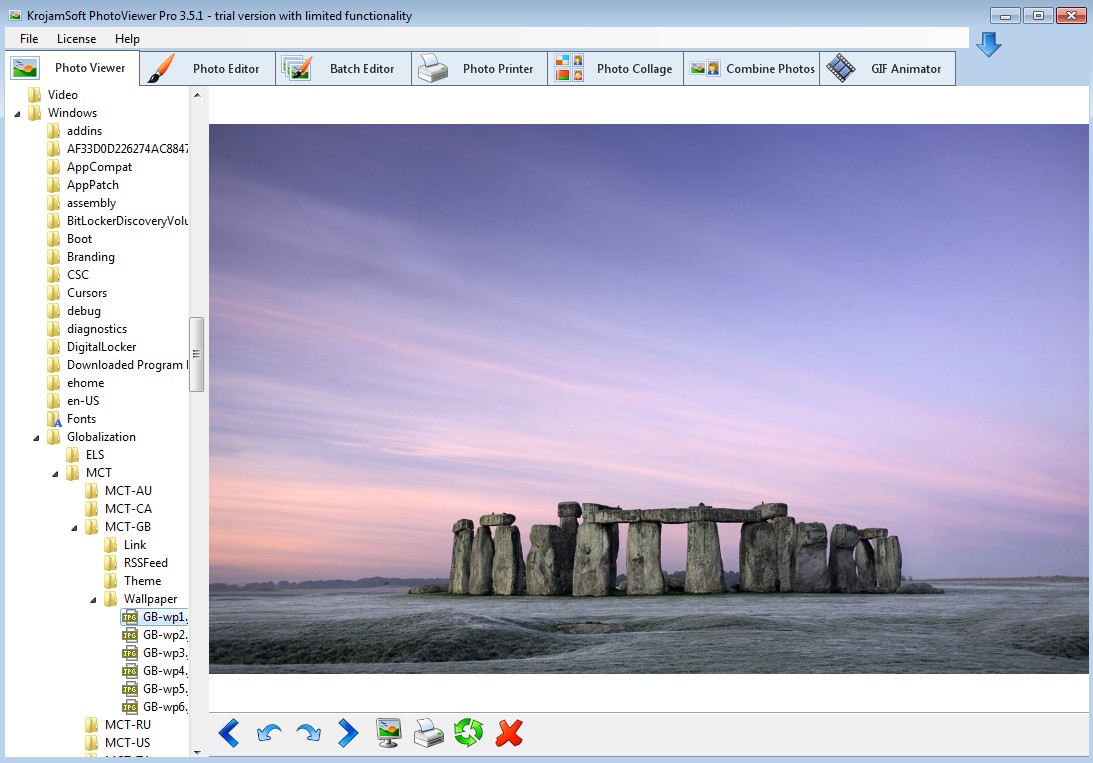
KrojamSoft is a great alternative for Windows Photo View with lots of image processing tools and very Simple UI. This app takes a small space on your PC and is an awesome option for personal use. Like other photo viewers on this list, you can almost open images of any format and can crop and fix it with basic image tools and can also draw texts over images with this Photo Viewer.

Best Photo Viewer for Windows 10

Some other features include Batch Processing, Batch Editor, Collage maker and a GIF animator too. You can easily create your GIF with this app and share it with your friends with your photos or videos in it. It is so simple to use that even a novice can easily understand all its tools and features. This photo viewer comes in both free and paid versions, but we suggest you use it first for few days and then buy it.

5. SkyfallView Photo Viewer

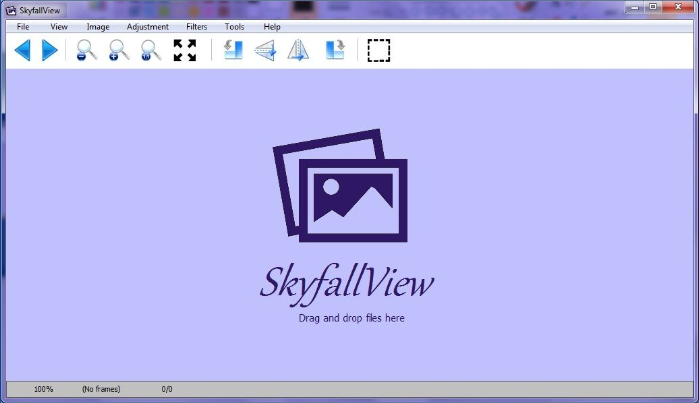
SkyfallView is not a very popular photo viewer but is a great alternative for Windows Photos loaded with features. SkyfallView is fast and can load upto 102 extensions including 40 graphic file types. You can also convert your existing image into 9 different formats like bmp, jpg, png, gif, tga, tif, pbm, jng and ico. It also lets you choose the compression ratio for JPG and the transparent color for GIF.

Best Photo Viewer for Windows 10

Also, you can also post process your photo using its color management tool for color corrections and more. In advanced tools, it supports many filters and also lets you extract images form mp3 file and icons from .dll or .exe files too. It has a symmetry and image comparison tool with barcode reading. The SkyfallView Photo Viewer is available for download for free with no spyware and adware.

Bottom Line

All the included photo viewers are the best alternatives for Windows 10 with inbuilt features and plugin support. These photo Viewers can also be used overall Windows formats. You can choose any Photo Viewer from the list as all are free to use. You can also tell us which is your favorite Photo Viewer on Windows in the comments below. Also, if you face any issues regarding the photo viewers on the list, feel free to comment, and we will get back to you with a solution ASAP. Thanks for Reading.

4 Best Hootsuite Alternatives Social Media Management Tools

1

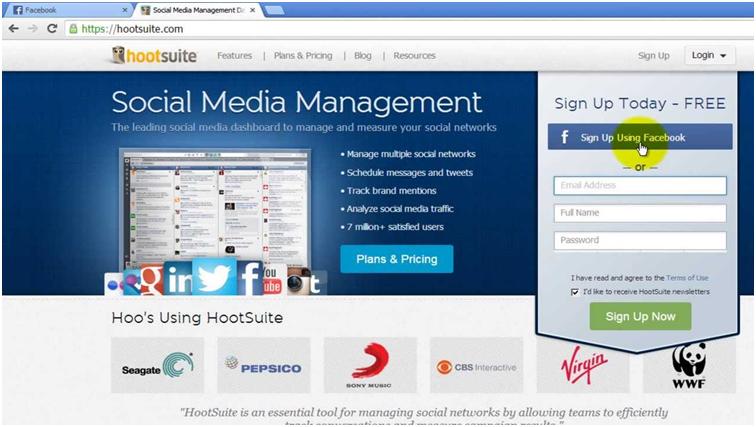
The Hootsuite is a Vancouver-based SMM (social media management) start-up which reached its ten million users mark within a period of just six years. With the help of Hootsuite, the users can connect the social media such as Twitter, Facebook, LinkedIn, Google+ and the others alike so that the entire process of scheduling posts and handling the branding becomes simpler. Hootsuite has a free plan for individual people, a $9.99 per month plans for the budding marketing teams and also custom plan for enterprise companies with unlimited access.

Hootsuite Alternatives

Hootsuite has been considered one of the most apt social media management tool due to its widespread availability and all the comprehensive features it has to offer. However, different businesses have a different kind of needs; there could possibly be a better option available for you. So, for the different kind of needs and use of social media, here are some effective Hootsuite alternatives you must have a look at:

Top 4 Best Alternatives to Hootsuite

1. Buffer

Price range: $25 – $250 per month

Buffer

This is a well known California start-up which has managed to bring a massive change in the ways of handling social media. Within a 5 year period, Buffer has managed to gain some 2 million active users of which more than 2500 users are well known agencies and publishers including the likes of Fortune, About.com and Business Insider.

With the members working from all over the continent and in different countries, you can rest assured that your problems will be dealt with in the ideal way you would like to and the bugs won’t take too long to get fixed.

Unknown app
Unknown app
Developer: Buffer, Inc
Price: Free

2. ViralHeat

Pricing: Custom

ViralHeat This one started off in the year 2011 and currently boasts of some more than 20,000 active users with the range of social networks it has. Besides the typically used Facebook, Google+, Twitter and LinkdIn, Via heat has to offer to its users the likes of social media such as Instagram, Pinterest, Tumblr and many others.

In March this year, Viralheat joined hands with Cision, a media intelligence software company. Now given the company functions globally, the collaboration is likely to add some value for the users. Now we are talking, indeed a great Hootsuite alternative.

3. SocialOomph

Pricing: $0 – $35 per month

SocialOomph
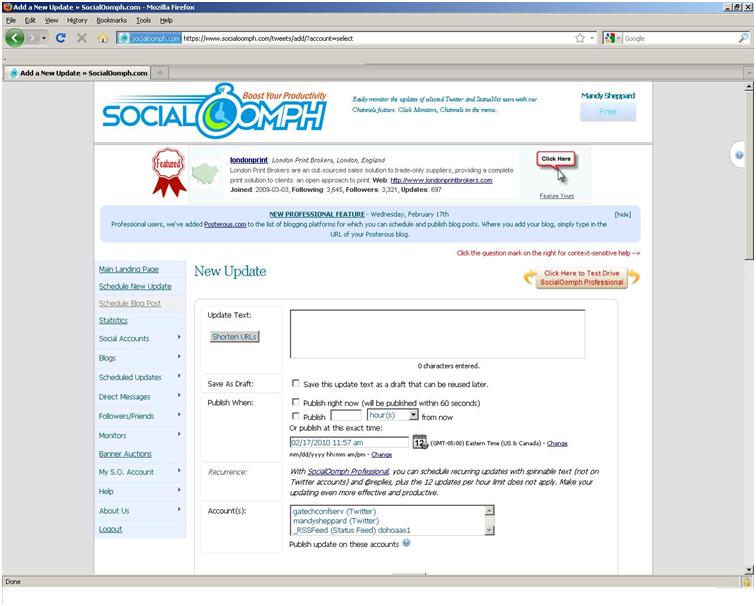
This one is a Canada-based productivity solution company. With the SocialOomph, you can schedule updates on your social media, look up for some quality and interested people to follow and manage all other such important social media activities.

The company had started off with more focus on Twitter and it was only in the year 2009 that they added the likes of other social media such as Facebook, RSS feeds, Plurk, LinkedIn, etc. This could be a great alternative to Hootsuite given the range of features available!

4. Tweetdeck

Pricing: Free

Tweetdeck
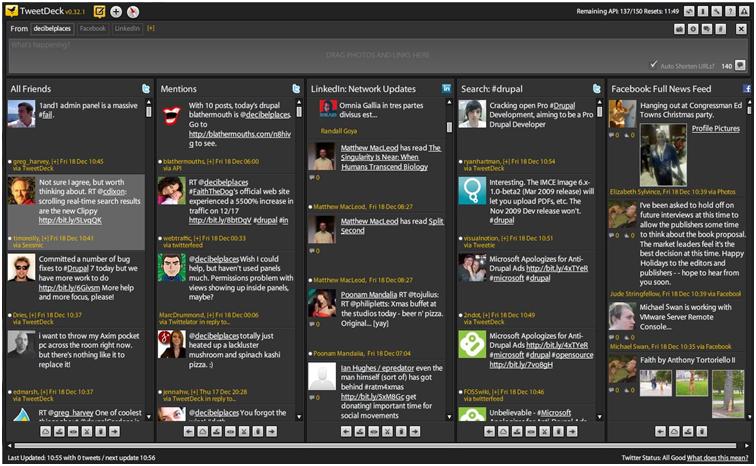
If you are a religious Twitterati then Tweetdeck is your religious guru. The services are totally free and with it you can manage multiple accounts on Twitter. It offers a number of customized solutions in terms of searches, lists, and other media activities. The Tweetdeck is a Hootsuite alternative for those who want to focus on Twitter as their social media tool.

And that was about some HootSuite social media management alternative!

Top 5 Apps like vShare (Best Alternatives)

0

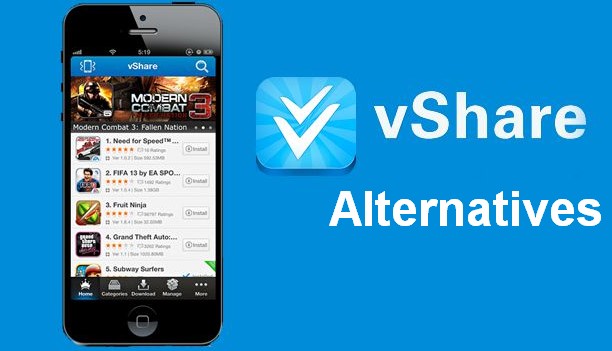
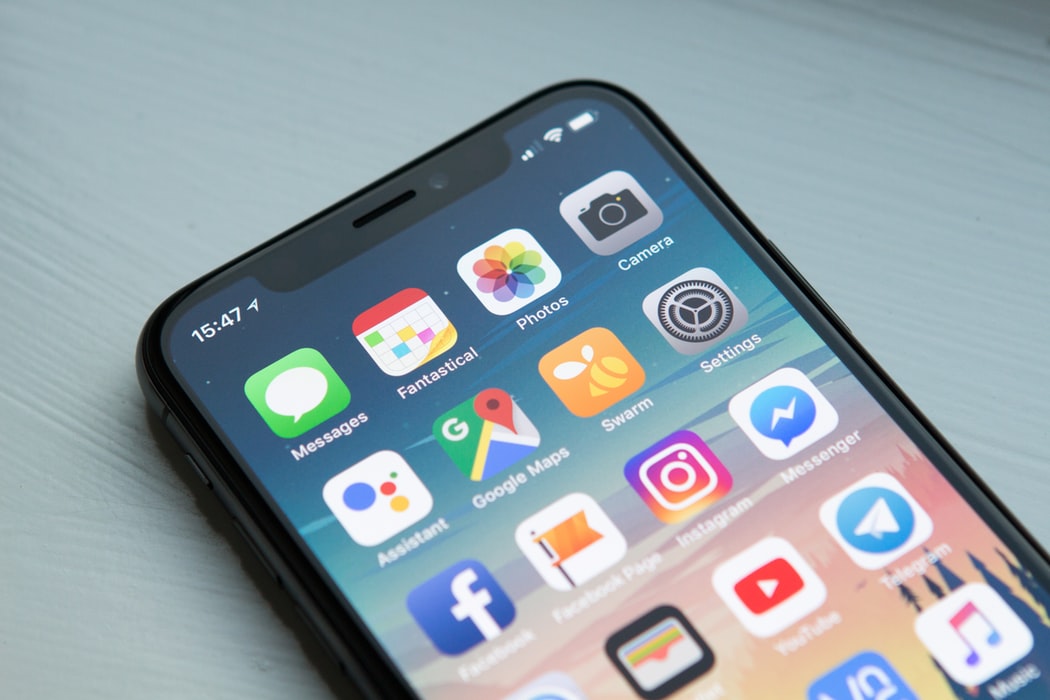
vShare is an application which brings everything at one place for both Android as well as iOS users. It brings to you a list of games and applications which are top grossing and have good ratings for free. The app is quite similar to what the Play store has to offer with the main point of difference being the free apps/games it makes available to you. vShare is a great application; however, there are many other apps like vShare are also available. Just have look over these vShare Alternatives.

vshare alternative

Top 5 Apps like vShare (Best Alternatives)

AppCake

AppCake
AppCake can be a great alternative to vShare and allows you to install IPA files. With its help, you can download cracked apps free of cost (on jail-broken devices). It allows you to have all the latest application and games on your phone and depending upon the downloads and ratings; selects for you a list of top 20 app every week. However, for using AppCake you need a jail-broken iOS device only! Despite this small restriction, it is an ideal alternative to vShare.

iFunBox


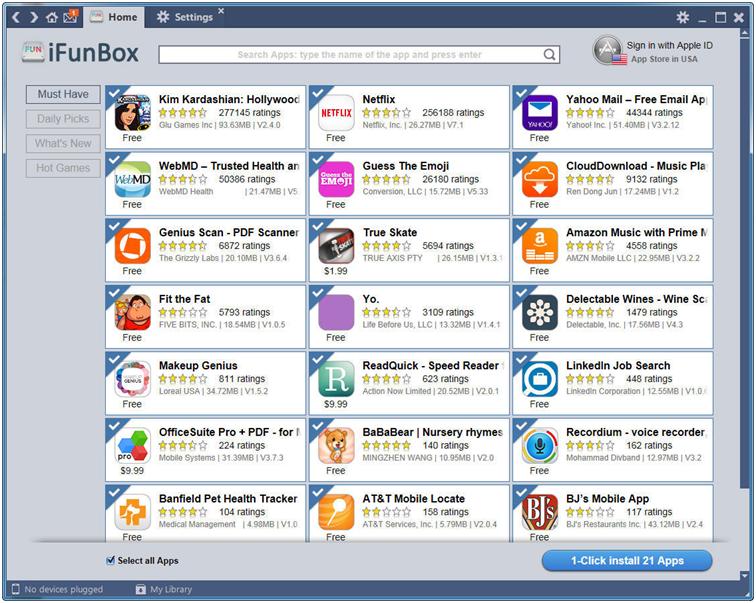
The iFunBox is the next alternative to vShare on our list and is available on Windows, iPhone, iPod and MAC OSX. It is basically a file as well as app management tool allowing you to download IPA packages. Also, with this application, you can download an .ipa file from apps under development or one which has been cracked by you.

iPASTORE

 iPASTORE
The iPASTORE is a handy alternative to vShare as it works with devices universally, whether or not they are jail-broken. It has suggestions for you on everyday basis for games and apps that are the latest and have good ratings. The advantage of using this app instead of the others is its user interface and the range of features available for installation and sharing. Another useful and widely known feature of this application is its ability of duplicate installation.

HiPStore

HiPStore is yet another alternative for vShare and is an app ideally meant for free cracked applications; it is available on both iOS as well as Android mobile OS. Yet again, its major attraction is its ability to allow you to go through thousands of applications and download them for free. Most of the applications you find on this app are those which are otherwise paid or premium marked on Google Play store as well as App Store.

Zeusmos

Zeusmos

Zeusmos is one of the best alternatives to vShare on this list allowing you to install apps on your phones without having to register/pay or any other ideal processes. It is one of the best alternative to AppCake as well as it lets you install the free cracked apps. So you can download the paid apps for free, right here, right now!

3 Reasons Why Dealing with Startups Might be Preferable 

0

If you’re self-employed or are running a business, chances are you regularly need to use the tools and services of other companies. Most people look for big companies with proven track-records and do business with those. Although this is the safer path to take, you’ll also be missing out on a lot of great offers by creative startups if you follow this guideline religiously. This article will help you get a better grasp of the unique benefits you’ll get by using startup tools and services to complement your business. 

#1 It is Much Cheaper

New companies have an uphill battle to fight. They need to compete with large companies with a lot of resources, and the only way to do that is by providing less expensive services. If you don’t have a large budget to expand, you can get more bang for your bucks if you look for local startups that can provide you with the products and services you need. 

#2 Competitive Advantage 

An important part of succeeding when you’re self-employed is providing unique services and products while keeping prices low. This isn’t easy, and you have to compete with a lot of other companies out there that work in the same sector, and they are all looking for a way to decrease their costs and find innovative ways to attract customers. In this horserace, startups can be used to gain the upper hand.

Startups provide a lot of new and unique services that haven’t proliferated in the market yet. Taking a chance with one of these services will enable you to provide something unique that none of your competitors can do. For example, if you’re self-employed as a YouTuber, you can use the startup fourthwall.com as a way to integrate your channel to an e-commerce platform and provide unique content to people who buy merch. This is something completely unique in the market, and it can act as the catalyst for higher sales. Until other YouTubers can replicate what you’ve done, you’d already be way ahead. You can find startups like this in all industries, and you can use them to open new ways of marketing and advertising. 

#3 Superior Customer Support 

Big companies have scores of customers they deal with, and the loss of one customer won’t put a dent in their overall market. They simply don’t have the incentive to do their utmost to please their customers, unless there is a lot of money involved. 

The landscape completely changes when it comes to startups. They have two dozen customers and they are still figuring out their services and business model. Every customer is important to them, and they’d love to hear their feedback on areas they can improve upon. This means improved services for you as a customer – you’ll find that the startup team will be much more responsive than a traditional company, and they might even do major changes to their products or services just to appease you. 

How to Brand an Instagram Page: Step by Step Instruction

0

The audience of the Instagram social network has stepped over the mark of 1.1 billion users. There are hundreds of thousands of brand pages, manufacturers, stores and companies providing services among the registered accounts. Now the principle “if you register a page, you get targeted traffic” doesn’t work. There is only one way to attract customers’ attention to a company profile: to conduct personal Instagram branding and create unique (or well recognizable) style elements.

What does Branding Include?

Personal Instagram Branding is a creation of the visual tools set, which will provide the recognition and popularity of their owner. The next elements are in the corporate style basis:

  1. Profile picture is the main picture on which the logo or portrait should be displayed (if we are talking about branding a personal account). Recommendations: good quality, lack of illegible inscriptions. The company picture should have a logo (especially if it is recognizable) or a symbol indicating the field of activity. Personal branded page picture is a large portrait in light colors on a neutral background.
  2. Description is a short text block (up to 150 symbols), where you need to mention the name, slogan, brief information about goods / services, and contacts. You can also create a unique selling offer, indicate convenient methods of communication, and types of delivery. Here you can inform about long-term promotions. The description is recommended to be changed approximately once in 14 days, tracking the reaction of the audience. It will help achieve the ideal option.

Recommendations for the visual design of the description are: write each sentence from a new line, use emoji, choose the alignment of the text in the center. The design of the

“Contact” button is available for business accounts: you can set the quick call option or mark your office on the map.

  1. Stories are pinned stories with the icons designed in the same way. In business accounts, they serve as a place to provide additional data. Things which should be in the history of a branded business account are: FAQ, information about promotions, post-acquaintance (so that new visitors understand where they are), terms of contests, promotional codes, reviews, thematic categories, etc. It is recommended to use branded covers in the same style.
  2. Content is high-quality pictures for the account, which are designed in a single style, in harmony with the profile picture and stories. There is one main rule: high-quality author’s pictures mustn’t violate the rules of the service. If pictures can violate someone’s moral and aesthetic principles (for example, pictures of a cosmetic procedure), it’s better to hide them in a gallery under a beautiful neutral cover. The gallery can publish up to 10 pictures. Content descriptions should be in the same style.
  3. Hashtags are  the tools for quick search of posts containing the name of the company and thematic words suitable for the business field. The limit for the post is 30 tags. It is recommended to use tags of all frequency levels, including those that indicate the name of the brand description. But there is no use of hoping that they will serve as an element of promotion.
    Carefree funny millennial friends taking group selfie on smartphone together at meeting, happy excited diverse young students making photo on cellphone hanging in cafe having fun celebrating reunion

How to Create a Corporate Logo and Picture for the Publication?

Apparently, profile picture is a key element of the branded account. It is the first thing that attracts audience attention. Uniqueness and a successful visual component are key factors for a successful branded image. If the brand is famous, it is enough for it to use its recognizable corporate element. What should companies that are only conquering a market niche do?

You can create both: a profile picture and posts for your account, using online design tools, for example:

You can create the desired designs using these services in a few minutes. Designer skills are not required.

Choosing Right Sizes of Pictures for an Account   

The optimal image parameter for an Instagram account is one in which the picture does not distort and does not lose its clarity. The requirements for avatar and content for posts in the feed are different.

The optimal image parameter for an Instagram account is one where the picture does not distort and does not lose its clarity. The requirements for the profile picture and content for posts in the feed are different.

Optimal Profile Picture Size

The requirement for an Instagram profile picture is110x110 pixels. Moreover, you need to consider its round shape. You can choose a different resolution, but in this case there is a risk of distortion and loss of fit.

The Parameters of the Pictures Published

What is the optimal size for Instagram pictures? All parameters are standardized. Three orientations of uploaded images are available on the social network:

  1. Standard square. It is displayed on the screen in the 600×600 pixels format. For commercial accounts, the recommended format is 1080 × 1080 pixels: this is the maximum size of Instagram pictures for posting in the feed.
  2. Landscape picture (horizontal format). The minimum (in pixels) is 600×337, the acceptable option is 1080×607. On most devices, such a picture will be displayed without distortion. The limit parameter is 1920×1080.
  3. Portrait (vertical format). The minimum is 400 × 600, the limit is 1080 × 1035.
           
  4. Stories standard is 1080х1920 pixels.

Why are Sizes so Important?

If the parameters are not appropriate, the service will automatically change them. This may negatively affect the proportions and contents of the picture.

composite of hand holding questionmark graphic with blue background

How to Post a Portrait or Landscape Picture on Instagram: Three  Steps

  1. Click the add content button in the app.
           
  2. The format of the picture is square by default. Click the icon with arrows at the bottom left to change it.
           
  3. Continue the posting process in standard mode.

Conclusion

The huge audience in the social network is an advantage. But at the same time, the company or personal account can be easily lost among a billion accounts. Branding is an opportunity to attract the attention of target users.

Make all elements unique: profile picture, description, stories, and publications. Using the tool for creating visual content, do not forget about the features of promoting a branded business account:

  • adhere to the same style, using the same filters (no more than three);
           
  • add a logo image to each picture for publication;
           
  • fill out all the inscriptions with corporate fonts so that over time they become recognizable;
           
  • create thematic columns with content useful for the audience (reviews, promotions, news, etc.).

The visual component is the ability to correctly present the account and highlight it. This is the first step. Further, it is important to create quality content and competently promote it.

Best Mac Apps for College Students

0

Laptops have become such an essential part of our lives that we just cannot live without them – we use them to work, study, play and relax. For the average student, having a Mac is equally important – it’s by far the best device for doing things like design, and even better for people that just want a snappy device that won’t cause them headaches.

But they are useful for a lot more than that. If you need a productivity boost, there’s an app for that. Need to perform better at a certain unit? There’s an app for that. Need to wake up early, remember to go out and run, do yoga and study some more at the end of the day? There’s an app for all that too. 

Using the Mac for education is like having a superpower in school. And, for which reason, here are the four best educational apps for Mac that every college student should have.

Alfred 

One of the greatest things to come out of Amazon’s design labs has been Alexa, which has fueled a wave of voice and digital assistants that are so nifty, it’s easy to forget they are programmed bots. 

Alfred, for example, is a chatty AI that can be used to find anything on your computer. Notorious for their lack of order when it comes to laptops, Alfred is the ultimate way to find an app inside your computer without having to litter your desktop with icons. 

Manuscripts 

Manuscripts is a word processor that was forged into creation to make writing academic papers easier. What makes it so different from the likes of Microsoft Word is that it specializes at what it does, meaning editing footnotes, adding references and change the layout is a lot easier. 

The design is a lot simpler, too. It comes with full support for scientific notation languages like LaTex, for the science students. If you deal with a lot of equations and math problems that need to be typed, there’s no better choice. 

It also allows for easier insertion and labeling of diagrams much more easily than Microsoft’s app. The best part about all of it is that the app is free to download. Then again, people with too many assignments to do and too little time could make use of a safe service for students who need essays done. The online writing service can also be used for dissertation, thesis, coursework, term papers and other writing work.  

Paste 

Paste is a clipboard management app that can be useful for students that find themselves using the copy-paste function a lot. Essentially, it permanently stores a record of all the things that you have copied in the last 24 hours or so, allowing you to go back and paste them again. 

This is an incredibly useful feature for writing research papers, hence making it one of the best educational apps for Mac. You can read through an article all at once, clipping everything of interest, so that you can reference it later in the future.

The copied clips can be arranged via the app’s interface in terms of file type, name, or any other attribute that the person sees fit. This means you could categorize them by source or by topic to either have an easy time when writing references or just organize your thoughts.

Evernote

When it comes to note-taking apps, few of them are able to compete with just how monumental the features that Evernote offers are. This is true for the college students or professionals searching for a one to incorporate into their workflow. 

Evernote allows you to add notes onto the platform in every way you can think of – recite it, record it, doodle it, type it, take pictures and, best of all, clip it from the web directly. 

Your thoughts are organized in ‘notebooks’ and they can further have their own tags to make finding them in the future easier.

Conclusion 

The best educational apps aren’t necessarily the ones that help you to study a lot or facilitate things like doing math problems. These could even take the form of educational games for Mac, if it helps ease the burden of dealing with schoolwork every day.  There are lot’s of sites like Textsheet that provides notes, which is very useful. 

The rule of thumb is to get something you’re missing? Need a break from the boring routine of studying? A games app will work well for you. Do you get distracted easily? Get a focusing app like Calm. And if you just need to get your thoughts together and meditate, there are apps such as Headspace for that.

Author Bio:

Jeremy Reynolds is an academic writer, editor and proofreader having a deep interest in the field of technology. His reviews on various educational apps, software, online courses and writing services are regularly posted on various academic websites. In his free time, he likes to play golf, practice mindfulness and learn new languages. 

Style Tips To Wear Your Watch Correctly

0

Watches certainly enhances the personality of the wearer. Whether you are looking for a party accessory or an elegant wristband for your formal attire, watches will never disappoint you. When it comes to men’s styling, we all know they don’t have many accessory options to style up their look. Watches are undoubtedly the best option to add a dab of vogue to men’s overall look.  

The style-conscious men would understand the subtleness and simplicity brought by watches. There are plenty of watch types that men can adorn to make a style statement with this timeless accessory. Whether you buy watches online or purchase it from a brick and mortar store, you must learn to pair and style them well with your attire. Below are some tips for styling your watch with your attire. 

Doubting About watch? Go For Analog

There are events in a men’s life where they have to be strictly formal or go utterly casual. Though there are several watches that suit different occasions, analog watches are something that goes with every event in your life. Unlike contemporary digital watches, analog watches have a more classy appeal that goes well with both casual and formal attire. If you are confused among the type of watches, analog must be the go-to option any day. 

Give Your Watch A Space in Your Accessories

As mentioned earlier, men don’t have a wide range of options when it comes to styling accessories. Combing all the right pairs of accessories is the smart way to dress sharply. The ideal way to accessorize is not just complementing them with your garments but also to match with each other. When you are pairing your watch with your other accessories. There are some points that you must take into consideration. 

  • Watches with leather, gold, silver, and metallic are best for formal attire, and plastic or rubber straps should go with your casual wears. 
  • Remain consistent with the metals you choose to wear. If you are wearing a silver ring or any other metallic jewelry, choose a similar metallic watch band. 
  • Go with twinning when wearing brown, black, and blue. Never experiment with your ook by pairing a brown leather watch with black formal shoes. It would become a fashion disaster.  

Dressing Up Formal? Make Minimalism Your Moto

When you have a formal occasion where you to highlight your suave side of the personality, it is important to give special consideration to your watches. Balancing elegance and luxury in equal proportion is the right way to style your watch with formal attire. Go for watches with sleek designs and minimalistic details. Specifications like alligator leather straps, an analog dial with stainless steel case, can be considered ideal to choose the watch. There are no hard and fast rules in determining the right set of watches, and you can also go with your personal preference while choosing a formal watch. 

Watches are the best investment you can make to increase your style. The above mentioned were some of the ways men can style their watches to enhance their personality. Determine the right ways to style your watches and let your style speak for your personality.    

Why You Should Get A Smartwatch Today!

0

Watches have evolved since they were first introduced to mankind. From telling the time to strapping the world in our wrist, watches have gone through tremendous transformations. Not being confined to a time-telling device, watches today serve more than its purpose. Smartwatches are the perfect example of evolved wristwatches. 

There is a certain section of people who don’t consider smartwatch as a worthy investment due to its hefty price tag. Instead, a smartwatch is brimmed with features that give us the opportunity to manage multiple things within a single device. When it comes to buying smartwatches, you can either buy watches online or go for a brick and mortar store, but the latter option is considered more feasible. 

Let’s take a look at some of the evident advantages of buying a smartwatch today.  

Does More Than Just Telling Time

Everyone wears a watch, and the purpose is majorly divided into two categories, either being functional or fashionable. It is quite evident that watches have become less popular due to the inclusion of smartphones. Smartwatches have brought the watch concept back into vogue with its additional features. They don’t just tell time, and smartwatches are equipped with specifications equal to a smartphone. You can do things with your smartwatch that your smartphone would have been doing till now. 

Showing you The Right Direction

Smartwatch is something that knows more about what you need to do than you know. A majority of smartwatches comes with GPS tracker that lets you travel accurately. For instance, the Apple watch delivers vibration when you need to turn left or right. Instead of constantly checking the GPS tracker on the phone, you just need to follow the vibrations/indications given by your watch. 

Fitness Tracker Right on Your Wrist

If you are conscious about your fitness, a smartwatch can be your ideal exercising companion helping you to achieve your fitness goals. A smartwatch can easily replace your pedometer with its feature of counting steps, distance, calories, heart rate, sleep, etc. There are waterproof smartwatches as well that are ideal for divers and swimmers. With a smartwatch on your wrist, you can possibly manage everything regarding your fitness. All you need is to make an investment in a good smartwatch.  

Does The Job of A Smartphone

You cannot use your phone everywhere you go, or you cannot take it out whenever needed, but your smartwatch can be your smartphone. Smartwatches are compatible with the smartphones that enable you to message and receive calls instantly. You can also receive social media notifications on your smartwatch and give prompt responses as well. From playing songs to making notes, a smartwatch can do everything your smartphone would.  

A smartphone is certainly a vital gadget in contemporary people’s life. Telling more than just time, smartwatches have got everything that is worth your investment. From a pedometer to a security sensor, a smartwatch comes with all the necessary features that you expect from a contemporary gadget. 

The above mentioned were some of the perks of having a smartwatch on your wrist. Mobility and ease of use are the major takeaways of a smartwatch. If you also want to stay ahead in trend and become a smart person, invest in smartwatches today and let it make your life more comfortable than ever.  

Noise Shots X5 Charge Review – True Wireless Earbuds

0

Noise – The word real sounds like unpleasant and unwanted sound but this company GoNoise, really redefine it’s meaning. With their superb range of headphones, earbuds, they have made good presence in the market.

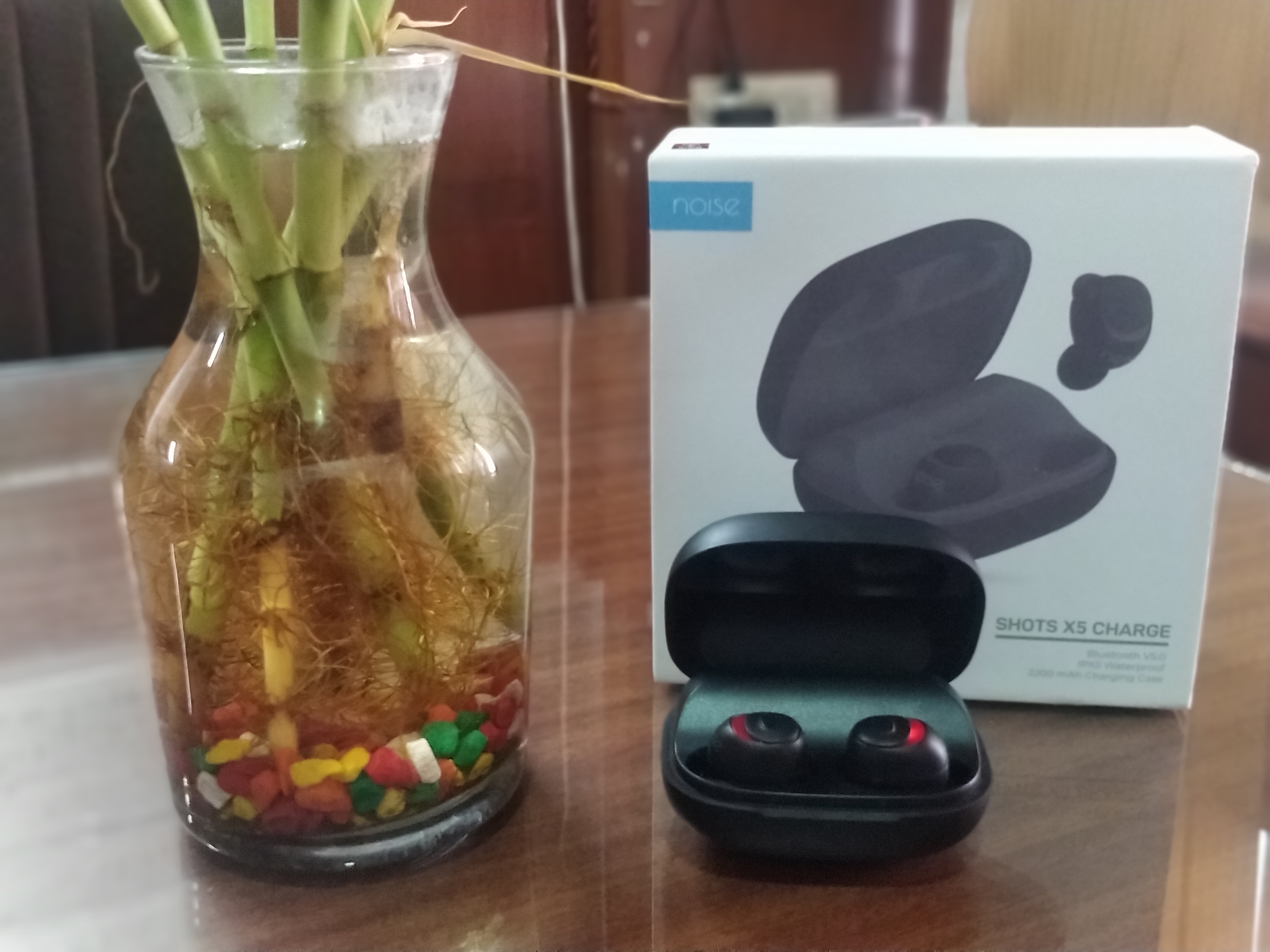
You must be very familiar with the name Airpods – wireless earbuds from Apple. Yes, the trend of wireless earbuds was started by Apple but many companies have designed and produce better earbuds than Airpods. One of the product is Noise Shots X5 Charge, that we will going to review and tell you it’s reality.

Noise Shots X5 Review

A true earbuds for me is the one with good pleasant sound, easy and fast connectivity with your smartphone or other devices, good range, comfortable and light weight, fast charging and good battery life. I think that’s not all but for me these major features are enough. Let’s see what X5 have for us.

Connectivity

You must have experience some trouble while connecting with other earbuds, like sometime it keep on searching, or you need to press this and that button for pairing and other issues. But this one is really simple and fast, just take out, simply tap on X5 on your bluetooth menu to connect. It’s connected enjoy the music.

Now it will automatically connected to your phone as soon you take out from the case. No more connectivity hustle. Also range is upto 10M, which is fine.

The earbuds comes with Bluetooth 5.0 with dual paring option, so you can play different audio on both the earbuds, this is something next level.

Audio Quality

Sound/beats are clear, quality is good, volume levels are also good. You can even feel surrounding sound effect but not that good. Fairly if i say, other part is good but I feel base is missing. rest, everything seems good.

Call Connectivity/ Quality

You can easily pickup call from on ear buds buttons, it’s fast. Call sound quality is also good, no noise clear sound at both ends.

Comfort / Fit

In terms of comfort I feel that it’s quiet bulky, do not feel comfortable, if you do not use earbuds regularly, I feel it will be difficult to wear this for long duration. Also, company tried to make it so it can fit, but while running or doing exercise, it may easily fall and you can loose it.

Battery/ Charging Case

This is something that I give 10 out of 10. Battery life is really good, and the best part is that it’s charging case has inbuilt power bank with 2200 mAh capacity. So as soon you keep it in the case, it goes to charging mode. On full charge you can use it to charge your earbuds more than 10 times. That’s really wonderful.

Also, you can use the charging case as a power bank to charge your other devices like smartphone. So it’s multi use, you do not need to carry power bank separately. Also, it’s size is small so you do not even feel, if you carrying it in pocket.

I always run away from wireless earbuds, smartwatch, just because I forget to charge them but this one with inbuilt powerbank solved my issue. I can now enjoy my music, without worrying about the charging my buds.

Now I can say this is something true wireless.

Splash Proof

Do you like to listen music while you do exercise ? or while is shower ? Yes, everybody do. But some old earbuds have issue with the sweat, but this one comes with the IPX5 rating, it’s sweat and splash proof. I tried to use them in shower, I found no issue. But I suggest you to be careful.

This is not all this earbuds have lots of other features like it is compatible with Siri and Google assistant, A2DP support and DSP that let’s you play music with very less distortion and noise.

It comes with 4 colour options and easily available online on Amazon or Gonoise.com. Overall product is really good and I can say that it’s one of the true wireless earbuds available in India. If you are looking for Airpods alternatives, you can try this.

Top Blockchain & Online Gaming Startups of 2019

0

Casino gambling is a fascinating field full of human ingenuity, innovation, and above all, contradictions as well. On the one hand, the urge to gamble is a universal human trait. Yet most societies and jurisdictions view gambling with a certain wariness that borders on hostility in some cases.

Yet the industry has thrived because of the golden rule of supply and demand in economics. It has also seen a lot of innovation over the years, starting with the use of mechanical slot machines nearly a century ago.

Why blockchain is Important In Today’s World

With the rise of the internet, gambling has also migrated online. The result has been nothing short of phenomenal. With easy access from anywhere in the world, millions of players flock to online casinos. Many experts consider online betting and gambling to be the future of the industry.

But privacy is a major concern when you are online. And casinos carry double jeopardy for players – if they get hacked, you could end up losing your financial information as well as personal data. This very privacy and security-focused technology like blockchain could prove to be a gamechanger for online gambling.

Cryptocurrencies like bitcoin are a popular implementation of blockchain technology. And they are becoming more popular payment options for online casinos since they do not reveal the player identity or banking information. Other blockchain-related technologies are also being harnessed for online casinos in a big way.

Some of the best blockchain startups which hold massive promise for the future of the online gambling industry are reviewed below.

Coinpoker

As you can probably guess from its name itself, this is an online platform with a total focus on the game of poker. It offers a safe and secure space for quick and anonymous online poker games. The entire platform is based on blockchain, and it has its own token system called CHP. You can also play using other popular cryptos like Bitcoin and Ethereum. 

CoinPoker began operations in late 2017, so it has been around for almost two years now. The highlight of the platform has to be its in-house token – CHP. What makes it so cool is that CHP is both a token as well as a full-fledged cryptocurrency based on Ethereum. That’s like going to a casino and getting chips that have value outside the casino as well!

Aside from that, the site offers everything you would expect from a crypto-based online gambling platform – anonymity, privacy, quick access, and even faster payouts. They even hold frequent tournaments and promotional offers. If you are a poker enthusiast, this startup is highly recommended. 

Bethereum Limited

With a clever name that combines betting and a cryptocurrency, Bethereum is quite upfront about their value proposition. This Hong Kong-based startup aims to bring the social aspect of online life to gambling. The main feature for users here is the ability to place bets and wagers with others without approaching a bookie. 

Time will tell of this crypto crashes the party

You can place secure wagers against your close friends or strangers you meet on the Bethereum platform. The system uses blockchain-based smart contracts to secure each wager. They even have an in-house digital token, aptly named Bether. Ethereum is the cryptocurrency on which the platform is built. 

The allure of Bethereum is that it puts all the power in the hands of the users – you can create the rules, set the odds, and put up the cash as well for payouts. In typical blockchain fashion, everything is kept completely transparent, yet secure. You cannot game the system once the rules are set and the cash is kept secure in escrow until a winner is found.

Edgeless

Barely over a year old, this online casino is a total unicorn in the iGaming. Just take a look at its house edge if you want to know why. The casino’s name also explains its core concept – it does not set a house edge. We have all grown up hearing that a casino always holds an edge – well, this 2018 startup wants to rewrite that law. 

Another punt which could pay off

Based in Lithuania, they use skill-based games like blackjack to deliver on their promise. Most casinos dislike blackjack due to this very reason. Unfortunately, this also means that at the moment, Edgeless does not offer any slots as they usually have the highest house edge\. But you can play fun games like dice, baccarat, and crash. 

The blockchain angle comes from Ethereum on which the tokens of the casino are based. They offer excellent privacy and guarantee fast payouts. The tokens are called EDGE and can be purchased at popular exchanges using cryptos like Bitcoin and Ethereum. With plans to launch more games and gambling services like sports betting, Edgeless has big plans for the future. 

Tombola

Unlike casinos, lotteries universally popular and accessible in most parts of the world. More than half of the gambling world indulges in this game of chance at least once in their lifetime. And Tombola is a new startup from 2018 looking to harness that popularity using the power of blockchain. You can think of it as an online lottery and gambling platform based on cryptocurrency transactions. They are based in the Chinese autonomous territory of Hong Kong. 

The premise of Tombola is simple – you play by buying lottery tickets online at the platform. The winners are decided using a very transparent and fair RNG algorithm system. You can buy the in house token which is also called Tombola. Like many other gambling startups, they use Ethereum as the base crypto for their tokens. 

Transparency and privacy are the highlights of this startup as well. On top of that, they do not charge any special fees. Every aspect of the operation is available for scrutiny by the token holders. The platform works on the EOS blockchain and has a stated policy of giving 50% of their profits to holders of the token regularly.  

Effective Ways To Minimize Your Vendor Bills 

0

When your business works with vendors every day, you do not want to spend too much money with any one vendor. Plus, you need to make sure that you have used proper billing techniques so that you are not wasting money every time a bill is paid. Take a look at your options when you are trying to save money and streamline your ledger.

You Need Proper Accounting Software

You can use AP automation Sage programming to lower your vendor bills. The accounting software that you use will help you log all your expenses, create invoices, send payments, and even pay things like taxes and insurance premiums.

The accounting software that you use must also be automated. Automated software will complete a number of tasks for you so that you do not need to spend time reconciling your books. The accounting software that you use can remember how much you normally pay to a vendor, and it will alert you if you are paying more or less. You could set up your program to automate any function that you want, and you can pull daily reports from the software so that you know how much money was paid that day.

Comparing Prices

When you have an advanced accounting program, you can get the program to compare prices from one vendor to another. These programs can send you alerts when a product or service is found that costs less than what you are paying now. You can contact these companies to find out if you can get a reduced rate. You can even go back to your original vendor and ask them to match the lower price.

You can also pull up a monthly report that shows all the expenses for that month. When you can see all the expenses, you may start spending less on certain things. People who work in the business world might be troubled that they spend so much on paper, water coolers, or another resource that does not need to be so expensive.

No More Postage

An automated program can easily send payments to all your vendors instead of forcing you to spend money on envelopes and postage. Every time you buy stamps, you are spending a lot of money at the post office. You need to spend even more money when your staff must buy envelopes and fill those envelopes.

The loss of productivity on a daily basis will set your company back, and you will lose revenue that you cannot get any other way.

Work Directly With The Business Manager

You must work directly with a vendor manager instead of the technician or delivery staff. The people who come to your business or delivery products do not have the power to give you better prices. Any and all questions you ask will be directed to their boss, and you cannot save money because the company does not know you need a more competitive price.

When you speak with a business manager, they will let you know which discounts they can offer. The manager might give you a small discount if you pay cash, or you might get a discount if you pay before a certain day every month. When you have negotiated a discount, you can continue to talk to that manager about getting discounts for your loyalty.

Plus, the manager that you have gotten to know might give you discounts on new products, offer you the first chance to buy discontinued products, and even send free products because they know you are a loyal customer.

Buy In Bulk

Buying in bulk is one of the most effective ways to minimize your vendor bills. Companies that use the same items over and over every day should consider buying at bulk prices. Your vendors will give you build prices because they can sell to you at wholesale prices and still make money. You should attempt to buy as many items in bulk as you can, and you need to plan for yearly purchases that will help reduce your costs overall.

Ask your vendors if they can sell you all the paper you need for the whole year. Ask the vendor if they can sell you all the spare parts you need for your machines this year, and ask the company if they will give you a discount when you pay for the balance of the year.

Conclusion

You need to save as much money as you can when working with your vendors. You can work with these businesses to get bulk prices, or you could form a relationship with a business manager who can give you better prices. Your software can compare prices that are found online, and you will not need to spend money on postage when sending payments. Your staff can get back to doing their normal work, and your company will make more money every year.