Blog Page 73

Top Best Free Game like Minecraft you can Play

0

If you are a game lover or a good gamer then you surely like this post and want to read it. It’s because today we are going to show you some of the top best game like Minecraft. If you ever play a Minecraft game and love the Minecraft game then check out here some cool new Minecraft Alternative.

Minecraft is basically a game about placing blocks to build anything you can imagine. It is a sandbox video game released and developed on Nov. 2011. It is a most popular game across the many platforms. Minecraft games or Minecraft runs on the Android, Xbox 360, Wi U, Xbox One, Playstation 4 and much more. There are lots of Minecraft Mods are also available and there are methods to get Minecraft premium accounts for FREE.

So, here are top 9 best game like Minecraft you surely love.

Top 9 best Free Game like Minecraft you can Play

9. Minetest

MinetestMinetest is a free, open source voxel game. Explore, dig & build in beautifully generated world & craft stuff from raw materials to help you along on the way.

Download Now

Features

  • No Cost to play & download, ‘No Ads’.
  • Game is available for Operating system (O.S.) X, Linux, FreeBSD & the Windows platforms.
  • Play in online or single player.
  • Support Multiple languages.
  • Customize your game to add blocks, features & tools.

8. Terraria

TerrariaTerraria is an adventures and action sandbox video game. It is basically an open-ended sandbox 2D game with the gameplay that revolves around the exploration, action, and building.

Download Now

Features

  • Dynamic lava & water, day/night cycles.
  • 1250+ crafting recipes – armor, weapons, potions and much more.
  • Over a dozen environment to explore.
  • 50+ blocks type to build anything you can imagine.
  • Local WiFi games support up to 4 players.

7. Block Story
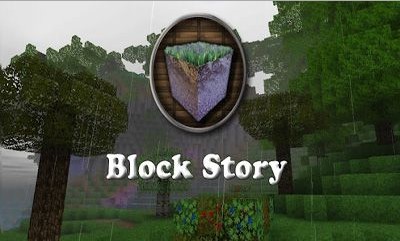
Block StoryBlock Story is a popular 3D block building, sandbox exploration gameplay with addictive & exciting role-playing game elements.

Download Now

Features

  • Use the Crafting system to forge a slew of magical items – from mystical staves, lightning swords, & rare artifacts that summon dragons & other creatures that will aid you in battle.
  • Discover several new exciting quests.
  • Level up your hero with customized attributes & stats.
  • Learn from a wise wizard on how to discover the many wonders.
  • Encounter numerous supporting characters that will assist you in your quests.
  • Ride on dragons & 29 other creatures.
  • Explore numerous biomes from desert wastelands to arctic mountains ranges.
  • Infinite hours of RPG exploration gameplay.

6. Worldcraft: 3D Blocks Craft PE

Worldcraft 3D Blocks Craft PEWorldCraft: 3D Blocks craft PE is a best 3D sandbox blocks craft game with the survival modes & creative multiplayer.

Worldcraft is a free game with numerous features like infinite 3D worlds in survival modes, new attacking mobs like pumpkin heads.

Download Now

Features

  • Create read-only maps viewable to other persons.
  • Survival for building, crafting, single playing & mobs.
  • Password protected maps for people you may know or friends.
  • Creative mode for multiplayer.
  • 2 Block texture packs to select from
  • Colored chat in multiplayer mode.

5. GunCrafter
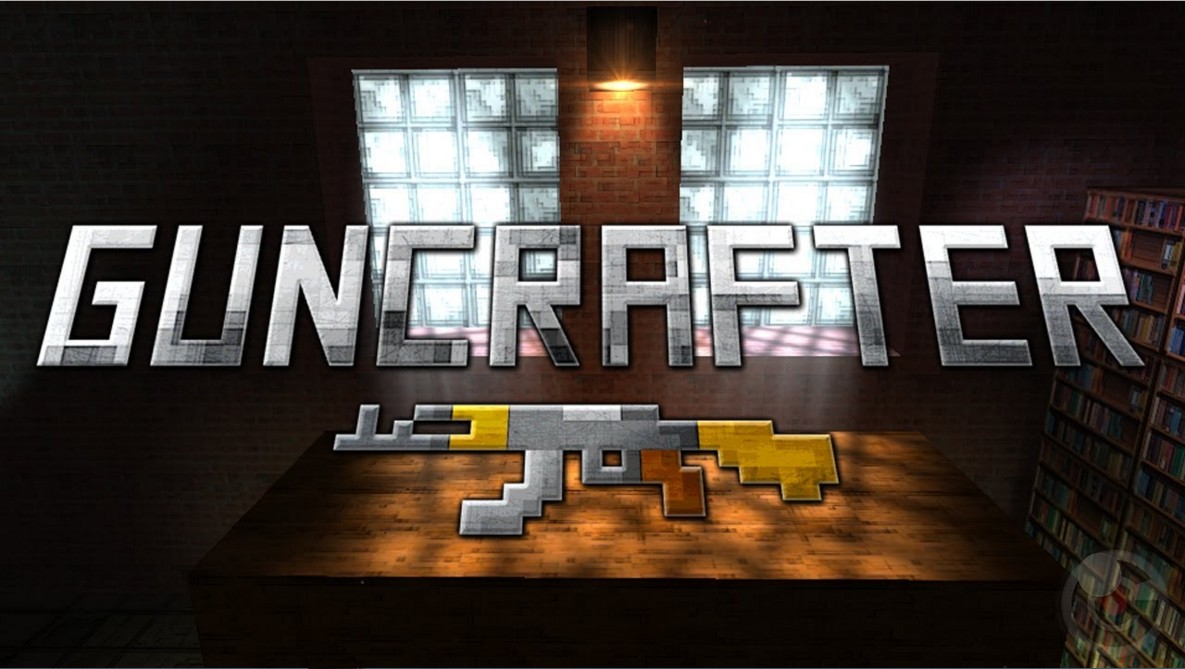
GunCrafterGuncrafter is an another best game where you can craft your own gun & compete against your enemies in a virtual reality shooting competition. With their exclusive quick match system, get placed in a lag-free multiplayer match.

Download Now

Features

  • Unblockable upgrades & blocks.
  • Virtual reality controls let you take aim with your device.
  • Leaderboard options let your track your improvements.
  • Physics-based shooting challenges with distributable targets.

4. MonsterCrafter
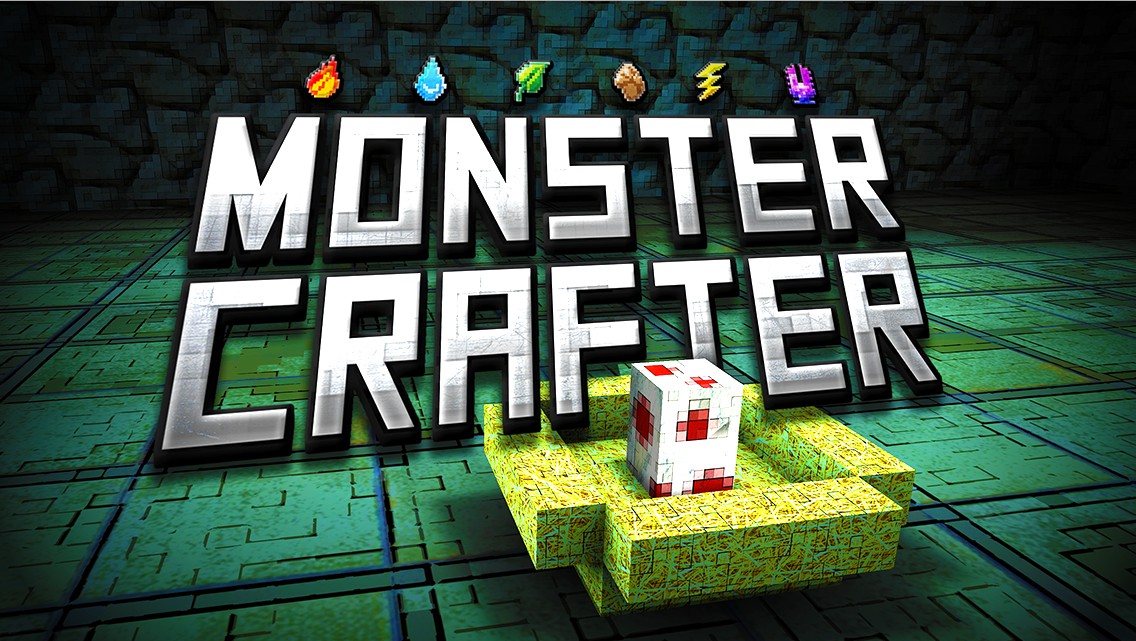
MonsterCrafterMonstercrafter is a game where you can create your own pet monster in any way you like than train it & care for it. Everything affects your monster’s companionship, personality & performance in battle.

Download Now

Features

  • Join over 50 millions gamers worldwide
  • Dream it, Build it, battle it and share it
  • Instant multiplayer
  • Play your own way
  • Endless content

3. The Sandbox: Craft Play Share
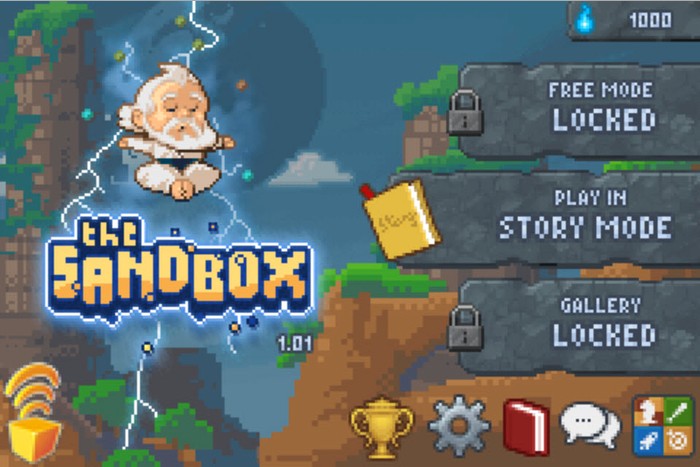
The Sandbox Craft Play ShareThe Sandbox: Craft play share where you can create worlds with life and play god or destroy everything with a click of your finger. The sandbox is an IOS inventive sandbox game that encourages players to create worlds & works of art. It is a unique game based on the laws of physics.

Download Now

Features

  • Bring life to your creations & watch them eat, evolve, die & destroy.
  • 200 exciting campaigns, 300 game levels in all.
  • Add an intelligent life-forms to your worlds.
  • Over 200 elements to combine for different physic effect.

2. Growtopia
GrowtopiaGrowtopia is a game about protecting & collecting items while playing with users from all around the world. It is a creative sandbox platformer. (This is a part of gameplay).

Download Now

Features

  • Explore a universe of over 200 million users.
  • Build anything you can imagine.
  • Trade items in your secure trading system.
  • Collaborate with old & the new friends from all around the world.
  • Splice seed to discover thousands of amazing items.
  • Play mini games & more.
  • Plant seeds to grow trees.
  • Protect items using an innovative lock system.

1. Roblox

RobloxRoblox is a massively multiplayer online game which can be liked and played by 6 million monthly players. It has a user-generated MMO gaming for adults, kids & teens. In Roblox players architects their own worlds.

Download Now

Features

  • Free to download with in-app purchase
  • Massive multiplayer gaming platforms.
  • Enabled Chat and message features.
  • Thousands of games to choose from.
  • Customizable characters.
  • Race opponents through obstacle courses.

Also Check :


These are the some all new top best game like Minecraft and Minecraft alternatives which you can play anytime. Hope you will definitely love it when you play. If you know anymore best Minecraft games then comment down here below..

12 Best Messaging Apps For College Students In 2020

0

Interaction and communication are the basic needs of every human being. However, they are even more valuable and important during the college years. Sharing thoughts, helping others to do homework, learning news, and collaboration with mates are impossible without up-to-date messaging means. It is physically impossible to stay in touch with people in and outside the dorm. So, why don’t you take advantage of the modern applications that can simplify your life?

No matter if you are searching for someone to help you do your homework, want to share superbpaper review, or just strive to chat with friends, you can do it using one of the most convenient apps. The purpose of such options is to provide a unique texting opportunity for students, as well as simplify the communication between teachers and parents. Get homework, progress reports, and important memos right on your phone. Discuss the upcoming events, share opportunities and ideas with other students.

Do you have problems with your last essay? Have you used the services of writingpapersucks.com? Are you interested in the extracurricular activities of your college? Use one of the relevant messaging applications to receive, save, and share valuable information with others.

Classting

This practical and highly flexible service is a perfect option for those, who strive to share updates and other data with families. It is an excellent social media, the key purpose of which is to draw families into the classroom.

ParentSquare

The best colleges have a well-developed system of communication not only with students but also with their parents. ParentSquare is a cross-functional tool that increases the level of parent involvement in the student life of his/her child. The app will help colleges to set a productive interaction between parents and teachers.

Remind

The name of the application speaks for itself. The text reminder from a teacher will keep a student and his/her parents up to speed. The highly effective and exceptionally easy-to-use application has the potential necessary for flawless communication of students with their educational institutions.

Sesame

Are you tired of parents controlling you? Well, no time to relax, as Sesame is an extra chance for them to monitor your progress. A well-designed platform is not only convenient but exceptionally useful.

TalkingPoints

The main feature that differentiates TalkingPoints from a multitude of similar apps is the support of 100+ languages. Students all over the world finally have got an opportunity to discuss important points and share resources easily and fast.

ClassDojo

Are you interested in professional growth and development? ClassDojo is the app that will come in handy. With the thoughtful implementation, it can help you create and manage portfolios, share your thoughts with the experts, and get their critical remarks about your work. ClassDojo is a convenient way to set goals, leave feedback, and celebrate your academic achievements.

ClassTag

The main characteristic of this messaging app is the user-friendly interface. It will take you seconds to sync with other students and their families. The effective communication service has a diversity of practical options to meet your academic needs and requirements.

Teachers.io

Despite the student-oriented nature, the app is used mainly by teachers. It is a flexible scheduling and discussion tool that simplifies the student-teacher interaction and promotes their cooperation. The option is the most productive if used together with one of the best student homework applications.

Facebook Messenger

Finally, we can move to more entertaining and fun applications that are aimed not only on solutions of academic-related tasks but also on friendly conversations between classmates. Have you recently ordered custom essay writing from scamfighter.net, which has turned to be a complete success? It would be a great idea to share this useful platform with your friends. Facebook Messenger may be the optimal way to do in an informal atmosphere. The highly popular service features automated messages, instant replies, and personalized greetings that advance your productivity. The simplicity of use is the crucial feature of the app, as a new conversation will become available right after you click on a single button.

WhatsApp

Being one of the most significant messaging applications, WhatsApp incorporates over 2 billion users from more than 150 countries. It is undeniably a cost-effective alternative to texting, especially if you are looking for international communication. The mobile phone and internet connection are the only things you need to send messages worldwide.

Instagram Direct

The entertaining platform is one of the most appreciated and frequently used options among the students. However, it offers a way more opportunities than just watching videos and scrolling the activity feed. Check out the up-to-date features of the Instagram Direct which can provide easy and fruitful communication of students. Video chat is a great example of exclusive Instagram features that make it widely demanded.

Twitter

Fun and entertaining channel can also be used for rapid information sharing. The app is an excellent way to leave some feedback and reviews. On the other hand, you can get useful tips and recommendations from the twits of other users.

A Guide to Using a VPN to Access YouTube TV from Anywhere

YouTube TV is an online channel on the internet that allows users to live stream over 60 top US cable TV channels. A single subscription gives you access to a ridiculous amount of entertaining content. You can access it via phone or laptop and keep up with various sporting events, TV shows, movies, music videos; you name it. A single fee gives you access to all this amazing content in one place. However, while this all sounds really wonderful, there is just one problem – YouTube TV is only available in the US. 

If you live outside the US, you won’t be able to access this streaming service. Fortunately, there is a way around this. Using a VPN, you can gain access to this streaming service from anywhere in the world. Whether you want to promote your YouTube channel or just watch some TV shows, using a VPN online is always recommended.

Benefits of Using a VPN

Since access to this service is limited to the US territory only, these geo-restrictions will keep you from accessing the network if you are from another location. The easiest and safest way to bypass these geo-blocks is to use a top-class Virtual Private Network (VPN).

There are two great reasons to do so:

  • A VPN masks your IP. Using a VPN allows you to hide your IP address and conceal your real location. Since Atlas VPN gives you access to a variety of servers worldwide, you can use it to move your location to anywhere on the map.
  • Privacy protection. A VPN protects your safety and privacy online. It hides your activity from your ISP, governments, hackers, and other prying eyes. A VPN encrypts your web traffic to guarantee that no one can intercept and misuse it. 

Unblock YouTube TV

To watch YouTube TV, you must first unblock this feature. Follow these steps to do so:

  • Choose a VPN with servers in the US – make sure you choose top-class VPN service providers with the most servers on the US territory.
  • Download and install your VPN – follow the instructions; it should be relatively simple and straightforward.
  • Establish connection – choose the US server and connect to it. Find the channel you want to access.
  • Sign up to YouTube TV – complete the registration and enjoy all content. 

Why Use YouTube TV? 

YouTube TV is a popular streaming service. User-friendly, easy to use, no long-term contract, or additional equipment is needed. It provides access to one of the best streaming services in the US with top-notch TV content online. 

Still, the variety of features makes YouTube TV so unique. These features include:

  • Access to over 60 US TV channels
  • Live streaming of local TV channels
  • The ability to cancel the subscription anytime you want
  • Up to 6 subscribers per contract
  • Simultaneous viewing
  • Unlimited storage
  • Cloud DVR
  • Fox Soccer Plus, Showtime, and other movie and sports channels 

Finest Selection of Channels Included

Subscribing to YouTube TV allows you to access:

  • All channels in the major national cable networks
  • Local NBC, FOX, CBS and ABC streams
  • Regional sports networks, including NBA TV, ESPN, and NBC Sports
  • Movie channels
  • Music content and much more

Things get even better if you decide to go premium. At an additional monthly charge, you get access to premium streams like Showtime and Fox Soccer Plus. If you have never used YouTube TV before, you can try the service by starting free trials. Whether you prefer TV shows, classic movies, comedies, or sports, YouTube TV delivers it all. There is a vast selection of kid-friendly channels, too. 

Supported Devices

If you’re wondering what devices are supported by YouTube TV, here is the list:

  • Desktop computers – use your browser to access the service.
  • Mobile devices – YouTube TV is compatible with mobile devices, but you must have iOS 9.1 or later or Android L. Simply access YouTube TV via your dedicated phone app.
  • Chromecast – access YouTube TV directly on your TV.

Conclusion

As you can see, accessing YouTube TV is not that complicated. Geo-restrictions are common, and you might need to use a VPN to access other online streaming services as well. Simply follow the recommendations listed in this article, and you should be able to gain access to any service you like. 

It is also advised that you do some research on VPNs and how they work. Check out the available applications on the market and find the most suitable for you. You might even use a free VPN that offers a similar level of quality as the paid ones. So, before you sign up for a monthly or yearly subscription, check out the market of free VPNs. The available options might surprise and help you save money. 

Great Ideas on How to Deal With Loud Mac Fan Noise

0

Working on a computer that is too loud is not a fun experience. The problem can get out of hand if you are on a deadline and cannot concentrate despite your best efforts.

Things might have been perfect when you purchased a Macbook at first, but you will encounter a loud noise coming from the fans sooner or later. That does not mean you should start to look for a new computer.

No, there are still a lot of things you can do to salvage the situation, especially if the problem is recent and has not been going for a long time. You will find some great ideas below, so be sure to read and implement them to reduce the mac fan noise.

Idea #1 – Make Sure the OS Is Updated

An out-of-date system is bound to cause performance problems. Each update introduces stability, new features, security patches, and overall improvements to the system. It might not seem like the most obvious solution, but it helps to have the most recent version of the OS.

Speaking of the OS, you may also want to consider reinstalling it, especially if the problem persists after trying other ideas.

Idea #2 – Free up Disk Space

Macbooks are not known for large drive disks. Therefore, plenty of users struggle to keep every file on the computer. And when you run out of disk space, it is natural that there will be problems, including overworked internal fans of the computer.

Freeing up disk space should be one of your priorities if you only have a few free gigabytes left. Look to remove temporary junk like caches, delete old applications, email attachments, and downloads.

Using streaming services will mean you no longer need to keep most of the large media files on the Macbook. Finally, make use of clouds like Dropbox and iCloud and transfer some data there.

Idea #3 – Clean the Filth Inside

The filth inside can run out of hand if you are not careful. Cleaning dirt and dust is something you need to do regularly. And in case you have no idea how to do everything properly, take the computer to someone who has done it before and can help you with his or her experience.

Removing the filth will allow you to enjoy more than just a quieter computer. It should also make a significant difference in boosting the overall performance. 

Idea #4 – Run Hardware Tests

Dedicating some time and running thorough hardware tests will also show you a bigger picture of what is wrong with the computer. Perhaps there are some internal problems that are causing this noise. 

If you encounter something suspicious, think whether you can solve the problem at hand yourself. Perhaps taking the Macbook to a repair service store is a better option instead of taking a risk and damaging the computer.

People at the repair store might also be the best solution to fixing the problem period. So no matter how you look at it, the visit is worth the time.

Idea #5 – Free up Memory Usage

Look at which apps are consuming the most memory and other resources. Activity Monitor allows you to sort the processes and get a better picture of what you should do about certain applications.

Consider what you can shut down without causing more problems to the computer system. There should also be some apps that you can remove completely. 

As for the ones that require the most resources but cannot be removed, perhaps you can replace them with better alternatives? For example, there are a lot of different browsers, and finding one that does not put such a strain on the system is worth the effort.

Idea #6 – Scan for Potential Malware

A virus can cause more problems than you expect. There are a lot of different cybersecurity threats, and they can make the situation unbearable despite you being an average Apple user.


And the problems include loud fan noises. Once again, it all adds up and leads to a multitude of issues. Be sure that there is antivirus scanning the computer all the time. 

If you have not used an anti-malware tool, get one and scan the system immediately. Remove any corrupted files from the computer. It should lead to a better situation.

Idea #7 – Improve Air Circulation

Air circulation is something you can improve even if the room is in a pretty bad place. Summers are the worst as you have to fight the heat from the outside.

Get an air conditioner. Purchasing a cooling pad for a Macbook will also solve a lot of issues. But do not treat it as the only solution. Rather think of the cooling pad as an accessory that helps with the issue. You will still need to clean the dust inside regularly and do everything else to ensure that the computer is in top shape.

FlexClip Review: How To Create Professional Videos For Your Business

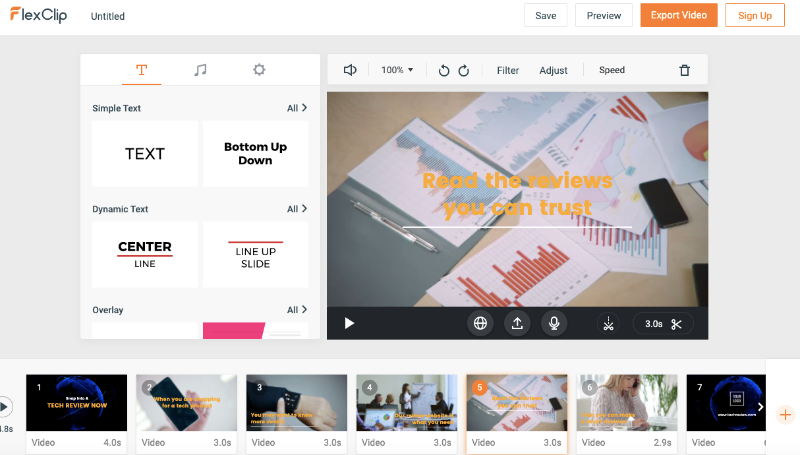
What I bring you today is a tool that really surprised me for good. I tell you what it is, because of my blog and my social media channels, many companies that have products related to digital marketing contact me to offer me a free trial of their tools, in fact, I only write about tools that I consider myself would use and for hence, I would recommend to my audience.

That’s where FlexClip appears, for those who have never heard of this tool, it is a video creator that accepts the different formats of digital marketing and social networks.

Video creation is often time-consuming, as processes get a little cumbersome, search, edit, trim, add music, add subtitles. The same thing happened to me when I had to generate some type of video for social networks.

Last week, the people of FlexClip contacted me to give me a demonstration of how the tool works, and I always think that everything that glitters is not gold, but as they showed me the features, more and more I felt which was the tool I needed.

What is FlexClip?

Explaining a little more in-depth what it is, FlexClip is a tool to create videos for different purposes without having to master the video editing skills and knowledge. It is:

 A bank of pre-designed video templates

 A bank of royalty-free video clips

 A professional image bank

 An advanced video editor

 A royalty-free music bank

Pre-made Templates

I do not know if you have tried to make videos for YouTube, Instagram, or Facebook, but one of the issues that often becomes a bit problematic is adapting the video to the format, especially if you work with a complicated video editor. In this case, FlexClip has pre-designed templates adapted to the size of each social network.

Another interesting aspect in relation to pre-designed videos is the possibility of choosing the category based on the type of video you want to create. FlexClip has a large number of categories segmented by market type or format.

Once you have selected the format and category you can edit the template and add your content, this is where the editor comes in with which you can:

 Modify fonts

 Add music

 Add images

 Delete a part of the video

 Add your own logo

 Add stickers

 Add transitions

 Add audio by recording via microphone

Actually, the video editor is very versatile, and with many functions, if I start explaining this article one by one, it would be endless. In the end, you just have to export the project, and in a few minutes, you can use the video to upload it to your social networks or create your advertising campaign.

Start from zero

The second option is to create a video without the use of pre-designed templates. In other words, if, for example, you are the one who has created the video and you only want to add animations, subtitles, or music, what you can do is use this option and create your own video from scratch. The first thing that will ask you is to select the type of format that you need to use.

The editor used in this way is exactly the same as the one used in the pre-made templates so that you can use the same functions.

The good news about all of this is that FlexClip has a free version that you can use to get familiar with the tool. The other good news is that the professional version is relatively inexpensive. The cost would be $4.99 per month for the Basic plan and $7.99 per month for the Plus plan. I generally use Camtasia to create my videos, and the license is not cheap, imagine if I have to buy stock videos, stock images, and stock music.

Conclusion

For me, FlexClip is a solution to a recurring problem when creating professional videos, a complete suite of resources that will help me from now on, not having to spend so much time and money creating my videos. Have you ever used FlexClip to create and edit videos? Leave your comments below if you have already tried it.

How to stay secure while browsing dating apps online? 

Humans are social creatures, and loneliness affects them negatively in many aspects of their lives. That is why we find a way to use any new piece of technology to find some new person to talk to. The popularity of dating apps and sites keeps growing, as many people have been cooped up in their homes in the last few months. 

Many new users have had no previous experience with this type of application, and thus, aren’t well versed in precautions they should take. We’ll help you learn how to stay safe while browsing dating apps.

  • Let’s cover the basics

There are some online safety tips you should follow with every device and app. Let’s go through them.

  • Make sure your devices are updated to the latest version;
  • The same goes for your software:
  • Have security software installed;
  • Use strong passwords, unique for every account, and don’t store them in an easily available text file;
  • Use a VPN when you’re connected to a public network.

Great! Now onto the dating apps!

  • Do your research to stay secure while browsing dating apps

Some dating sites and apps ask for more personal information from their users than others. The complexity of the sign up process can vary from simply submitting an email address to having to scan your ID and tax reports to verify your income. Some people are comfortable with sharing this information, and others aren’t, which is normal. However, even if you think you have nothing to hide, you should be careful and do your research on the site that will be getting your data.

Make sure to stay secure! 

  • Why is it important?

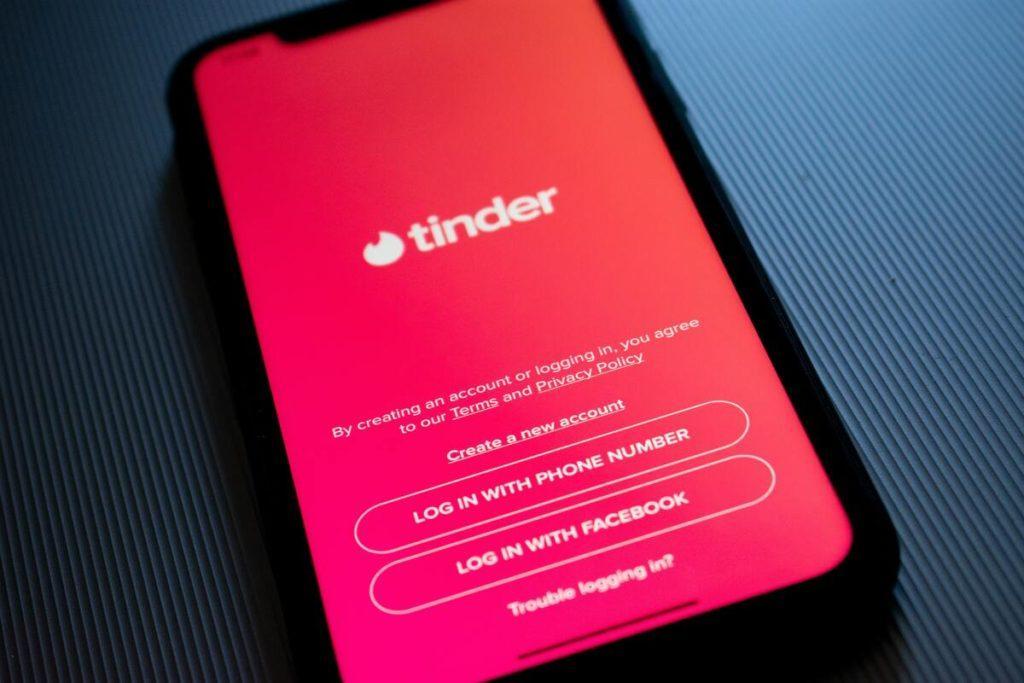
The consequences of willingly giving your private information can go from very mild – getting spam emails, for example, through moderate – having your preferences and interests delivered to an advertising company, to severe, like your credit card information in hands of ne’er do wells. Some dating apps, like Tinder are transparent about possible problems from the get go, and state that ”You should not expect that your personal information, chats, or other communications will always stay secure”. Hey, at least they’re being honest.

This, among other reasons, is why you should do your due diligence and research the site or app you are joining. Start with a short overview of apps you could be interested in, and then, as you narrow down your choices, dig deeper into their legitimacy. Maybe they are totally safe, but isn’t it better to make sure beforehand? See if the app uses SSL-encrypted data transfers, as well as if they have been hacked or threatened before. Maybe they ”only” share your data with third parties without your knowledge. It won’t hurt to find out before you trust it with your information.

  • Be careful about using shortcuts

An additional tip is to be careful about the way you create your profile. Many dating apps and sites offer the option of signing up through your Facebook and/or Google account. Be mindful about the information you’ll be sharing with the app if you choose to sign up the easy way. Of course, there is always the option to sign up by using an email address created especially for this purpose. You can also refrain from using your main phone number to avoid social engineering attacks. This should be enough to stay safe, but could potentially make you look like a bot or a scammer to the app itself. So, above all, you should be mindful about the app you’re using.

Shortcuts are easy but they can be costly. 

  • Take precautions against scams during your stay on the app

So, now you’ve decided on your app of choice. You’ve made a profile in hopes of finding someone interesting to talk to and potentially meet. We understand dating is a matter of the heart, but you should remain careful nevertheless. You may have the purest intentions, but dating scams are as common as ever. This is why you should pay close attention to the profiles you’re conversing with. The general rule of thumb is – if they look too perfect, they’re probably not real.

Fake profiles mostly portray either women in their late twenties or men in their forties. In both cases, the scammers use photos of highly attractive people. They seem perfect in every way, and always happen to have the exact same interests and worldviews as you.

Fake profiles of men boast with their lavish lifestyles, while female scammers can go two routes. They will either sell you a similar story of affluence, or do the complete opposite and portray a girl from a poor, often rural area. The latter is especially common when it comes to international dating. This is an especially insidious tactic, because they will do anything to make you send them money. And many people would rather continue a farce than admit they have been tricked.

  • How do you discover scams?

So, what should you do to figure out if a person is a scammer? The quickest way is to simply ask for photos. If they start making excuses, it is a clear red flag. However, if they only send you photoshopped images, make sure to do reverse image search, because they could be stealing them from various social media accounts.

Check to see if they’re the real deal and don’t send them money! 

The second step is asking to video chat. There truly is no faking with this one. Of course, some people can be hesitant about this, so be mindful about how you word your request. If they have nothing to hide and really like you, they shouldn’t have a huge problem regarding video chat.

Another tip is to pay close attention to what the person is saying if you aren’t comfortable with asking for photos or a video call. Running a scam doesn’t pay if you’re only targeting one person, so the scammer could slip up, trying to seem appealing to many people at once.

Final words

After you’ve taken all the safety measures and made an informed decision, you should use the app or site of your choice, talk to someone new and enjoy the experience. After all, many wonderful relationships, serious and casual, have started online. However, when you agree on a place and time for a date in real life, make sure to stay vigilant and have a backup plan if things go awry.

Go, have fun and above all – stay safe!

10 Reasons Why You Should Promote Your YouTube Channel

0

We have a million different methods to market your business or service on the web. Social media is a visible platform because of its massive reach as well as the ability to influence. 

Nonetheless, when most individuals think of promoting a brand online, they often turn to popular sites like Facebook and Instagram. While nothing is awry with these platforms, businesses often forget the importance of YouTube.

The website recently took over as the second most visited site behind Google. It has a broader reach than even Facebook; however, many people fail to recognize the power it possesses when they commence building a social media audience.

Marketers have several opportunities for videosgrow that build organically and lead to 10,000 YouTube views. The site has managed to outgrow competitors like:

  • Twitter
  • Reddit
  • Pinterest

Wikipedia, the third most visited website, garners 625 million less monthly visits. 

For this reason, you must launch and promote a YouTube channel to expand your consumer base.

#1 The Size of YouTube

YouTube has over 1.9 billion active monthly visitors. It generates 1.6 billion organic monthly visits with a significant percentage of its user base (15 percent) deriving from the United States.

In 2020, YouTube is expected to contribute $5.5 billion in advertising in the United States. The content sharing website is second highest in terms of preference for watching video on TV screens among the 18-34 demographic. Additionally, 8 in 10 young people (ages 18-25) use the video-sharing website.

If you are looking to reach a gigantic audience, there is no better place to start marketing on the internet.

#2 Vid-Sharing is Best Type of Advertising

Marketing is not only about finding a massive audience, but knowing how to understand what motivates and drives their viewing habits. 

There are nearly 5 billion videos that are watched every day. Roughly half of the users consumed content in the last month. Surprisingly, it accounts for approximately one-third of all online activity. 

Therefore, you are foolish not to utilize the magnitude of video advertising.

#3 Marketing Vids are Dynamic

According to a research study titled ‘How Video Will Take Over the World’, Dr. James McQuivey concluded that watching a minute of video is the equivalent of 1.8 million words. 

This type of medium captures the emotion of a story that other mediums struggle to replicate. It’s ideal for today’s attention spans that are continually getting diverted by many distractions.

Consequently, you may connect with your consumer base with short, informative, and attractive marketing content.

#4 Consumption Continues to Grow

In America, nearly 3 in 4 adults watch content on YouTube. It’s a higher percentage compared to Facebook (69 percent), and almost twice the rate of Instagram (37 percent). It’s also reported that users spend up to six hours a day engaging with video content.

The staggering increase of consumption makes this type of advertising the leading method as we adjust to a new decade and methods of digesting information.

#5 Help Determine Buying Decisions

According to the research of ComScore, people spend over 16 minutes viewing online video advertisements each month. Moreover, 80 percent of visitors remember an ad that they viewed in the last thirty days.

An even higher percentage of users added that observing product review is informative in the decision-making process.

These kinds of promotions not only get your business or service out to a vast audience but help to make buying decisions easier for consumers.

#6 Customers Intentionally Go to YouTube

YouTube is vastly different from other types of social media. On many platforms, the visitor mindlessly scrolls through content before they find something they are interested in clicking or tapping.

On the other hand, visitors intentionally go to YouTube with an objective in mind. For example, the aim could be to learn how to change a flat tire. Users visit the website and search with applicable keywords.

The segmented audiences on YouTube enable marketers to find their target audience far easier, and with the correct SEO optimization, you’ll capitalize on this approach.

#7 Video Marketing is Replacing Text Ads

In the era of ‘Mad Men,’ there was nothing that replaced the power and influence of a text ad. However, fast forward a half-century, and digital videos have easily replaced that type of advertising.

By 2022, forecasts estimate that videos posted online will represent more than 80 percent of all consumer traffic on the web. The staggering forecast is 15 times larger than the same statistic in 2017.

Why the seismic shift in engagement? Online users want to watch a video instead of reading an article. The concept is also true of the way consumers digest ads in the 21st century.

#8 It Presents a Clear Message

Did you know that 6 in 10 modern executives prefer video advertising over text advertising?

Digital advertising makes things easier for website visitors to comprehend. According to a study, viewers retain 95 percent of a message delivered in a video in comparison to a mere 10 percent via text.

If you are failing to deliver a message by this format, you need to start focusing on generating that type of content and promoting your channel thoroughly.

#9 They are Popular to Share

Video marketing reaches a humongous audience and is incredibly useful with its word of mouth appeal. It is often shared at a very high rate compared to images and text.

One study found that videos created 1,200 percent more shares compared to text and images combined.

Syndication plays a tremendous role in what makes YouTube so appealing. It’s not the end destination for your content. It often serves as the first stop before visitors link up with your other social media destinations or official website.

#10 YouTube Engagement Improves Profits

YouTube provides an excellent conversion rate for businesses that take advantage of all its luxuries.

The increased traffic, engagement, and shares of YouTube ultimately contribute to high conversion rates. In fact, 76 percent of visitors are more inclined to buy a product online after engaging with a video.

Companies that use digital marketing increase revenue nearly twice as fast as brands that are failing to capture the power of video commerce. The return on your investment is impossible to ignore.

Conclusion

There are several reasons why you should promote your YouTube channel to build brand awareness and grow sales. Starting a YouTube channel is easier than you think and, best of all, free.

Creating video content is easier than you think. YouTube offers spectacular conversion rates as this style of sharing is the future of the online world. If you fail to capitalize now, you’ll continue to miss out moving forward.

Joining the Cryptocurrency Wave: What You Need to Know

For years, Bitcoin has been a constant presence in the news, which means that most people have a good idea about the benefits of owning cryptocurrency, whether it’s Bitcoin or another type. Some people use it for simple online payments, whereas others consider it one of the most important investments in their portfolio. However, the versatility of digital currencies is much greater than that. 

If you want to join this digital revolution and explore the potential of cryptocurrency, here are a few things to help you get started easily and safely. 

how to trade in cryptocurrency

Understanding the Technology Behind  

Entering the world of cryptocurrency means embracing a new vocabulary of terms like blockchain, digital wallet, hardware wallet, mining, encryption and many others. Most of them can be confusing if you’re a beginner in this area. However, before buying cryptocurrency, it’s important to get informed about how it works, what are the risks or what are the best ways to benefit from the use of it. 

You should also research which cryptocurrency provides the most benefits to you personally. If Bitcoin is the most popular, it’s not the only one driving the digital currency revolution forward. Many others are slowly catching up in popularity. Ethereum, Ripple XRP or Litecoin are the most well-known alternatives to Bitcoin

A Safe Investment Amidst Economic Meltdown 

One of the most attractive features that spark people’s interest in cryptocurrencies is their massive potential as investments. In times of economic uncertainty as today, cryptocurrencies have the same wealth preservation potential as gold has had for centuries. Plus, you can access your cryptocurrency whenever you want. 

When whole industries that seemed impervious to economic fluctuations are now on the brink of bankruptcy due to the global health crisis we’re facing, seeking safe investments is a top concern. Investing in cryptocurrencies can provide the peace of mind of knowing that your wealth is safely stored. 

Getting Started 

As the most successful and popular digital currency to date, Bitcoin is the intuitive choice when joining the crypto wave. There is a wealth of information available online about how to get started. Thankfully, things are less complicated than they appear to a newbie. In this day and age, getting a bitcoin wallet is a safe and straightforward process that can take only a couple of minutes. 

Although understanding how blockchain-based currencies work requires some effort, there’s no better way of learning than experimenting directly. Getting a digital wallet and making a small first purchase is the best way to pick up the essentials about buying and selling cryptocurrency. This will give you the confidence to start investing larger sums. 

As a follower of tech & finance trends, it’s impossible not to be mesmerised by the potential of digital currencies. For many, they already represent the most significant financial revolution of our time, and their popularity is only expected to explode in the near future. By joining this popular wave, you can buy and sell online with more ease, make safer investments and protect your wealth against economic recession. 

MiniTool MovieMaker Review | A Perfect Video Editing Software 

Videos are a very good source for interacting with the people in this world, we know how the video managing platforms like Youtube and TikTok shows the massive growth in recent years.

You must have noticed that anyone who is looking for the videos online, they always go with the quality content. 

And when we talk about the quality, not just the high-end phone with the best camera feature can solve your problem.

If you are looking for the professional video content, you must think for a good video editing software which can solve all your problems and make your videos attractive. 

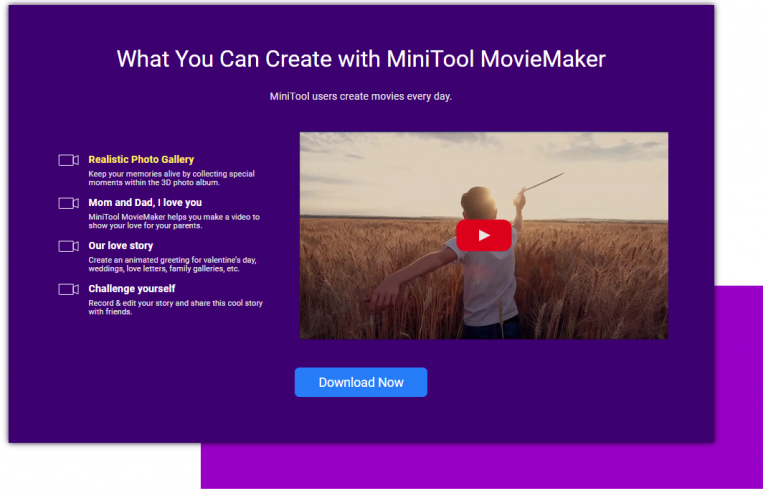
Here comes the need for the perfect video editing tool for you, we have discussed the MiniTool MovieMaker, a professional Tool with the handy interface. 

Minitool Movie Maker

MiniTool MovieMaker

I think I forgot to introduce, this is a proper video editor which is available to anyone for free.

MiniTool MovieMaker is a tool with every professional element you need while you go for video editing. 

It is a tool for all windows users, it supports all Microsoft Windows versions like XP, Vista, 2003/7/8/10.

It has highly designed features for sound, video, and speed management for the videos.

You can create a whole new version of your raw collection with the help of this editing tool.   

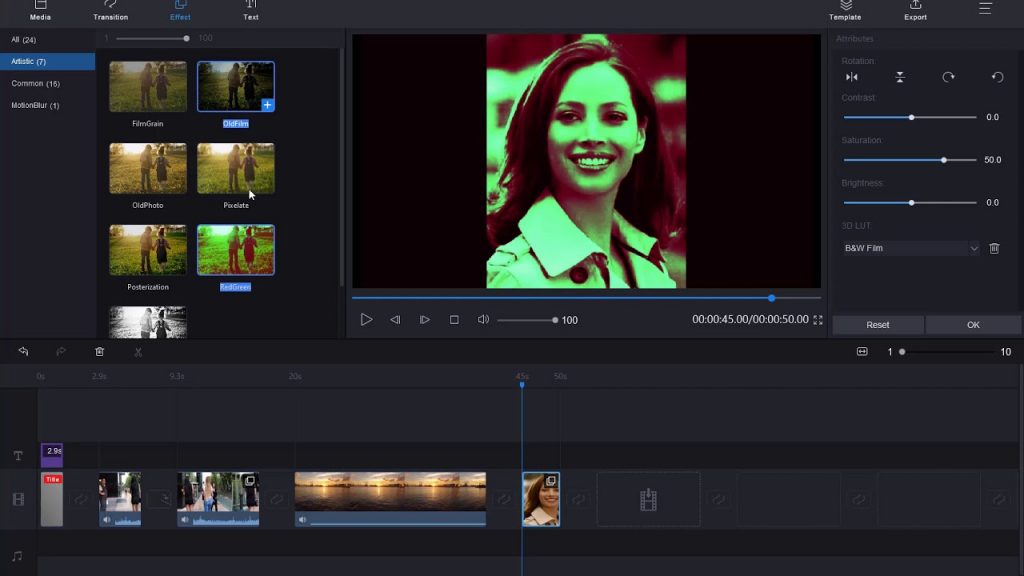
Whether we talk about the transitions and effects or the video speed motion it can generate the video according to the user. 

This can help you in making the videos with the special effects like PIP(Picture in the picture), Animation transitions which will give a changed design to your videos. 

This Tool is designed with the help of many industry specialists who give a very handy and simple user interface for the users, this tool focuses on both the professionals and un-professionals in the field. 

You have also heard from various Youtubers who do not have deep knowledge for video editing but still, they perform very well with the help of software like Movie Maker.

If you thought for a review or for some professional vlogs this tool will help you in getting the best results from the audience with adding various transitions and effects in between the different sections of your video.

If you are targeting the large audience this will also help in adding subtitles in your video. 

Features of MiniTool MovieMaker

User Experience 

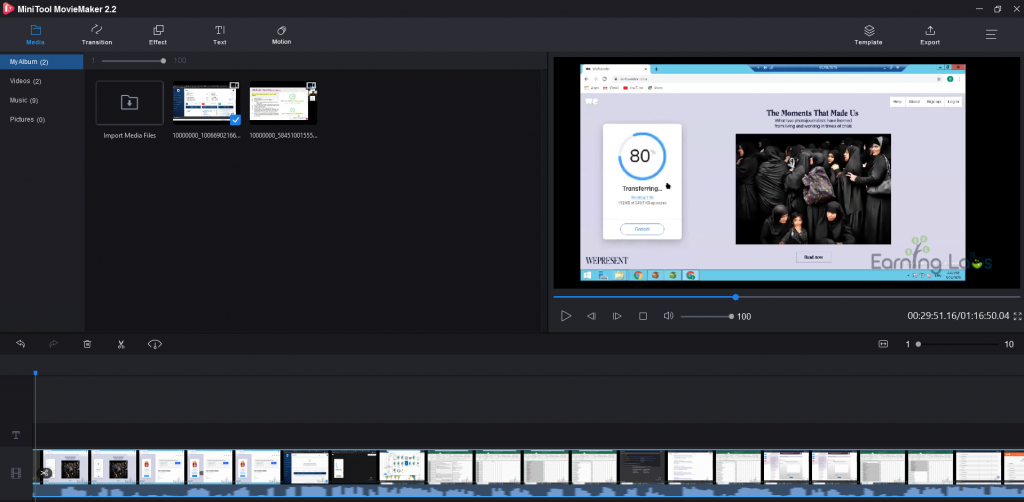
The well designed, easy to use interface helps users to handle the basic editing of their videos in short time. 

Minitool MovieMaker will also allow you to manage or export the edited video in any style or format you want. 

Once you upload the raw files into the software you will see many format options for both video and audio settings.

It helps the user with all common editing tool features like trim, cut, split, merge, rotate, mix video clips and etc. 

Minitool Movie Maker

Advanced Video Editor

MiniTool MovieMaker 2.0, this is the advanced version of this tool which is provided to everyone for free. 

Minitool Movie Maker

You can make your video content more strong by adding some important images and other video headings in it. 

You can also control the speed of your video, like at many scenes you need a fast or slow motion in the video compared to the normal speed. 

You can also try the youtube podcast from this tool by adding the images in front and adding your voice content in the background. 

This Smart tool will help you to manage the advanced content without spending much. 

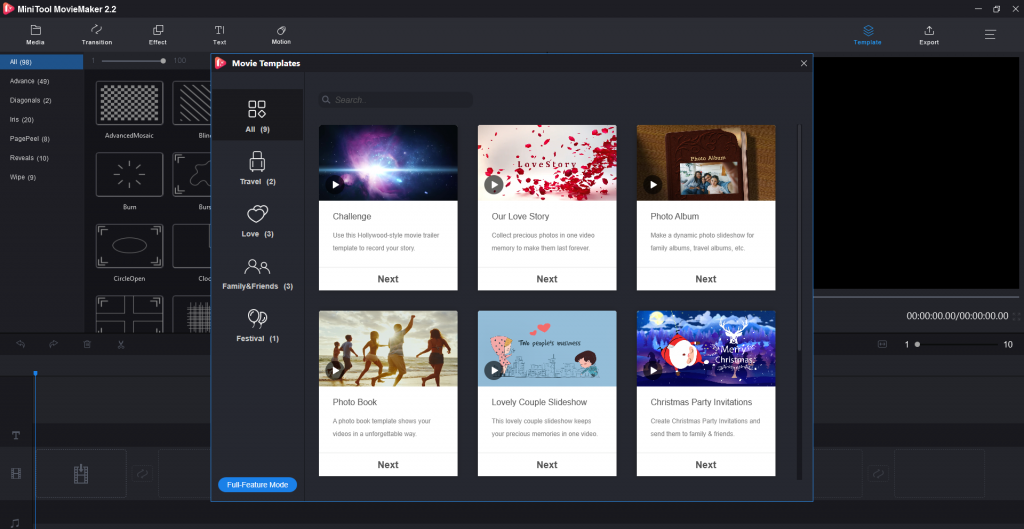
Perfectly designed Templates and effects for free

Minitool Movie Maker

Here you will see many Templates and Features which you can add to make the video look more interacting, there are large collection of templates to choose from. 

So this is the tool which you must try instantly once you go through the article.

You can solve all the major issues you see while you edit the content from any other free video editing tool online.  

Professional Sound and Video quality support 

It can also help you in making or exporting your content in several resolutions according to the need of users. 

It will also handle the sound effects and also can convert it in many other platforms like MOV, AVI, Mp4, MKV etc. 

You just need to select the proper resolution and the sound format you need before exporting the content from the tool. 

Conclusion

Minitool Movie Maker

Once you download this tool, you will understand the proper use of this tool and you will easily get familiar with the features of this tool. 

So if you are searching for an all in one video editing tool on the internet, this tool will solve all your major problems regarding the video and audio content. 

I have personally experienced this editor and saved a lot of time and efforts, because of the easy to handle interface of this tool.

Keep creating the videos and make them more effective with MiniTool MovieMaker.

Backwards 3 (Ɛ) Love Symbol | How to Type

0

Mostly this reverse 3 symbol or Ɛ symbol is used to type and make a backwards heart symbol.

Most of the time this symbol is used by couples who want to show their love.

backwards 3

How to type reverse 3 symbols?

There are few ways to type 3 in reverse but actually a simple way would be, to just copy it from here Ɛ

But if you really want to know the secret then you have come to the right place.

In this article, I will tell you ways to write 3 in reverse.

How to write reverse 3?

Now we will open the secret for writing backwards 3 from the keyboard.

Actually, it is very simple. There is a code that you need to enter. Many professionals use it in their work. To make a backward 3 in a blank document in your word processor or anywhere, just type “0190” and then press “ALT-X” to convert this code into a reverse 3.

Another way to write 3 backwards

Step 1: Open Microsoft Word or Google Docs and browse a variety of character styles. You just need to follow these instructions:

Step 2: Click on the Insert button and then click on the symbol.

Step 3: Once the new window will open, It will contain a huge set of characters and symbols, from which you can select various different characters which exactly looks like a backwards three. 

If you try these methods with some other font style except windows defaults, maybe you will see some errors. But don’t worry just check the windows default language like Arial or Roman and then do the exact steps shown above. 

What is reserve 3 used for?

Reverse 3 symbol is not easily written by anyone as it is mostly copied from Google.

Many people use this symbol in their daily life to show some love or feelings for their loved ones.

They generally type backwards 3 and then the greater symbol then combined it looks like a heart symbol(Ɛ>). 

There are lots of different communication symbols, we can type via our keyboard or keypad like:

  •  (*_*)  Shows love sign
  •  🙂  Happy Face  
  • 🙁 Sad Face
  • 😀 Super happy face 
  • (-_-) Bored and many more. 

Reverse 3 is most of the times used for showing love. This symbol is used to show love online to their partners.

Because we always try to make our conversation impressive we use such symbols and make our conversation memorable for our partners.

This is also used by the people who are creative with their thoughts and show it to the world. 

Many youngsters also use it to just look cool in front of their peer group.

But now as we are familiar with many messaging and chatting platforms they have made their own emojis with some beautiful effects which anyone can use while chatting. 

Does Ɛ look like an E? Can E be used in place of reverse 3?

Well, I would have to say, yes, to some extent reverse 3 looks like an E but not completely. it cannot be used for a heart symbol. Reverse 3 is nothing as this symbol can be interpreted in many ways. But obviously nobody would like to add E instead of a cool looking reverse 3 as it also builds a question in person seeing it, how did this happen.

Fotor Photo Retouching Tool Review | The Best Online Photo Editing Tool

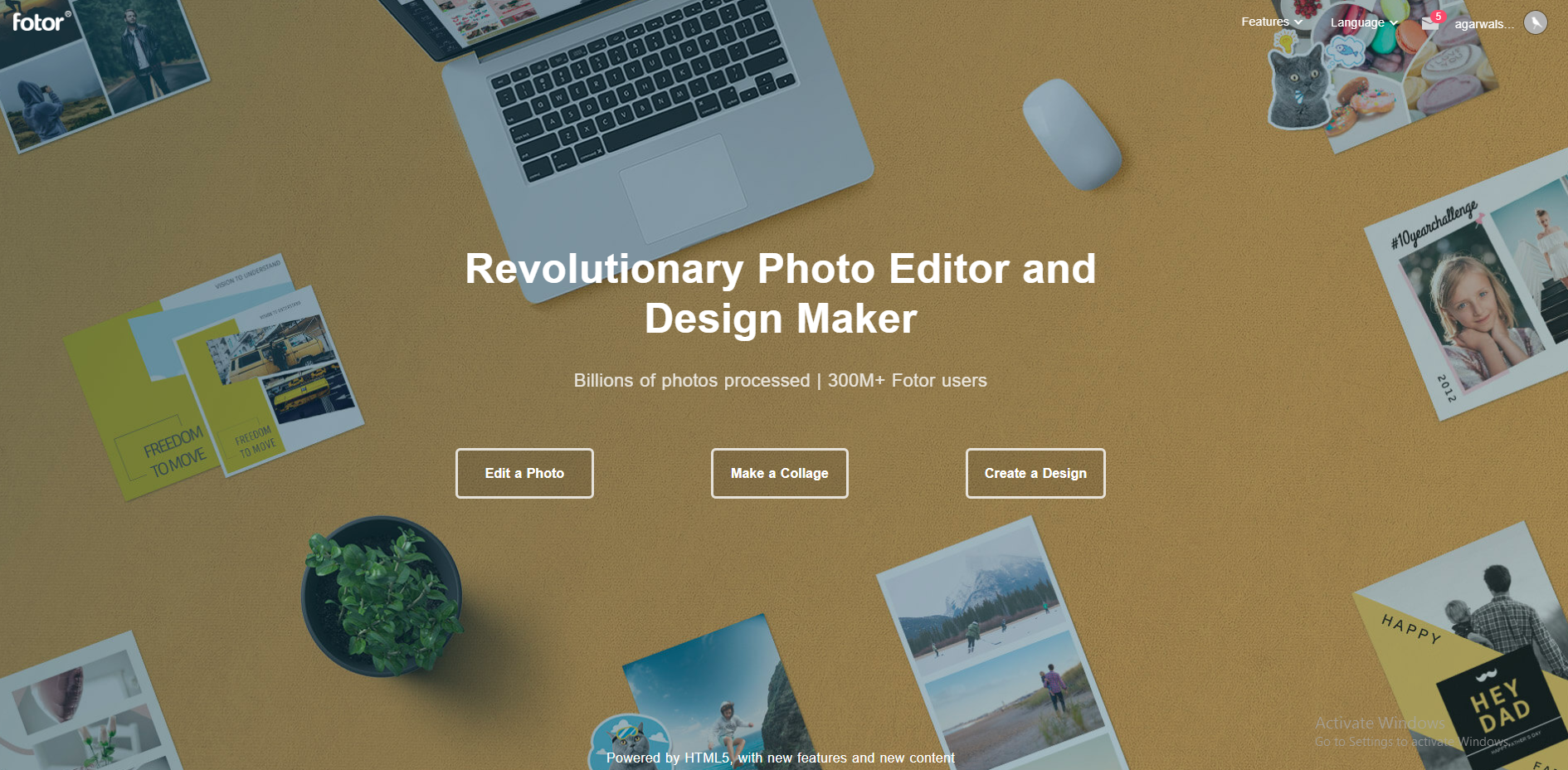
Struggling with making your photos more stunning and special? You will find out that Fotor is incredibly helpful in this review.

Fotor is the best online photo editing tool with loads of premium design templates and unique photo editing features.

Fotor is the best online photo editing tool with loads of premium design templates and unique photo editing features.

It’s advanced functions can spicy up your photos and images with just a few clicks.

I was actually amazed by Fotor how handy and useful it could be at the same time after using it.

Fotor Tool Overview

We always try to make our photos more interesting by adding some brightness or the freshness in the photo but unfortunately we did not get satisfactory results with it because of limited features provided to us in our mobile devices. 

But when you go through with this tool you will enjoy the unbeatable features of Fotor. 

Features of Fotor Photo Retouch Tool

Do you also try to show yourself more young while clicking photos, here this tool has an amazing feature for you. 

Fotor photo retouch is a tool like Wrinkle remover, Blemish Remover, Red eye remover or Teeth Whitening, where you can use these features for making your photo more advanced and beautiful.  

Fotor also has many advanced features like a whole make up tool,  where you can make a different look without seriously spending a lot on makeup kits. 

Some Another Feature like photo sharpening which will give a completely changed look to your photo when you try this feature.  

If you love to make your picture more attractive, you will definitely like this editing tool. 

And you know the main thing about this tool, most of its features are free to use. If you need some professional features, you can buy it’s pro version. Which is available at a nominal cost.

Fotor Advanced Photo Editing Tool

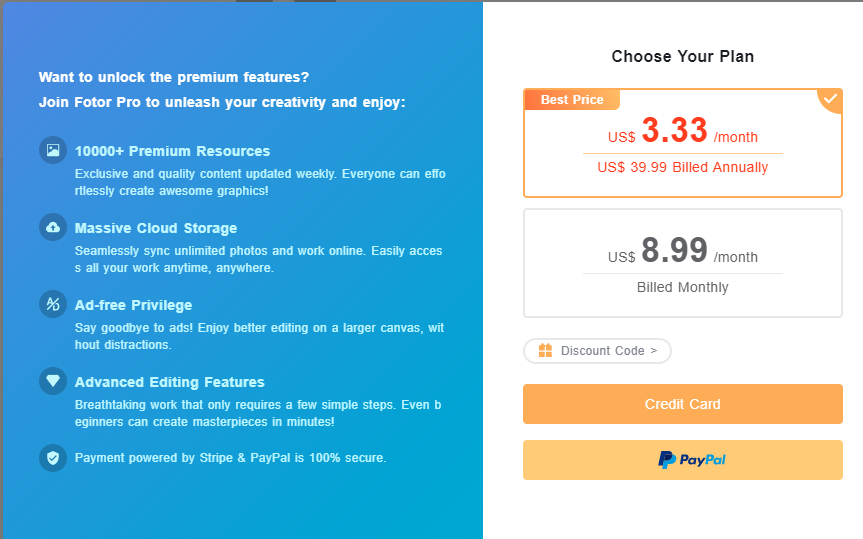
Fotor Pro features are like the proper kit of editing tools for the editors, these features are available to the people who purchased the Fotor pro service which cost $3.033 for a month, If you buy the annual plan or $8.99 for a month if you buy on a monthly basis. 

You can either pay for the plan by your credit card or through your paypal account. 

Features of Fotor Advanced Tool

Fotor has a massive storage for its users which means if you buy their advanced version you will be able to protect and save your amazing edited images in their database, which is also available to you anytime you need. 

The other feature of Fotor advanced version is that it will not show its watermarks on your edited pictures once you buy a pro subscription. 

You can add multiple effects to your image, these effects are provided to you after you buy this plan. 

Fotor paid version will also give you several frames and other elements into your photo, you can make the photo in several shapes. 

Other Additional Features

Fotor has many other features, such as color splash, AI photo effect, efficient 1-Tap Rehance etc, some of the functions are free if you don’t want to pay a dime.

Fotor Collage Maker

Fotor Collage Maker online is one of the best collage makers over the internet, it gives a large number of design options to its users which they can use to design the good looking collages. 

You can make 4 different types of Collage using Fotor Collage maker. These 4 designs are Classic Collage, Artistic Collages, Funky Collages and Photo Stitching. 

Beside free designs, there are lots of paid designs available on this platform, but if you already purchased their premium plan there is no need to pay for every single design. 

Fotor Create a Design Tool 

If you run any blog or  youtube channel, you will definitely need the professional feature images or perfect thumbnails for your videos and content. 

Fotor is one of the best tools which can help you to make the professional edited images for you and your business with several free and paid designs

You can use this tool for making money online, there are lots or people who need the professional editing services for which they can give good money to the freelancers, so you can use this tool as a professional editing tool and make money on these freelance platforms.  

It will also better help you in making different legal documents with its saved templates and you can also design your all new and attractive resume with this tool. 

Fotor Photography Other Tools 

There are lots of other Photography tools developed by the Fotor team. 

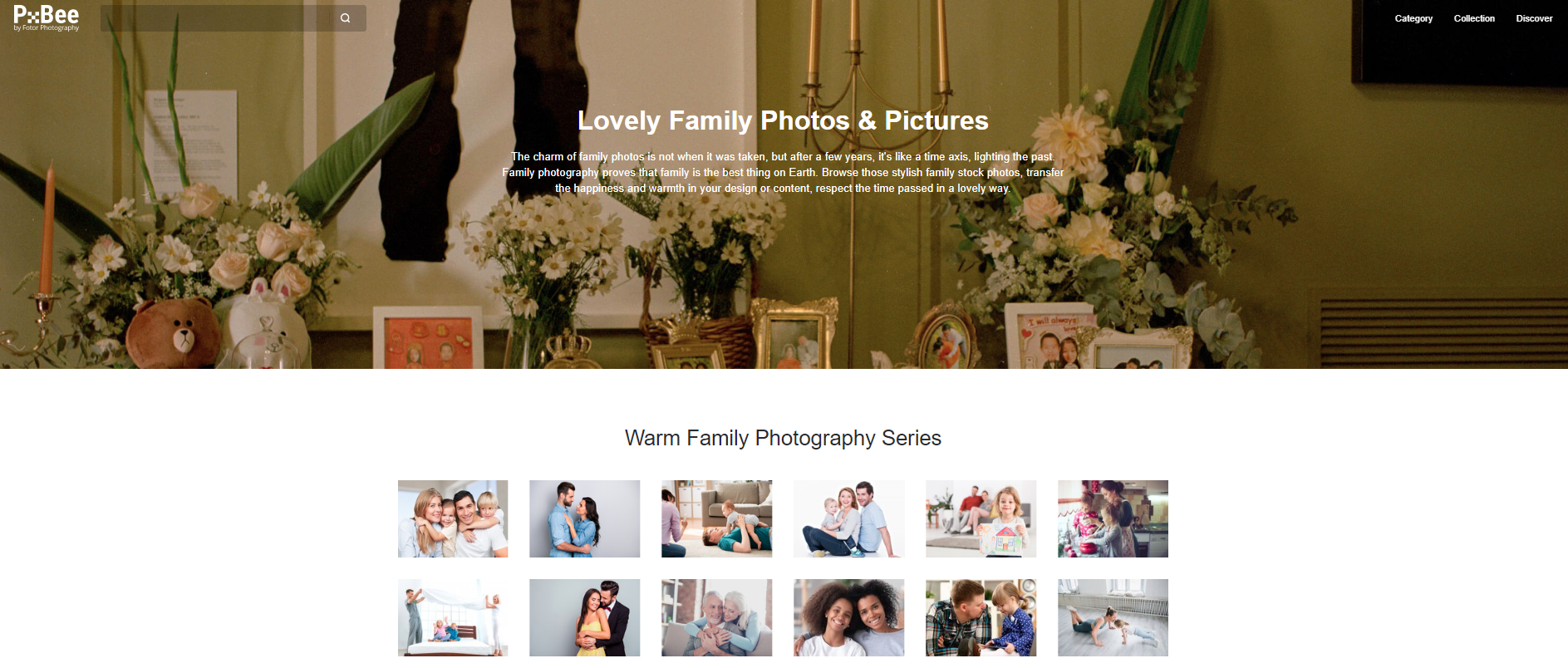
One of the finest tools from the list is PxBee family photos, PxBee is the best site for getting high quality family photos from the net. 

According to the rules of this site these pictures are available to the user at very minimal pricing. 

The users like you can use these pictures at different places like in some video or in some article, as a good article never looks great without some good images. 

Conclusion 

After using this tool for months, I saved a lot of money, I use this tool in making my pictures and images more beautiful and professional looking. 

Many people spend so much for high end cameras, phones to get good photos, but this small tool can make your photos so attractive that your friends will think that it must be clicked with some expensive gadget. 

How to Remove Password from Rar File Without any Software

Its been irritating, when you download some file and when you tried to open it , it ask for password. Yes its normal, people upload zip or Rar files with password. And its become very hard to unlock rar file. So here i will tell you How to remove password from rar file without any software, using this method you can also remove password from zip file also.

unlock rar file remove password

Rar file is compressed version of many large file into a single small file. It is easy to transmit, so on internet , you will find most of the file into rar or zip format. It also reduce size of files, so it saves space, data and time. And you can also set password to stop unauthorized access to your important file. But if you want to open some password protected file, then use this method to unlock rar/zip file.

How to Remove Password from Rar File Without any Software

If you search online you will found lots of rar file password remover, but most of them does not work. I have tried many of them , then i found these methods to remove rar password.

Remove Password from rar File Online

Now you can remove or recover RAR file password online without any software. Though this method is for converting rar file into zip file. But it also unlock rar file when it converts. So this is simple trick, lets see how it works.

Steps to Reset Rar file password

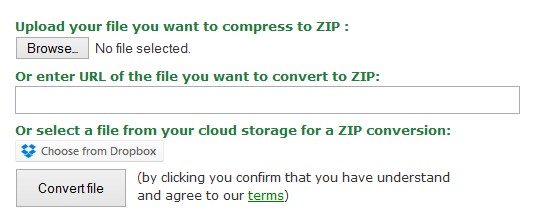
  • First go to Online Zip converter.
  • Now Browse your password protected rar file.
  • remove password from rar file
  • Now click on convert file.
  • Now it will first upload this file to its server and then convert into zip format and remove its password.
  • Now you can download this zip file without password.

Hurray! You have successfully removed rar file password. This trick is interesting, the method to convert file is also removing password.

Remove rar File password using Notepad

Its very easy to remove password of rar file using notepad, you do not require any extra software. As notepad comes pre installed on all pc. Just follow the steps to recover rar file password.

  • First open your password protected rar file with Notepad.
  • Now search for these keywords in second line. And replace them with the word mentioned below.
    • Replace Ûtà with 5³tà’
    • Replace ’IžC0 with IžC0
  • Now save this file and open it with win rar. Now it will not ask you for password.

Now you can easily open rar file without password or you can also extract it. Its so easy now you can open any password protected rar file for free and without any software. If you have any doubt or you fail in removing rar password, then you can comment here with your queries we will surely help you.