Blog Page 72

7 Best BlueStacks Alternative and Android Emulators

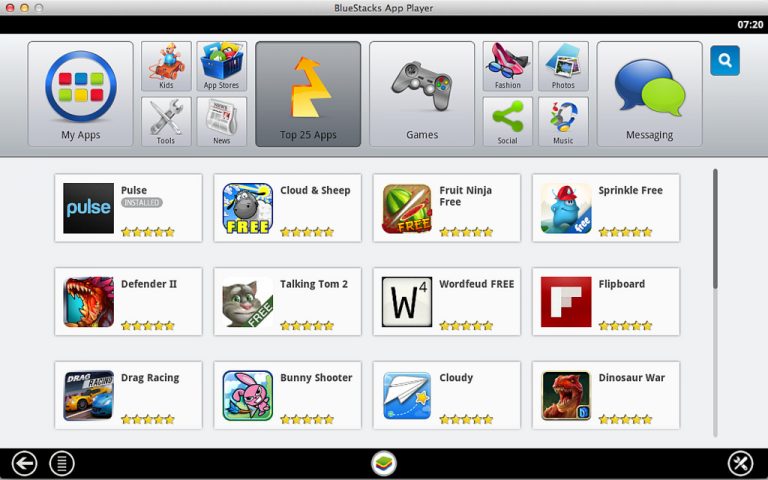
Here we present a list of the Best BlueStacks Alternative. There are so many android emulators are available on the market and thus makes it hard to choose one. Android emulator means where you can run the virtual mobile device on your desktop.

It provides easy to download and install Android apps and games on your computer. These are the Best Android Emulator for app testing and presentation. Even these emulators have unique, vital features. It is available all types of operating system such as like Windows 7, Windows 8, Windows 10, Windows Vista, Windows XP, etc.

However, before we start and you download any of the given Android Emulator, you first need to Enable Virtualization in BIOS of your System. Moreover, thus we have added few simple steps to enable it for you:

How to Enable Virtualization technology in BIOS

Step 1: Restart your PC/Laptop

Step 2: To get into BIOS press F2 or Del or Enter (Use F10 for HP Products)

Step 3: Search for Virtualization Technology/Intel® Virtualization Technology under CPU Configurations, System Configurations tab

Step 4: Now, Enable Virtualization Technology

Step 5: Now it is enabled, save the changes and reboot your system

After Enabling Virtualization Technology, you can now install any of the mentioned Android Emulator or BlueStack Alternative on your PC.

Let us begin….

You can download these emulators from their official website for free. Here I will give full information about best android emulators for Windows PC or MAC.

7 Best Bluestacks Alternative and Android Emulators

1. Geny Motion

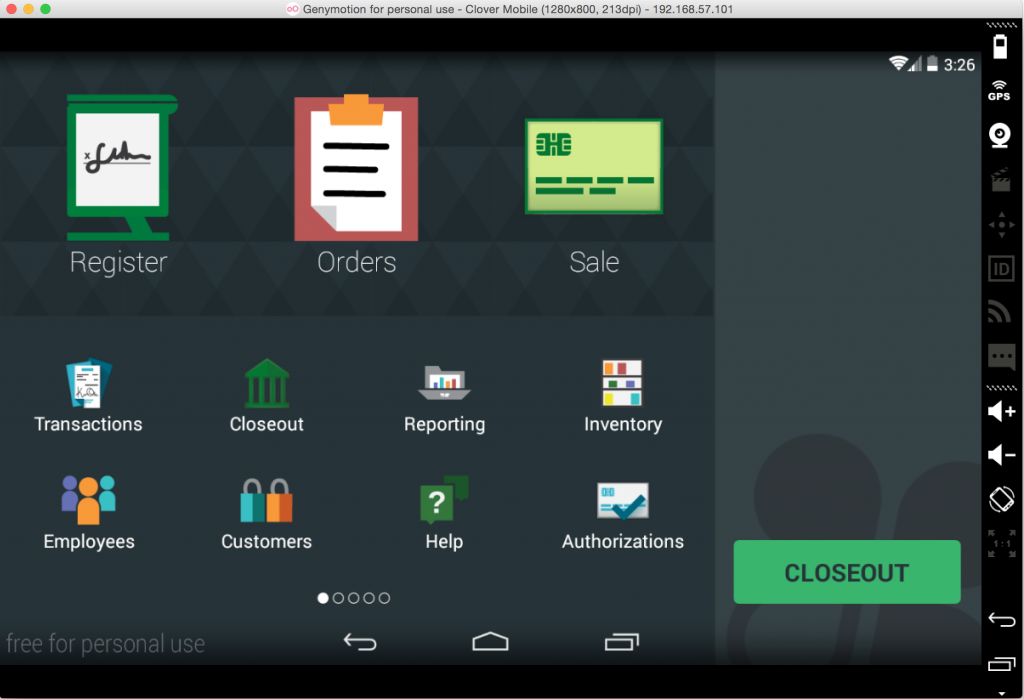
Geny Motion is one of the best Android Emulator on the list. You can use more than 3,000 Android configurations to test your apps. There are different plugins for Android studios and eclipse. It can be compatible with all Android SDK tools.
Best BlueStack Alternative

Geny Motion has powerful features such as the same battery, screen-cast, network quality and best performance, GPS, call interruption and SMS emulator, etc. It has different command tools like Java API And Gradle Plugin.

Key Features of Geny Motion:

  • High Performance and compatibility test in suite
  • Has developed tools
  • Can support Multiple platforms
  • It supports both audio and video files
  • Very simple and easy to use
  • The integration server is simple and easy

Genymotion Minimum System Requirements:

  • 2 GB RAM.
  • Hard disk space at least 8 GB.
  • 64 bit CPU with VT-x or AMD-V support.
  • Microsoft Windows 7, Windows 8, Windows 8.1, Windows 10 (32 bit and 64 bit)
  • Apple Mac OS X (Mountain Lion) version 10.8 or above

2. Andy OS

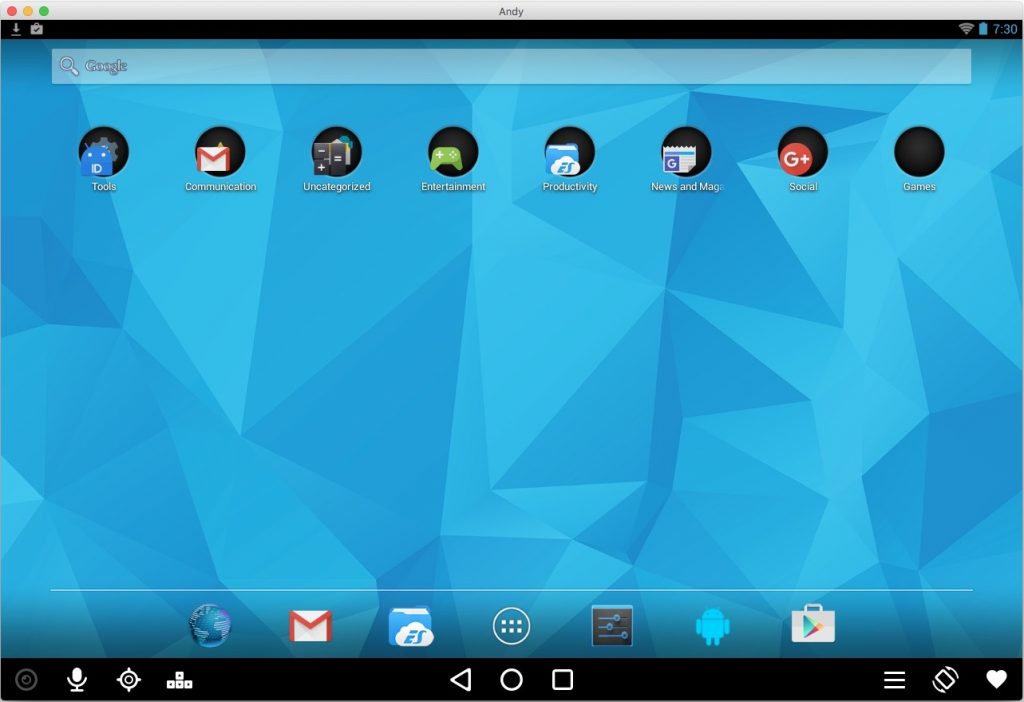
Andy OS is the best android emulator for Windows and MAC. It can support multiple platforms such as like Windows 7/8/10/ MAC OS. By downloading this emulator, you can download any android applications from any browser.
Best BlueStack Alternative

Even it has very different functions which will make you more comfortable to use more features on your device. One of the best things about Andy OS is you can use your mobile as remote control access while playing games. You can run all applications on your computer.

Key Features of Andy OS

  • It can be available for Full Android UI
  • It can support for multiple platforms
  • You can run apps from desktop also
  • There is a multi-touch support
  • Android access to local file system
  • There is a desktop push notification option has this emulator
  • It is available sensor integration, camera integration

Andy OS Minimum System Requirements:

  • Up to 20GB Free Disk Space.
  • Windows 7 and 8 – x86 or x64.
  • AMD or Intel Dual-Core CPU with Virtualization Technology Support
  • 3 GB RAM.
  • OpenGL ES 2.0 capable video card.

3. YouWave Android Emulator

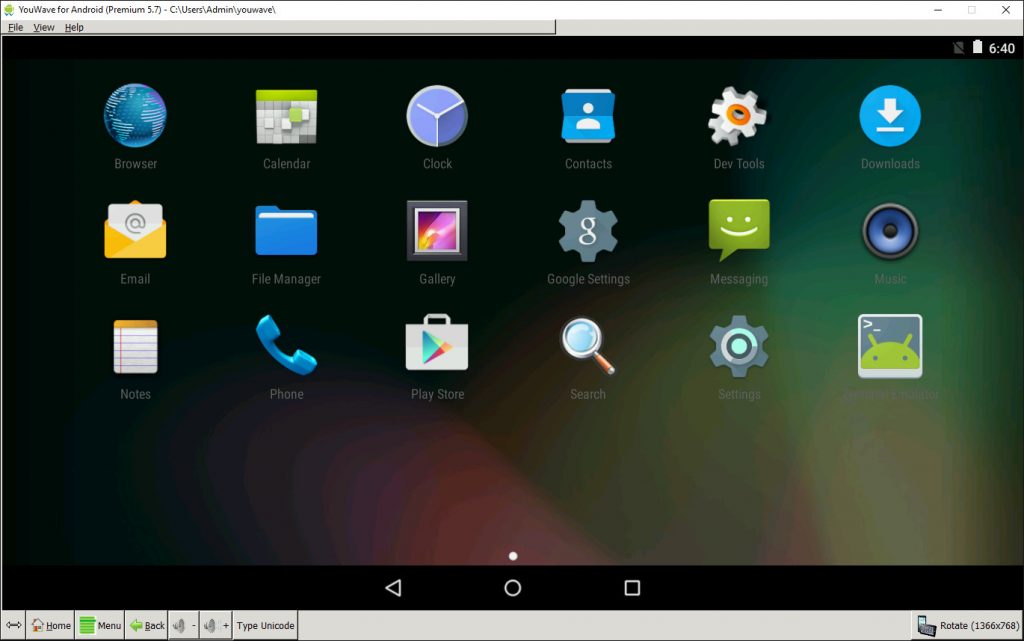
YouWave Android Emulator is one of the best BlueStacks Alternative to bring you a great Android experience with the support of 32-bit and 64-bit architecture machine. Also, installing third-party apps in it is easy, you just need to download the APK and put it in YouWave app folder.
Best BlueStack Alternative

Using YouWave, in its paid you get to use Lollipop OS which would cost you around $29.99 while KitKat OS is available at free of cost. Apart from that, the best thing about the player is that it can efficiently run on a low configured PC.

Key Features of YouWave Android Emulator

  • You can run all applications on your device
  • You can use your phone as remote controller while playing games
  • There is a perfect control remote experience
  • It works on both Android and iOS apps too
  • There is a game controller support
  • Keyboard Shortcuts are available
  • You can switch or adjust display modes

YouWave Minimum System Requirements:

  • Windows XP, Vista, 7, 8, and 10.
  • 2 GB RAM, 500 MB disk space.
  • Intel Pentium 1.6 GHz CPU.

4. Android x86

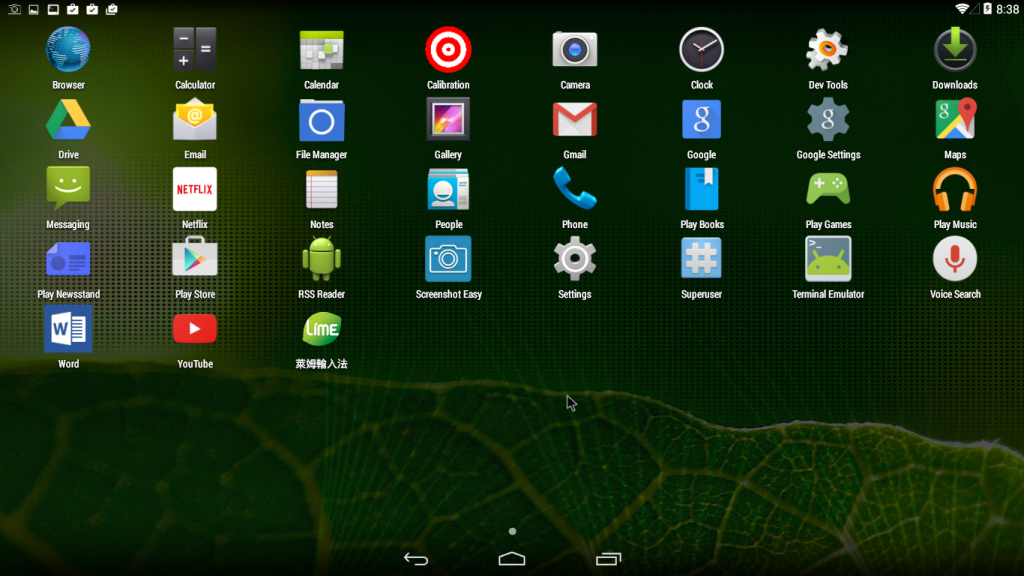
Android x86 is most popular Android Emulator to run Android applications on a desktop. Android x86 is an open source platform. It will support higher version of Android software. It has very different vital features such as like Kernel support, Power Suspend, Mouse Wheel, G Sensor, etc.
Best BlueStack Alternative

You can bring the functionality of Android to on Windows 7/8/10/vista/XP Device with Android x86. It runs fast and easy to switch between windows and Android platforms, and it does not require dual root.

Key Features of Android x86

  • There is an external monitor support
  • There is a Bluetooth option also
  • It can support WIFI with GUI applications
  • Will show the battery status on your desktop
  • It can support external keyboard
  • Can support native netbook option
  • It is one of the best disk installers

Android-x86 Minimum System Requirements:

  • Intel x86 or AMD processors
  • Dalvik Virtual Machine
  • Tested Computer or PC

5. AMIDuOS

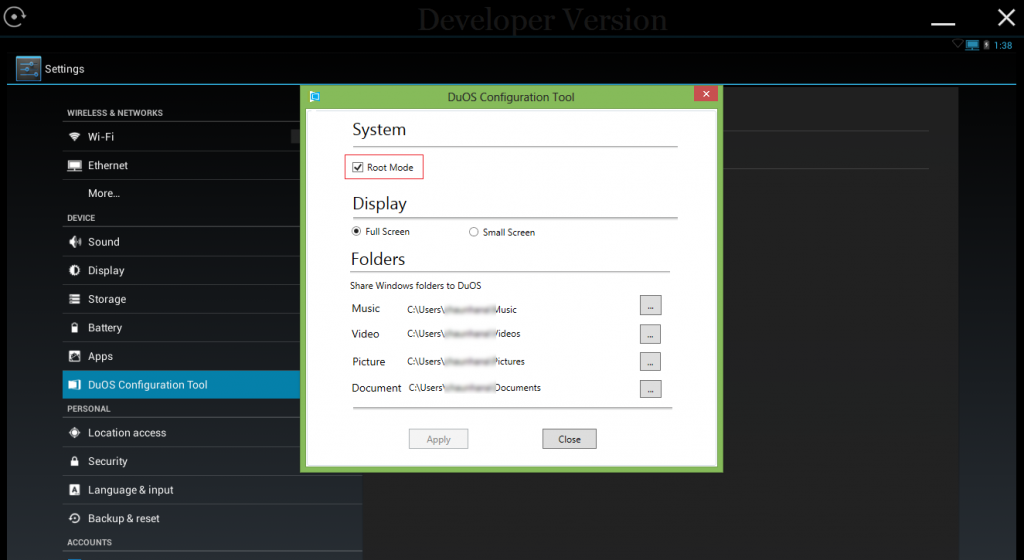
AMIDuOS is one of the best Android Emulator. It works such a fast and smooth performance. It can support peripheral devices such as like webcams and controllers. There is an ability that you can run in root mode also. It currently supports Lollipop and Jellybean Android version on PC.
Best BlueStack Alternative

The worst thing is this software is more expensive than other android emulators. You need to purchase this android emulator. It is not available freely. It can support multiple platforms also such as like Windows 7/8/10/vista/XP and later.

Key Features of AIMDuOS

  • Storage and file sharing option
  • It is straightforward to use configuration files on this emulator
  • It works fast and sharp way and performance with no limitations
  • There is compatibility support for windows
  • You will get best android experience
  • You can use compass and GPS functionalities too

AMIDuOS Minimum System Requirements:

  • Windows 7/8/8.1.
  • Intel x86 CPU and better.
  • Hardware Virtualization Technology supported and enabled in BIOS.
  • OpenGL 3.0 and above.
  • Minimum 2GB of RAM.

Editor’s Recommended Alternative Apps

6. NOX Player

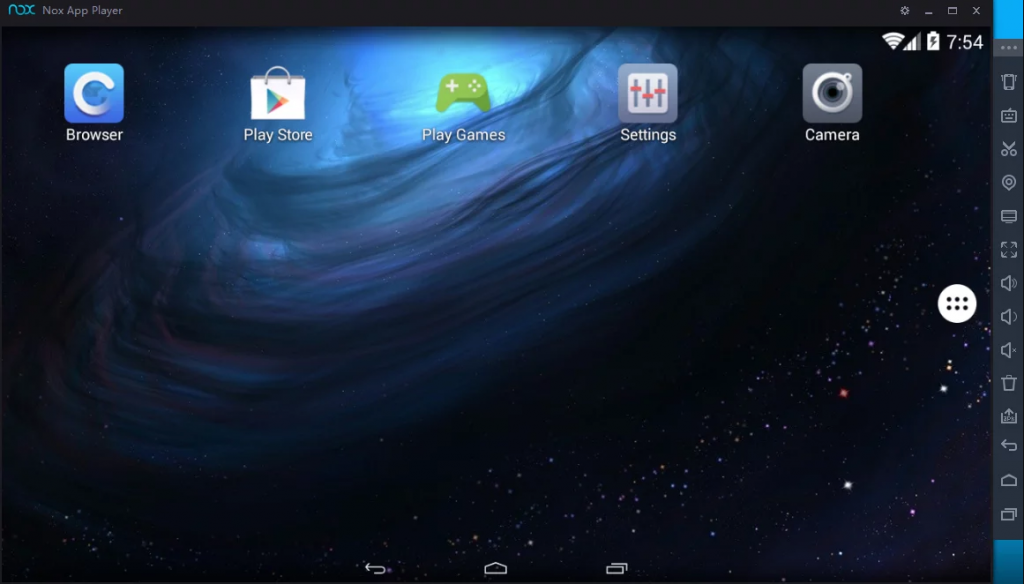
NOX Player is the Android Emulator and one of the best BlueStacks Alternative specially developed for gamers with some great features. You will find the interface to be little different from others, but you get used to very soon once you start using it. It also comes with Google Play installed. Thus you need not worry about installing apps.
Best BlueStack Alternative

NOX Player runs on Android KitKat version 4.4 with some advanced and innovative functionalities. You can also use it on touchscreen laptops using its gesture controls. It can run on almost all types of configured PCs with its different mode options: OpenGL or DirectX to choose. It is best if you choose it to run high-specs PC.

Key Features of NOX Player:

  • Easy to use with a simple interface.
  • Spontaneous keyboard mapping app and game controls.
  • Support for multiple control devices.
  • A stable and secure platform.
  • Based on Android KitKat.
  • X86/AMD Compatible.
  • Available on MAC.

AMIDuOS Minimum System Requirements:

  • Windows 7/8/8.1/10 with DirectX 9.0c.
  • Intel or AMD Dual-Core Processor or better.
  • Hardware Virtualization Technology supported and enabled in BIOS.
  • OpenGL 2.0 and above.
  • Minimum 2GB of RAM.
  • Broadband Internet Connection.

7. Remix OS Player

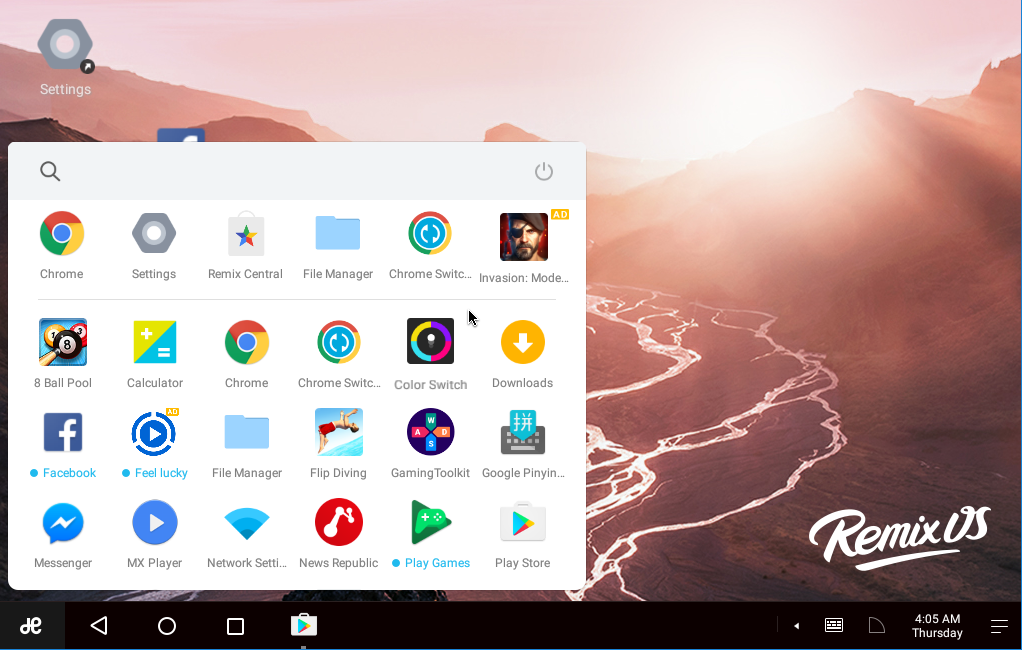
Remix OS gives you the best Android experience if you have a High-Configured PC and is one of the Best BlueStack Alternative which comes with Android Marshmellow. Running Android apps becomes easy using this emulator on PC and is an up-to-date emulator currently in the market.
Best BlueStack Alternative

You can also set it to use it on a low configuration in its Settings, It also has a support dual-window multitasking, i.e., while performing a task on its first window, you can play games on the other one.

Key Features of Remix OS Player:

  • Play Multiple Games at Once
  • Up-to-date Android Emulator
  • Free for Lifetime
  • Fast Performance
  • An OS with an inbuilt-OS
  • One click App installation

Remix OS Minimum System Requirements:

  • Windows 7 (64-bit) or newer
  • Core i3 (Recommend Core i5 or Core i7)
  • 4GB RAM
  • 8GB Storage (Recommend 16GB)
  • Internet access is helpful.

Conclusion

These are the Best Bluestack Alternatives also, the best android emulators for the desktop. With these softwares, you can easily run all android applications on your computer without any issue. What you have to do is simple downloading these emulators that’s it. Also, do tell us your favorite Android Emulator in the comment section below.

Edited By: Abhiyanshu Satvat
Top 10 Best Alternative Apps Like Appcake

AppCake has gained a lot of popularity in recent times as people often are very sceptical about directly purchasing apps from the app store. With the help of this application, users can easily try those paid apps before making the final purchase. No app is perfect and neither is this one. Therefore, users often wish to get more apps like AppCake as an alternative.

Appcake alternative

It is always good to have options with you and therefore here are some alternatives to AppCake which shall help you out in a similar manner as AppCake does. Many of these applications have additional features to offer and at the same time won’t cause you any issues while you use them.

Top 10 Best Appcake Alternative

1. Zeusmos

Zeusmos
Zeusmos is one of the most effective AppCake alternatives as for it has all those features that AppCake has. Therefore, you can try the paid apps for free with the help of this application. However, in addition to the extensive features, Zeusmos doesn’t needs your phone to be jail-broken. This isn’t a feature though, but this is one aspect of Zeusmos which makes it a better choice and also an effective alternative to AppCake. Not all the applications offer this flexibility and therefore using this app has an advantage!

2.Kuaiyong

Kuaiyong
This is one of the best alternative app for AppCake and the features it has are quite similar to that of seen in Zeusmos. The term ‘Kuaiyong’ means to be able to use quickly and well it does function quick and similar to Zeusmos it doesn’t needs you to jailbreak you device.

The application lets you access it on iOS 6 as well as you download the paid apps for free with it. Thought most of the features of this application are very much identical to that of Zeusmos, one of the major differences lies in their licensing.

3. HiPStore

HiPStore
This is another AppCake like alternative which is available on both Android as well Apple devices. Similar to all the other applications in this list, HiPStore allows you to download the paids apps for free and also lets you download other cracked apps which otherwise may not be available. Why pay for those apps when you can have them for free with the help of HiPStore? You don’t even need a jail-broken device in order to use this application.

This one is indeed one of the most ideal AppCake alternatives given the kind of features it has to offer!

4. iFunBox

iFunBox
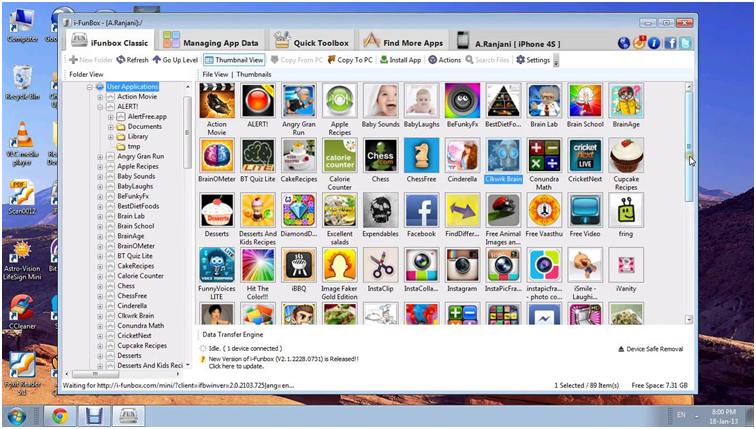
iFunBox is an effective alternative for not just AppCake bit over the time it has also joined in the list of Installous like applications. The application functions in a manner similar to AppCake and in addition to that it allows you to manage, browse and transfer files between the iDevices and also on your Windows platforms. Off late, this app has gained popularity due to its extensive features and similarities to AppCake!

5. PandaApp

PandaApp Official Website


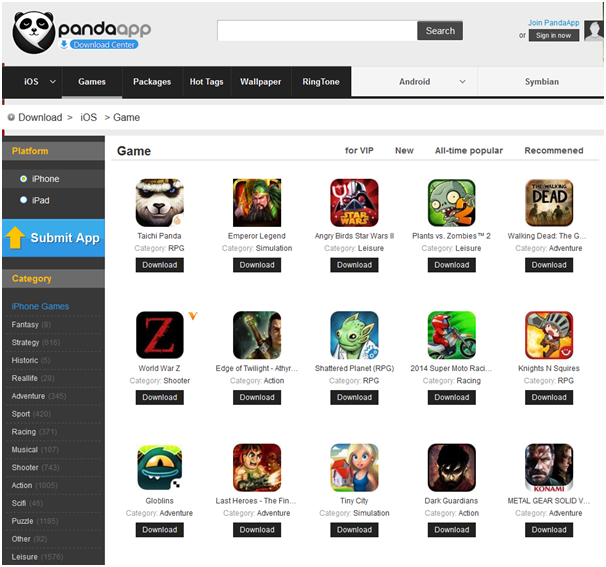
This for a change is an alternative for AppCake which works with both Apple as well as android platforms. All that you access on this app is available for free. With a simple and easy user interface, this is one of the best app if you wish to download some really cool games. Here, you shall find a collection of various jail-broken apps and be able to unlock the otherwise paid apps for free.

6. vShare

vShare
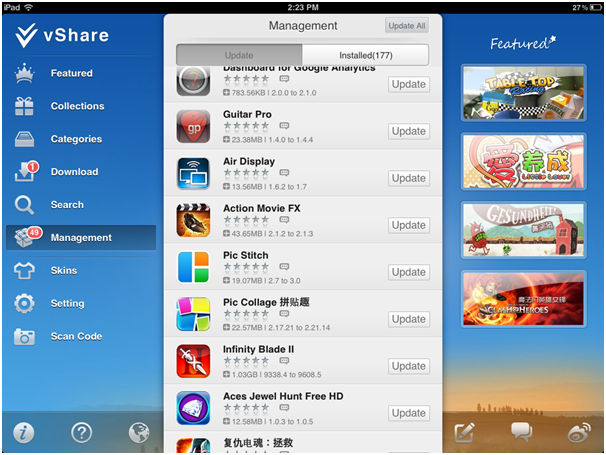
Also known as App VV, vShare is another great alternative to AppCake as it has to offer a number of paid apps for free. This application is used by many people and every ones pretty much thankful to this app for having offered such services. One can download vShare only on their jail-broken devices and that too from Cydia.

7. AppTacklr

This is yet another place for you peeps if you wish to download the paid aps for free. All you need to do is follow a few steps as stated below:

  • First off, go to official platform for AppTacklr
  • Here, you will have to mention whichever device you are on. (iPAd, iPhone, etc)
  • You will be then asked to fill a voucher with the handset details.
  • Now, in order to get access to the free apps via AppTacklr you are supposed to fill a form. (more of a voucher though)
  • You will be given a free voucher which shall state a couple of steps required to be done
  • Finish them up and you shall be all set to use those paid apps on your device for free!

The AppTacklr is a trusted alternative to AppCake as the authenticity is maintained via the application!

8. AppAddict

AppAddict
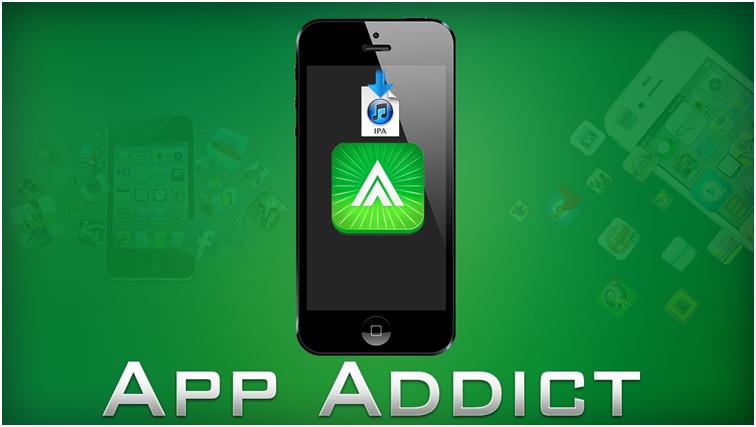
The AppAddict is another amazing application on our list of AppCake like apps which is more rightly described as an AppStore of iPhone, iPad and Mac devices without any restrictions and payments to be made. Browsing the AppAddict is free and so is downloading any possible app or game on this app. Basically, all the Apple store apps here are free, yes all! You don’t need a jail-broken device nor do you have to have Cydia, AppAddict shall work it up for you!

9. Mevvy

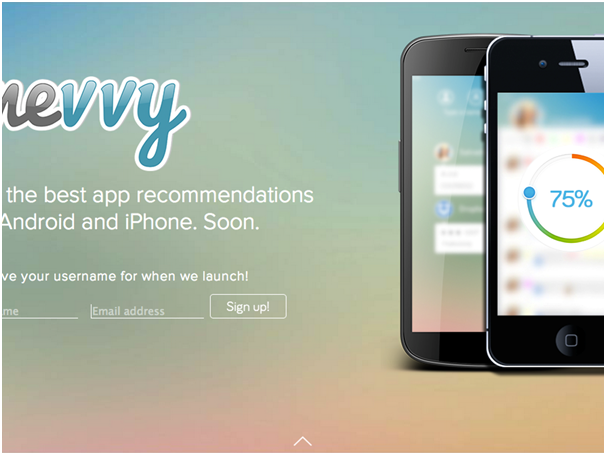
MevvyYet another platform which shall let you get your hands over numerous paid apps for free. Mevvy isn’t restricted to just iOS and allows users with Blackberry, Windows as well as Browser extensions. So it is time to get some free apps!

10. Aptoide

Aptoide

Official Site

Yet another platform to let you have those cracked apps for free! It is an Android based platform and as it allows you download the free apps available, it also lets you add on some amazing ones if you have! So don’t just enjoy those apps alone, share them too!

And that was about AppCake alternatives one must go with. Not always does AppCake have all the cracked apps or the particular one which you are searching for. Therefore, for all those times, you can refer to the list of alternatives available here!

Download all those paid apps for free without any hassles!


8 Best Free WinZip Alternatives Zip File Extractor and Opener

WinZip has been serving the regular technical needs of all the computer users. It has created a brand image for itself, supporting the users to minimize the file size or send through mail, a collection of files. Popularity of the tool has been outstanding, for two reasons. Firstly, it has been the only tool for quite some time to support the actions and secondly, the performance of the tool has been flawless and outstanding for required features. Now, there are many alternatives to Winzip in the market that can replace the tool and work both for computers and smartphones. Here is the free winzip alternative with all the features.

winzip alternative

Best Free WinZip Alternatives

  1. 7-zip – Compression ratio of this zip tool is excellent. It can normally compress the files by 10 percent. If you can store and send files in 7z file format, it has the ability to compress files till 70 percent of the actual file size. However, you can also store files in the general zip formats, like *.rar, *.zip and others. It is compatible with windows 7 and onwards.

    7 zip

  2. B1 free archiver –This tool is having perfect professional interface. Excellently designed tool can be accessed through the downloaded tool or can be zipped or unzipped online. Moreover, the tool is free with some ad-support. Save files in all common file formats, including zip, rar, b1 and 7z. It is also available for Android and linux operating system.
  3. Extract now –This is one of the best tools, if you are using windows XP. Other performance of the tool is same as that of the popular tools. It can compress the files and can be attached in mails easily.
  4. JZip – It is another tool that is fit for all window versions. Compression of the files is average, but the files is of same use with all popular extensions. It can easily be used for your desktop use. You can store the files in the form of rar or zip.
  5. Pea Zip – This one is having interactive interface, similar to that of a folder. The folder view style of the tool makes operation, like zipping or extraction easier. Simple copy-paste the files to extract them. You can use them in all windows versions.
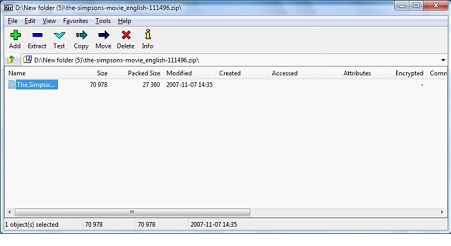
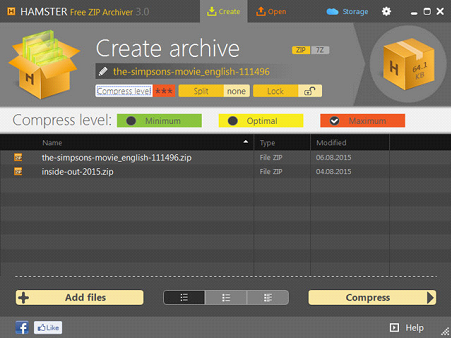
  6. Hamster Free zip – This tool is having excellent zipping capacity, where you can compress files to half of their size. Adding files to the zip and optional compressing style in this freeware makes the tool so special.

    Hamster Free zip

  7. BandiZip – This tool is having an interface, similar to that of torrents downloader. It is easy to operate and ideal for compressing files for all types of windows versions, including XP. The perfect alternative of WinZip is having excellent additional features to support your tasks.
  8. Zip Extractor – This one is a chrome app that is going to extract the files to google drive. Excellent function of the tool makes it a perfect alternative to the traditional WinZip tool.

All the above mentioned tools are supported in a particular set of OS. However, WinZip itself is supported only in Windows. For android, there is need of different software. Just use the freeware and find the difference in compression and extraction.

Top 7 Sports Applications Must Have on Your Phone

0

If you are a sports enthusiast, you must love sports news and updates on events. Thanks to technology, you can get updates at the palm of your hands. For sports punters on Betway and other sportsbooks, you can also place your bets on your phones. Regardless of the sport you’re passionate about; you can get an appropriate app on the play store and app store. Read on to discover the top seven sports applications you must have.

watchESPN

theScore

To get sports updates, scores, and analyses, download theScore app. The app covers a variety of sports. On the app, you’ll also find a calendar of upcoming sporting events. 

The app enables you to follow your favorite teams and players closely. It will provide updates and related news on matches that players you like. You’ll also enjoy the integrated social features such as match summaries, stories, and stats. The app allows you to share the stories with your friends. It is available for both Android and iOS gadgets. 

ESPN

The ESPN app offers its user the latest sports news from around the world. On the app, you’ll get the latest scores, breaking news, and analyses from professionals. 

The app lets you create a list of your favorite teams for a personalized experience. With this information, the app provides you with updates on the sides and players you love. 

You can enhance your experience further by paying for a subscription. You’ll access film streaming services as well as live shows and games. The app is available for both Android and iOS users. 

Fox Sports Go

You can access the app on both iOS and Android devices. The app offers you a chance to watch the live sports coverage, which is on the network. Among the top events available on the app are the Major League Baseball, college football, and NFL. All these are part of the Fox network’s Thursday coverage. 

You can also access video highlights and replays from the app. You must log in using your cable provider to stream live sports from the app. 

The Athletic

If you like focused coverage devoid of adverts, you should consider this app. It offers subscription-based services billed monthly at 9.99 USD. On the app, you’ll get sports news and thorough coverage by renowned sportswriters. 

You’ll read the news on the NFL, NBA, and other local events. It allows you a 7-day trial to test the app. If you like what you see, you can continue with the monthly subscriptions. You can use the app on an Android or iOS device.

Yahoo Sports

Yahoo Sports is the former Sportacular app rebranded and is available for Android and iOS. The app is synchronized with the website. From the app, you’ll access all the latest news statistics and scores for your preferred team.

If you are a punter on Betway, you’ll love the comprehensive coverage of player, team, and game stats. The app also notifies you on games, scores, and other news.

Bleacher Report

If you prefer a more focused team and player analyses, this is your ideal app. The app collects relevant information and notifications from other sources and relays them to you in one click. Once you pick your favorite teams and players, you’ll get their stories, photos, and videos.

Newspapers, blogs, websites, and the Bleacher Report use the app to relay breaking news. You can access the app on Android and iOS for free.

LiveScore

LiveScore has served the sports fraternity since 1998. They use their experience in the market to give users an unmatched experience. It is the go-to app for punters on Betway and other bookmakers for reliable sports information.

You’ll get the latest scores, match information, league standings, and latest headlines on the app. It covers a myriad of sporting activities, including soccer, basketball, cricket, and hokey, among others. The app is available on both Android and iOS.

4 Apps To Increase Your Productivity

0

Many of us think there’s an app for everything in life. Well, that’s because there is. So, if you’re looking for ways to increase your productivity, check out these apps to see if there’s something here that might work for you.

Accompany

One of the biggest challenges business leaders face is trying to keep track of all of the different contacts they interact with throughout their work week. There’s a constant barrage of emails, phone calls, meetings, etc. It can get confusing. What’s worse is that it also can’t get confusing. As in, you can’t allow it to. 

Knowing names and faces is one of the most important parts of many people’s jobs. If you call a client by the wrong name, it can have dire consequences for your business. You could literally lose an account over making someone feel small or unimportant. Forgetting their name is an easy way to do just that.

Accompany takes important data from individual contacts, as well as companies, and securely stores it so that you can have it right at your fingertips when you’re preparing for your next big meeting. When you open up your email, it will even provide information about the person the email’s from.  

Power Nap

The link between productivity and rest is becoming more and more clear by the day. Many people choose to rest by playing online casino games like blackjack from www.mansioncasino.com/nz/live/blackjack/, but that isn’t always enough to get the rest you need as a productive boss. Even the big boss needs to take a cat nap once in a while. That’s where Power Nap comes in. 

This app will allow you to set your alarm for up to 30 minutes. It will then lull you to sleep with the sound of rain, thunder, the beach, and more. You can then choose if you want to be woken up gently by birds, bells, a piano, or some other soothing sound. You’ll be surprised by how refreshed you feel when you wake up. 

Slack 

If you’re not using Slack yet, you’re going to want to start. This app is one of the greatest inventions since sliced bread. In fact, it does so much that it’s hard to know where to even start. 

Imagine having a digital filing system for all of your conversations. You can then file those conversations into categories, rate them by importance, and even invite employees to share the files with you, all while controlling who sees what content. 

Slack offers an excellent way for teams to communicate with one another. The app gives you the ability to easily find projects or group by a simple search function. This is a significant enhancement from how email works and give team members a productivity boost. 

Expensify

Nothing will eat away at your time quite like an expense report will. That’s why having an app that can simplify the process for you, is worth its weight in gold. The Expensify app claims to cut down the time you spend on expense reports by 83%.

This app can help you create real-time expense reports with nothing more than the touch of a button. It will effortlessly scan all of your receipts and then handle everything from there. It’s almost like a personal assistant. After you’ve scanned the receipt, it will then sync it with your accounts all by itself. It will submit, approve, and issue a reimbursement without any additional tasks being required on your end. 

Imagine that. Imagine an app that can save you that much time and headache. You’ll no longer have to sift through a bunch of complicated reports, manually entering data and going through the rigorous process on your own. Don’t worry, though. If the idea having an app do everything on its own bothers you, you can set it to have certain manual modes if you prefer. At the end of the day, you’re still the one in control.  

It’s easier than ever to get your productivity game on point. Whatever area it is you need help with, trust us when we say, there’s an app for that. 

Top 5 Freelance Writing Sites/Services

0

It is often said that content is the king. The internet is literally bursting at the seams with the number of websites, blogs, etc. And all of them need well-written content. 

The content should be appropriate and engaging for the visitor to remain on the page and read it. It is for this reason, that content writing and creation have become a serious profession.

Many individuals or small organisations create written content as freelancers. They have the requisite skills and in accordance with the client’s requirement content is created and delivered to the client and payment received for the job. 

These individuals or small business acquire clients through:

  • Cold pitching- that is contacting individual customers and seeking projects
  • Find projects through family and friends
  • Network with other freelancers.

These conventional ways to soliciting business are very time consuming and the result may not be as expected. 

WHY FREELANCING SITES?

This brings the options of FREELANCING SITES into focus. The freelancing sites provide a platform for the employers/businesses and the freelance professional to come together, interact and do business.

The projects are posted on these sites and freelancers can bid for it. After a discussion between the employer and prospective service provider, the job is awarded to the freelancer. 

The delivery of the project and the payment process are managed through the freelancing sites. To execute these services, they charge a service fee and this is how the business model works.

The employers get an opportunity to tap into a huge talent pool, from across the globe and end up hiring a good talent at a competitive price.

The freelancers, see this as a great opportunity to get work, without really wasting time on marketing activities. They can utilize their time to generate quality content.

The freelancing sites, make decent money in this liaison activity. 

Hence these days, Freelancing sites are very popular and are used by lots of newcomers and professionals as well.

With so many freelancing sites, it is very important to get associated with the right ones. That could mean the success or failure of your business.

How do you know which sites are good?

Generally, there is a tendency on the part of freelancers to register with the most popular freelance writing sites to bag writing jobs. This apparently looks logical, but if it is a popular site, it must be having lots of freelancers too. 

For a beginner, it is very tough to find projects on very popular sites, as the seasoned ones generally get awarded with projects. 

The selection of a site would very much depend on the current situation and requirement of the freelancer.

However, there are certain parameters that need to be checked before you get associated with any freelancing sites.

It would be advisable to check;

  1. Whether the sites are authentic and the projects and payments do happen. Read reviews on the internet.
  2. Try to find out the history of these sites. This will give you a fair idea about their expertise in getting freelancers and employers together.
  3. Browse through the site to check if the jobs posted there, do suit your skill sets.
  4. Check how the delivery and payment would be done.
  5. What formalities are to comply with to register?
  6. Do they have any support team or system, in case you need one?

On the basis of the above parameter, certain sites can be listed as the best ones

This is an Israel based organization, with its office at Tel Aviv. Micha Kaufmann created this site on 1st Feb 2010. It has a global reach and is very popular. 

It offers assignments in various genres of writing, like blogs, articles, web pages, research, academic and so on.

It is very popular for writing reviews and the average revenue is $ 4. Actually, it is $5, but 20% being the service charge the net is $4. Though you can bid for more now after 2013.

Most of the employers and freelancers on FIVERR are young. The general feedback about this site is good, but newcomers may find this site intimidating as lots of professionals are found here. Buyers sometimes feel short-changed here.

This is a US-based organization, which was started in 2015. It provides jobs in various categories. It is good for beginners. 

It is said to be the largest freelancing platform. The rates offered to the freelancers are less here, but there is lot of learning for newcomers. 

User registration is mandatory here and they do need some personal documents to verify identity.  

This is relatively a new entrant in the domain of freelancing aggregation. It was started in 2014 and is Delhi based. It is an ideal platform for new beginners as well as experts.

They post all types of projects from a single assignment to multiple all-year-round jobs. 

They have got an excellent support team to help and guide the freelancer through the bidding and executions process. 

The site and app are very user-friendly. The registration process and the bidding are fairly simple and straightforward. They have employers and freelancers from all over the world.

  • PAYPERCONTENT: 

This freelancing site probably intends to offer quality service to the employers. Apart from the normal registration process, this site makes it mandatory for the freelancers to appear for a ‘writing’ test. The freelancer comes onboard only on clearing the test.

They have got a very strong policy against plagiarism. You can do any number of projects on this site. However, one job will be allotted at a time.

  • FIX POCKET

This Ahmedabad based service provider is relatively new in the field. The business model is the same as any other freelancing site. A very good platform for beginners. The rates are not great, but good enough to begin. The support system needs to boost up, which will happen with time. It is a global platform with bidders and providers from all over the world. 

If you have the skill and passion, whatever be the site, keep writing.

How to Start E-COM Business in 2020

“E-COMMERCE DEMYSTIFIED” This term connotes all business transactions which take place through the electronic medium. The electronic medium here refers to the internet, computers and so on. Many know this as a virtual market, where tangible goods or services are exchanged for currency. 

For various reasons E-commerce (aka e-com, e-commerce) has seen stupendous growth in the last few years and will continue to skyrocket.

FEW INFLUENTIAL GIANTS OF E-COMMERCE

These are gigantic organizations that have reached this status, after years of online presence. But anyone can commence an e-Commerce venture with a modest beginning and if the value proposition is right it can grow enormously. 

The reasons why this is possible are:

  1. Ecommerce is active and open 24/7/ 365 days. Being a virtual market, what it needs is just electricity and internet connection and your site is open throughout the year.
  2. It has an unlimited audience reach. Your site can be accessed by anyone from any part of the world and the whole world opens up as your market place. (The local rules and regulations need to be checked in connection to the product offered)
  3. Unlike the brick and mortar store and business, the investment is very minuscule. You just have to have a great idea with a strong customer appeal.
  4. There is a very low entry barrier to start an eCommerce business, unlike the conventional forms of business.

The only challenge could be the learning curve if you are venturing into e-commerce for the first time.  Through this article, we make an attempt to ease out this challenge and explain the process of starting an e-commerce venture.

TYPES OF E-COMMERCE BUSINESS:

There are fundamentally three parameters, which define the category of the genre of an e-commerce business.

  • WHAT TYPE OF PRODUCTS WOULD BE DEALT IN?

Essentially any e-commerce site would be dealing in one of the following four types of products.

  • Physical Products (Tangible Goods)

These are real tangible goods, like FMCG, electronics goods, etc.  They can be bought on e-commerce sites, but need to be delivered to the customer location physically.

  • Digital Products

These can be sold online but they need not be delivered to the customer physically. These products can be delivered to the customer online. Examples would be eBooks, software, pictures, films, etc.

  • Services

Intangible services can also be offered through e-commerce. Some services like live tutoring, live streaming of videos and songs can be done online and some services like cleaning, car repair, etc can be offered on-site to the customer.

  • Affiliates

This is a new form of business, where commissions are paid to sites, that direct traffic to the client site and some sale is done there.

  • WHO COULD BE THE POTENTIAL CUSTOMER GROUP?

Four environments are possible depending on the target segment

  • B2B

The target segment is Business customers. The product needs to be sold wholesale and will be taken further from there to the end customer. Alibaba works in this segment.

  • B2C

The business sells to the end customer. Examples could be Amazon, Flipkart.

  • B2G

The business sells to the government in this ecosystem. 

  • C2C

Here interaction happens between customers to customers. Like sales of pre-owned goods on Olx, or rentals on Airbnb.

  • WHICH KIND OF PLATFORM IS USED?

An entrepreneur has the choice of selecting any of the following platforms to transact online business:

  • Online Store

One can open up one’s own store and offer the merchandise through the online store. There are plenty of services you can use like Shopify and others. 

  • Ecommerce Market Place

Instead of launching one’s own online store, one can explore the option of subscribing to one of the established marketplaces like Amazon, Flipkart, etc. Profit-sharing and subscription fees need to be paid, but lots of things get managed by the aggregator. 

  • Conversational Commerce

A relatively new and subtle way to do business has emerged, where social media sites like Facebook, WhatsApp, Instagram, and the likes are used to promote and conduct business online.

On the basis of the above three parameters, you can decide the genre, in which your business model would suit best. 

If you are running your own business, you might find the following helpful:

HOW TO ESTABLISH AN E-COMMERCE BUSINESS IN 2020.

The process of setting up a business would be a matter of individual perception and choice, however, through this article, we propose to set up a broad framework so that the process of setting up eCommerce business becomes smooth and efficient.

  • The preliminary step : You will have to decide the name of your business and get the name of your URL and domain registered. The URL name should have a connection with the product offering.
  • Register handles on the various social media platform, to establish communication with your target segment. 
  • Decide your core strength and decide on the product you want to offer. Whether it is tangible goods or services. When doing this lookout for what would trend in 2020.
  • Decide who is going to be your target segment and what value delivery proposition would attract them to your products. 
  • Identify your product strengths and weakness and compare them with the competitor’s offering. You should be able to do product differentiation, by developing a Unique Selling Proposition for your product.
  • Customer profiling has to be done to determine, how they would react to your product offering and what would be their expectations.
  • Develop your business model. Once the product and target segment are decided, very detailed planning needs to be done to determine how the delivery, payment, and services would be offered. If the product is tangible, then logistics support also needs to be developed.
  • Based on the discussions done before, finalize the online platform. Will it be good to open an online store or get associated with an established aggregator. 
  • E-commerce entails lots of content development. How is the content going to be created and shared with the target segment?
  • Along with online store or aggregator platforms, will the development of apps help consolidate the business?
  • Establish your financial goals for the year, quarter and month and break them down into monthly and weekly targets.
  • E-commerce would need the services of web developers and software support. List out the probable third-party service providers you would need. Discuss your idea with them to evaluate technical feasibility.
  • Write articles on your blogs, beside E-Com you can get good money from blogging also.
  • You will have to estimate the total capital requirement to do all the above steps and decide the source of finance.

10 Best SIMS 4 Mods Every Game Lover Should Try Atleast Once

0

Well, as you might know, gaming is an ultimate platform, where one can go a little wild with their imaginations and explore the endless features of the Virtual world, which has been created by the user himself. The new and the latest happening trend of the gaming industry would definitely be “mods” also known as modifications. This is the new way of playing games.

What is Sims 4 Mods ?

As by using it the user can create a file to modify or add something new to their regular boring game. This is a very dynamic tool which allows hard core gamers to enter into the virtual reality of their game and add few twisted elements in it to enhance the part of the regular game. Adding mods to a game has loved by the users, and thus numerous developments have been made in them from time to time.

From the first launch of Sims 2, the users tend to get much excited about them and have been creating new mods and sharing it online. Now the Sims 4 has been dominating the gaming world, and developers love this new dynamic game, just like when every new Sims game is launched. The journey of the option to mod has been pretty dramatic, especially from Sims 2’s horse riding feature, to the Sims 3’s working fairy wheel option, everything has been grand and beyond our imaginations. Now with the launch of Sims 4, kind of cool new mods are on their way to be introduced to its gameplay.

It does not matter if you are regular to mods or a new user, you must need to taste the refreshing features of the Sims 4 mod, to enhance your gaming experience. So, to help out all our lovely fans of the tech world, here we are going to share some surprisingly new and exciting Sims 4 mods to enchant this dull game and convert it into something cooler and better. We recently shared Best Minecraft Mods list, you will also like it.

How to download the Sims 4 Mods in the game?

Well, don’t worry if you are not too much of geeky tech nerd, but you can still enjoy the experience of the Sims 4 mods. Installing Sims 4 mods is super easy, and anyone with the necessary technical knowledge can do that. Just follow my simple steps as:

1. Simply download the mods from your browser.

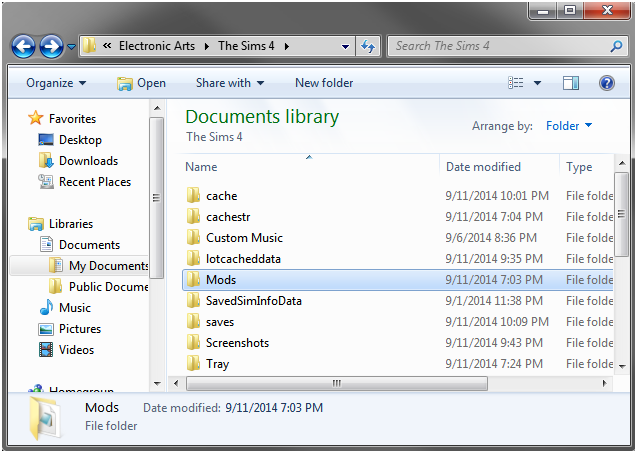
2. Unzip the file and then directly drag and drop them into the folder named as “Mods“, which is located in the Sims-4 folder (navigate to Documents > Electronic Arts > The Sims 4 > Mods to locate).

Well, that is it, and you will have your mods. Just remember that downloading few mods might get complex so don’t forget to install the manual for that. The developers already test most mods, and they are safe to use, but avoid using 3rd party mods as they might are not safe for the system.

Benefits of using Sims 4 Mods:

Well, there are numerous benefits of adopting the new Sims 4 and leaving behind the old trends. Few of the benefits can be like:

  • There are various new mods available in the Sims 4.
  • The Sims 4 has new and developed technology used in it.
  • The Sims 4 has better features than the Sims 2&3.
  • It is easy to install and use the mods in Sims 4.

Best Sims 4 Mods List

So, now let’s get to look at the top ten Sims 4 mods that can actually and utterly enhance your Sims 4 gaming experience.

1. Harry Potter mod pack

Well, let’s give some treat to the Harry Potter fans with the Harry Potter mod pack which indeed takes you to the magical works of Harry Potter.

Special Modifications-

  1. The mod has 4 custom traits to acknowledge the magic of Harry Potter world, which further has 10 buffs which will enhance the game play even more. All the buffs are dedicated to the different Harry Potter themes, like spells, potions, and much more.
  2. You will find a Gryffindor Sim might be going about his day and suddenly be splinted! Causing a,’+1′ tense mood. Moreover, your HufflepuffSim will get a ‘+2’inspired mood for being outside—which is perfect for gardening.
  3. Sims is loaded with plenty of Hogwarts traits to enhance the buffs.
  4. The mod has other cool features such as, Get Together icons based on things from Harry Potter like the Hogwarts houses, the dark mark, deathly Hallows symbol, etc.
  5. It also has a name replacement mod, which is a townie and would replace all the surnames used in the game with names taken from the Harry Potter universe such as ‘Weasley,’ ‘Lovegood,’ ‘ ‘Black,’ ‘Potter,’ And much more
  6. There are 444 replacement names in total.

2. Daily Save mod pack

Well, if you are a regular kind of player and always forget to save the daily progress of yourgame and have even lost your progresssome times, then my friend go for this Daily Save Mod pack.

Special Modifications-

  1. This mod pack will automatically save your daily progress and is highly useful for forgetful persons like me.
  2. The Sims 4 has only one slot that means it is hard to track down the mistakes if you do nothavea slight change in the game. So, here this Daily save mod pack will be the significant advantage for the players as it automatically saves your game at a set time every day.
  3. You can cycle between seven separate slots to ensure this, and you have plenty of backups in case anything goes awry.

3. Teen Careers for All Ages

Well, this is the way of earning some quick bucks with the Teen career Sims 4 mod. This mod lets teens do full time and part time jobs. Through this mod, players can earn some money while playing the game, Plastibox recommends this mod and has developed it for core gamers.

Special Modifications-

  1. Sometimes full-time job does not suit the player, and they can earn some money from part time odd jobs until their art does not pay off.
  2. In this mod player can adopt the role of child care, food service and manual labouris a perfect fit for gamers, regardless of their age.
  3. With this mod in your Sims 4 you can enable a much convenient and more productive game play, but overall it is cool to have this mod to add more to the already existing options.

4. MoveObjectsOn Cheat

It looks like EA has re-introduced the “MoveObjectsOn Cheat mod” in the Sims 4 also. This mod has been a great friend to the decorator and builders in the Sims 3.

Special Modifications-

  1. This mod hasallowed players to insert things in a world closer than the game itself allowed, and it was generally used to make rooms feel less spread out and cozier.
  2. This chest has been received open handily by the Sims player. The user can enter the “bb.moveobjects” to the cheat console (Ctrl+Shift+C), and you will be good to go even without this mod installed.
  3. This mod is very nice to move things in the game and explore the every little corner of it. The twisted mix recommends this mod and folks love this moving object mod of Sims 4 to end.

5. Event Mods

Okay, so with the Sims 4 you can do so much other things, then why to stick with the old boring games. As with the event mod in the Sims 4, you can create numerous events, apart from birthdays, wedding and house parties. You can do the following cool mods-

Special Modifications-

  1. You can create the baby shower event for the pregnant mod.
  2. If you are a teenager, then create fabulous prom of your dreams with this event mod.
  3. You can also create graduation parties, bachelor party and a slumber party for the kids.
  4. This mod has few new goals, rewards, and conversations to make it even more enjoyable. So, this mod is perfect to plan your next happening event.

6. Hijab Scarf by LumiaLover

Wearing a scarf or specifically, Hijab has been stapled as a dress code for the numerous people, and they even respect it to such extents that they requested to create a mod for Hijab, and one developer paid attention to adding this feature in Sims 4. Moreover, now you can find and install this mod in your Sims 4 known as the “the Hijab Scarf by Lumia Lover.”

Special Modifications-

  1. Through this mod, the player can wear the hijab scarf while playing career modes.
  2. It adds new kind of personal touch to the character of the player. So, it is a cool addition to Sims 4.
  3. You can choose from various colours which are pre-installed in the mod itself.
  4. You can also change the color of your Hijab based on the dress you choose to wear which is very realistic for gamers.

7. Custom Food Interactions

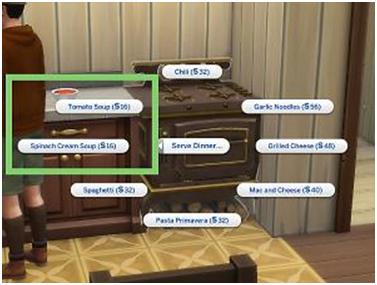
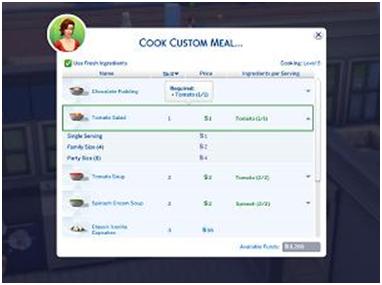
If you get little hungry while playing the game then what better way to fulfil your needs, then to add food items to the game. So, this Sims 4 tool allows users to add food items while playing the game which is very interesting for gamers.

Special Modifications-

  1. You can add items like bread, mini pizzas, and much more to the already running game, and makes it a more realistic experience for the players.
  2. This is very nice addition to your already Sims 4 mods collection
  3. You can also cook custom meals, which can be anything even your favorite kitchen dish.

8. Custom Careers

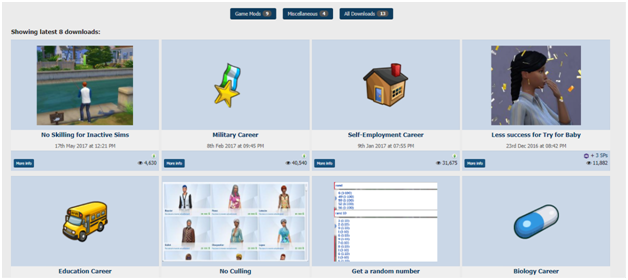
Choice your own dynamic career paths with the Sims 4 different career mods and change your career daily like you change the clothes daily. Be creative and adopt different careers daily to satisfy your all fantasies.

Special Modifications-

  1. Neia is the one behind the creation of two custom careers- Biology and Education which are distinct and new in nature for most players.
  2. The Biology Career includes four tracks (Pharmacy, Clinical Research, Pharmaceutical Industry, and Genetic).
  3. The Educational Career includes three new tracks: Teaching, Library, and Administration.
  4. You can also be a fashion designer with the three branches: Model, Designer, and Fashion Journalists. So, it is time to go little crazy with your career paths.

9. Expanded Sliders

This is a very popular and funny Sims 4 mod with which you can add muscles and sharpen the look of your character.

Special Modifications-

  1. Players can add fat to their character at their will.
  2. They can make them lean which is a very cool way to get your desired physical features without even paying any visit to the gym.
  3. You can also make your character muscular and physically attractive which is a pick for boys, who desire a muscular physique. So, you definitely need to get this mod if you want such modifications.

10. No Fountain Broken Toilets, No Emotional Poop Text, and Lowered Poop Threshold

This is actually a really stupid and funny Sims 4 mod, and DrChillgood has created this modin order to make players laugh.Below are itsodd features-

Special Modifications-

  1. This mod allows Sims 4 players to use an otherwise broken toilet to avoid wetting themselves in public.
  2. Well, this just a simple toilet malfunction mod, but when your game’s character tries to repair it, lookscool.
  3. You can add this mod for adding instant fun and enjoyment to your game.

Conclusion:

So, here you go with the “10 best Sims 4 mods” that would definitely enhance your gaming experience and will help you enlighten a real world of games. So, download these cool Sims 4 mods and add a realistic and joyful touch with Sims virtual world. Happy Modding!

The Best SIMS 2 MODS

0

Video games open whole new world of entertainment. The concept of virtual life on video games is not new. It lets you simulate real life things in a game. It can be a fun activity in your leisure time. There are many video games that let you play virtual life games. SIMS is one of the most popular games of real-life simulation.

SIMS 2 was released in 2004 with many upgrades in the original version. Although more versions have been released after this it is still popular among the fans. The game can be made more realistic and feature-rich by adding mods to it. Here are some of the best SIMS 2 MODS that you can use.

Also, See: 

SIMS 2 Mods enables the player to add various features to the game to make it more interesting. There are mods available for character customization, cloths, map changes etc.

How to Install SIMS 2 Mods

If you want to make your SIMS 2 more intriguing here is the procedure to install mods on SIMS 2.

  1. Download the MOD file from a genuine source
  2. It will be downloaded in Zip format, extract it into any folder
  3. Open the folder where SIMS 2 is installed, there you will find the download folder, open it
  4. Copy and paste the files here
  5. Double click on the file with.SIMS2PACK extension
  6. A new window will open asking you for installation
  7. That’s it, open the game and you will see the new mod features

Best SIMS 2 MODS List

1. Autonomous Casual Romance

This mod lets your Sim perform several things that are not available in the normal game. You can use it to share gender preference and different emotional levels. Sims can autonomously interact with new people flirt and have a casual relationship. This mod will make your game more unpredictable and fun to play.

2. CEP

CEP MOD allows to recolor objects which do not allow color changes. It also opens the feature to adopt a child. It adds a lot of customization options to the game and makes it more interesting.

3. Enlarge That Text!

The message and notifications in the SIMS 2 are very small to really easily. So this mod makes notification text appear bigger and more readable. the user can read the messages that pop up even on a small size monitor.

4. Vintage Travel Posters

The eight travel posters are of Simlish for the Sim, who just loves to travel and picked all of them. You may find hardly 2 posters similar to Sims 3 but that is just coincidence.

5. LAKES – Beach Hotel

Relaxing holidays for sims and partners at a place near the beach. The model consists of a little beach hotel which has just 3 guest rooms which price is between 900 to 900 simoleons or each day. The overall accommodation has romantic as well as the relaxing scenario. It includes everything which a relaxing holiday includes.

6. Candles-Decoratives

The mode contains candles from TS4. The four festive candle’s flame just not light up also glow up nicely. Moreover, it is complemented by greenery. Candles are in the best decoratives from TS4 and thus, loving this mode is so obvious.

7. Beginning Hoods as Semi Stealth Hoods

The beginning Hood mod has seen many changes. It was converted to Shopping District sub-hoods to it has its third part has Semi-hood Stealth Templates. From beginning hood to now changes are not major, just now you’ve to manually add family bins.

8. The Shelley Bungalow

It is the mod created for the Sim to enjoy the summer vacation at a luxurious bungalow “The Shelley Bungalow” which has two good bedrooms and a landscape view garden for breakfast with enormous plants in the garden.

9.Default Replacements

The molded Selection is an additional subset. This works as a replacement for the mods product and covert the seat more glossy and comfortable to sit. Any color can go for the seat but when it comes to frame you cannot change colors.

10. Rodney House – Round 2

Rodney House is again a house of budget 35k around. It has two foundations and in functions for the Sims who love partying with their friends. It is followed up by rules and regulations when it comes to decorate the house or do anything within its arena.

11. Community- Bon Voyage Travel Agency

So here is the travel agency for the Sims as everyone the needs vacation from the tiring routine, so here the travel agency which will assist you, the bon voyage travel agency. No matter what budget you will follow up, the travel experts from Bonvoyage have all plans. Economical, astronomical, the company will serve you good.

12. Chadon Beach Villa

The little beach Villa is another great destination for the vacation of Sims. It has one bedroom, two bathrooms, sunken living rooms, pool in outdoor to enjoy. Properly built as a great honeymoon destination.

13. Global Mods- Realistic sized muffin

In the global mode, with default replacements, You’ll witness a muffin is getting oversized when you put in inside the oven then get back to original shape. The muffin in both the sizes carries the same amount of calories.

14. Yellow House in Two Versions

It is yet another house which you can purchase at the cost of 19996$. So this gives you the chance to earn money. the mod has some cheaper floors and walls, you can get the job and sell things for money. The house contains 3 bedrooms and 2 bathrooms in which 2 bedrooms are fully unfurnished. One can use them for other purposes also.

15. The Hub > Disco “The Center of the Universe”

As you’ll roll in the rapidly, you’ll see things expanding, There you’ll see high-rise buildings, residency, Living place, Work Place etc. But what when you’ll find no place for music and dance with lots of booze in your virtual life. To complete this space. The mods have been added as the hub in the center of the universe.

16.  Pet Objects-Dog House

The set of dog house could be colored according to your choice and preferences in 16 custom wood collections. Your virtual world will no less than the real world, You can enjoy each flick of it easily and step by step.

Wrapping Up

The above given are 16 mods from Sims 2 which gives you the utmost pleasure. The mods are not limited to just 16, you can have enormous modes with subcategories in it. Enjoy playing Sims 2.