Blog Page 101

How to Increase ram in Android Mobile phone using SD Card ?

Today i am introducing a way to increase ram in Android Mobile phone using SD Card. Android which is the best mobile OS till now and already got a big mark with its feature and increasing number of smart phones based on Android. About 75% smart phone in the world are based on Android. And also there is increase of heavy application that require more Ram. So, either change the phone or use this method to increase RAM of Android phone.
There is large Android phone range from 4000 Rs to 40000 Rs. The difference in range is due to their hardware otherwise you can find a same Android version on a 4000 Rs mobile that a 40000 Rs Smart phone is using. This is because Google Android is Open source and is free.

Must Check: Top Android Phone under 10000 in INDIA

The major problem with these Android phone is they stuck and main reason behind is low internal memory or RAM. If you run too many application at the same time your phone will freeze due to less ram. So here i will tell you How to increase ram in Android phone or increase internal memory of Android phone using SD card.
how to increase ram in android mobile using SD Card

This difference in hardware can greatly affect your phone, you can not use bigger size apps, and can not play heavy games or you can not run multiple application at the same time or the hanging problem and many more. But everyone can not afford the high range phones. And majority of this problem is due to the processor and the ram size.

Is there any solution to these problems ?

Yes, one can increase ram in android phone. This may certainly help you to play some heavy game and may run many application at same time. But its not the perfect solution as things depends on your processor and other hardware also. But increasing ram can help you a lot and is very easy and cheap to increase ram in Android Smart Phone.

Also Read: Increase Internal Memory of Phone using Memory card

How To Increase Ram In Android Mobile Phone using SD Card ?

Increasing ram does not mean that you are internally adding some hardware to your Android device. Its not possible for a normal man to alter the hardware of Android phone so as to increase its Ram. Its been risky and one need to be professional to change the hardware. And also manufacturer has some guidelines for this.

But don’t worry there is some simple way to increase ram in Android, you just need to follow the instruction. And you can easily increase your ram in maximum 10-15 minutes. Using this method or trick you can increase your ram upto 4 GB.

Must Check: Increase Android Internet Download Speed

How To Increase Ram In Android Mobile Phone / Tablet

There are two methods by which you can boost or Increase RAM in Android Phone. First method needs some application, there are both Premium and Free Applications on Android Market or Play Store. You can download them and can easily increase ram of your Android Device.

Second Method is Manual Method, you need to do certain Task Manually to increase Ram in Android Phone.

Method 1: How to increase ram in Android Mobile using App

ROEHSOFT RAM Expander (SWAP) (Premium App)

Ram Expander is an awesome app that will increase Ram of your Android Device by converting a Part of SD Card Memory into RAM. That is your SD Card will now be used as a Virtual Ram for your Android Device.

Features

Free SD card memory as a RAM use (SWAP RAM / SWAP MEMORY)
– Swapfile RAM expansion up to 4.0 GB (file system limit)
– No limit on SWAP partition!
– The usual performance degradation when paged not occur with sd card from class-8
– Widget for PNP swap (swap on / off swap)
– Detailed Memory Information & Analysis
– Autorun
– Swappiness kernel parameter set
– Easy foolproof use (1 click optimization and automatic calculation)
– Supporting Tung all Android devices (root access and Kernelswap support)

How to Use RAM Expander to Increase RAM in Android Smart Phone

Before buying this app you must check the compatibility of this app with your device. Try this testing app MemoryInfo & Swapfile Check before you buy RAM Ex-pander. Whether Your device is compatible with ROEHSOFT RAM Expander.

  • If your device is Compatible, then Buy and Download this RAM Expander.
  • After installing it chose your language.
  • Now Create a SWAP File by clicking Swap Active and Enable it.
  • After you finish with this just click on the Grey Box and Activate SWAP

And you are successfully increased Ram of your Android device.

Free Method

Manual Method to increase ram in Android Smart Phone

You just need to follow these steps to increase RAM of your android device.

Requirements to increase ram in Android Smart Phone

  • SD Card of Class 4 or Higher.
  • Rooted Android Smart Phone or tablet. (To Root Any Android Phone check How to Root)
  • Windows Pc
  • SD Card Reader
  • And some Software

Note: To increase your Ram, Your phone must be rooted. To root any android phone check Rooting Guide.

[color-box] Must Check: Increase RAM in Android without Rooting Your Phone [/color-box]

Step 1: Check whether your Android phone support swapping or not :

Note: To convert your SD Card into Ram, you phone need to support Swap function. To check this download Swap Check application. Try this testing app MemoryInfo & Swapfile Check.

If your device support Swap function then proceed with Step 2

Step 2: Now you need to partition your SD Card.

  • For this Google Mini Tool partition and Download it on your Windows PC.
  • Now Connect your SD Card to your PC. You can use Card Reader for this.
  • Now open Mini Tool Application and click on your SD card and Select the Delete Option.
  • This action will Format your Card and now you have an unallocated Space.
  • Now Make partition by right clicking on your SD card. Select the partition as primary and file system as FAT 32 for card more than 4GB.
  • Leave about 1 GB memory for next partition.
  • Then select done and again click on make partition option select primary partition but change the file system to EXT2, EXT3 or EXT4.
  • Click on apply changes and after processing for few minutes your partition is completed.


Step 3: Root Your Android Device

  • Now you need to Download and install Link2SD.
  • Launch this app and give root permission. Now Chose the .ext partition that we made earlier.
  • Sorts the app and start linking them.

Step 4: Increasing RAM of your Android Device

  • For this you need to Download Swapper for Root.
  • Launch the app and select the amount of RAM you want to increase.
  • This will create a .swp file and it will increase the RAM of your Android Device.
[color-box]

Must Check: Increase RAM in Android using Swapper 2 [/color-box]

Now Check for your Ram Size. It must have increased by the amount you selected.

Other Free Apps to Boost RAM

If you don’t want to waste money on buying this premium app. There are hundreds of free apps that also claim to increase or boost the Ram of Android Device by optimizing RAM of your Android Device. Here i am listing few tested and verified apps to increase ram in android.

Smart RAM Booster : Free app to increase Ram in Android

increase ram in androidIts the most popular app to optimize RAM of your Android device. It Works by Killing the Low priority Processes or by Allocating Memory for High Priority Tasks. It is very light weight and very small app with a great user interface and is come with four different modes: Aggressive, strong, medium and gentle.

Download Smart RAM Booster

Memory Booster : Free app to increase Ram in Android

increase ram in androidIt is another popular app to optimize the Ram of your Android Device and is available in both free and premium version. Easy to use app with great user interface. It optimize the memory of your Android device by De-fragmenting Your Memory or by Preventing Memory leaks caused by different Applications

Download Memory Booster

That’s it, you have successfully increase ram in Android Smart phone. But if you still have any problem regarding this. You can ask it in comments.

Get the latest Loot offer to your Whatsapp or Join our Facebook Loot Offer Group.

Link: https://www.facebook.com/groups/411763222351390/

Get All updates On Whatsapp : 8104846925 [Save This number As TechnoFiziAnd Send a message with your Name]
Download Lenovo PC Suite Software & USB Drivers for Windows 8,8.1,7, XP

0
Lenovo PC suite Download

Lenovo is one of the most popular and famous mobile company in china. Now a day’s everyone start using Lenovo mobiles. Because Lenovo mobiles are more comfort and you can get within low budget of money. Lenovo recenly launched new models like, Lenovo A6000 plus, Lenovo 7000, Lenovo K3 note and Vibe . Here I will explain you how to download Lenovo Pc suite. This process can be done when suitable PC is available and proper USB driver. By using USB drivers we can access into Smartphone very easy manner. If you connect the pc through USB drivers then it’s a very easy to transfer any data or files. Here I am providing Lenovo PC suite Download link for all devices.

lenovo PC Suite download for freeAlso Check :

How to Download Lenovo PC suite and USB Drivers for Windows

Lenovo has been provided Lenovo mobile assistant through USB drivers for itself. Even this feature is available on all Lenovo Mobiles. Here I will give you full information about downloading Lenovo pc suite and Lenovo mobile USB drivers for windows. Just follow the below instructions to download Lenovo mobile PC suite for free.

Lenovo PC Suite Free Download

Lenovo Smart Assistance is the PC suite for Lenovo Mobiles. You can directly download it from Lenovo Official Website.

  • Connect Your Lenovo Mobile to PC via USB. Now go to MY computer and you will find a extra disk. Install Lenovo PC suite from there.

lenovo pc suite

  • If you did not find the Lenovo Suite from above method then Just Go to Lenovo PC Suite Download Link here.

Download Lenovo PC Suite

lenovo pc suite download

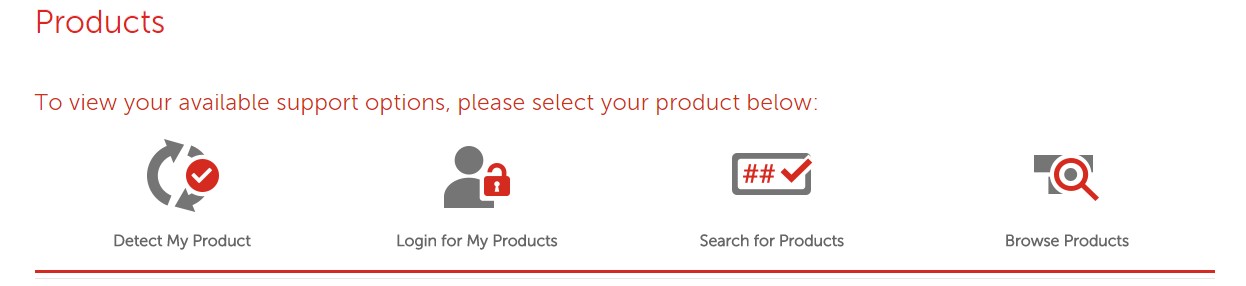
  • Now Click on Browse Device option.

lenovo mobile smartphone downloads

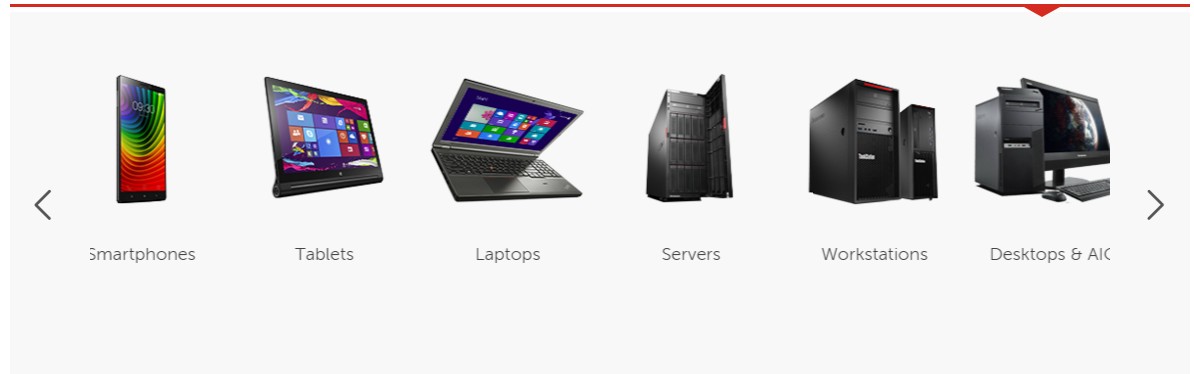
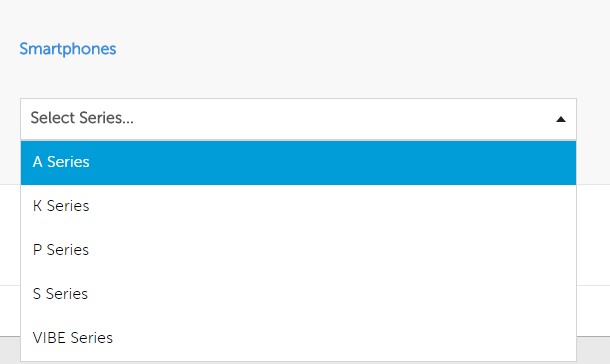
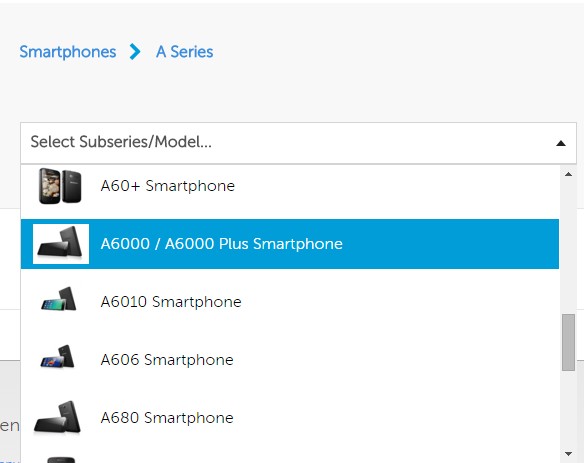
  • Select Smartphone and then select your device series and Model.

lenovo smartphone series

select lenovo mobile model

  • Now it will redirect you to all drivers and Downloads compatible for your device.

lenovo smart assistance pc suite download

  • Now scroll down and download Lenovo Smart assistance for your PC.

That’s it its that easy to Download Lenovo PC suite.The size of software is 5.7MB now you can connect to your Lenovo phone to pc. This software is suitable for windows 8(32 bit), windows 8(64bit), windows 7(32 bit), windows 7(64bit), windows 8.1(32bit), windows 8.1(64bit), windows XP (32 bit), windows XP (64bit).


Beside the Pc suite , a Lenovo Companion for mobile is also available on Play store. You can also install it in your device that will help you in any type of query related to your Lenovo Smartphone.

Also Check :

How to Use Lenovo Pc Suite

  • First you need to download and install the Lenovo Smart mobile assistant.
  • While doing this process you need to disconnect the PC connection then start installing Lenovo mobile assistant.

connect lenovo pc suite to pc

  • Now connect Lenovo smart phone to pc through USB
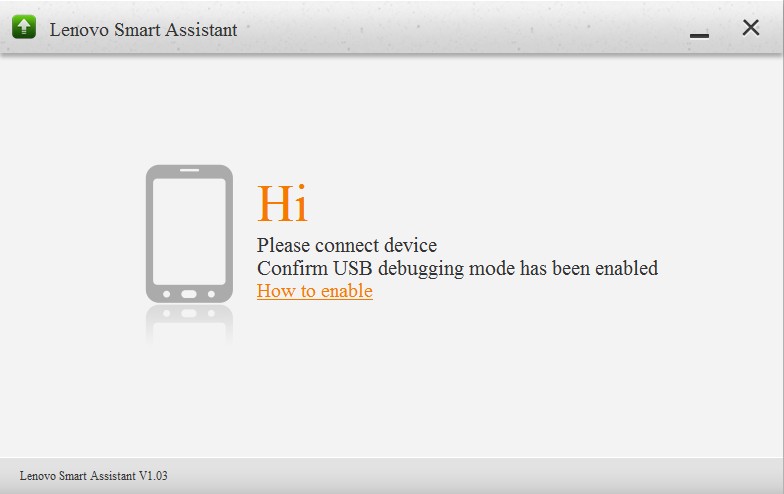
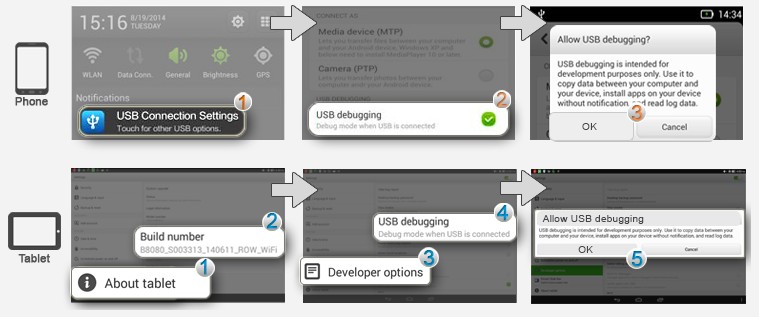
  • Run Lenovo Smart assistance, enable USB debugging in mobile. Go to settings>>USB >>Enable USB debugging.

enable lenovo mobile usb device

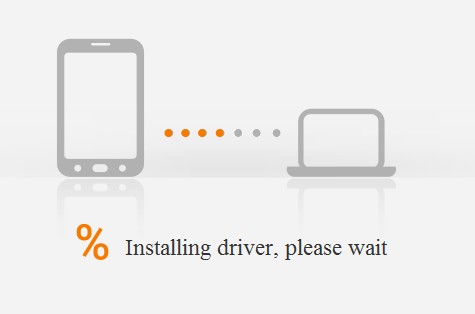
  • Now it will automatically install Lenovo USB drivers.

lenovo usb driver installation

  • Now you can view your photos, videos, contacts, files and everything use from the Lenovo Pc suit mobile assistant.

All Lenovo Mobile PC Suite Download

Lenovo A6000 Plus Pc Suite Download
Lenovo A7000 Plus Pc Suite Download
Lenovo K3 Note Pc Suite Download
Lenovo S580 PC Suite download
Lenovo Sisley PC Suite download
Lenovo P700i PC Suite download
Lenovo A60 PC Suite download
Lenovo S750 PC Suite download
Lenovo A660 PC Suite download
Lenovo A60+ PC Suite download
Lenovo A830 PC Suite download
Lenovo A630 PC Suite download
Lenovo K800 PC Suite download
Lenovo A789 PC Suite download
Lenovo A65 PC Suite download
Lenovo LePhone S2 PC Suite download
Lenovo LePad S2005 PC Suite download
Lenovo A606 PC Suite download
Lenovo Yoga Tablet 2 Pro PC Suite download
Lenovo Yoga Tablet 2 10.1 PC Suite download
Lenovo Yoga Tablet 2 8.0 PC Suite download
Lenovo Tab S8 PC Suite download
Lenovo Vibe X2 PC Suite download
Lenovo Vibe Z2 Pro PC Suite download
Lenovo S850 PC Suite download
Lenovo A536 PC Suite download
Lenovo S660 PC Suite download
Lenovo A369i PC Suite download
Lenovo S860 PC Suite download
Lenovo Vibe X S960 PC Suite download
Lenovo Vibe X2 PC Suite download
Lenovo Golden Warrior A8 PC Suite download
Lenovo A850 PC Suite download
Lenovo Vibe Z K910 PC Suite download
Lenovo P780 PC Suite download
Lenovo K900 PC Suite download
Lenovo A526 PC Suite download
Lenovo S920 PC Suite download
Lenovo Vibe Z2 PC Suite download
Lenovo S930 PC Suite download
Lenovo A316i PC Suite download
Lenovo S650 PC Suite download
Lenovo A680 PC Suite download
Lenovo S820 PC Suite download
Lenovo A516 PC Suite download
Lenovo A390 PC Suite download
Lenovo Golden Warrior S8 PC Suite download
Lenovo A269i PC Suite download
Lenovo A859 PC Suite download
Lenovo Tab 2 A7-30 PC Suite download
Lenovo Tab 2 A7-10 PC Suite download
Lenovo A6000 PC Suite download
Lenovo P90 PC Suite download
Lenovo Vibe X2 Pro PC Suite download
Lenovo K3 PC Suite download
Lenovo Golden Warrior Note 8 PC Suite download
Lenovo A916 PC Suite download
Lenovo A319 PC Suite download
Lenovo S856 PC Suite download
Lenovo S939 PC Suite download
Lenovo A850+ PC Suite download
Lenovo A889 PC Suite download
Lenovo A706 PC Suite download
Lenovo S890 PC Suite download
Lenovo A880 PC Suite download
Lenovo A328 PC Suite download
Lenovo S880 PC Suite download
Lenovo S560 PC Suite download
Lenovo S720 PC Suite download
Lenovo P770 PC Suite download
Lenovo A690 PC Suite download
Lenovo A800 PC Suite download
Lenovo K860 PC Suite download
Lenovo A820 PC Suite download

Now you can easily download lenovo mobile assistant. By using this software you can connect your mobile to windows PC. Just Use the above method for Lenovo PC Suite download and guide to connect Lenovo mobile to PC.

TikTok Apk Download for Android and iPhone

0

The most popular video sharing app Tik Tok ( Known as Douyin in China ) is no longer available for India on the Google Play store and Apple App store. Tik Tok is a video-sharing app of a Chinese Internet company ByteDance finally removed by Respected App Stores after high court ban. According to a report of MEIT, If users already have the app installed on their devices they can continue to use it as of now. However, Tik Tok app is still available for download on third-party app stores.

How to Download and Install TikTok App

Google and Apple have removed the Chinese app Tik Tok from their app stores. It may be bad news for Tik Tok lovers, but if you are an existing user of TikTok and already have installed the app on your device then you don’t need to worry you can use it as of now.

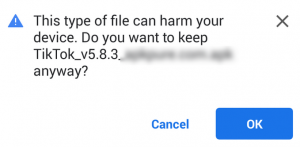
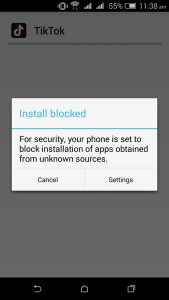
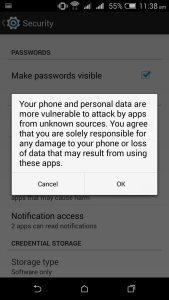
If you are a new user of Tik Tok and want to download it then it may be a problem for you because the Play Store and App Store don’t allow this app to download in India. But you can download this app from third-party App Stores and install this app on your device. Remember If you are downloading an application from third-party apps then you have to allow ‘Unknown Sources Application’ for your phone.

How to Download and Install TikTok Apk Step By Step

Step 1: Click on below button to Download Tik Tok Apk.

Step 2: Now click ok to start downloading.

Step 3: Now open the apk file.

Step 4: After this, A popup will come on your phone screen. ( If not, then skip this step )

Click on the setting option

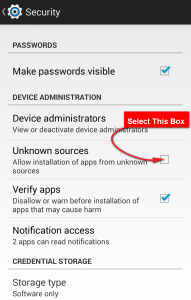
Now select the Unkown sources checkbox.

Now Click on Ok and go back.

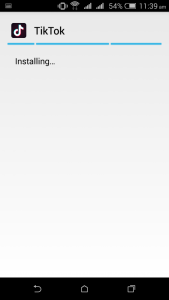
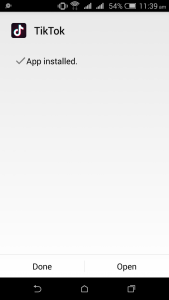
Step 5: Now Install Tik Tok App. It will start installing without any problem.

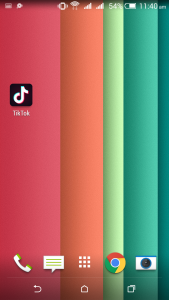
Wow, It’s Done.

What Is Tik Tok App

Tik Tok is a short video sharing app that allows users to create and share videos with special effects. Users can create lip-syncing, dancing and humorous videos on Tik Tok App. You can say that Tik Tok is a blank page and they allow users to write there anything. Tik Tok has not made any strict policy for creating videos.

Tik Tok claims that they have 500 million users worldwide and more than 120 million users in India. It means Tik Tok is a big rival of other social media sites.

In February 2019 an App Analytics Firm Sensor Tower reported that Tik Tok has more than 240 million downloads in India, and more than 30 million users installed Tik Tok app in January 2019.

How to Create Account On Tik Tok App

  • Open the App.
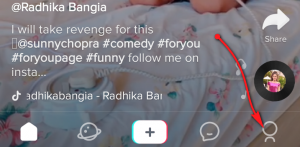
  • Now go to the Profile tab.
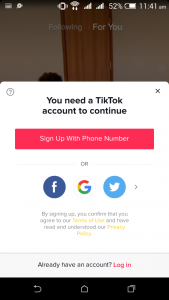
  • You can create a Tik Tok account with phone number and also with your social accounts like Facebook, Google, and Twitter.

If you want to signup with phone number then click on the big pink button.

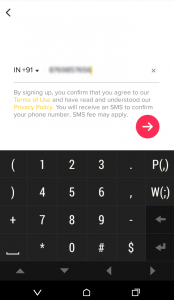
  • Now fill the phone number that you have available on your device.
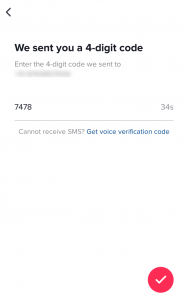
  • After this, you will receive an OTP number. Enter the OTP in the given box and click on the next button. (see image)
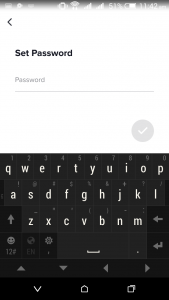
  • Now set a password for your Tik Tok account and click on the next button.

Now your account is ready for creating videos.

How To Use The Tik Tok App

If you are new on Tik Tok and don’t know how to use Tik Tok App then here is a simple guide for you.

  • Open the Tik Tok App
  • Now click on the  +  Button for creating videos.
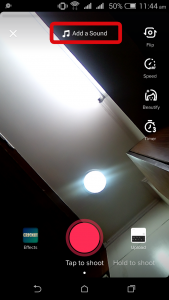
  • Now click on “Add a Sound” option if you want to add music in your Tik Tok video.
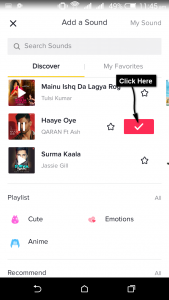
  • Now select music.
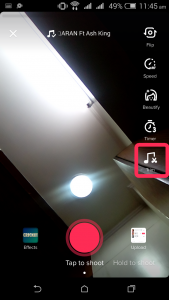
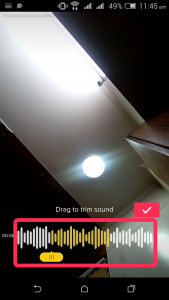
  • Now click on the trim button for choosing the starting point of music.
  • Now select a point from where you want to start music by default it will start from the beginning. You can adjust the starting of music by dragging the roller. (see image)
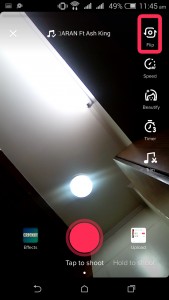
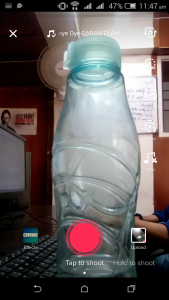
  • Tik Tok has two methods for recording videos By default it will give you Tap to Shoot Option but if you want to shoot your videos by holding your camera then click on the second option. I am using the Tap to Shoot option.
  • You can flip to your rear or front camera by clicking on the flip option.
  • Now point your camera at a subject and tap the Pink button for start recording.
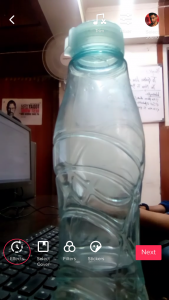
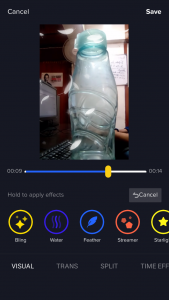
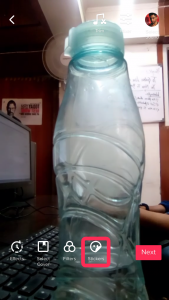
  • After recording the video you can add effects and filter and stickers in your created video. If you want to effect in it then click on the effect option.

After this, you will see a list of Effects select and hold the effect that you want to add in your video. Now click on the save button.

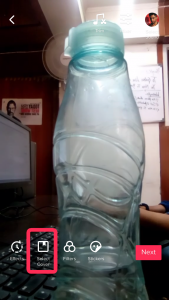
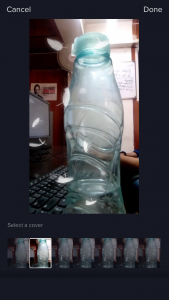
  • Now select a cover for your video. Click on the “select cover” option.

Now you will see some captured images of your video, select one that you want to choose for cover.

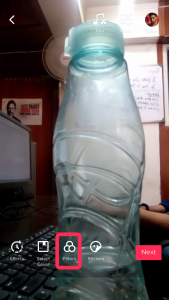
  • If you want to add filters then click on the Filters option and select a filter that you want to add.
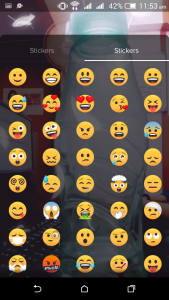
  • Now add some cool stickers in your video. Click on the sticker option and select a sticker that you want to add.
  • Now click on the next button.
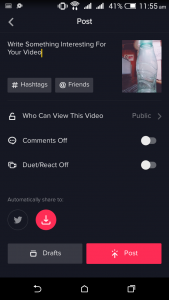
  • Write a short description of your video.
  • Change your privacy and choose who can watch and share your videos. You can change your privacy from the public to private and friends.
  • If you choose public then anyone can view your videos.
  • If you choose friends-only then only your Tik Tok friends will be able to watch your videos.
  • If you choose private then only you can watch your videos.
  • Now click on the Post button and post your video on Tik Tok. If you don’t want to post your video or want to share it on other social media sites and in your gallery then click on the Drafts button.
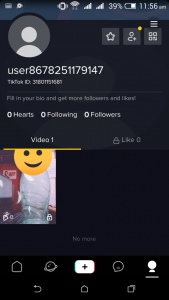
  • You can see your uploaded videos at your profile section.

Now you are ready to create a Tik Tok video.

What Happened With TikTok

On 3 April 2019 Madras Court asked the federal government to ban Tik Tok, saying it encouraged inappropriate content.

Bytedance challenged Madras court’s ban order in India’s supreme court and requested for a stay on the Madras court’s ban order. Bytedance saying that it went against Freedom of Speech Rights in India. On 16 April Supreme Court refused to stay the order passed by the Madras High Court of Tik Tok ban. The Government sent a letter to Google and Apple to follow the court orders and removing Tik Tok from their App stores. Google instantly blocked the downloads of Tik Tok app in India and Apple App Store also blocked it after some time.

Reason For TikTok Ban

Madras High Court has given a list of its reason for the ban. In this list, Madras high court expressed concern of availability of pornographic and inappropriate content. Madras High Court Says that by becoming addicted to these type apps and games children and youngsters are spoiling their future.

Is Using TikTok Will Be A Criminal Offence in India

No, you can still use the Tik Tok App if you have the app pre-installed your phone.

What Did TikTok Say’s

A TikTok spokesperson says that this is not a permanent ban, and it will not impact existing users. He said that “we welcome the decision of the Madras High Court. We have faith in the Indian judicial system” the spokesperson said.

Senior Advocate Abhishek Singhvi appearing for Bytedance said that the court did not even issue a notice and an order was passed without hearing them. The bench said that we are not closing the issue and the ban was just an interim order. The state court has scheduled the next hearing for this matter on 24 April.

How To Go Live On TikTok?

TikTok has recently gained a lot of popularity, thanks to its ability to help people make some amazing videos online. If you want to stay connected with your audience, going live is one of the best things that you can do. It can also help you receive donations as well as gifts. If you don’t know already, Tik Tok is an app that not just allows you to lip-sync music but also lets you create your interesting music videos or simple content online. You can use it to send messages too or create videos as well as live broadcasting. There are a variety of genres welcomed on Tik Tok. This includes dancing, comedy, acting, and drama.

Earlier we shared the method to download Tiktok videos. Now, if you are wondering how you can go live on TikTok, you will get your answer here!

Note: Download Tiktok apk after ban in India.

How To Go Live On TikTok?

In the update of 2018, some amazing new features were added to TikTok. Apart from enhancing the interface and making it more user-friendly, they also made additions that let you Go Live! Isn’t it exciting? Do you want the step-by-step answer to understand how to go live? So, here it is!

Step 1: As a first step, you need to open the Tik Tok app including the Musical.ly app on your smartphone or tablet.

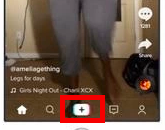
Step 2: Now, locate the button that says Plus +. You will find it on the bottom side of the screen.

Step 3: You will see the video screen open on the app. Once it is open, you will find the Live button that is next to the recording button. Click on it!

tik tok go live

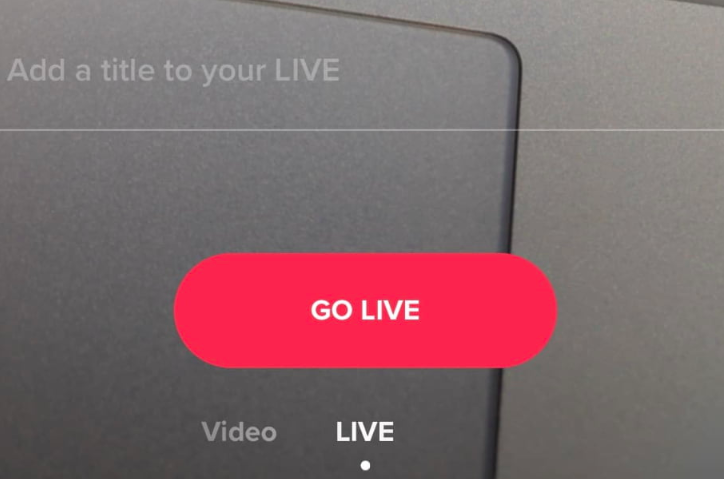
Step 4: Viola! It is ready to record you. Before you start, you can add an attractive title that will be highlighted on your live steam. Try to add some catchy words or phrases to catch the attention of people who are already online. This will give you a good number of audience.

Step 5: Once you are ready with your title, press the “Go Live” button, and you will be live immediately. Your live streaming starts as soon as you press this button.

In most cases, these steps should help you “Go Live.” However, if you are facing problems going living, these are some common fixes that might help you!

Why You are not Getting Go Live Button on Your Tik Tok App

  • Some source mentioned that to get the Go live button in Tiktok app, one need to have atleast 1000 fans. This might be one of the reason.
  • If you don’t see the ‘Go Live’ feature, you must note that the app is still in its testing phase so this feature is only available to some users only. You must ensure that you have downloaded the latest version of this app.
  • Some words are restricted in live videos, so you must watch out for words like follow duet, fan, donation, bff, follow, drama queen, etc. You can try using other words so that your ‘Go Live’ feature works well.
  • If the Live button is not visible on the screen, you should check if there is any audio recording going on in your device. The live button usually disappears from the screen in case of an audio recording. You must also make sure that instead of going to a song, you press the Plus+ button that is given on the bottom side of the screen. Then, you will see a video screen with the ‘Go Live’ option.
  • According to some reports, the Tik Tok app only allows 1000 fans who can go live at a single instance. So, that might also be the case. However, there are other reports which claim that this count is different depending on the country in which you re using this app.

Just make sure that these small issues are taken care off and you will be good to ‘Go Live’ on Tik Tok. It is an exciting feature, and a lot of people are trying it daily. The steps mentioned above walks you through the entire process of using this feature. Most likely, you will not face any issues while doing it.

Bottom Line

Hopefully, you have got all the information that you require to use the ‘Go Live’ feature on Tik Tok app. Just get the most updated version of this app and start your live video. So, when you are going live? Why don’t you start it now!

Top 5 Best vMware Alternative Virtual Machine Workstation

Our love for electronic gadgets such as computer as grown huge in last few years. And we, the humans are never satisfied with a single product. We get easily bored and then we want more. We are always ready to do experiments.

And in this general process, we created VMware Workstation. An awesome software which allows you to run multiple Operating systems on a single computer.

It’s very useful software for computer programmers who have to test many things in different environments or you can be a tech geek who likes to play with different Operating systems.

vmware alternatives

But like anything VMware Workstation is also not perfect. It comes with its own set of different problems and that’s why after trying it, many people start looking for an vMware Alternative. So today we have brought you a list of Best VMware Workstation Alternatives.

Top 5 VMware Alternatives

5. VMware Player

If you want VMware for personal uses then VMware Player is one of the best free alternative available. It allows you to mount and run VMs directly from a Windows or Linux desktop.

VMware Player

However, you cannot create new VMs from an ISO in VMware Player. It also has a plus version with enhanced features which requires a purchase.

4. Oracle VM VirtualBox

If you are a beginner and don’t have any experience with Virtual machines then Oracle VM VirtualBox is probably the best VMware Workstation Alternative to Start with.

Oracle VM VirtualBox

It’s a great application for lab testing. You can install it on Windows, OS X, Solaris, and Linux. The lacking features from VMware Player are also included. You can create new virtual machines from ISO or importing.

3. Parallels Virtuozzo Containers

Parallels Virtuozzo Containers is another good alternative to vMware. It requires a purchase of a license for using but you can get a free trial before you consider buying it.

Parallels Virtuozzo Containers

They have been in the business from quite some time now so I don’t think you’ll face any major problem with their software. It’s also used by many hosting companies for providing VPS or Virtual Private Servers.

2. XenServer

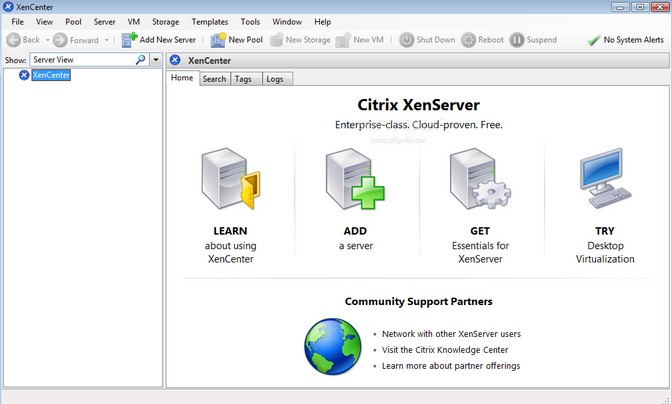
XenServer is a software offered by Citrix. Once connected with XenCenter, it can do many useful things such as live migration, HA and importing and exporting VMs to the cloud. The software is free but you can purchase a full support version too.

XenServer

XenServer is mainly a new version of XenSource. It was also a VMware created by Citrix. But they tried to sell it very hard and lost many customers in the process. Since then they have corrected their mistake and launched this open source software.

1. VMware ESXi

And finally the best. VMware ESXi is a software that does it all what you can expect from a VMware. It’s the best option for large enterprise virtual server deployments of Windows or Linux.

However, the price is a little high for this one. But don’t worry it’s worth it. There is a free version too but you should not expect much from the free version.

Most recently the company has announced that they will soon power Google’s Chrome virtual desktop cloud and provide access to Windows application.

So these were my favourite WMware Workstation alternatives. Which one of this are you thinking to use? Do you know any better software which you think should be included in the list? Tell us all in the comment box.

Top 5 Best Windows Movie Maker Alternative Video Editing Software

0

Windows Movie Maker is undoubtedly one of the simplest yet creative and functional video editing software. It is the perfect combination of simplicity as well as quality videos. Though it has its own kind of a level and stature, there are quite a number of alternatives to Movie maker which once can refer to.

movie maker alternative

Best Windows Movie Maker Alternative

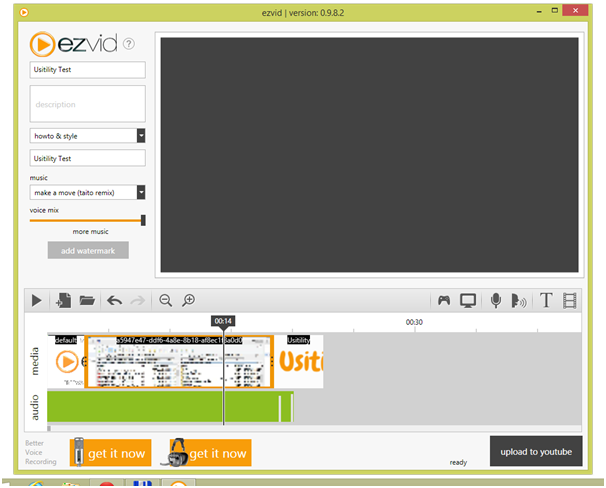
Ezvid

Ezvid
There is a reason why Ezvid tops the list of video editing softwares. It is simple and more importantly speedy. All you need to do is drop in all the media into the timeline and start with the edit. It allows you to bring videos together, supports recording, facecam and a variety of other tools which will only make your video better. Now you know why this is the best alternative to windows movie maker?

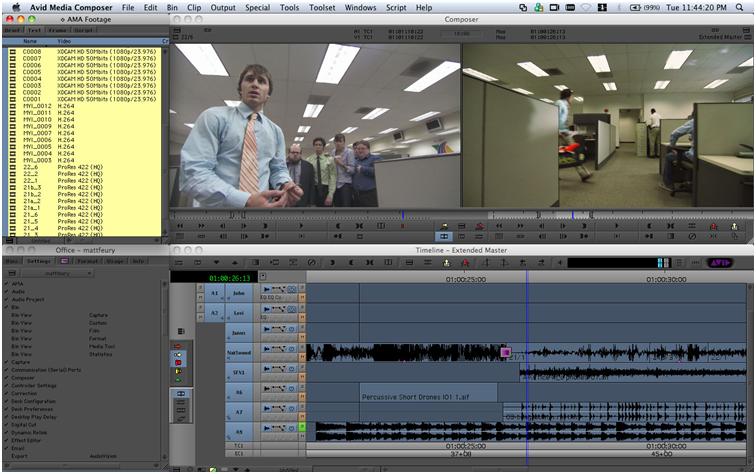
Avid Media Composer

Avid Media Composer Yet another cool video editor with some really great features; it has not only the basic video editing tools but also ad ons such as effect, screencasting and other options. This is an alternative to Movie maker for a reason.

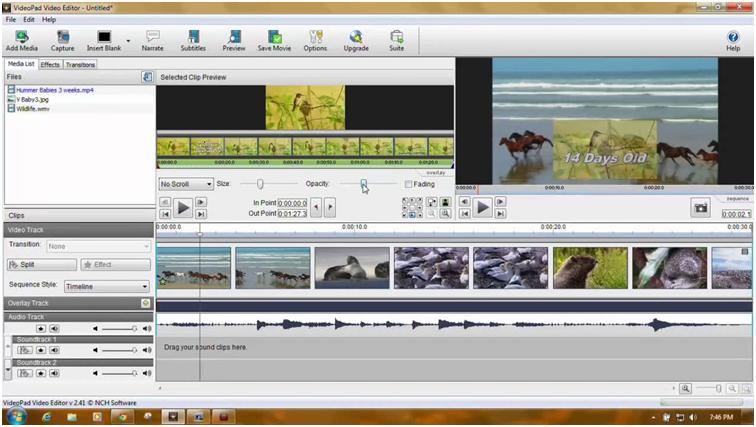
Videopad

Videopad

Videopad is a great movie maker alternative for amateurs and has certain limitations which other video movie makers don’t. Also, it does have additional benefits over the Windows Movie maker; be sure that this will be a great alternative to Windows Movie maker.

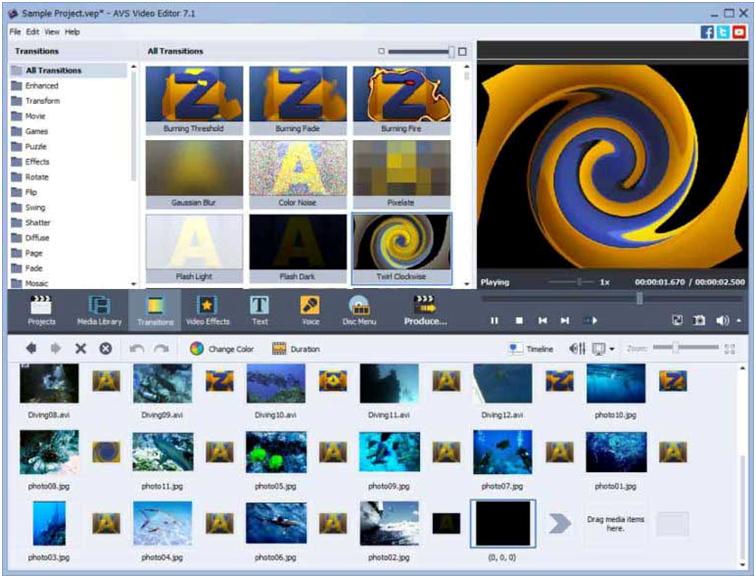
AVS Video Editor

AVS Video Editor
This is yet another video movie maker which can be a good alternative to Windows movie maker only if you are on a look out for something which isn’t very professional and allows you to work it up fast. The handling and functions are quite similar to Windows movie maker and it isn’t quite a task for user despite little knowledge of the app. It supports native formats and allows you to share videos directly on social websites.

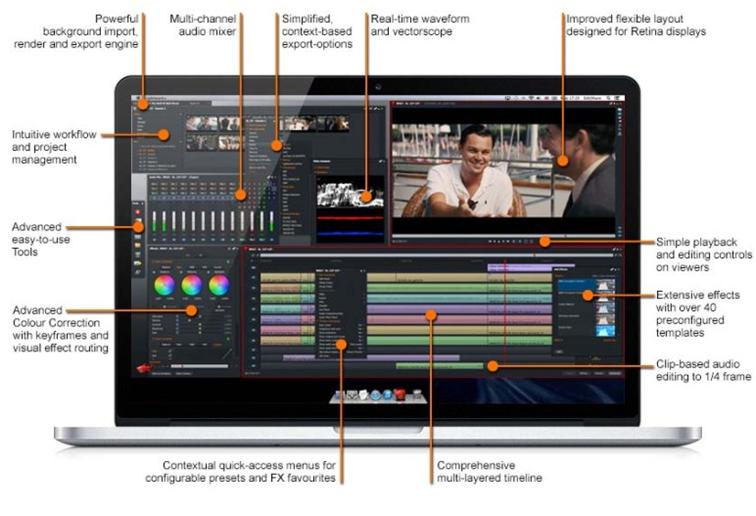
Lightworks 12

Lightworks 12
Lightworks 12 is a great alternative to Windows move maker but only it has a better and more professional approach towards video editing. There are two versions of this software, a paid and a free one with of course has its own set of features and limitations. It allows for a number of features such as a range of built in effects, web export features, background export and import of videos along with other customizable features. It is basically a perfect combination of a professional and user friendly video movie maker.

And these were the list of alternatives to Windows Movie maker! Along with the traditional movie making app, these list of video movie makers will only add up to the newness and possible experiments you could do with your movies!

Top 5 Quicken Alternatives Finance, Money Management App

Quicken has always been the most popular tool for personal money management. Nobody likes monopoly – everyonewants to have some options to choose from. Considering the Quicken alternative, the very first point that comes to our mind – Is there a problem, or is there something better? So the search of alternatives is always going on. Here are the top five alternatives to Quicken which can answer the above marked questions.

quicken alternative

Top 5 Quicken Alternatives

GNU cash

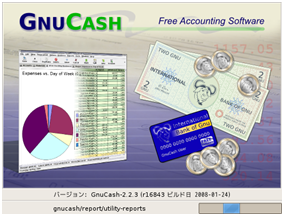
GNU cash is probably the closest alternative that you can get in the market for quicken. It serves both personal and small business requirements. With high level of customization, it gives you graphs and charts for double entry accounting and it’s completely free.

GNU cash

Money dance

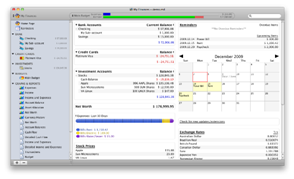
With investment support, graphs and generating helpful financial charts, Money Dance gives you the bill paying reminders which actually helps you to make a proper budget. You can input your information after linking your account and it provides you automatic updates. It supports apple OS X.

Money dance

GRISBI

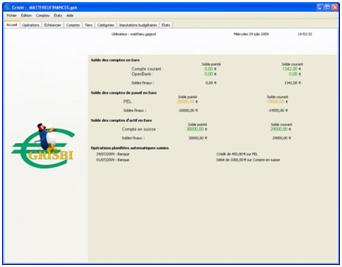
The best thing about GRISBI is that it is very simple and easy to use and you get all the tabs in a much organised manner. But simple doesn’t really mean that it has to be low on features which it is definitely not. The default currency used in this software is euros but you can always change it to many other currencies. It can automatically adjust the currency with the base value if it is supplied with the exchange rate. The report can be exported in HTML or CSV and you can even exported by making a clone of it to another machine.

GRISBI

You need a budget

If you’re looking for a software to make budgets for you, then YNAB is just the tool you need. It will give you living budget by taking guess work from budgeting. Although it doesn’t connect to a bank account and doesn’t provide you with complete automation but still you can schedule a transaction, if it is known to you.

You need a budget

Mint

If you are using Quicken for a long time and you think you are used to it, then thinking of a new software may not seem to be very comfortable for you. Mint is a software which is very similar to Quicken and probably be the easiest way to adjust your financials. If you link your accounts then MINT accumulates all your accounts in one place and then it tracks all of your financial life. Like other software, it also helps you to make your budget and moreover it helps you to pay your bills. And the best part is that it’s free.

Mint

To conclude, it is not a disaster of the situation when you get to know the news that there is no more Quicken, this may will be the most popular choice where it comes to managing your Finance but it is not the end of the road there are many more alternatives which may suit your personality. Many of these alternative Tools are free so you can try out some of them and find out which among them suits you.

Top 5 Best Google Play Store Alternatives to Download Android Apps

Google Play Store Alternative

Google play store App have millions of apps and download also. Every day new apps added to its database and install by the many people but this does not only play store where you can get apps. There are many other Alternative to Google Play Store App. Now how to install these app stores so that is not a big issue. All you have to go to your “phone setting” >> Scroll down “Security” >> Scroll down to “tick Unknown Sources To Allow Download“. There a lot of benefits to installing third party app like you can install those which are not available in our country, you have the choice, chances to discover something new and many paid apps are freely available on these stores.

google play store alternative

Other Alternatives Apps

5 Best Google Play Store Alternatives

As we told you the benefits and how to setup your phone for these apps now it’s time to take a look at the Google play Alternative.

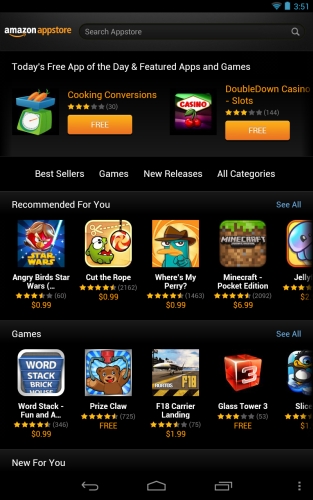
1. Amazon App Store

When it come to alternate to google play store the first choice of most of the people is Amazon App store. You can download millions of apps from here some of them are paid also. Some apps on this store are free which are paid on google play store.The user interface of amazon app store user-friendly and its look like google app store.

google play store app alternativeAll the apps in Amazon app store are well managed and categorized so you can list them for your convenience.

2. Get Jar

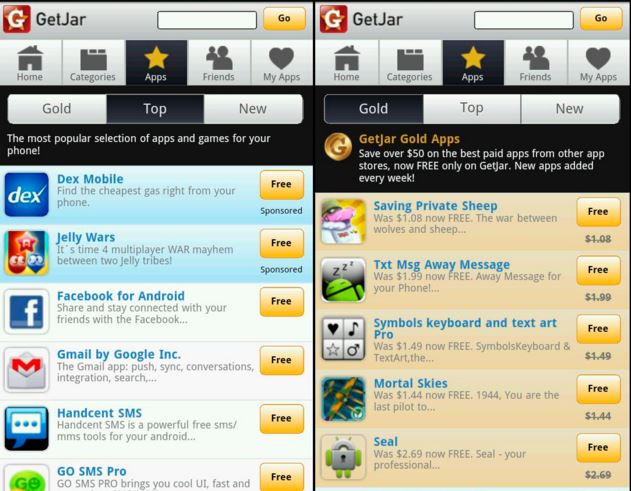
Get jar is also an alternative app to google play store. If you ever used Symbian or J2ME based mobile than you would be familiar to this. It is one of the oldest app store available on the internet. It is also cross-platform means this app available for apple, blackberry, and windows mobile also. You can download this app from the official website of the Get jar.

alternative google app store

It is very much similar to the website view.You can list the app and download them.

3. ApkMirror

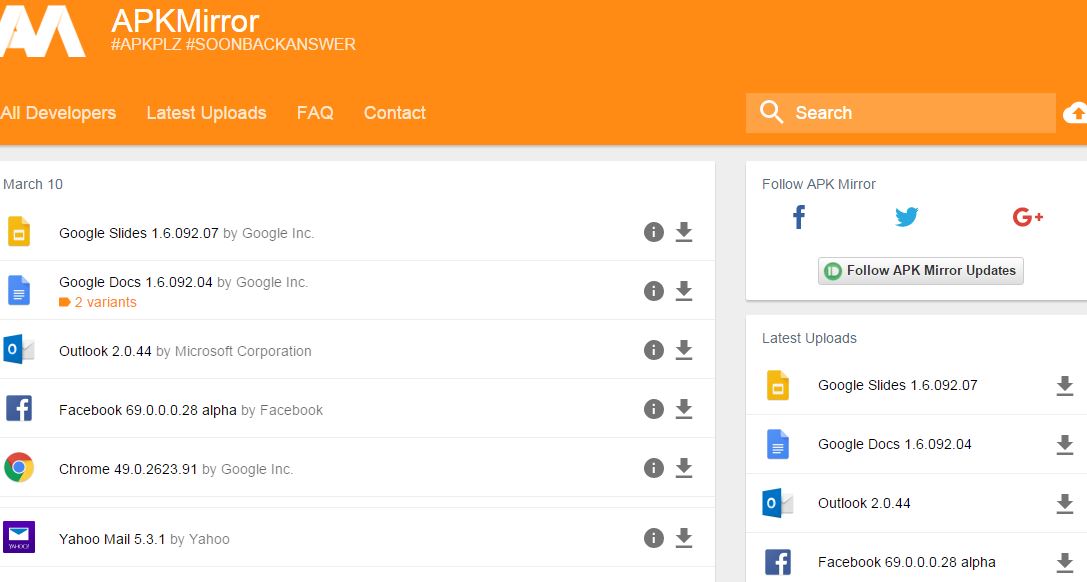
ApkMirror is one the best alternative app to google play store app.ApkMirror doesn’t have any official app so you have to download the apps from the website of ApkMirror. The website design is user-friendly, you won’t face any kind of difficulty to downloading the app. google play store alternative

They key feature of the site is you can also upload any app in free and if you want the previous version of any app also available here. There is also available all the updated version of all apps. You can search any app here and download.

4. AppBrain

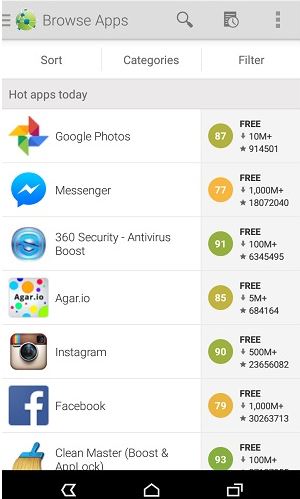
AppBrain is the destination of most of the premium apps in free. On google play store the some of the apps only available in paid version but here you can find those apps in free. If you download any app from ApBrain it would also update the app when a new version available, for download the app from here you need to create an account on AppBrain. After you sign in then you can download any app from here.

google app store alternative

5. Aptoide

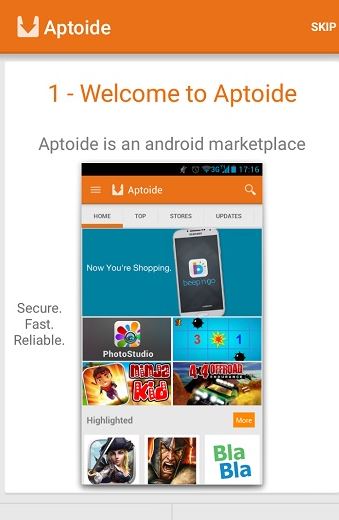
Aptoide is the best alternative to google play store. The user interface of this app store is unbeatable.The UI of this app designed according to google play store. All the apps are categorized and it will auto detect your previous installed apps.Some of the apps` are free also which are available on google play store as paid version.alternative to google play store appAlso Check :

These are the best Google Play Store Alternative. There are many other apps which can replace google play store but we added them who offer us security and user-friendly experience as google play store. You can try any of them, they all are genuine store and let’s knew which one suit you better and why also through the comment section.

5 Best Google Chrome Alternatives Web Browsers

Google Chrome Alternatives 

Here i am presenting one of the best web browser and Google chrome Alternatives. If you are using best web browser then everything work properly. That’s why we always want to choose best web browser. Here i am presenting few of them, I found out very impressive and interesting web browsers. They are fast, secure and simple. Even simple man can also operate these web browser. They have so many innovative features which will help you to come up with good results. These web browsers can support different platforms also, for larger screen to small screen. Here i will give you full information about best google chrome alternatives for web browser. Just have a look here.

Other Alternatives Apps

5 Best Google Chrome Alternative Web Browsers

Safari

Safari

Safari is most popular web browser in the list. It’s run more faster than Firefox and google chrome. It was developed by Apple company. It works fast and more efficient way. That’s why every one interested to use safari web browser on their device. It’s available for multiple platforms such as like windows, MAC, iphone, ipad, ipod, OS X and IOS mobiles. You may control on web browser privacy also. It has so many advance features which help you quickly access into favorite websites. Safari browser works on bases of i cloud that’s why it’s more fast and most secure web browser. The best thing about safari is good battery life and excellent performance. It has designed with best java script engines. Even there are energy saving technology options are available. It does not allow to use third party cookies.

 Mozilla Firefox

Mozilla Firefox

Mozilla Firefox is best alternative of Google chrome. It’s available for free and open source across all platforms. It was developed by Mozilla foundation. It can support multiple platforms such as like windows, Linux, Android, OS X, Firefox OS and IOS mobiles. Even it’s available in more then 79 languages. It’s a easy to use on desktop. It has so many useful features such as like live booking, spell checking, incremental find, download manager, smart bookmarks and tabbed browsing. You can easily access into top websites.

Opera

Opera

Opera is most popular web browser in the list. If you want to use safe web browser then this one is best. It’s easy to use on daily life. It has designed lightweight and seamless way. It can support all types of operating systems such as like windows, mac, Linux, android, IOS and windows phone. You can search anything whatever you need on web. You do not need to wait for page loading because it works more fast. Anyone can operate this web browser because it has designed very simple way. It has different features like video compression, you can zoom on any screen option, stay in sync etc.

Maxthon

Maxthon

Maxthon is most popular web browser in the list. It runs more fast and secure web browser. It can support all types of operating systems such as like windows, PC, iphone, ipad, ipod, android and mac. It has a multiple tools that makes your web experience better than never. It works more friendly interface. All over world there are 600 million people are using this web browser on their computer. You can easily access in to this web browser. You can put your favorite media on speed dial. You can download and upload any files because it’s support all types of file formats. You can save your favorite bookmarks on your web browser. It can support flash video also.

Microsoft Edge

Microsoft Edge

Microsoft Edge is one of the best alternative of Google chrome. It was developed by Microsoft company. It’s a very easy to use normal person also. It works more fast and efficiency way. It can support windows, windows phone and xbox one. It has built with new innovate way. You can easily share anything with others. You can directly type or write anything on web pages. Anything you can find it faster than other web browsers. It has so many different features have such as like quick access, reader mode, book marks, Adobe flash player, PDF etc.

Also Check :


These are best alternatives to google chrome web browser. It’s completely free to use. What you have to do is simple download them on your device and start using these best web browser for PC and mobile.

Know the Best Free Outlook Alternatives

If you are looking for the best outlook alternatives for your mail, there are some of the best alternatives to Outlook. All of them are free and they are perfect for your support. A detailed feature of the mail clients will help you to select the right option for yourself. Here are the details of them.

5 Best Free Outlook Alternatives

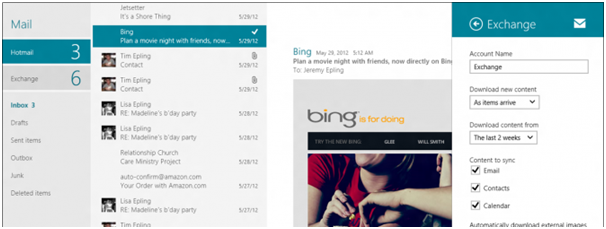
Default mail client for windows 8 and 10 – The design of the mail box is great and easy for handling too. You will not have to do anything. Just install windows 8 to 10. The mail client comes in the bundle of apps. Functions that you will get with the application is very basic. If you are looking to do something else, you will have to go to the browser. With some bugs, you will find that the latest files to be not supporting the POP files. There is facility of popup message, but that does not work all the time.

Default mail client

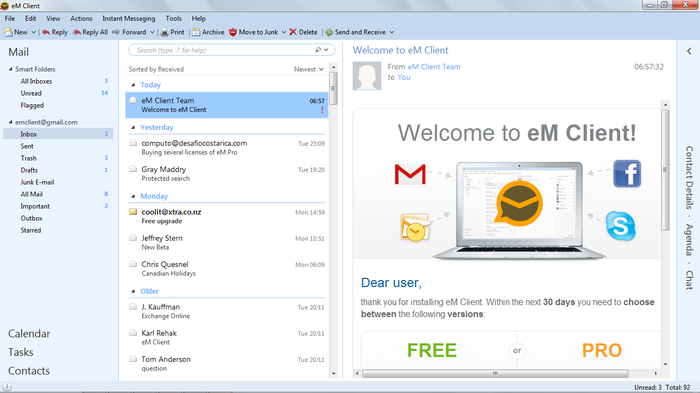
EM Client – This one is really a good alternative of Outlook mail client, with all features in the free version. The mail client is really fast, but more than the speed is the customization features. The application is having perfect customization feature that makes it so special. To get additional tech support, paid version of the app will be needed. However, the most unwanted thing that you will get in the app is the overlapping of the notifications.

EM Client

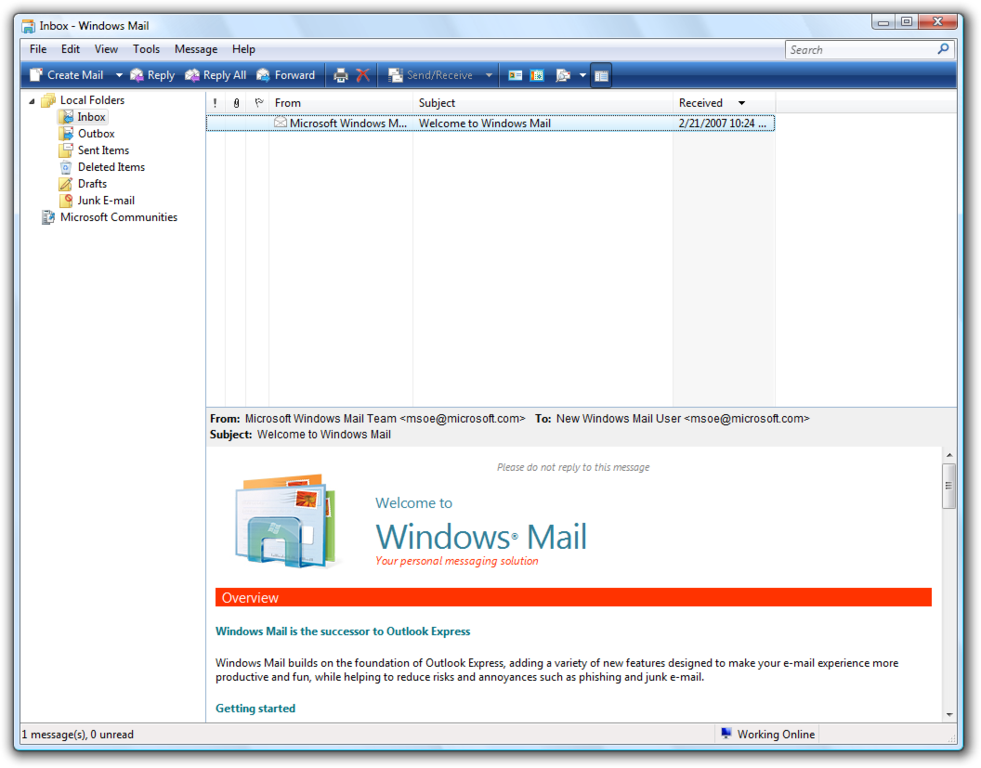
Windows mail – The mail client is really easy to be handled and the features inbuilt are really good for personal use. However, the mail client is not having the support to show folders and sub-folders. It does not support the usage of tags. This is one of the most unlikely thing that you will find in the app.

Windows mail

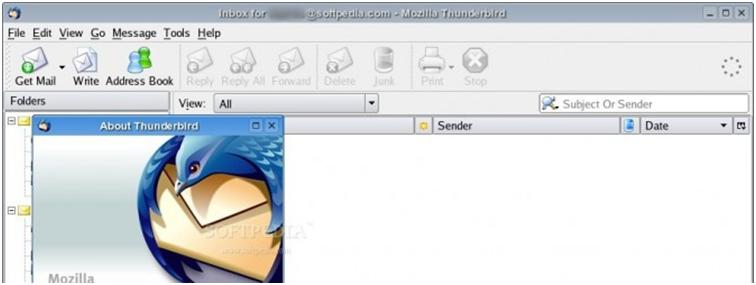
Thunderbird – A loads of features are there in this app and it is quite popular for that, as well. Different themes and additional advantages are there with the application, making it one of the best in terms of professional looks. Configuration issues are there in the application. The average users will find it to be similar with other apps, although smart and advanced users really like the add on features in the system.

Thunderbird

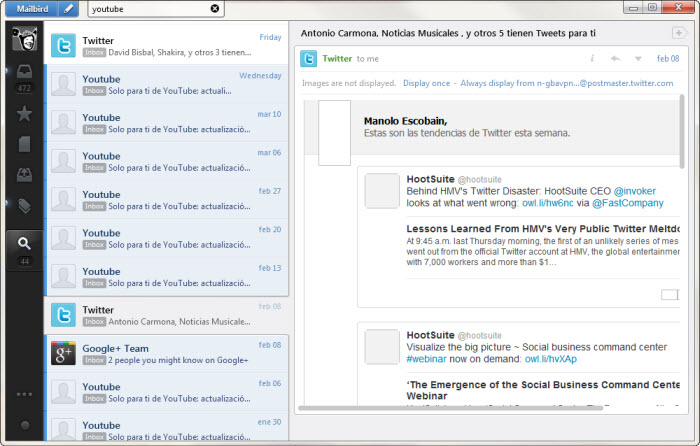
Mail Bird – This mail client is really good at the service, with excellent features, inbuilt. It is really easy to use, but the performance of the mail client is bit slow for the advanced users. The free version of the app is supported with ads. Here is another thing that is not liked about the app.

Mail Bird

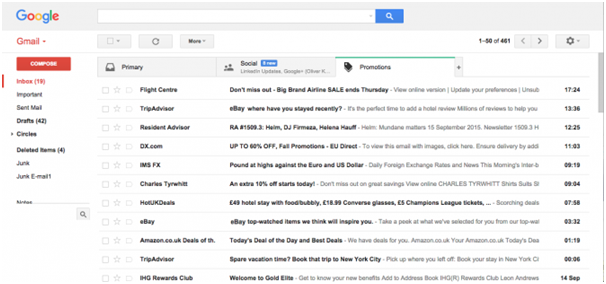
Webmail – The interface of this application is just like that you find in the browser mails. All the features that you find there can also be found here. The speed of the mail client is bit slow. This is the only thing that the advanced users won’t like in it. However, the features are not having the look and feel factor in it.

Webmai

The above applications are all excellent substitute of outlook mail and you can use them ion your desktop. Just get through the additional features before installing.

Top 5 iPhoto Alternative Image Storage and Organizer Tool

Iphoto is a great tool, that you can use, if you are looking to place all the images at one place and share that online. It will just use your account, with email id or social network account. There are some of the iPhoto alternatives, that you will like to know and use. They all are excellent apps and are ready to install on your PC. They are having some of the features, which are better than even the main tool.

Top 5 iPhoto Alternative

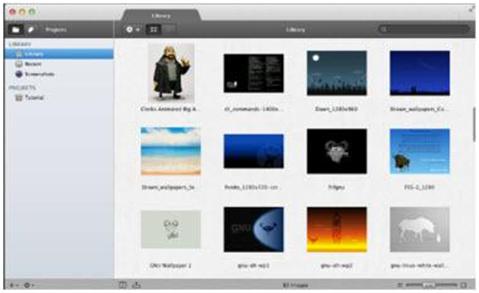
AppleAperture

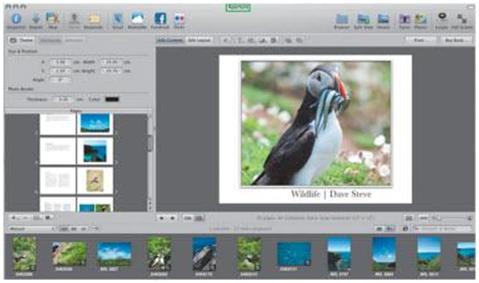
This tool is really a smart one, where you manually add images and it can feed its gallery with folder selection. Small edits, like correcting hue, brightness or sharpening your image through this tool, before sharing your image online can be done easily. So, enjoy using the free tool. Get this tool optimized in your own browser, since it can be installed in all the popular OS. So, use this tool. Easy interface of this tool makes it even more popular than all other compatible tools.

AppleAperture

Adobe Photoshop Lightroom

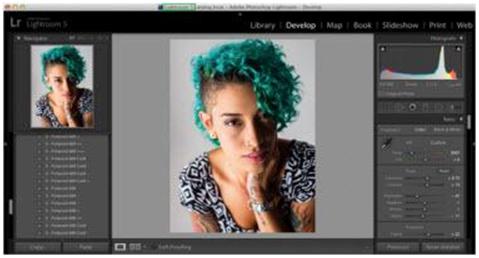
If you are looking for the smallest tool for your gallery creation online, choose this tool. It is really going to give you everything that you need. It will understand all your folder segmentation and will update the sub folders, similar to that of Picasa. So use this tool with an ultimate ease. Friendly user interface and all OS compatibility makes this tool even more simply. Login to the profile and create an online image gallery. You can use your social networking account or can login using mail account.

Adobe Photoshop Lightroom

Official Website

Lyn

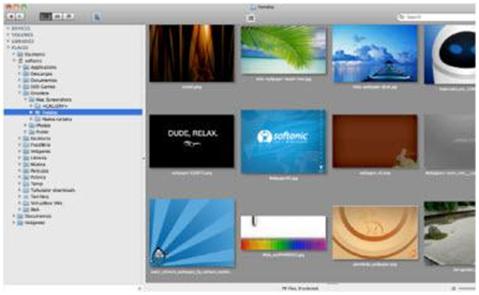
One mail account, multiple sub folders in your computer! Want to share them online? Use this tool. It will synchronise all the images in your PC, just when you will open the tool on your PC. It is having excellent image editing support. So remove the red eye spots and increase colour saturation in the images, before you upload them online. The best feature in this tool is the cloud storage. Due to this facility, you can free your PC space, by deleting them. The tool gives an excellent gallery maintenance support and it is a free tool. So use the app free. Here is the Lyn Official link.

LYN

Pixa

This app is not at all different from that of Picasa, the only difference being its potentiality. Picasa is having a better interphase and clarity of image is more there. Otherwise it’s a perfect alternative of Iphoto. Official Link.

Picasa

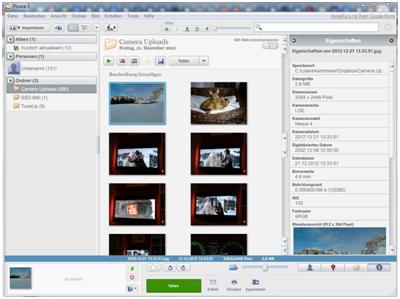
Picasa is one of the best tool for creating photo gallery. It is the tool that comes with Google package, having wonderful picture editing support. You can easily create an updated image gallery, since it can auto update its collection, once the root media folder is added to the tree. You can easily add the images online and share those with a Google account. Finally, this one is a free tool and small in size too. So, it is too easy for your use.

Picasa

All the five apps, stated above are classic tools and can be used by anyone. There is no need of professionals and no need of extra training to use this tool. So, use them for your fun and enjoyment.

Top 5 Alternatives to cable TV

Why pay for all those unwanted channels you don’t even watch? You can easily save up on some money if you cut the wires and switch to some of the simpler and cost effective alternatives to Cable TV.

Alternatives to cable TV

There is so much to choose from, Netflix, Amazon Prime and Hulu Plus, they shall work it up for you! Here is list of Cable TV alternatives:

Top 5 Alternatives to cable TV

  1. Google Play

Google Play
Google Play is indeed one of the first choices that come to our minds as far as entertainment and an alternative to cable internet is concerned. Without doubt, Google Play has gained quite the amount of popularity these days given everyone is switching to the internet now! Quite similar to iTunes, Google play has to offer to its users books, music, and a lot more; not to forget movies! Google Play as well allows you to make purchases for the books or TV series (one or as a whole).

Pros: Has a variety of options to choose from, more than just an alternative to Cable TV.  You can read, watch and hear!

Cons: There is a lot more that is yet to be added on to it to be a fully functional cable TV altenrative!

2. Chromecast

Chromecast

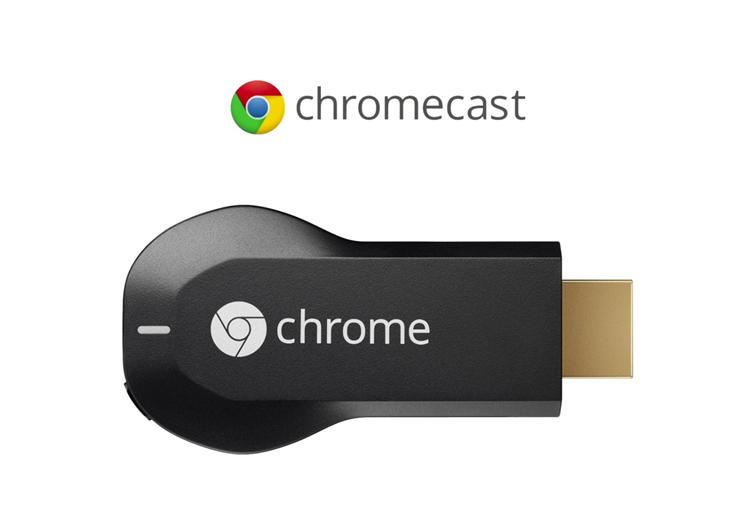
Chromecast as we all know is nothing but a dongle which allows us to stream movies and more. Available at a decent price of $35, the Chromecast allows you to watch TV channels and movies via online streaming. This is one of the most cost effective cable TV alternatives and you get to choose what you want to watch!

It also supports Hulu and Netflix!

Pros:

  • Comes handy and is cheaper than the entire set top boxes!
  • You get to use it remotely from phone, tablets, etc.
  • HDMI extender cable is already present!
  • Simple and easy to set up!

Cons:

  • Does not support ESPN, Bloomberg TV, Amazon instant Video
  • A physical remote is what some people find lacking
  • Screen mirroring has been a problem to many!

3. Apple TV

Apple TV
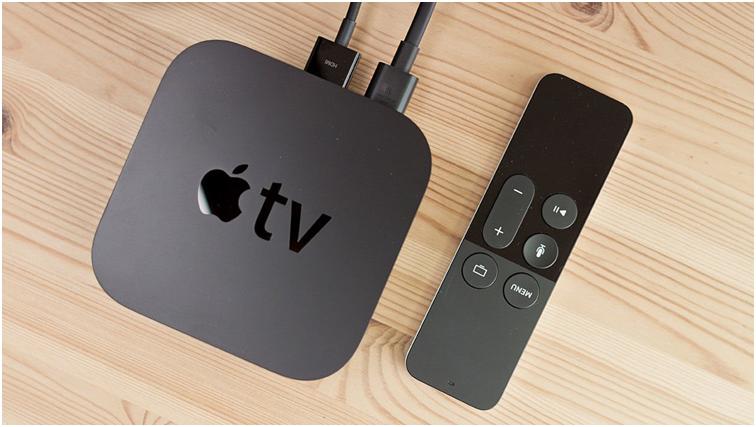
Not many know of this, but Apple TV has indeed been a great alternative over Cable TV and not to forget it has as well done amazingly well in the market over the years.
(for those who still don’t know, it has sold some 20 million units) The kind of content and streaming available on Apple TV, it has managed to attract technophobes and technophiles alike!

All the three, Netflix, Amazon prime and Hulu plus are available on Apple TV!

Pros:

  • Perfect choice for people who are acquainted to using Apple devices
  • Amazing interface
  • AirPlay adds up to the look and feel!

Cons:

  • Jailbreaking might be a task!
  • Handling the remote is quite a task!
  • Rentals may turn out to be a huge expense!

3. Netflix and Hulu!

Netflix and Hulu!

So they are the ultimate option one must switch to after cable TV. They allow you to stream TV shows as well as movies- Netlfix at $7.99 per month and Hulu plus also at the same price. Once you have your subscription, you can watch all that they have on their list of catalogue!

Hulu
However, as you know both of these streaming apps do not allow you to download content for watching them later. If you wish to watch episodes and movies, you have to be online. Netflix releases episodes for an entire season in one go while Amazon and iTunes take time and do it gradually over a period of time, even though the season is yet to be aired totally. Hulu Plus on the contrary releases episodes if current shows one at a time, soon after they have been aired. Also, not to forget, Hulu has many ads while Netflix doesn’t!

4. Amazon fire TV

Amazon fire TV
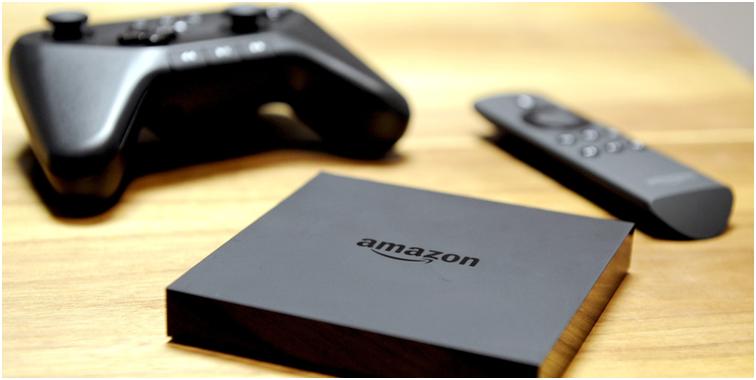
And finally, here it is, Amazon Fire TV.  The features of Amazon’s fire TV need no description, however, they have a host of smart features including customized controls, voice search, ASAP (meant to reduce buffering by already predicting your next watch) and a lot more. It is one cool cable TV alternative and if you are looking for one, this shall be it!

Pros:

  • Smart features on the go!
  • Customizable control for parents
  • Voice search available
  • Streaming videos is faster than ever!!

Cons:

  • Doesn’t support HBO
  • There are a lot more additions yet to made to the library
  • Some features of a proper cable TV alternative still lacking
  • Additional costs for gaming are often a problem!
  • Has a lot of limitations!

5. Roku 3

Roku 3
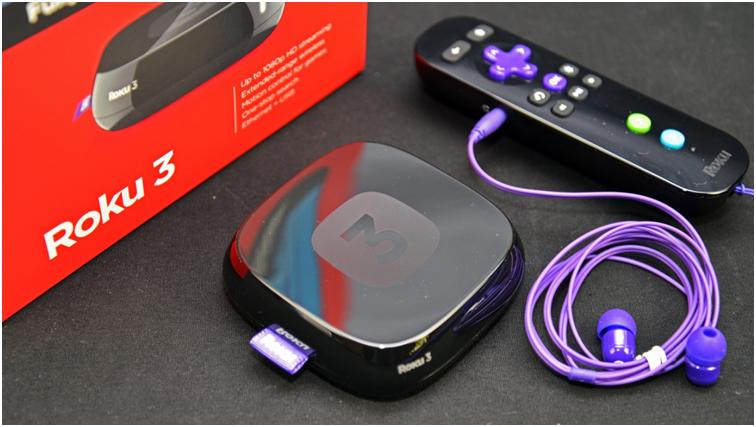
The Roku 3 is yet another great choice for all those who have been in search of an effective alternative to Cable TV. The Roku 3 is a one step up from the earlier Rolu 2 as far as the processing is concerned; also Roku 3 works with HDTV unlike Roku 2. In addition to all of that, Roku 3 supports Ethernet port, microSd card as well as USB port.

Pros:

  • Direct line of site not required. (motion based control)
  • The remote has an in built headphone jack- watch TV without any interruptions and not to forget all those late night sessions with your TV!
  • Has 100 plus games to offer!
  • You can choose from the list of channels, the more the merrier after all!

Cons:

  • Since it is an update from the earlier Roku 2, it will not work with standard TV.
  • Many prefer the Roku Stick, given its portability and price.
  • The controlling of games often becomes difficult!
  • Also, local sharing is a task at sometimes.

BANG ON! And there you go with your list of cable TV alternatives! Moreover, if you still feel there is more that you need to watch you can simply call your service provider and negotiate the price!

Look up more about the above options and see what works up the best for you!