
Blog Page 65

5 Best Drawing Graphics Tablets for Beginners/ Professionals

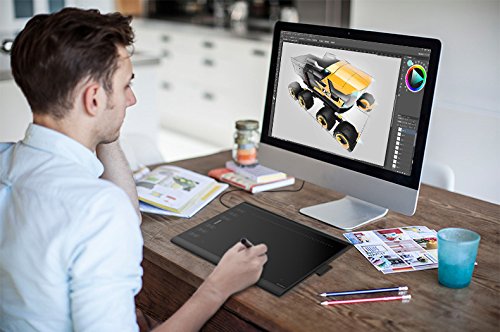
best graphics tabletI never fail to bluster about technology because I know its worth on top notch. Best graphics tablet are part of that creation only. Ain’t it amazing to keep a digital tech device for all your lovely artwork and imagination. The post is purely for the artist around the globe.

You will see a quite rich variety in the market with the developing technology. There are n no. of products which will assure to offer best graphics performance. Due to the plethora of drawing tablets in the market, we are here with the list of best drawing tablets. Now whether it be an artist of the beginner you can surely select one from our article.

Buying Guide

Best Graphics / Drawing Tablet

Size and Weight

Always choose one according to your profession or hobby preferences. If you are long journey traveler, then go for small sized on like just 8 to 10 inches, which is easily carriable. The one which is less weight and less price.

If you want to work on illustrations, where you require fine details, then you should buy one which is bigger so you can work efficiently on the screen.

Ports

Sine, you’re looking for graphics and drawing tablet thingy. Make sure it comes with all ports like USB, HDMI and HD ports. Latest one comes with all but the old release products lacks it.

Accessories

Do you need its casing? A pen or something? All the software you need are comfortable or not in performance. Your designing should not suffer because of hardware or software.

Budget

More tablets in the market, more range is available. Companies have bought tablets from very minimal range to maximum. They are available for all types of users to meet there needs. For example, a profession travelers or designer will require a device more configuration while a student will require less. Companies have sufficient products to offer according to demands. One should buy a tablet which meets all the needs of the user. It will be counted as an investment surely.

Resolution and Recognization

Your tablet should be offering you higher resolution and better recognization with devices. In total, you should see for a device which offers you quite a good color performance plus comfortably gets connected to other devices when required.

Best Tablets for Drawing & Graphics Designing

Given below is the list of tablets which are overall best in all categories. Whether you see it as for a beginner or for professional the list will surely satisfy you.

#PicassoTab XL Portable Drawing Tablet
Bigger Display with All Accessories

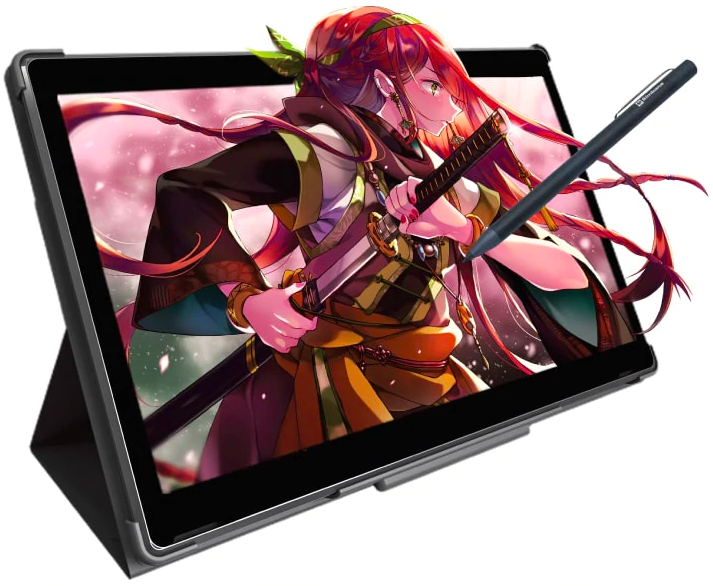
The PicassoTab XL is a portable drawing tablet that offers a wide range of features and capabilities for artists, designers, and anyone who needs to produce professional-grade artwork. The tablet has an big 11.6″ IPS display with HD resolution that is well-suited for drawing and painting, as well as sketching and diagramming.

The PicassoTab is a tablet with enough power to handle any artist. It comes pre-installed with Sketchbook, an app that can help you get started drawing digitally. Not only does the PicassoTab come equipped with a great app, but it also comes with helpful drawing tools. Whether you’re just starting out as an artist or you’ve been drawing for years, the PicassoTab is sure to help you achieve your goals.

This device comes with the newer Picasso Pen 2 which has 1024 levels of pressure sensitivity, making it easier to create different strokes.

# Wacom Mobile Studio Pro 13 TabletBest Graphics Tablet
Most Advance and powerful tablet for professionals 

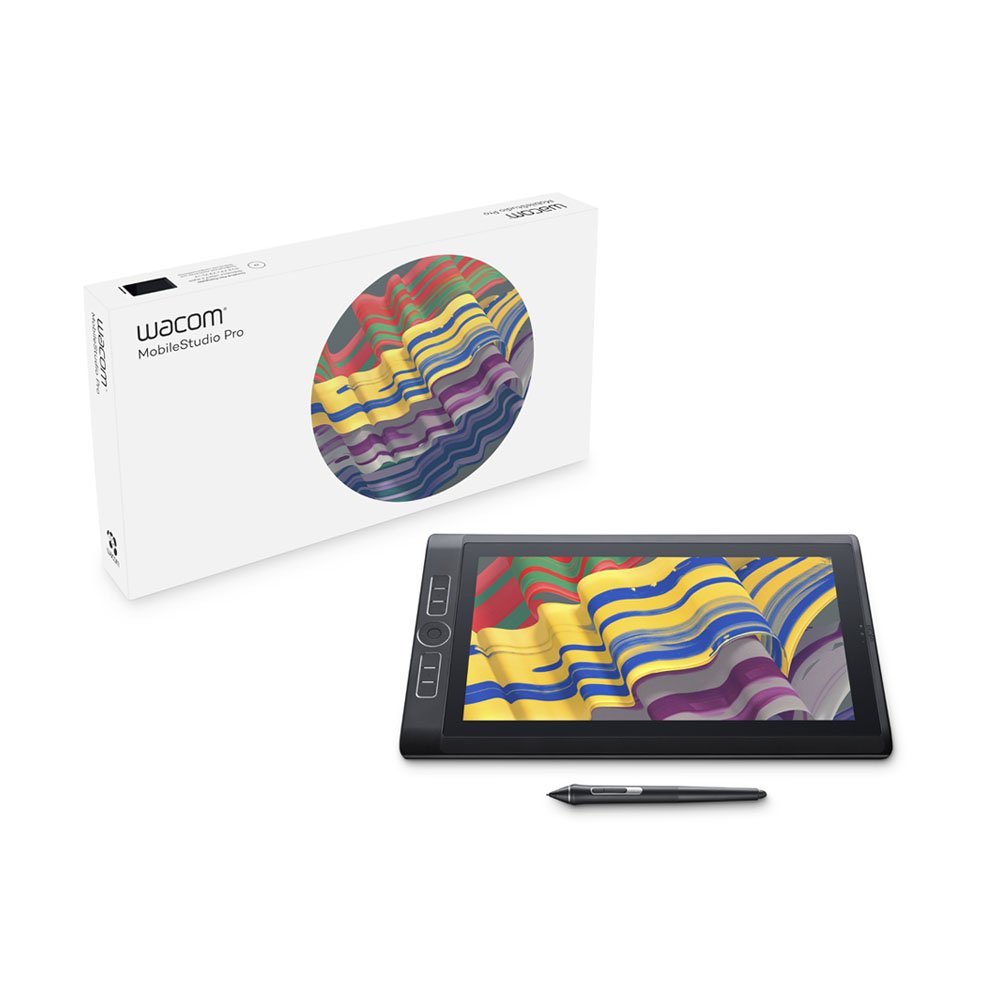
Weight: 1.42kg | Screen size: 13.3-inch| Resolution: 2560 x 1440| Dimensions: 367 x 229 x 16mm | OS: Windows 10 | CPU: 6th generation Intel Core | RAM: 4 – 16GB | Storage: 128GB – 512GB | microSD slot: SDXC | Battery: 6 hours

Wacom is quite a famous name for offering the best tablet. Wacom Mobile Studio pro has the flagship of Wacom. The device is built for experts. The companies name is quite famous among digital artists and specially designed for professional work.

It is a complete studio of powerful tools that let you do your work anywhere you want to. It is easily carriable to places. Adding to, it comes up with Wacom Pro Pen 2. Relating to others, it gives 4x more pen accuracy and pressure sensitivity than any other. Overall, it offers fabulous creative control.

Nevertheless, it has incredible computing abilities which let you quickly run 2D, 3D, and CAD software. So, now easily enjoy your detailing work under 4k resolution with astounding color performance. Who so ever it be any designer, professional artist anyone can enjoy one’s work productivity with it. It allows features of multi-touch surface 6 and expresses keys and radial menus.

The product is available from 4 to 16 GB of RAM and 128 to 512 GB of storage for the user comfort.

Pros
  • Amazing display quality
  • design perfection
Cons
  • Costly
  • insufficient Battery life

# XP-Pen Artist13.3
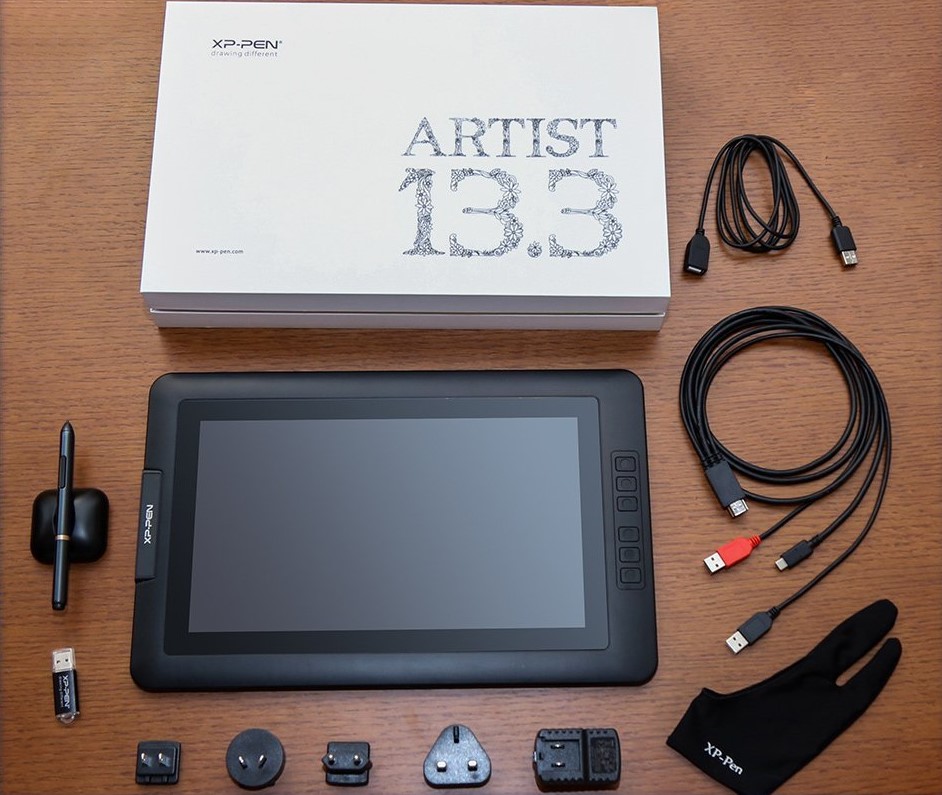
In Budget Drawing Monitor

Weight: 1kg | Screen size: 13.3-inch| Resolution: 1920 x 1080| Dimensions: 389.0 x 250.7 x 14 mm | OS:  Windows 10/8/7, Mac OS version | CPU: 6th generation Intel Core | RAM: 4 GB | microSD slot: SDXC | Battery: Battery-free stylus

Tablets are such bliss at times. How about having a product which you can carry anywhere with an amazing user-friendly interface. The artist’s 13.3 inches drawing monitor is one among the list. Fell the bliss of drawing with more features such as sketching, painting, designing, etc. and excitingly that we can easily execute from tablet screen.

Talking about the display then it has 1920 x 1080 IPS 16:9 display screen. It offers fabulous colors compatible contrast and sharpness and vivid images. 178-degree visual angle. It has a custom anti-reflective coating which reduces glare by 56 percent. More bright and beautiful working one can enjoy.

Nevertheless, it comes with latest passive pen stylus which is an instant pen pressure sensitivity technology. The most beautiful part of the device is you need not charge as it comes with the battery-free stylus and 6 fully customizable express key for comfortable working. A product worth buying.

Pros
  • Very minimalistic packing
  • Provides a number of chargers for different regional power outlets
  • Easy installation
  • The pen stand also acts as a nib remover
  • Very good sensitivity even at 2048 levels
  • Easy customization and settings
Cons
  • Stabalization issue-slightly jagged/blocky
  • Display is different from PC
  • Calibration highly required
  • Split display does not work properly

# Wacom Cintiq 13HD 
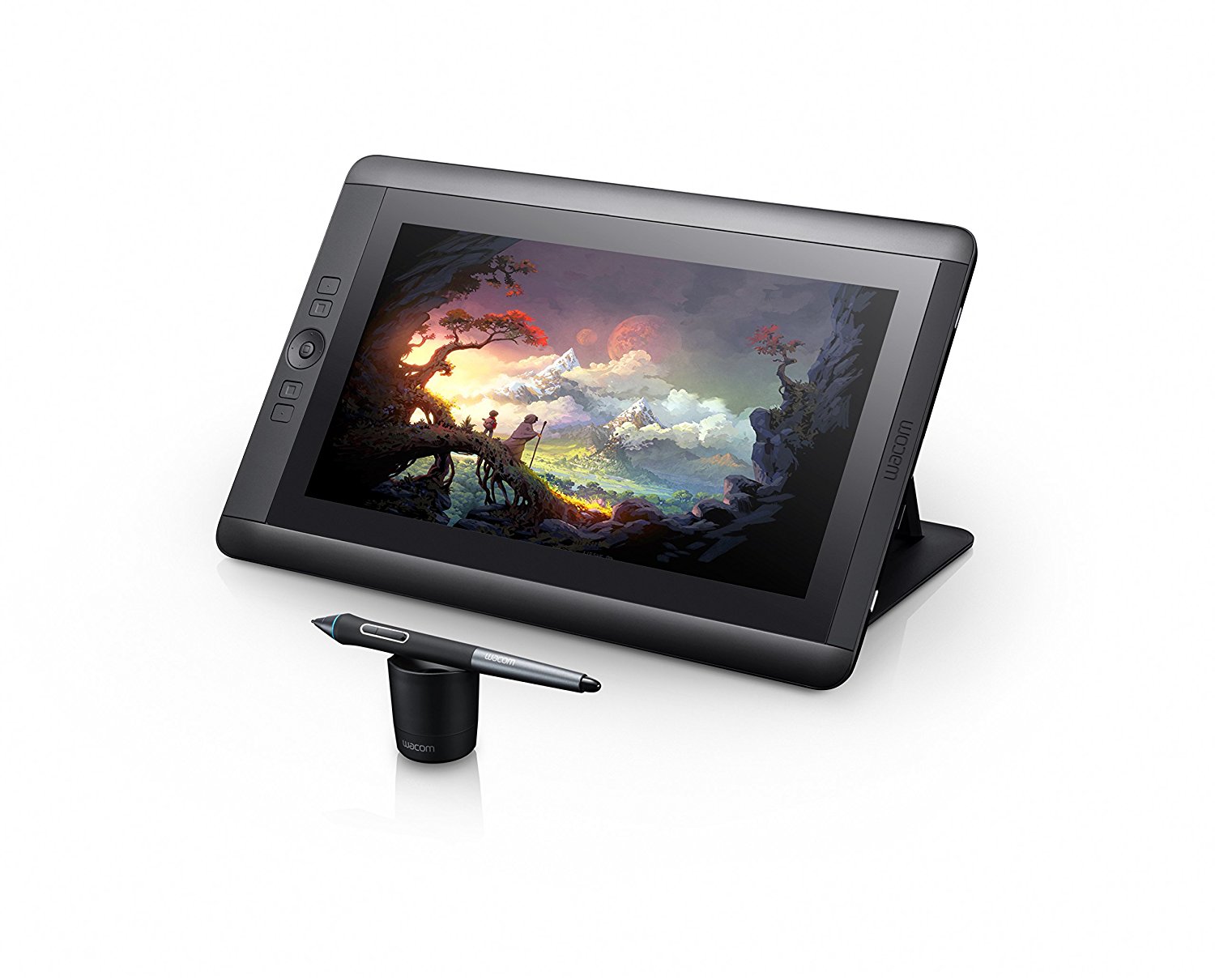
Best professional Drawing Tablet, Interactive Pen Display

Weight: 1.1kg | Screen size: 13.3-inch| Resolution: 1920 x 1080| Dimensions: 14.8 x 0.5 x 9.8 inches | OS: Mac, PC | CPU: 6th generation Intel Core | RAM: 2 GB | Battery: 1 Lithium ion batteries required

We can surely say the premium word exists for this product. Wacom the well-known brand in the series of tablets has finest one to offer. Its Cintiq is countably the most stunning tablet in the competition. Its 4K IPS technology add-on to its exciting features. The pin sharp with balance contrast level easily gives the desired quality which we want to see.

Adding on, it has three position display stand which makes the user feel comfortable while using. It is quite compact to work on. Moreover, it comes with Wacom Pen Pro which is tilt and pressure sensitive which behaves like the traditional pens and markers.

It has the wide viewing angle plus it can get connected to both MacBook and windows. Now enjoy your artwork with the support of 16.7 million colors and grab the product now.

Pros
  • 13.3-inch HD display
  • Pro Pen is sensitive to angle and pressure
  • Three-in-one connection cable for easy Mac or PC setup
  • Customizable ExpressKeys
Cons
  • Incomplete Accessories
  • Costly

# Huion New 1060 PLUS

Best drawing tablet for beginners

Weight: 0.77kg | Screen size:10-inch| Resolution:5080 LPI| Dimensions: 9.45 x 14.17 x 0.39 inches | OS: Mac, PC | CPU: 6th generation Intel Core | RAM: 2 GB | Battery: 1 Lithium ion batteries required | Stylus: Rechargeable pen

Huion 1060 plus is built for beginners, you can say. It has 5080 LPI resolution that assures low distortion. Plus it has 2048 pressure level of the stylus to reflect your exact ideas with quite good details. Adding on, it has 12 customizable keys and 16 more keys to complement the drawing efficiency.

No matter which software you want to use whether it be Photoshop, illustrator or sketchbook, manga studio, Krita etc. Plus to adjust it offers 8G SD card. which you can take anywhere you want. Nevertheless, it comes with a rechargeable pen which is quite similar to using a pen over the sheet. Once you’ve charged it for an hour then you can use it for further you can use it for 12 more hours.

Pros
  • Quite a lot features in given price range
  • affordable one for beginners
Cons
  • No multi-touch
  • No wireless
  • Less of memory

# Apple iPad Pro 2nd 12.9
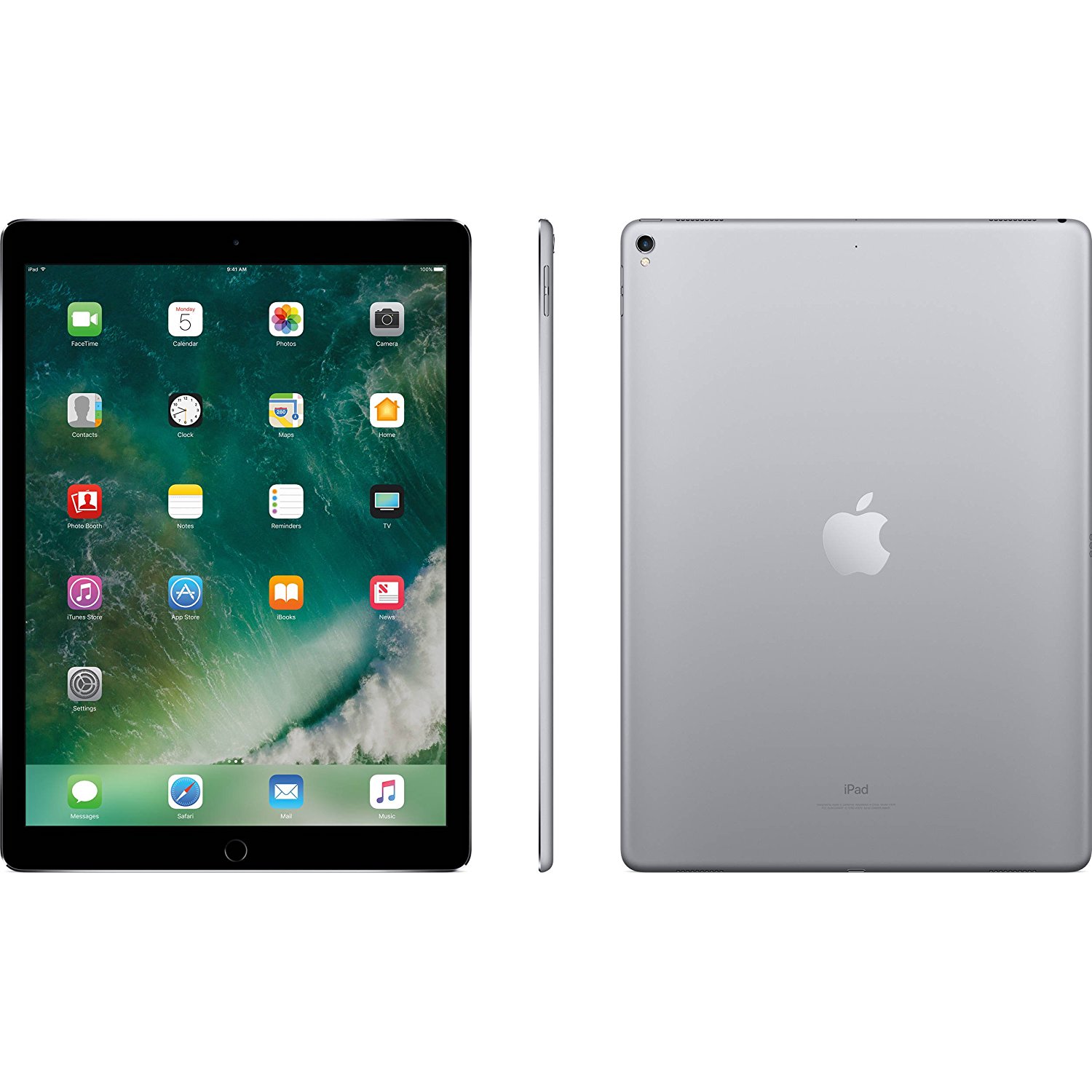
Best graphics tablet of Apple

Screen size:12.9-inch| Resolution: 2732 x 2048 OS: iOS 10 | CPU: 2.39GHz A10X Processor + M10 Coprocessor | RAM: 4 GB | Battery: 10 hours approximately

Apple never fails to deliver the finest quality. Same goes in the tablet. It comes with 12.9 inches retina display screen with the resolution of 2732 x 2048 resolution and 120 Hz Refresh Rate. Plus the visibility is true tone display.

Apple always delivers something unique and best in itself, so here goes with the processor part. It has 2.39GHz A10X Processor with M10 Coprocessor and to support that functionality it has 4 GB of RAM and 256 GB of flash storage.

Moreover, it keeps it unique is its 802.11 ac-WiFi and 12 megapixel of rear camera and 7 Megapixel FaceTime HD camera. You can freely enjoy the world with all the facilities.

Not just editing stuff but you can enjoy all apart from it. Nevertheless, it is too comfortable to carry around then to heavy laptops. It is available in 2 categories of flash storage. One with 256GB another one 512GB.

Pros
  • Fantastic Design
  • Powerful tools
  • Comforatble to use
Cons
  • Expensive

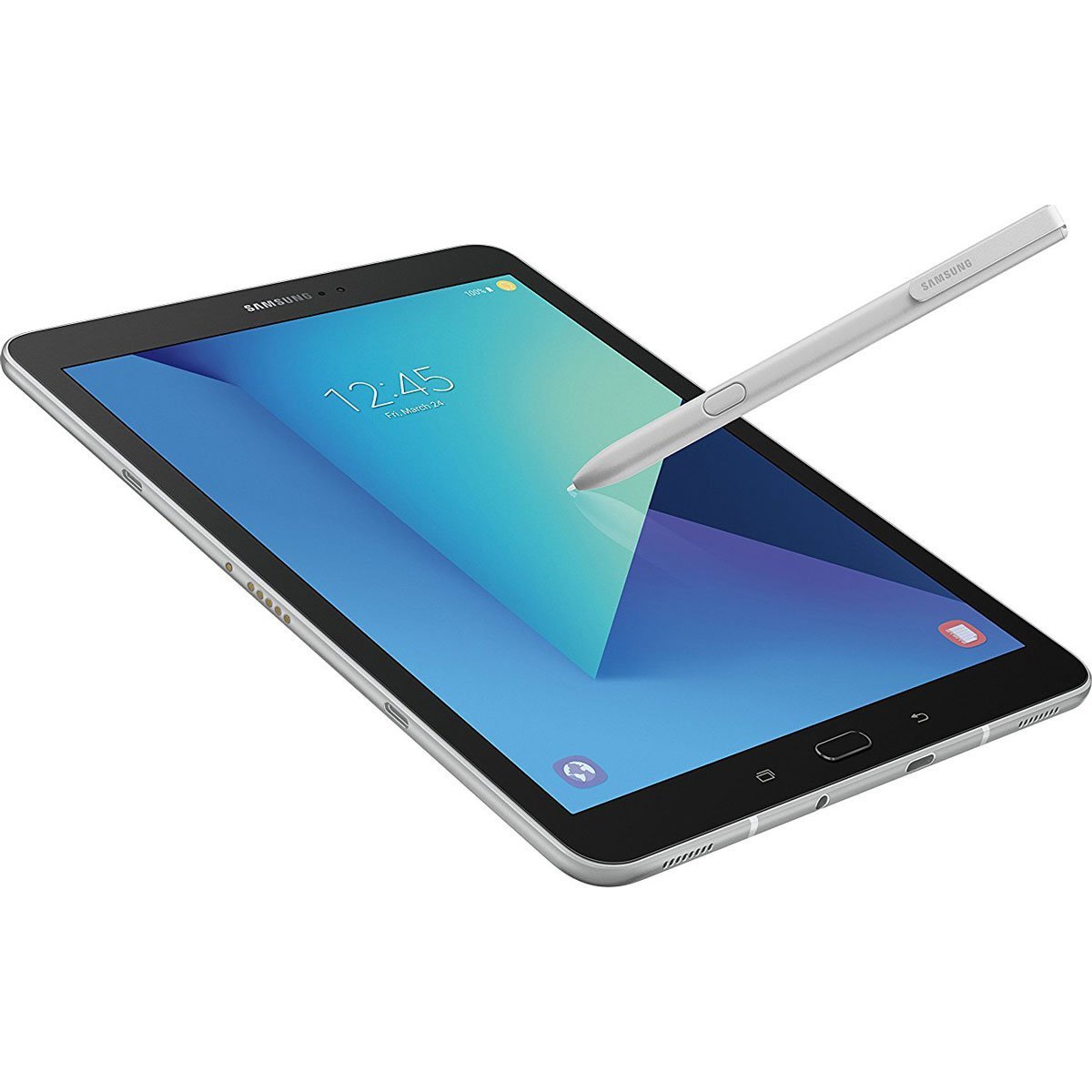
# Samsung Galaxy Tab S3 

Most User-Friendly Android Tablet 

Weight: 0.95lbs | Screen size: 9.7-inch| Resolution: 2048 x 1536 | OS: Mac, PC | RAM: 4GB | Battery: 12 Hours | Stylus: Pen with Pocket Clip

The finest Android tablet we can say. It has the most amazing user-friendly interface in the Android range. Plus it comes with Silver Protective Neoprene Sleeve for Tablets Stylus Pen with Pocket Clip which makes you do your work quite easily. Adding on, the company is providing a 64 GB High-Speed Micro SDXC Memory Card Type C. The screen all by new glass design which gives the mesmerizing feel of working over.

It has the glossy glass back which gives it an ultimate stylish look plus you’ll surely get amazed by viewing experience. The brighter performance with balanced contrast and exposer with a lot of colors and sharpness. Above all the cool part here are HDR video Playback abilities

It works on Snapdragon 820 processor that delivers astonishing performance when it comes to CPU and GPU use. So don’t worry about your graphics work. You’ll enjoy it. So grab your piece fast.

Pros
  • Fantastic Design
  • Powerful features
  • HDR screen
Cons
  • Costly

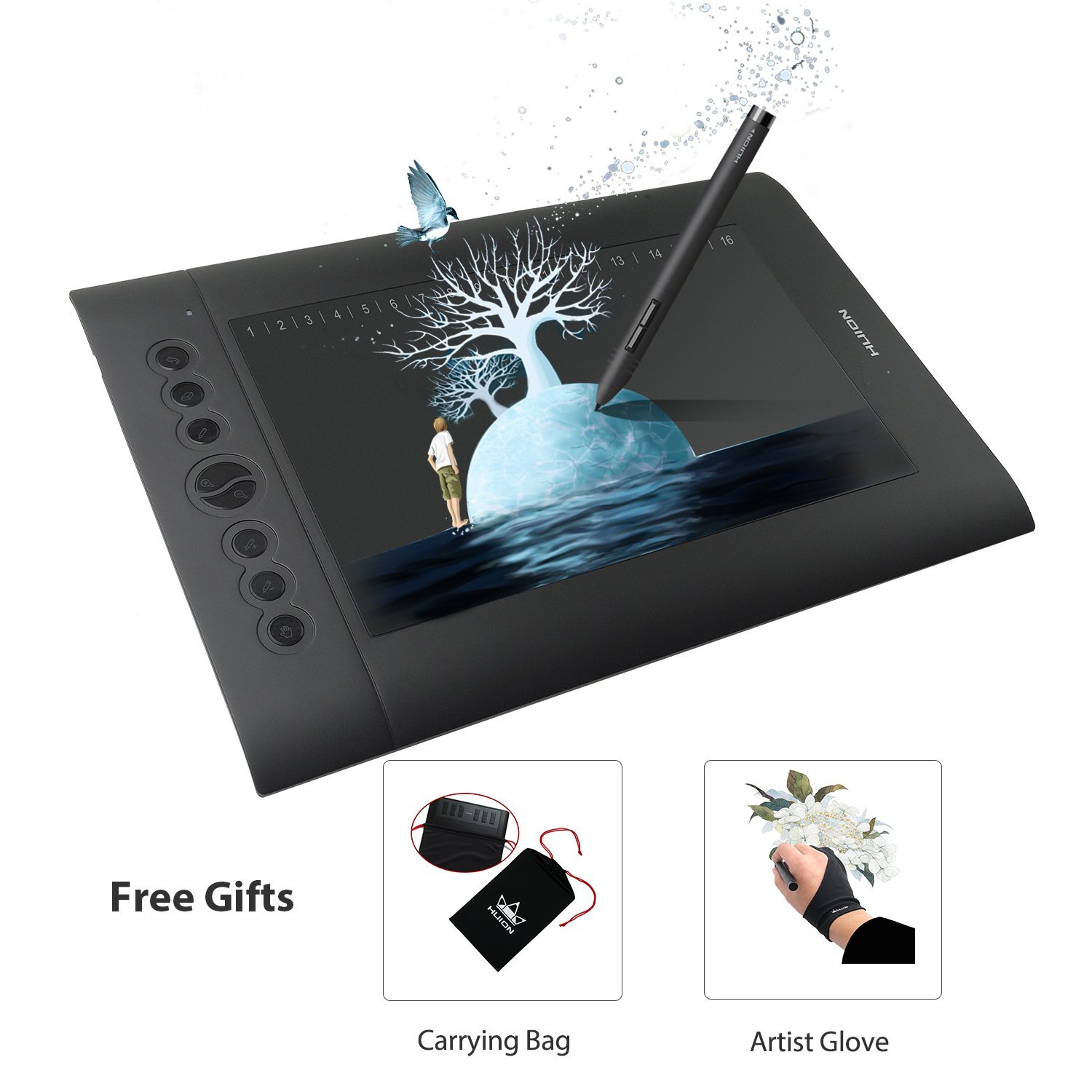
# Huion H610 Tablet

The Pro and In budget Graphics Drawing Pen Tablet

Weight: 1.4 kg | Screen size: 10-inch| Resolution: 5080 LPI | OS: Mac, PC | RAM: 4GB | Battery: Rechargeable | Stylus: 8192 Pen Pressure Sensitivity

Talking about graphics sector then Huion is again a countable name in the market if offering good tablets in an affordable range. Huion’s 610 is again on the list. It has 8192 pen pressures sensitivity which helps you in drawing every line with accuracy and details. Overall the tablet is quite user-friendly. It has eight user-defined shortcuts so one can easily adjust with it

The tablet owns a quite sufficient working area to draw or sketch or detailing work. It has the smooth paper like texture which more natural user experience. Plus it is compatible with almost all OS. It is equipped with higher accuracy to perform under 233PPS report Rate.

Enjoy working now over a beautiful Tablet which gives you quite a realistic experience.

Pros
  • Less of price
  • Thin and compatible
Cons
  • Build Quality is poor
  • No wireless support


Bottom Line

Since you looking for the purpose of the best graphics tablet or best drawing tablet. Above given are some best tablets chosen for the purpose of graphics, designing, sketching for each level. Whether it be professional or the beginner you can rely on the above ones for your purpose.

Top 5 Data Security Tools for Mac Users Working from Home 

0

Are you working from home as a consequence of the ongoing COVID-19 pandemic? If so, are you a Mac user that works with an iMac, MacBook Pro, or MacBook Air?

January  2013 to July 2020 statistics shows that, while Windows is the most popular operating system by far, MacOS is gaining traction. January 2013 figures show that Microsoft Windows runs 90.96% of all desktop and laptop operating systems. macOS runs 7.95% of all computer operating systems (apart from mobile devices). While, the remaining 1% is made up of Linux, ChromeOS, and other operating systems. 

July 2020 numbers indicate that Windows runs 77.68% of all computers, macOS runs 17.76% of all computers and operating systems like Linux and ChromeOS power the rest.

For the purposes of this discussion, let’s assume you are working from home, using a MacBook Pro. 

It is essential to note that it is equally important to secure your MacBook and all of its data. Most Mac users are still of the opinion that only Windows users have to be vigilant because of the high numbers of viruses, worms, trojans, and other malware that are designed to target Windows-based computers. Even though statistics show that the majority of cyber breaches are windows-based, February 2020 numbers quoted by Sara Morrison of vox.com show that there was a 400% rise in macOS devices between 2018 and 2019.

Therefore, the question that begs is how do you protect both your laptop and accompanying data from a cyber-attack?  

By way of answering this question, here are five tips plus relevant Mac tools that can help improve your data security: 

  1. Secure your Internet traffic

Using an unencrypted Internet connection exposes your IP address, browsing history, and online activity to online spies, hackers, or malicious third-parties. 

This can, and probably will expose you to cyberattacks from hackers and the subsequent loss of your sensitive and personal data. 

The simplest and most effective solution to this challenge is to install and configure a Mac VPN, redirecting all of your Internet traffic into an encrypted tunnel and protecting your data such as online banking transactions from prying eyes.

  1. Clean out your Mac’s junk files 

The Mac Operating System (OS) has the continuity that Windows has never had. David Gewirtz in his article titled, “Windows, Mac, or Linux? We compare the pros and cons of these computing platforms,” notes that many aspects of the MacOS are the same as they were 35 years ago. 

The MacOS has also suffered far fewer malware attacks than windows. However, there has been an increment in the number of malware variants that have targeted the MacOS, many with the sole aim of stealing the contents of a hot cryptocurrency wallet. 

Additionally, consistent use over time results in the collection of system junk, malware, and unwanted apps. 

This has the unfortunate effect of slowing down your Mac, consuming space, especially if you only have a 128GB SSD on your Mac, and reducing operating efficiencies and power. 

Therefore, it stands to reason that it is a good idea to utilize an app like CleanMyMac X to remove unwanted files, apps, and hidden files to free up disc space and improve performance. 

  1. Track network connections 

Have you ever wondered which macOS apps are accessing your network without your knowledge or permission? Your MacBook could easily be infected by malware, and you won’t even know it. 

The solution to this challenge is to install a network monitoring solution like Little Snitch. Its primary function is to monitor all network activity between your Mac and the Internet. It monitors specific network ports, writes activity logs, and alerts you to any potentially unwanted network activity. 

In this way, you can monitor and adjust your network permissions. And should a virus get onto your laptop, this app will monitor and track all network activity should the virus decide to “phone home” by sending your data to the virus’s originator.

  1. Smart password management 

2018 statistics show that over 50% of all netizens use the same passwords for their home and work accounts. Google conducted a similar survey in 2019 and discovered that 65% or all online users have the same password for, many if not all, of their online accounts. 

Consequently, it is perhaps not surprising that 4.1 billion records were hacked by data breaches in the first six months of 2019. Even more frightening is that fact that the 2018 Verizon Data Breach Incident Report stated that “compromised passwords are responsible for 81% of hacking-related breaches.”

Therefore, while it makes sense to use unique, strong passwords for all of your online accounts, it is equally challenging to remember all these passwords. 

Enter the password manager: 

Password managers like 1Password are designed to create and store all of the passwords for the online accounts that you have. These passwords are protected by a master password, the only password that you need to remember. Succinctly stated, 1Password replaces all of the unique login passwords with the “Master Password.” Not only does this app guarantee that you don’t need to remember multiple passwords, but it also plays its part in keeping all of your online accounts secure.

  1. Lock down your system to prevent attacks by rootkits and malware

Malware, especially ransomware, commonly needs access to the system files in order to run and install. 

What is ransomware? 

Glenn Fleishman of Macworld.com provides us with the answer: 

Ransomware overwrites your documents with encrypted versions, and the attackers demand payment, typically in Bitcoin, to release a decryption key.”

Therefore, you do not want to run the risk of letting malware loose on your Mac’s files. 

The inferred question is, how do you prevent third-party apps from running on your macOS? 

In summary, you lock down your system and network using an app such as Little Flocker. It is designed to monitor every time an app tries to open, write, or execute any folder and any file within the folder. It has a built-in set of rules that allows you to set up which apps to recognize and for what length of time each app should be allowed to run. Thus, if your macOS attempts to execute a file that Little Flocker does not recognize, the OS won’t be allowed to execute the file.

Final thoughts 

It is clear from the discussion highlighted above that, as a Mac user, you must prioritize both device and online data protection and privacy. The consequences of ignoring the need to encrypt your online activity with tools mentioned above, could be dire in that you could end up as a victim of identity theft.

Thus, it is essential to study and implement the list of data protection and privacy tools highlighted above to ensure that your personal data, as well as your online privacy, is protected at all times while working on your MacBook Pro.

5 Best Tablets under $300 – Latest Addition, Review and Updates

0

Smartphones and tablets are the new computing devices that make our day to day tasks easy. Whether its an academic or business related task, the tablet gives us the flexibility to perform related activities work on the go. Also, the compact build and large display provide a perfect platform for the media consumption.

Now, tablets are powerful enough to run graphics intense games. You can edit document files that can be helpful if you need to perform a work-related task while traveling. A keyboard can be connected to it so it is easy to type. The long-running battery is also a plus point when it comes to using the device for a longer time.

best tablet under $300

Top 5 Best Tablets under $300 – Review, Best Features

If you look for a tablet online you will come across many options. There are a lot of tablets available on the market. You can choose the one that suits your need. There are different categories to choose from like best tablets under $1000, best drawing tablet, and others. If you are looking for the best tablet under $300, here is the list of top options that you can consider. The products specified here are chosen after considering the features it offers at a price range of under $300.

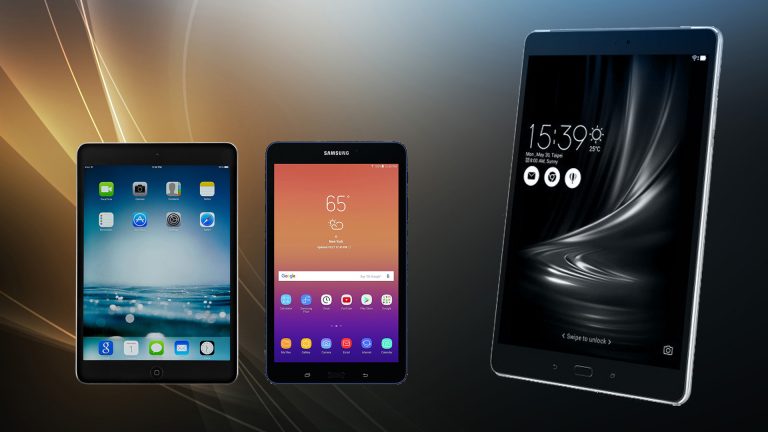
iPad Mini 2

best tablet under $300

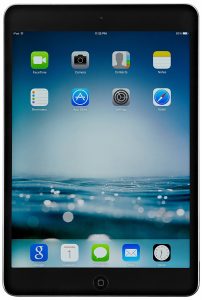
When it comes to portable gadgets, Apple offers the best in class electronic devices. The iPad contains a premium build and amazing performance. The iPad first generation was a user-friendly device. iOS offered a smooth user experience. Also, iOS gives you the flexibility to install many useful apps.

After the success of iPad, Apple released iPad Mini tablet series which contains a smaller screen but contains the same power. iPad Mini 2 is a good option if you want the best tablet under $300. The iPad Mini 2 contains a 7-inch display. The display offers great colors and good contrast level. It is equipped with Apple A7 processor which offers a swift performance. The RAM amount is 1 GB to make the multitasking an easy task. The long 10 hours battery makes it a perfect outdoor computing companion.

Pros
  • Compact Design
  • Lightweight
  • Sharp Display
Cons
  • Low RAM
  • Limitations of iOS

Asus Zenpad 3S

best tablet under $300

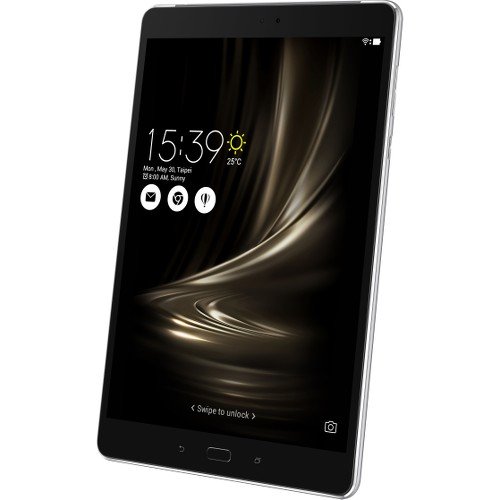
If you want a sleek, modern looking tablet computer, the Asus Zenpad series is the best option to consider. The Zenpad 3S is elegantly crafted tab which contains a powerful hardware. The device contains a 9.7-inch display with a resolution of 2048×1536. The 2K display looks sharp and gives good sharpness level.

On the front, we get the 9.7 inch IPS display. It is protected by Gorilla Glass 3 so that it does not get scratches. Below the screen, you get the physical home button. Also, the presence of capacitive navigation buttons is a nice addition to the features list.

Under the hood, it contains quad-core processor clocked at 2.1 GHz. The 4GB RAM is enough to handle heavy multitasking. Also, playing games and running heavy apps is a great experience on this tab. The 64 GB onboard storage space gives the user ample space to save the media files, videos, photos and other important files easily. It contains USB Type C port and all basic connection options.

Pros
  • Sleek Built
  • Modern Design
  • 4 GB RAM
Cons
  • Slightly Lower Sound
  • Mediocre Camera

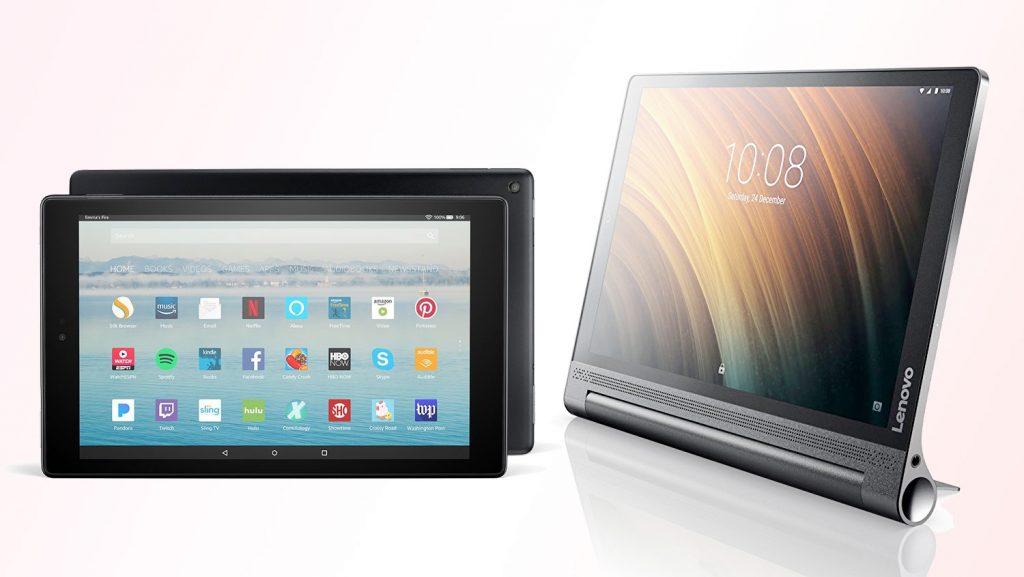
Lenovo Yoga Tab 3

best tablet under $300

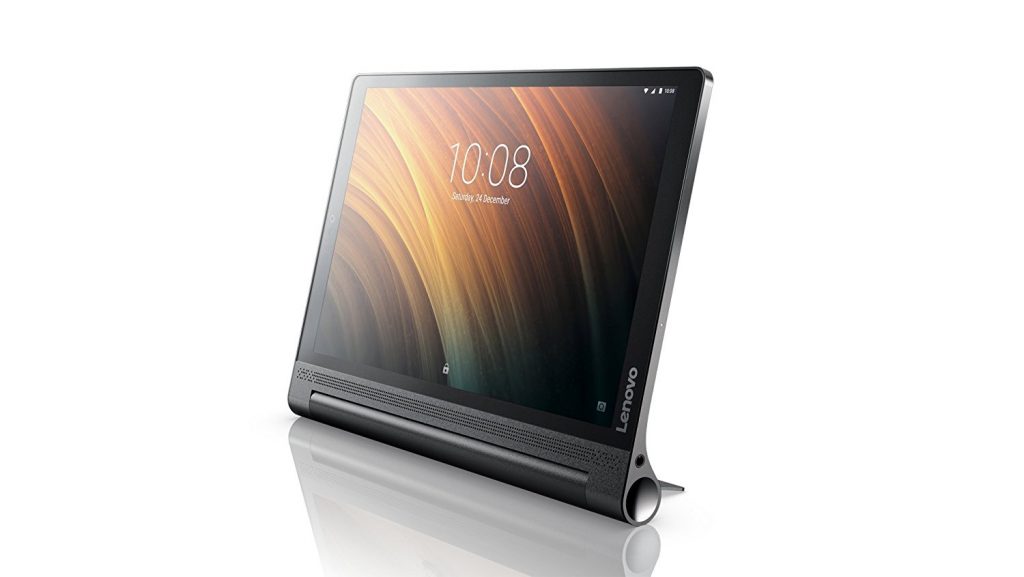
Lenovo Yoga offers a long range of premium tablet computers. The Yoga Tab 3 is the perfect option if you want a tablet with windows OS. The performance feels solid. Also, the build quality is premium. The unique design makes it easy to hold and you can place the tab in four different ways due to this.

The camera is not the best point of tabs but this device has a rotatable camera that can be used both as a front camera and as a back camera. The sound is good and the built-in dual speaker produces a stereo output. The 10.1 inch full HD IPS display looks fabulous.

Coming to the performance part, this device does not disappoint you with the 3GB RAM and decent processor. Also, the 18 hours long battery life is sufficient for most of the people.

Pros
  • Unique Design
  • Rotatable Camera
  • Full HD display
  • Large Battery
Cons
  • Slightly Heavier

Samsung Galaxy Tab A 

best tablet under $300

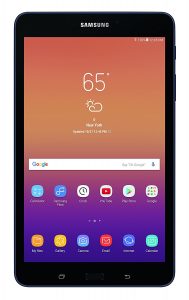
Samsung is the most trusted brand when it comes to electronic gadgets. The company has a large range of consumer electronics that offers best in class features. The Samsung Galaxy S series smartphone offers innovative technologies with great features. The Samsung Galaxy Tab A contains some unique features that make it a perfect choice for many people.

On the front, we get a beautiful 8-inch display with a resolution of 1280×800 pixels. Below this, the physical home button and the capacitive navigation buttons are there. It contains USB Type C port, 13 hours battery backup, and many other features. The RAM amount is 2GB. Overall the Galaxy tab A is a good tablet under $300.

Pros
  • Bright Display
  • Good Camera
  • Long Battery Backup
Cons
  • Slight Lags
  • Low RAM

Amazon Fire

best tablet under $300

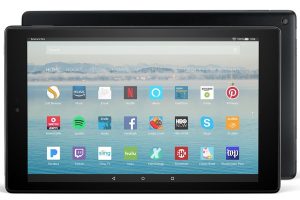
When it comes to budget tablets the Amazon Fire series is the most trusted one. It comes in different variants. There is a 10.1-inch screen with a display resolution of 1920×1200 pixels. The display offers great colors and decent sharpness level. The legibility is also good under direct light.

talking about the performance and specs, the device is 1.8 GHz quad-core processor. The 2GB RAM takes care of the multitasking and heavy gaming. The solid built gives it a premium feel. Also, the built-in Alexa support makes it a good home companion. It is available in 32 GB and 64 GB internal storage options.

Pros
  • Thin Body
  • Alexa Built-in
  • Sharp Display
Cons
  • Low RAM
  • Average Processor
  • Low Camera Quality

These were the top 5 tablets under $300. Finding a budget tablet can be a tough task but if you take certain points into consideration, you can get the perfect product within the given price range. While buying a budget tablet you should consider several factors like Display, Battery life, amount of RAM, etc. The most important thing is to know your requirements and finding a product that would be able to fulfill it with the most efficiency.

Best RTX 2070 Super Graphic Cards

0
Looking for the best RTX 2070 super graphic card? Don’t worry, we present to you the list of best RTX 2070 super graphic cards that will give your gaming experience an ultimate boost. With this graphic card, get a seamless, lag-free, and uninterrupted gameplay that will give you an edge over the other gamers. We have tested all the graphics that we mentioned on the list and can assure you of the quality. Choose a small mini card for a compact-sized PC, or go with an RGB lighting one to make your PC look more attractive. Take a look and choose the best one. Click Here for the list of:
#1 ZOTAC RTX 2070 Super Mini
#2 Gigabyte GV-N207SWF3OC-8GD Windforce
#3 EVGA 08G-P4-3071-KR RTX 2070 Super
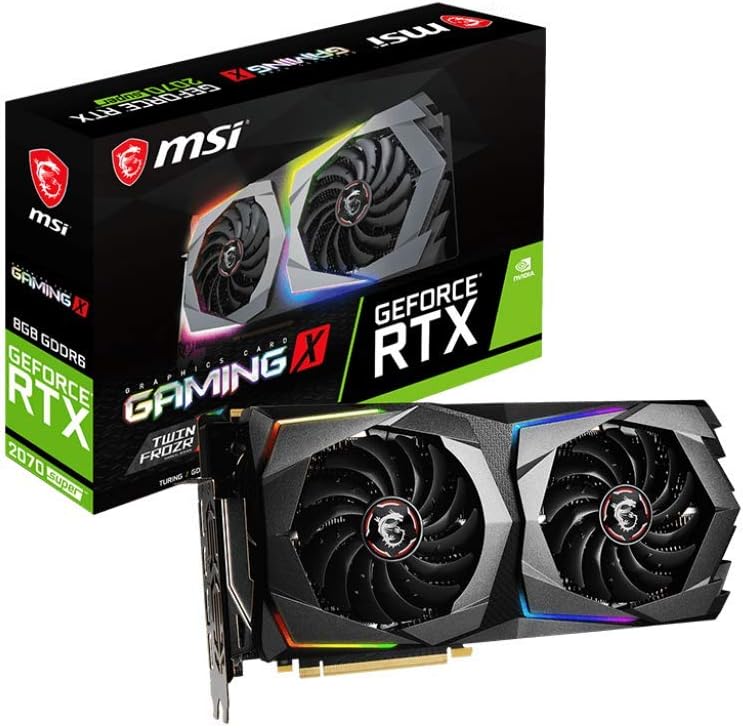
#4 MSI Gaming GeForce RTX 2070 Super
#5 MSI Gaming GeForce RTX 2070 Super Gaming X
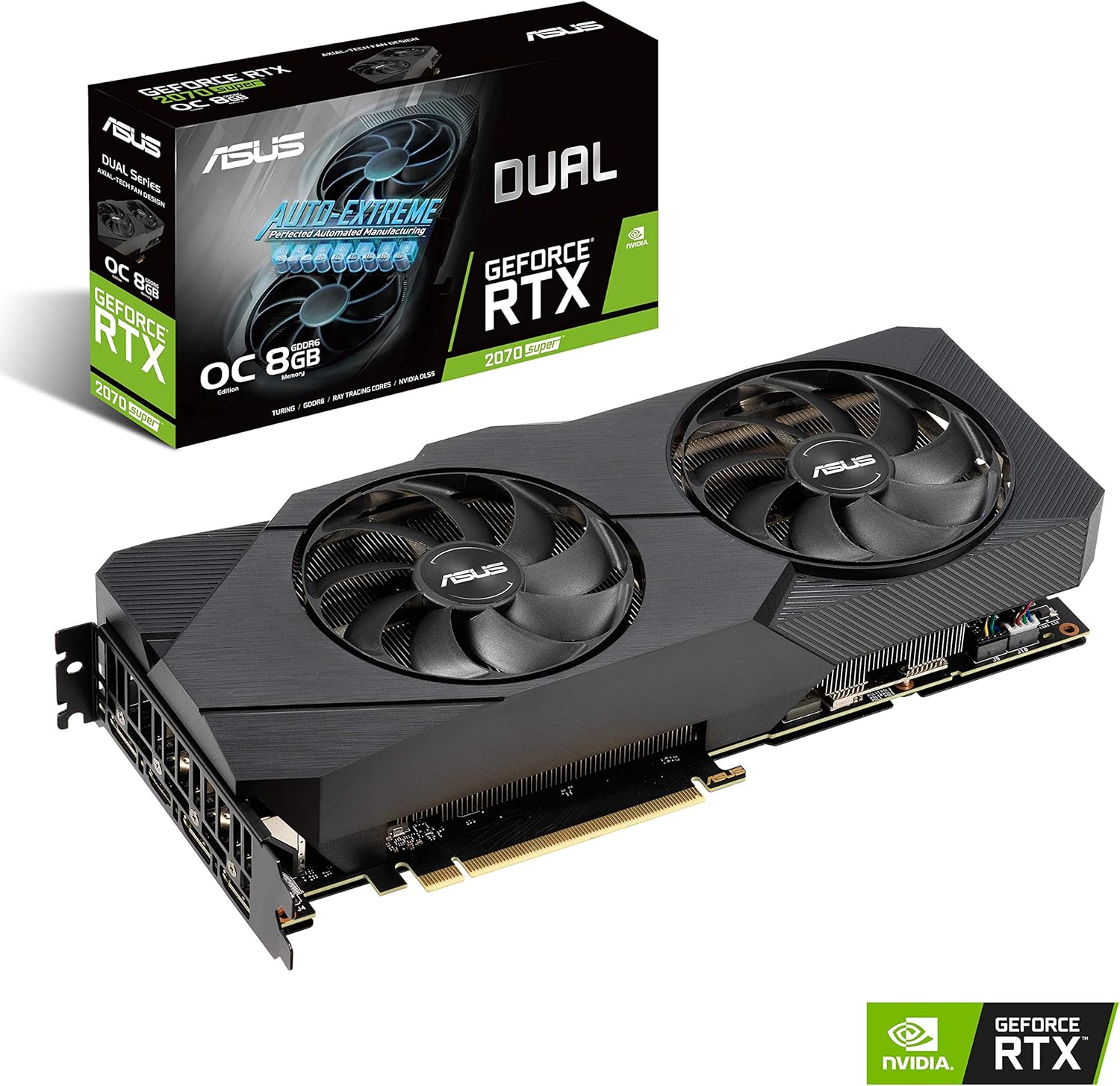
#6 Asus GeForce RTX 2070 Super
#7 EVGA GeForce RTX 2070 Super XC Gaming
#8 Gigabyte GeForce RTX 2070 Super
#9 EVGA GeForce RTX 2070 Super FTW3 Ultra
#10 EVGA GeForce RTX 2070 Super KO
   
Buying Guide

Maximum boost clock:

Every GPU has a base frequency and a boost mode. While the base clock of the best RTX 2070 super graphic card is good enough on its own to provide smooth and lag-free gameplay, it is recommended to have one with a higher boost clock. Some graphic cards with boost mode can reach over 1800 MHz. Higher frequency means a faster response rate.

Memory Clock:

While every one of the best RTX 2070 super graphic card has a minimum of 14 GBPS or 14000 Mhz, some even boast a frequency of over 15500 MHz. If you want a faster response and smooth gameplay, choose the memory clock accordingly.

 Cooling system:

It is an important factor. Graphic cards tend to head under heavy load. To ensure that your graphic card does not cause trouble due to overheating, make sure that they have a proper cooling system. Usually, they are equipped with 2 fans for cooling, but some of the best RTX 2070 super graphic card has 3 fan cooling systems. Some even feature a liquid style cooling for optimal thermal performance.

Size:

The graphic cards come in three sizes – mini, regular, and large. If you are tight on space, you can choose the mini version. They will provide almost the same level of performance as the regular ones at an affordable rate. These are best for compact-sized pc. The large-sized graphic cards are generally the ones that have 3 fan cooling system. They provide better cooling as compared to the other. The regular ones can fit almost everywhere.

RBG lighting:

This is an added bonus. Many best RTX 2070 super graphic card offer RGB lighting. These can be customized in some cards, and give an attractive look to your pc. If you have a transparent case, you might as well go for RGB lighting.

List of Best RTX 2070 Super Graphic Cards

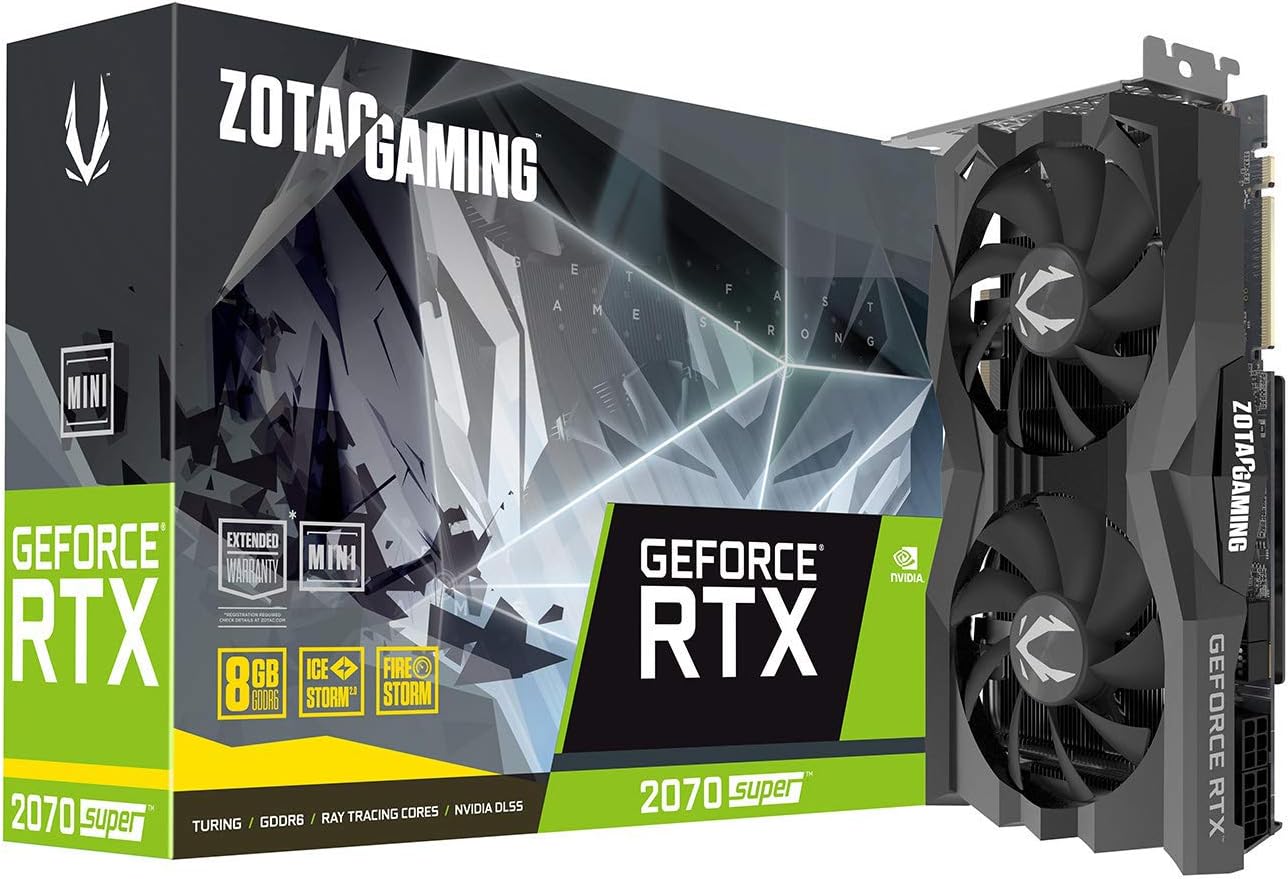
1. ZOTAC RTX 2070 Super Mini

Personally recommend this model for the small and compact size which makes it one of the best RTX 2070 super graphic card. At an affordable budget, you get the power of the RTX 2070 super series. Moreover, it has 2 fans for cooling which is unknown for a graphics card of this size. With impressive performance and supercooling, you get the perfect graphics card for a compact PC.

Features:

  • NVIDIA TURING ARCHITECTURE
  • REAL-TIME RAY TRACING IN GAMES
  • ENGINEERED COOLING & STRONG
  • NVLINK SLI-READY
Pros
  • Compact in size
  • Impressive performance
Cons
  • Louder fans
  • Low factory OC
 

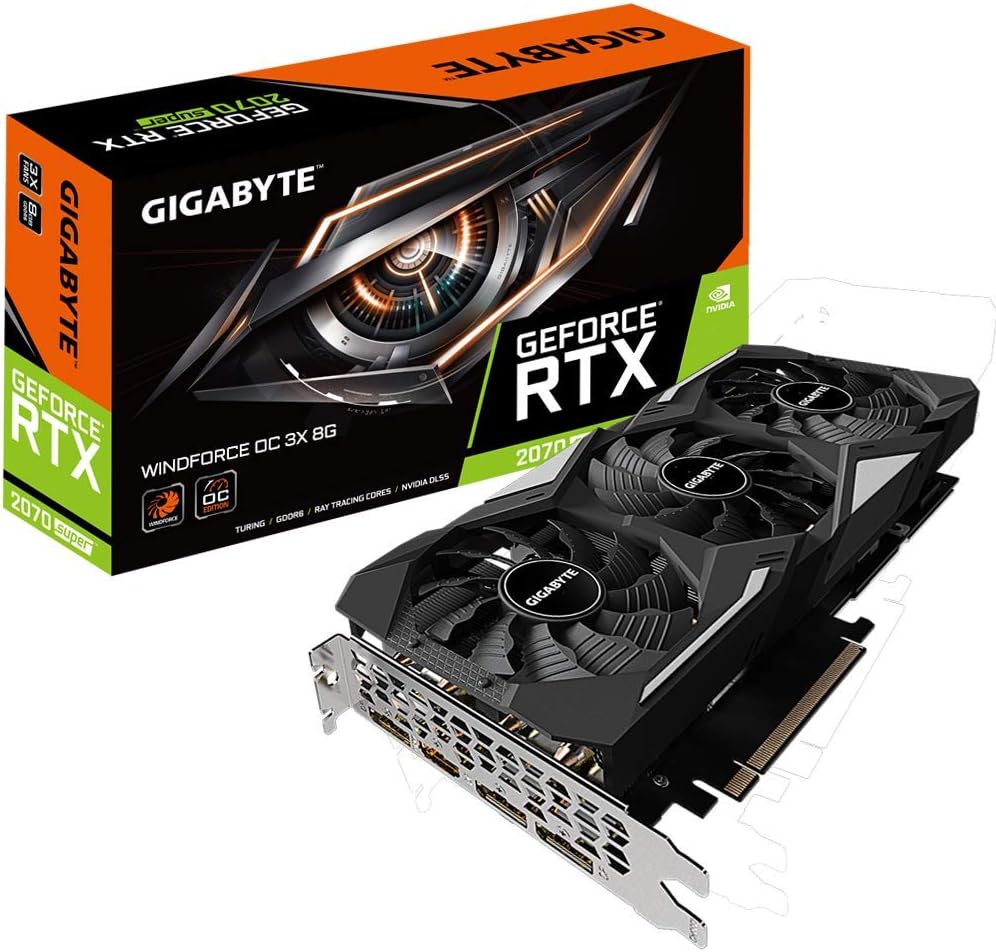
2. Gigabyte GV-N207SWF3OC-8GD Windforce

With the Aorus Engine software, get complete control over the performance of this beast that lets you monitor its performance as well. Sync the lighting of the graphic card with other PC components with the RGB Fusion 2.0 to make it look more attractive. The best part is, you get a factory overclocking of 1815 MHZ instead of regular 1770MHz to run all your games smoothly.

Features:

  • WINDFORCE 3X Cooling System
  • RGB Fusion 2.0
  • alternate spinning fans
  • Real-Time Ray Tracing
Pros
  • Great thermal performance
  • Protection Back Plate
Cons
  • Heating issue
  • Annoying noise
 

3. EVGA 08G-P4-3071-KR RTX 2070 Super

https://images-na.ssl-images-amazon.com/images/I/81i7IunsFwL._AC_SL1500_.jpg

I used this graphic card as it had a dotted fan that provides fast cooling. If you have space constraints, then is the model for you as it features a dual-slot design. To prevent overheating, this graphic card features a larger heatsink that allows more heat dissipation leading to lesser overheating issues. It is one of the best RTX 2070 super graphic cards as it features a noiseless operation.

Features:

  • Real-time ray tracing
  • Hydro-Dynamic Bearing Fans
  • Vulkan API, Open GL 4/5
  • Multi-GPU fan control
Pros
  • Good overclocking performance
  • Game-ready drivers
Cons
  • Lacks backplate
  • No RGB lighting
 

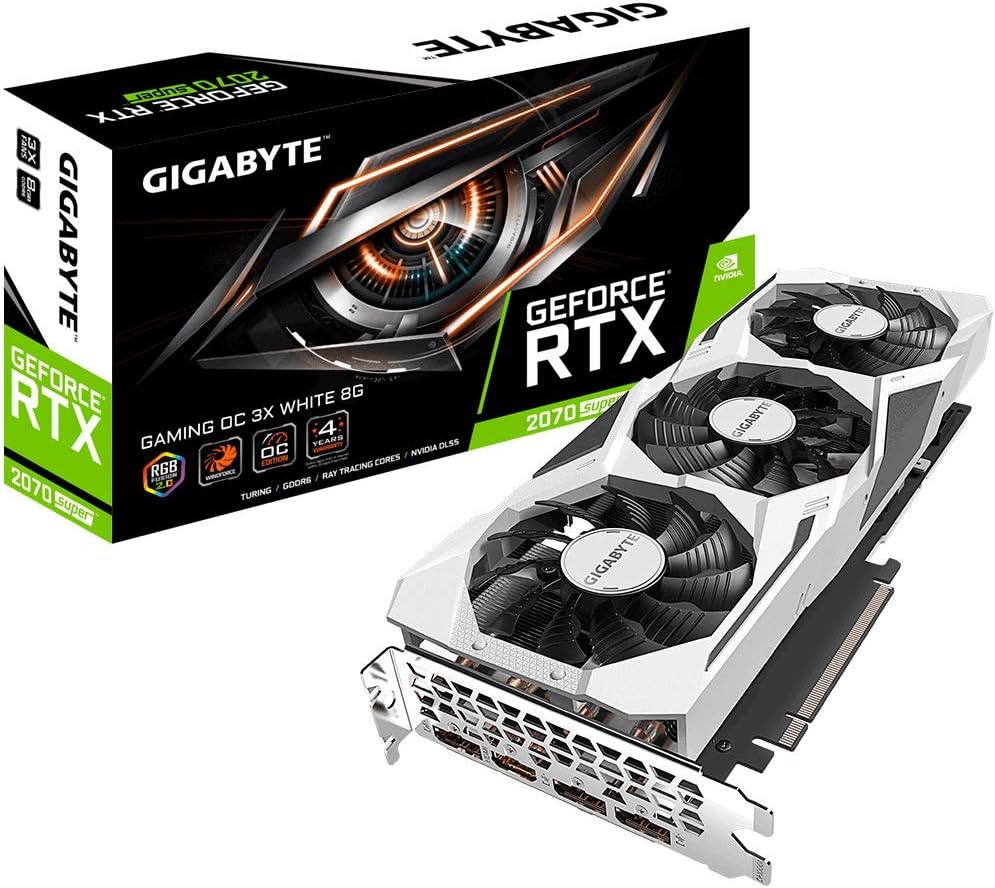
4. MSI Gaming GeForce RTX 2070 Super

The classic white colour makes it my favourite RTX 2070 super graphic card. With this graphic card, you can achieve up to 240 fps gameplay with HDR and many more, making it one of the best RTX super graphic card. Equipped with the OC Scanner, the graphic card automatically finds the highest stable overclock settings giving you an optimal performance. Buy this for the best gaming experience.

Features:

  • Afterburner Overclocking Utility
  • NVIDIA G-SYNC and HDR
  • OC Scanner
  • NVIDIA Turing Architecture
Pros
  • Noiseless operation
  • Impressive performance
Cons
  • No RGB lighting
  • Heat issues at high load
 

5. MSI Gaming GeForce RTX 2070 Super Gaming X

https://images-na.ssl-images-amazon.com/images/I/61E3SL8fCIL._AC_SL1024_.jpg

If you want to build a designer and stylish PC, this is the graphic card for you. It features RGB lighting that makes your PC look attractive. You can even customize the RGB lighting to match with your PC. It comes with an optimized heatsink that facilitates effective heat dissipation, thus maximizes GPU performance. The two massive fans provide superior cooling for a long, lag-free gaming experience.

Features:

  • Addressable RGB
  • Slow spinning fans
  • Solid overclocking potential
  • Runs quietly under heavy load
Pros
  • Translate to high function clock rates
  • Low operating temperature
Cons
  • Expensive
  • Not quick enough for smooth performance at 4K
 

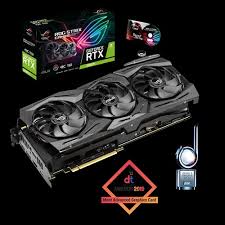
6. Asus GeForce RTX 2070 Super

https://images-na.ssl-images-amazon.com/images/I/91etF6unhXL._AC_SL1500_.jpg

I recommend this graphic card for all the gamers who want a boosted gaming experience with noiseless gaming experience. The two large fans provide a superior airflow that keeps the Graphic card even when extensively used. Furthermore, if the graphic card is not being used for a heavy purpose, it automatically switches off the fans, thus giving you a noiseless experience, and making it one of the best RTX 2070 super graphic card.

Features:

  • IP5X dust-resistance
  • GPU Tweak II
  • Protective Backplate
  • 0dB Technology
Pros
  • 2.7-slot Design
  • Axial-tech fan design
Cons
  • Can’t change color of RGB shroud
  • Big in size
 

7 EVGA GeForce RTX 2070 Super XC Gaming

I recommend this graphic card as it is one of the best RTX 2070 super graphic card with an optimal blend of quality, accuracy, and performance. You get ultra-quality gameplay with a realistic gaming experience with the upgraded overclocking EBGA software X1. The memory clock boost of this model is 15500 MHZ. It uses dual HBD fans for an effective heat-sink that keeps the temperature to a minimum.

Features:

  • Hydrodynamic bearing fans
  • Next-gen overclocking
  • Multi-GPU fan control
  • Modifiable RGB led
Pros
  • Incredible cooling performance
  • Multiple customization options
Cons
  • Slightly long
  • Slightly thick
 

8. Gigabyte GeForce RTX 2070 Super

https://images-na.ssl-images-amazon.com/images/I/71UA8pEI6%2BL._AC_SL1000_.jpg

I have used this graphic card as it features a triple fan design for maximum cooling and can proudly say that it is one of the best RTX 2070 super graphic card. The bigger than usual fans account for a better thermal performance to give you a lag-free gaming experience. Even if the fans are used at full load, they won’t make much noise, thus giving you peaceful gaming experience.

Features:

  • Nvidia Turing architecture
  • Real-time ray tracing
  • Wind force 3x cooling system
  • alternate spinning fans
  • High-quality backplate
Pros
  • Powerful wind force fans
  • Great thermal performance
Cons
  • Boost clock less than 2000MHz
  • Frustrating software
 

9. EVGA GeForce RTX 2070 Super FTW3 Ultra

https://images-na.ssl-images-amazon.com/images/I/81GS6zD1MYL._AC_SL1500_.jpg

One of the bestselling 2070 super series graphic card, the EVGA: FTW3 Ultra+ features a triple cooling system. It is RGB enabled to give your PC an amazing look. This card boasts an effective frequency of 15500 MHz with a boost clock speed of 1815 MHZ for an ultimate gaming experience and has iCX2 cooling technology that prevents the card from getting overheated and does not produce huge noise.
Features:

  • Adjustable RGB LED
  • Supports NVIDIA NVENC Turing Encoder
  • All-Metal Backplate
  • Real-Time Ray Tracing
Pros
  • Good cooling system
  • Appealing exterior design
Cons
  • Not dual GPU
  • Expensive
 

10. EVGA GeForce RTX 2070 Super KO

If you want a better gaming experience at an affordable price, then I’ll recommend this card to you. For people who want a superior cooling graphic card for longer gameplay without any lag, this card features a larger heatsink for more heat dissipation. It also leads to less overheating issues. The dual-slot design is advantageous for people with space constraints.

Features:

  • Low acoustic noise
  • Experience of NVIDIA Geforce
  • Compatible with NVIDIA G-SYNC
  • NVIDIA GPU Boost
Pros
  • Idle fan stop
  • Low temperatures
Cons
  • No factory overclock
  • No backplate
 

Conclusion:

We have proudly presented you with the list of best RTX 2070 super graphic card. All of these have been tested and verified by our experts and we can assure you that if you use them, you will get an ultimate gaming experience. You can choose the RGB ones to give an attractive look to your PC.
Discovering Gadget Bargains Through Automation

0

We live in an era where gadgets make our lives so much easier. In fact, the majority of us rely on our gadgets more than we are willing to admit. I mean, when was the last time you left the house without your phone?

A recent study concluded that people would rather leave their wallet than their phone. That says a lot about how attached we are to the technologies around us. The gadgets themselves are getting better with new iterations released.

Unfortunately, upgrading to the latest and greatest is still a luxury for some. Worry not: there are plenty of deals and special offers to grab, and we are going to discuss how you can find the best ones automatically.

Not a New Concept

Before we get to automating bargain searches and price comparisons, we have to take a closer look at how bots can help you snipe deals. The best example is sneaker sites where bots are being used to get limited edition items at great prices.

The concept is nothing new. Scraping has been around for ages and it is a method used in various markets. The resources we have today, including web proxies and sophisticated, programmable bots simply make scraping easier. Bots can now be programmed to constantly scrape prices from multiple e-commerce sites. They can automatically compare the data to find the best deals.

It’s not only about the publicly available prices either. Bots are becoming smart enough to also find information about coupons, special deals, and even exclusive offers only available to subscribed or logged-in users.

This is advanced price intelligence. It used to be reserved for businesses doing competitor research and research agencies monitoring prices. Today, the same advanced tools and bots are available to everyone.

Sneaker Proxies Changing the Landscape

Pushback from e-commerce sites – and even the brands themselves – is not surprising. Ecommerce sites have been taking active measures to limit actions from same IP address. However, those active measures are thwarted by smart proxy networks.

If you are familiar with the term sneaker proxies, you are familiar with smart proxy networks. Smart proxy networks are pools of residential IP addresses. They are borrowed from smart devices in homes as well as IoT devices in offices and other areas.

Rather than using a dedicated proxy server with a handful of IP addresses, proxy service providers can now offer access to millions of rotating residential IPs. You can keep scraping pricing data from multiple e-commerce sites from different IP addresses.

There is a definite advantage to using sneakers proxies or residential proxy pools. You can keep comparing prices without worrying about being banned from the e-commerce site or exposing your real IP address in the process.

When it is time to make a purchase, you can also get the best deal immediately with an automatic checkout. This is what sneakerheads have been doing with their targeted campaigns. Resellers are making big money on limited edition sneakers and other specialty items this way.

Using Price Intelligence

So, are you interested in using price intelligence and bots to discover the best gadget deals? It doesn’t take much to set up a web scraping operation with automation and advanced features. The tools are readily available, and you can sign up for a smart proxy service from a reliable provider in just a few clicks.

Once you have the tool and the proxies set up, you can start configuring the kind of price data you want to collect from the World Wide Web. You can target specific gadgets, configure the bots to find the biggest discounts, or even optimize your web scraping to find reseller opportunities.

The possibilities are endless. It is even possible to set up automatic buying or configure instant alerts whenever bots discover specific criteria you have set up (i.e. a 50% price drop on a particular gadget).

At that point, you can take price intelligence a step further by racking price trends across the market. You can see how gadget prices fluctuate around special days or in general. When I first started doing price intelligence, I found out that Wednesday was the best day to buy new gadgets.

It will not be long before you start finding great deals on the gadgets that you want. With price intelligence and bots helping you spot the best deals, you can still have the best gadgets to make your life easier, but without spending a fortune to get them. You also have the opportunity to make money from reselling the gadgets for a slight margin. What’s not to love about that?

9 Best Microsoft Publisher Alternative | Best Sites Like Microsoft Publisher

0

Many of us wish to have desktop publishing software on our computers or laptops. So, if you’re one of those who want to create a perfect presentation for office or school projects or if you want to print brochures for your business then you might consider Microsoft publisher and its alternatives as to the best options for your work.

Undoubtedly Microsoft Publisher has been one of the best publishing software but there are tons of Microsoft Publisher alternatives that are also available with more features and templates. So if you’re looking for the best publisher sites then here is a list of the best 9 Microsoft publisher alternatives.

Click here for the list of top 5 Microsoft Powerpoint Alternatives.

Contents

List of 9 Best Microsoft Publisher Alternatives

1.Scribus:

Scribus
Scribus

Scribus is one of the best Microsoft publisher alternatives which is available for free. You can install it on both Mac and Windows.  It is an open-source alternative. So, you can install it on different computers and easily carry your designs with you wherever you go.

Features:

  •     It has a drag and drop interface.
  •     You can both export and import your designs as PDF.
  •     It’s easy to use and saves a lot of time.

Pros:

  • Useful for beginners.
  • Can use it on multiple devices.
  • Available for free.

Cons:

  • Bit slow and clunky.

2. Spring Publisher:

Spring Publisher
Spring Publisher

Spring Publisher is a Windows-only design application. It is one of the best alternatives to Microsoft Publisher. You can use spring publishers to design flyers, business cards, letterheads, brochures, etc. For special features, you can purchase the premium version. It is useful for those who know a little bit about designing print materials.

Features:

  • Helps to design a lot of products.
  • Move and access multiple designs at the same time.

Pros:

  • A good option for beginners.
  • Easy to use and operate.
  • Available for free.

Cons:

  • It can’t be accessed on Mac or iPad.

3. QuarkXPress:

QuarkXPress
QuarkXPress

QuarkXPress is a fine alternative to Microsoft publisher that provides everything that you need to produce high-quality printing material. It helps you to design desktop publishing newsletters. The software is regularly updated according to the user’s request for the features. This application is of great use for professionals. Also, you can choose a premium subscription plan according to your needs from different plans.

Features:

  • Page size can be changed easily.
  • It’s drag and drop function is very impressive.

Pros:

  • The application is available for free.
  • User-friendly.

Cons:

  • Beginners might face difficulties in handling it.

4. Lucidpress:

Lucidpress
Lucidpress

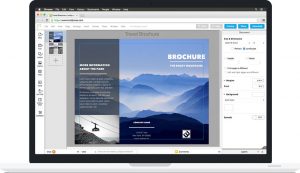
Lucidpress is a web-based software. You can use this on any device you want. You don’t have to worry if you’re a Windows or Mac user. It’s quite similar to Microsoft publisher yet easier to use. With the help of this software, you can create pamphlets, brochures, flyers, business cards, and even logos. It has a premium version too.

Features:

  • Allows you to select any readymade templates.
  • Better at support.

  Pros:

  • Available for free
  • An easier option for business.

  Cons:

  • Bit slow.

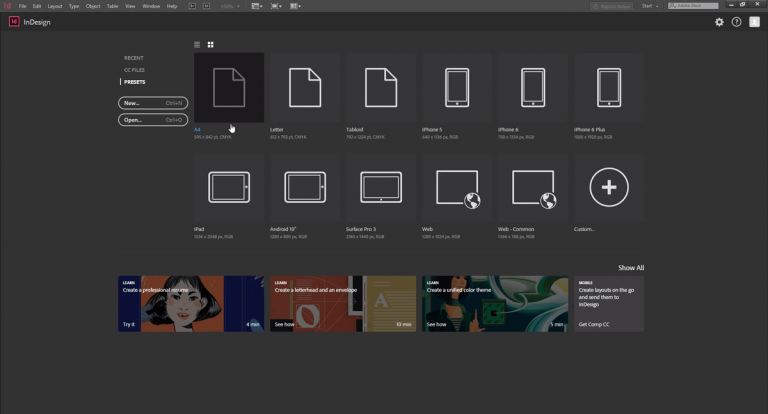
5. Adobe InDesign:

Adobe InDesign
Adobe InDesign

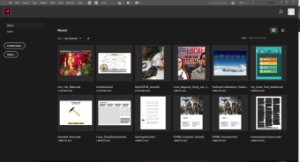
If you’re a professional and already an experienced user then Adobe InDesign will be a pretty solid Microsoft publisher alternative for you. Tutorials are available so you can watch it for better understanding. If you’re thinking of designing new materials all the time then you should definitely try this software.

Features:

  • Available for both Mac and Windows users.
  • Appealing interface.

Pros:

  • Good at meeting requirements.
  • Best for designing text-heavy projects.

 Cons:

  • Not available for free and is a bit expensive.

6. Serif page plus:

Serif page plus
Serif page plus

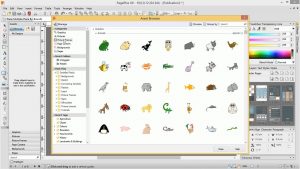
Though Serif page plus is a legacy product you can still purchase it. As it is known to be one of the best Microsoft publisher alternatives. You can use it without watching any tutorial videos. It aids in creating newsletters, brochures, posters, flyers, and business cards using this application. When you open the application it will ask you what you’re trying to create with a popup box. After that, it will display several templates from which you can choose the material which you want to print. If you’re starting from scratch then you won’t face many problems.

Features:

  • It offers a lot of pre-designed templates.
  • A legacy product that is available for designing.

Pros:

  • A great option for beginners.
  • Shows pop-up notifications.

Cons:

  • Not available for free.

7. Print artist 25 gold:

Print artist 25 gold

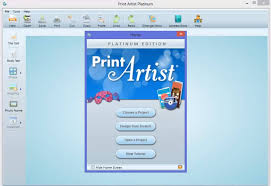
Print artist 25 gold is a pocket-friendly Microsoft publisher alternative. It has many impressive features. It offers more than 16,000 professional templates and over 277,000 with the application. Print artist 25 gold is mainly a greeting card creator but you can also make calendars, certificates, stationery, and labels. Also, you can learn how to use this application in less time.

Features:

  • Offers a wide range of templates.
  • Easy to use, import and export of images is easy
  • Easy to add and edit text.

 Pros:

  • The features are intuitive.
  • You can share your design on Facebook with the help of this application.

Cons:

  • Not available for free.
  • Can’t select a particular size for cards.

8. The print shop:

The Print Shop
The Print Shop

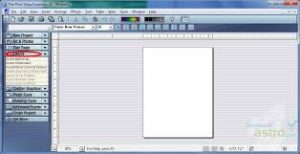
The Print Shop is your one-stop digital design solution and one of the best alternative for Microsoft publisher. That’s why it’s very easy for beginners and you can easily learn how to use this software. Also, you can make visiting cards, birthday cards, invitations, and business flyers using this software. Besides that, it also allows you to create quick professional posters and one-sheet designs.

Features:

  • Offers the widest range of design and layout tools.
  • A couple of templates are available.

Pros:

  • Designs are appealing.
  • Users don’t have to create a new template.
  • Easy to use.

Cons:

  • Not available for free.
  • You can’t add graphs and tables.

9. Crello:

Crello
Crello

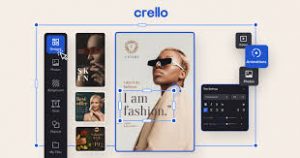
Crello is an online alternative to Microsoft Publisher for graphic designing for social media, print, or any other web-based graphics. It has a huge collection of pre-designed templates and video/photo content. So, users don’t have to take any special training for using this

Features:

  • Offers more than 25,000 pre-loaded modern templates.
  • An online alternative for graphic designing.

Pros:

  • Available for free.
  • User-friendly.

Cons:

  • Users can’t make ads using Crello.

Final Words!

The market has many Microsoft Publisher alternatives for beginners, intermediate, and professional designers. One can easily find the best alternative to Microsoft publisher regardless of their skill sets. Here, we have listed both free fulfils your needs and make your work easier. 

Review: AudFree Spotify Music Converter for Windows or Mac

0

Numerous Spotify music converters can be found if you search on the Internet, but do you know what exactly are they used for, or what features do they provide? Today, we pick one rising software company in the industry and will give you a thorough and comprehensive review of its most popular product – AudFree Spotify Music Converter for Windows or Mac. 

Quick Introduction to Spotify

Spotify now has over 60 million tracks in its catalog, with more than 1.9 million podcast titles. As the most popular music streaming services worldwide, Spotify now possesses 320 million users, among which 144 million are paying subscribers. 

Spotify free users can have access to all music with ads interruption between 3-5 songs. Once upgraded to Spotify Premium, users can access exclusive features for music including improved sound quality and an on-demand, offline downloads, and ad-free listening experience on both desktop and mobile apps.

Why Do We Need a Spotify Music Converter?

Though Spotify has made it possible for us to enjoy music on many occasions such as driving, working out, cooking, it does have some restrictions too. For example, it is not yet available on iPod Shuffle, Classic, or other portable MP3 players. Also, you might not be able to add Spotify music to a home-made video. That’s why we need a Spotify music converter because it is an all-in-one solution to this kind of problem.

Generally speaking, a Spotify music converter can download all Spotify contents including tracks, albums, playlists, podcasts, and audiobooks with just a free account, meanwhile converting these downloads to common audio formats such as MP3, FLAC, WAV, AAC, etc. 

You may say Spotify Premium users can download Spotify music. Well, if you look closer, you’ll find that those offline downloads are encoded in OGG Vorbis format, readable by Spotify only. Thanks to Spotify Music Converter like AudFree, it can help transcode Spotify music to MP3 effortlessly, so you can make other personal use out of Spotify music and enjoy Spotify on devices where Spotify has not yet reached.

AudFree Spotify Music Converter

Different from other free Spotify online converters, AudFree Spotiy Music Converter is professional software designed to help users download Spotify music to 6 audio formats without quality loss. It enables users to download Spotify music with all metadata preserved such as song title, artist, genre, year, and album art. Adopting advanced technology, Windows users can now experience the high downloading speed at 5 times. Moreover, this great tool lets you customize output audio parameters including channel, bit rate, and sample rate. 

Highlighted Features of AudFree Spotify Music Converter

After having a general impression of AudFree Spotify Music Converter, now let’s take a look at its highlighted features more specifically.

  • Download Spotify for offline playback with a free or Premium account
  • Supported input contents: Spotify tracks, playlists, albums, podcasts, audiobooks
  • Supported output format: MP3, FLAC, AAC, WAV, M4A, and M4B
  • Customize sample rate, bit rate and keep all ID3 tag information
  • Keep 100% original audio quality while downloading and converting
  • Run at 5X on Windows with the option for 1X stable mode 
  • Archive output music files sorted by artist/album automatically
  • Easy-to-operate and lightweight, smaller than 6MB after installation
  • Supported languages: English, German, French, and Japanese
  • 30-day money-back guarantee, 7/24 technical support, free lifetime updates

According to AudFree, they never stop innovating and upgrading, so they’re glad to announce that AudFree Spotify Music Converter now supports the latest version of the Spotify desktop client from the Microsoft Store.

A Hands-On Guide on How to Use AudFree Spotify Music Converter

Using AudFree Spotify Music Converter for the first time, I successfully downloaded all songs in my Spotify playlist to MP3 with ease. One thing needed to pay attention to is that you’ll need the Spotify desktop app to complete the whole downloading process. Now I use the AudFree Spotify Music Converter for Mac to demonstrate how to download a Spotify album in 3 steps.

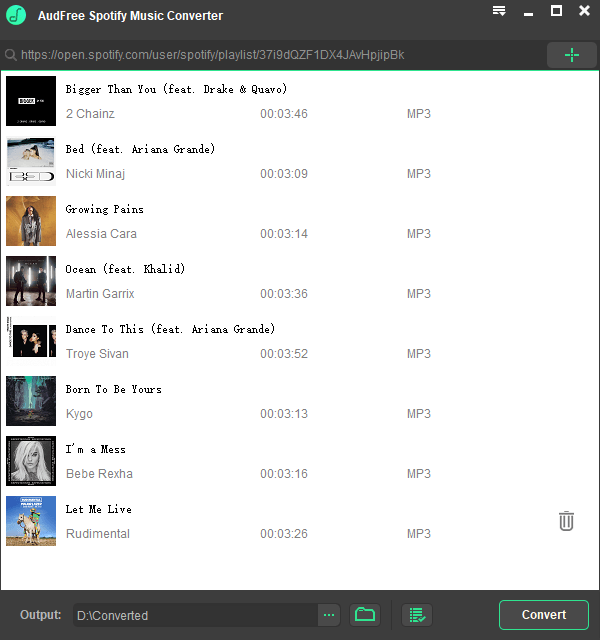
Step 1. Add Spotify Music to AudFree. Upon launching the AudFree Spotify Music Converter, the Spotify app opens itself simultaneously. Go to the Spotify app to browse for Spotify music you wish to download. Drag and drop it to the AudFree window.

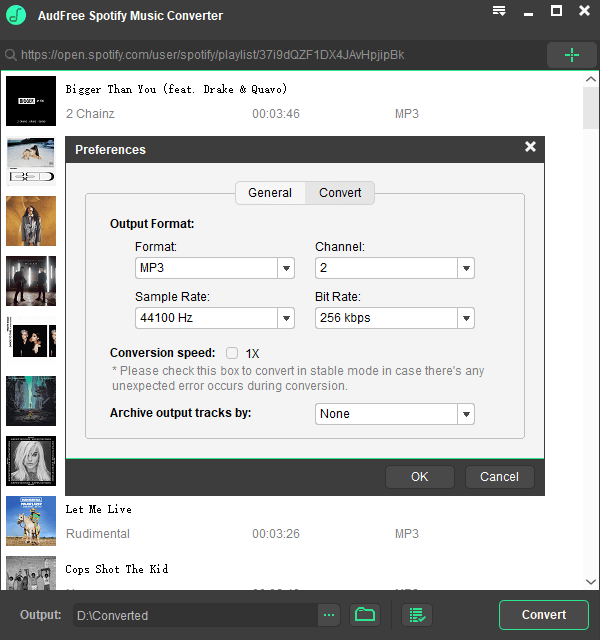
Step 2. Set Spotify out format as MP3. Mac users find the ‘AudFree Spotify Music Converter’ from the Apple menu bar and choose ‘Preferences’. In the setting window as the below picture, you can find output settings under the ‘Convert’ section. Select your ideal output format and other settings according to your needs.

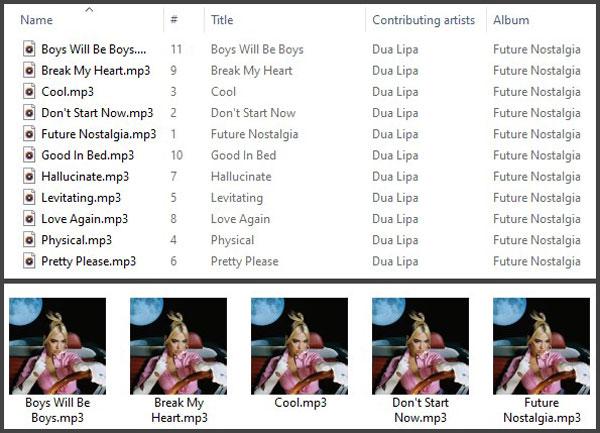
Step 3. Start to convert Spotify to MP3. Simply click the ‘Convert’ button to activate the downloading process instantly. Once converted, you can see a red number of your converted tracks next to the ‘converted’ icon. Click it to open the history list and locate the downloaded music files in the output folder. See, here’s the Dua Lipa album I successfully downloaded.

Pro & Cons of AudFree Spotify Music Converter

Same as other reviews, we have listed the Pros & Cons of AudFree Spotify Music Converter for your reference.

Pros:

  1. Download all Spotify contents with free accounts
  2. Convert Spotify to 6 common audio formats
  3. Zero quality loss during the high-speed converting process
  4. Detect and keep all metadata of Spotify music
  5. Define audio parameters like codec, sample rate, bit rate
  6. Sort output Spotify tracks by artist or album automatically

Cons:

  1. 5x conversion speed not yet available on Mac
  2. Support to convert only 100 songs in one playlist
  3. Convert only 1 minute of each track with free trial version
  4. Not available on Linux

Final Verdict:

You now have a better knowledge of AudFree Spotify Music Converter. Using this tool to download  Spotify to local music files, it opens up more possibilities for us to enjoy Spotify music. To give you some ideas, you can burn Spotify music to CD to play in an old car, or play around music with DJ software. 

Download the free trial version of AudFree now to experience its full features yourself. Or you can purchase a lifetime license for $39.95 on 1 computer with a 30-day money-back guarantee. What do you say about this tool? Leave a comment and let me know.

DRmare M4V Converter Hot Review in 2020

0

Apple users must be familiar with the iTunes app. It is one of the best places for Apple users to watch movies, TV shows, listen to music, etc. However, all the contents on iTunes are encrypted with DRM protection. As a result, it is hard and inconvenient for Apple users to enjoy iTunes contents fully. They can’t use iTunes contents on other devices outside Apple devices. Thus, users are looking forward a way which can help them rip DRM from iTunes and enjoy the contents freely.

Here let’s meet the DRmare M4V Converter from DRmare Software. In this article, we will give an honest review of DRmare M4V Converter along with a step-by-step guide on how to use it. Now, let’s take a look what is DRmare M4V Converter as below.

What Is DRmare M4V Converter

DRmare M4V Converter is a professional tool for Windows and Mac, which supports to rip DRM from downloaded iTunes movies, TV shows, etc. and convert them to plain video formats for playing on any device. 

DRmare M4V Converter main features:

  • Rip DRM from iTunes movies, TV shows – This converter supports to remove DRM from iTunes contents, including movies, TV shows, music videos, etc.
  • Multiple output formats supported – The converter supports to output multiple video and audio formats, like HDMP4, MKV, MOV, MP3 and so on.
  • Fast conversion with no quality lost – The converter can batch convert iTunes movies and TV shows at a faster speed without touching the original quality.
  • Keep all tracks (5.1 Dolby) and subtitles – This program allows to save all tracks (5.1 Dolby) and subtitles of iTunes movies to playback on any device.
  • Personalize your iTunes movies – This software allows you to edit your iTunes video files. You can add effects, watermark, subtitle, etc. as you like.

Let’s check the detailed input and output formats and the technical requirements of DRmare M4V Converter. 

DRmare M4V Converter supported input formats:

DRM-ed video files: DRM-ed iTunes M4V videos

DRM free video files: M4V, MOV, DV, MP4, FLV, WTV, OGV, MPEG, WMV, VOB, etc.

DRmare M4V Converter supported output formats:

Video formats: MP4, AVI, MOV, OGV, M4V, MKV, WMV, 4K, WebM, etc.

Audio formats: OGG, FLAC, M4A, M4B, MP3, M4A, AC3, AAC, AIFF, etc.

DRmare M4V Converter technical requirements:

For Windows: At least Windows XP, a 1G Hz processor, a 256MB RAM and iTunes 12.10.1.4 or lower version is required.

For Mac: At least Mac OS X 10.8, a 1G Hz processor, a 512MB RAM and latest or lower version of iTunes is needed.


Is DRmare M4V Converter Free?

The DRmare Software offers the free trial of DRmare M4V Converter, so you can download the converter for free and give it a try from DRmare official website. However, it is only a trial version which allows you to convert s single minute each video.  If you want to rip all limitations, then you need to buy a full version.

The prices of the DRmare M4V Converter for Windows and Mac are identical. The premium version is available in the following editions:

  • A single license – It will cost you $44.95 to purchase a lifetime license for one computer.
  • Family license – Its price is $69.95 and it allows to connect two to five computers.
  • Unlimited license – It supports unlimited computers, which cost you $199.95.

All deals are one-time payment and you will receive lifetime updates and free support.

How to Use DRmare M4V Converter to Convert iTunes Videos?

Ripping DRM from iTunes videos shouldn’t be difficult and that is exactly what DRmare M4V Converter enables. It just needs several steps to finish the conversion. Here we will take the DRmare M4V Converter for Windows as an example and walk you through each step from installation to downloading DRM iTunes video files. Let’s move on each step:

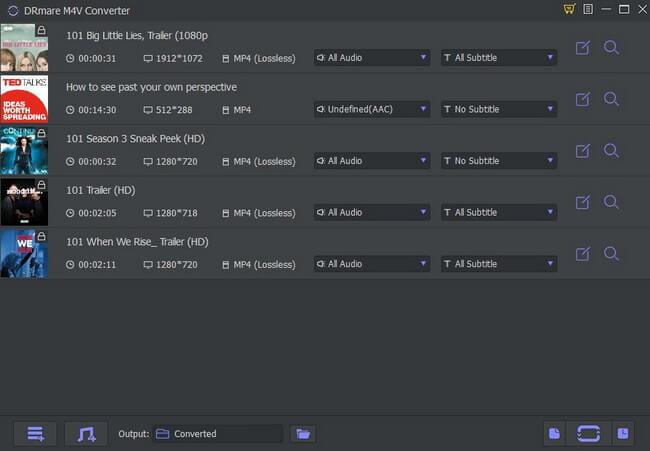
Step 1. Download and install DRmare M4V Converter

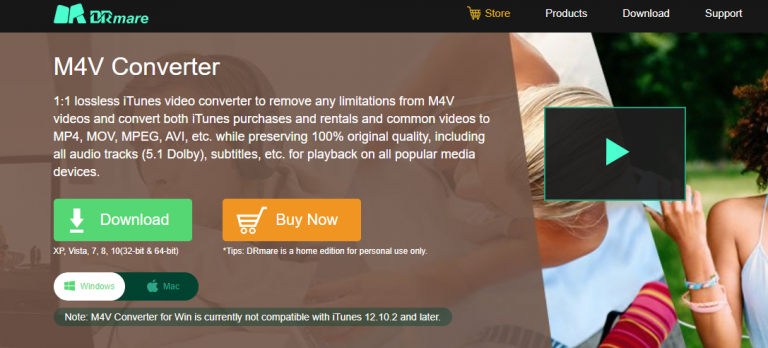
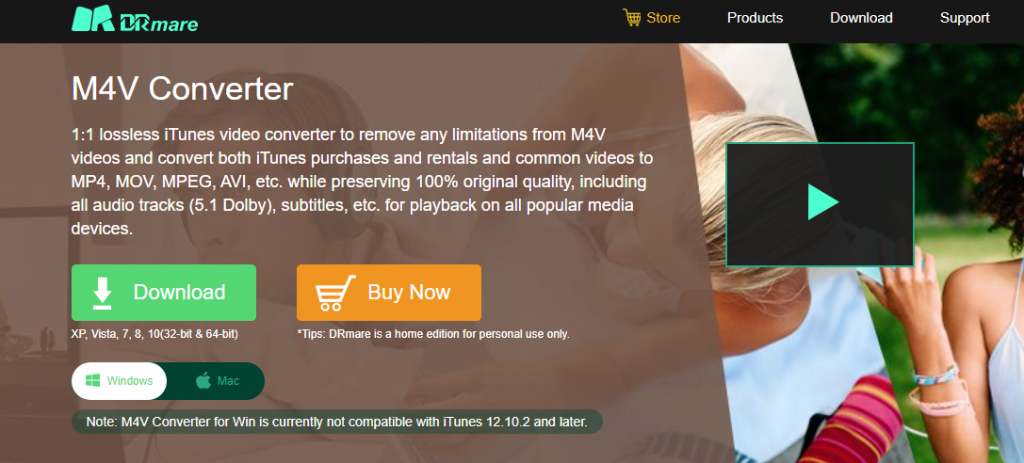
Go to DRmare official website and then you can download the free trial version from the ‘Download’ button. Or you can directly get your license via the ‘Buy Now’ button. After downloading, open the file and choose the required license agreement. Then choose the location that you want to install. After then, click ‘Install’ to install DRmare M4V Converter for Windows on your computer. Then open it.

Step 2. Add iTunes videos to DRmare M4V Converter

After opening the DRmare M4V Converter, you will see a drag & drop option the main interface. You can drag and drop downloaded iTunes videos you want from your computer. Or you can also import your files via the ‘Add Files’ button at the bottom left corner.

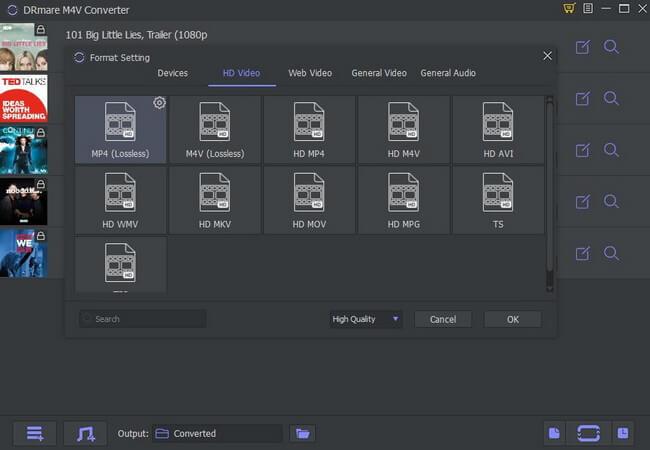
Step 3. Adjust output video format

After you load the iTunes videos into DRmare program, you can click the ‘format’ icon to set the output video format, etc. The default video format is MP4, but the software also supports MOV, MKV and more. You can choose one of them you like.

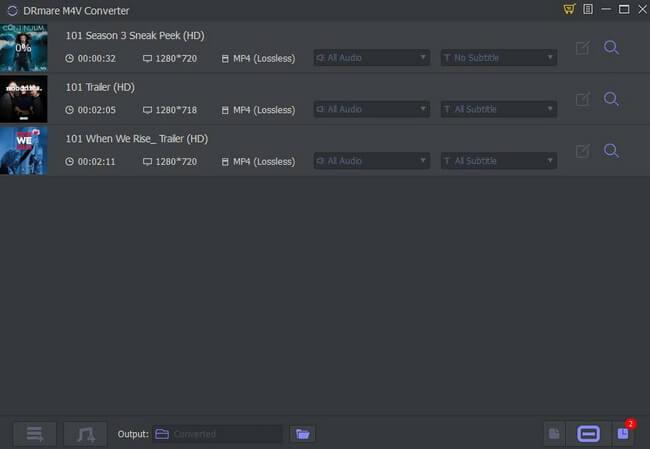
Step 4. Rip DRM from iTunes movies

Now, you could click the ‘Convert’ button from the below right corner. Then you will see the real-time converting process. Once finished the conversion, you will see the number of converted videos on the ‘Converted’ button. You could click on it and check the converted DRM-free iTunes videos. Then hit on the converted video to play it.
Pros and Cons of DRmare M4V Converter

After using the DRmare M4V Converter, here are some points that we would like to focus on and give you a brief conclusion of this tool.

Pros:

  • A clear user interface, easy-to-use
  • Multiple input and output formats supported
  • Remove DRM from iTunes videos with lossless quality
  • Available for both Windows and Mac
  • Support to edit iTunes video files accordingly
  • Support to play converted iTunes videos anywhere and anytime

Cons:

  • No major cons

The Verdict

DRmare M4V Converter is a tool that you shouldn’t miss. The program is reliable and easy-to-use. It can convert iTunes DRM videos and DRM-free videos to plain video formats at a faster speed with lossless quality kept.

The process of using the program is simple. You could directly drag & drop or import video files from iTunes to DRmare program. And you can customize your video files on the program as you like.

Overall, with the DRmare M4V Converter, you no longer have to worry about watching iTunes movies on your other devices. That is why we here highly recommend DRmare M4V Converter to anyone who are looking for such tools. Just give it a try and it won’t let you down.

Best RTX 2080 Ti Graphics Cards | Best Gaming Graphic Cards

0

As you know GeForce RTX 20 series is one of the best graphics processing units developed by NVIDIA and the RTX series is under the group of this processing unit.

Let us simplify the term ‘RTX 2080 Ti’ for you. Here RTX is the series, 2080 is the model, and 2080 Ti is the modified version of its own. In July 2019, GeForce RTX was announced after several modifications by NVIDIA.

Most Powerful Graphic Cards in Market

Recently in the Graphics market, NVIDIA is winning the race and this graphic card is a kind of superpower in gaming. 4K gaming runs smoothly in this graphics card & the range is 60 – 117 FPS, clock speed is 1635 MHz which is the dream of every gaming guys. Here we are going to cover the best graphics card in the market to date and let you know which suits you the most.

Front line manufacturers are ASUS, MSI, EVGA, Zotac, and Gigabyte. These manufacturers are making this master graphics card to satisfy the hunger of gamers.

Why the gamers need graphics cards?

Users or gamers need Graphics Card for presenting any image on their monitor. The image comes by reforming data into a signal form which is understandable by the system. Users need to keep in mind that the better the graphics card you use the better and smoother image it will produce. So, gamers and video editors need to keep this in mind before purchasing a graphics card.

Click here for the:

Buying Guide

Specs to look at before buying Best RTX 2080 Ti Graphics Cards:

  • Memory: Memory space is an important factor that you need to check before buying a graphics card. Chose a card that has at least 4GB or 6GB space and 1080p resolution for gaming. Memory space and high resolution are the two factors that make an ideal choice of graphics cards.

  • Form Factor: Room case for your card is an important factor. So, make sure you check the length, width, and thickness. Chose a card that is approximately 8 inches long or which looks like a mini card.

  • Thermal Design Power (TDP): TDP is considered as the amount of heat dissipation by the card. It also supplies users with an estimate of how many watts are required to run your card. As an ideal choice, a 600W PSU will be the best option to handle powerful graphics. Also, 800W will be suitable for a single GPU with overclocking.

  • Ports: Users need to make sure that their card can support HDMI or Display port for a potential display.

  • Power Connectors: Hardcore gamers need to pay attention to the power connectors. Their cards should draw more than 75W power. The PCIe power connectors come in 6- and 8-pin modifications. So, make sure your connectors have the required power otherwise you need to upgrade it.

  • Clock Speed: Everyone wishes for a card that has a higher clock speed which can fit in different frame rates. But the gamers or users need to understand that the clock speed isn’t everything. The main factors are the core counts and the architecture that needs their attention.

  • Steam Processors: The performance level of a GPU is important. As it tells the users the product is worth buying. For this, the users need to compare the core counts within the same architecture than comparing it to separate architectures. For example, we can compare the core counts of AMD and Nvidia architectures.

  • Bandwidth: The bandwidth or the memory speed is also an important factor to look upon. We need to keep in mind that the higher the clock speed, the faster memory will make the card faster than other cards.

So, take a look at the features and specifications of the 10 Best RTX 2080 Ti Graphics Cards.

List of 10 Best RTX 2080 Ti Graphics Cards:

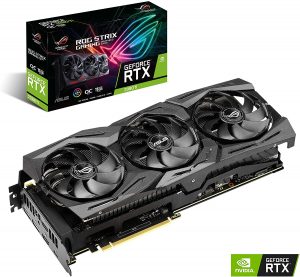
1. ASUS ROG STRIX RTX 2080 Ti

ASUS ROG STRIX RTX 2080 Ti

This is one of the best graphics cards in the market to date. You’ll never regret after getting this. Asus makes it overclocked that’s why it shows high performance compares to others. Isn’t it impressive? Max’s contact technology improves its heat transfer that is why its cooling system is fantastic. Most of the graphics cards are running behind Asus to get its cool specifications.

Features:

  • 12 RGB panels compatible with AURA sync.
  •  Triple-fan cooler enhances temperature. 
  • It has 11 GB GDDR 6 V- RAM. 
  • PCI Express x8 hardware interface is a plus point which is included here.
  • Its factory boosted clock speed is 1890 Mega Hz.

Pros

  • Unmatched 4K gaming performance.

  • Faster than the Founders Edition.

Cons

  • Doesn’t look as good as the Founders Edition model.

  • Very expensive.


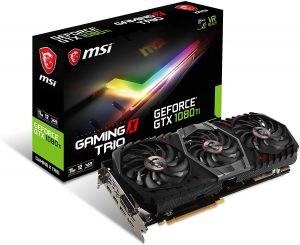
2. MSI GEFORCE RTX 2080 TI GAMING X TRIO

MSI GEFORCE RTX 2080 TI GAMING X TRIO

MSI’s gaming cards are generally at its best. Nothing has changed majorly with its upgrade. It has boosted up to 1775 Mega Hz with a good triple-fan cooler. With this identification, you can run a 4K game easily. And yes this is smoother and affordable than MSI’s Duke Variant. From all statements, its cooling system is fabulous & attracts people who run heavy games.

Features:

  • It has boosted up to 1775 Mega Hz.

  • It comes with a good triple-fan cooler.

  • It has 11 GB GDDR 6 V-RAM.

  •  12.79×5.51×1.89 in dimensions.

Pros

  • Outstanding performance.

  • Arrives with USB 3.1 Type-C port.

  • 4K 120 Hz is possible with lower settings.

Cons

  • High pricing.

  • It has only one HDMI 2.0 port.

  • And it is only 6% faster than Founders Edition


3. ZOTAC RTX 2080 Ti

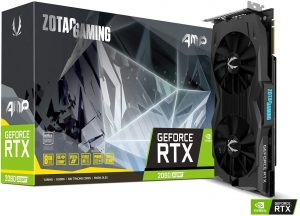
 ZOTAC GAMING GeForce RTX 2080 SUPER

ZOTAC is one such affordable graphic card in this list, but I understand people in this field never look at their budget.

Its specifications look a bit boring compared to others but if you’re looking to save your pocket then it’s the best option you have.

Features:

  • Zotac RTX 2080 Ti’s clock rate is 1665 Mega Hz.

  • It has a triple-fan cooling system, that’s why overheating is not a part of Zotac RTX 2080 Ti.

  • This card is congenial with OC scanner software.

Pros

  • Highly energy efficient.

  • No overheating.

Cons

  • Bit expensive product.


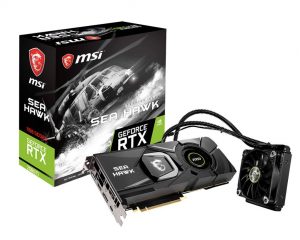
 4. MSI RTX 2080 Ti Sea Hawk X

MSI Graphic Cards RTX 2080 TI SEA Hawk X

Liquid cooling for maximum efficiency is one point that separates this card from others and it has also thin skin. This card doesn’t need a heavy cooling system because it is comparatively thin. You need a big space because of its two slots compatible system. It is the best choice if you’re okay with its comparatively big size.

Features:

  • It comes with a video memory of 11GB GDDR6.

  • 14 GHz of memory clock speed.

  • 11 GB RAM size.

  • Slightly big.

  • Dimensions: 26.92 x 11.43 x 4.06 cm

Pros

  • A liquid cooling system and huge fans keep it cool.

Cons

  • No RGB.

  • And the price of the product.


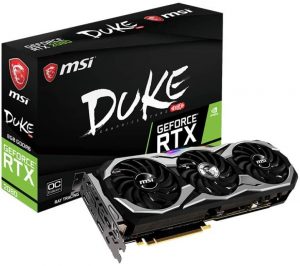
5. MSI RTX 2080 Ti Duke

MSI RTX 2080 Ti Duke

You know it’s one of the costliest products that we’ve discussed so far. But it is worth the value of money. This card has an RGB strip at the top. For more compatible temperatures it has a triple-fan cooler having a clock speed of 1665 mega Hz. It is costly but lets you know that it has a huge demand in the market. Compared to other graphics processing units it has kept more attention from gamers.

Features:

  • The clock speed is 1665 MHz.

  • Triple-fan cooling system.

  • An RGB strip on the top.

  • Its OEM board gives a decent balance of price to performance.

Pros

  • The performance is good.

  • Good FPS rates of well above 100 are available with this card.

Cons

  • An expensive card.


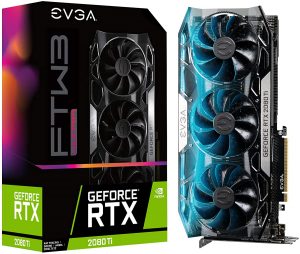
6. EVGA GeForce RTX 2080 Ti FTW3 Ultra Gaming

 EVGA 11G-P4-2487-KR GeForce RTX 2080 Ti Ftw3 Ultra

It has three slots that reduce its compatibility. And you know which specification makes this card a favourite of people? The answer is its reliability. Triple fan cooling system, a very good RGB coverage are some cool features. This card has a clock speed of 1755 mega Hz which is not that bad.

Features:

  • Triple fan cooling system so no overheating.

  • The clock speed of 1755 mega Hz.

  • 11 GB RAM size.

  • Adjustable RGB LED settings which can fulfil your lighting needs.

  • With EVGA, you get the power to overclock like a Pro.

  • Dimensions: 30.23 x 24.13 x 13.97 cm

Pros

  • Great inbuilt.

  • Higher performance.

  • More peaceful acoustic noise.

Cons

  • It is quite Expensive.


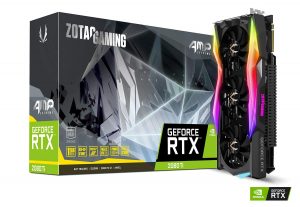
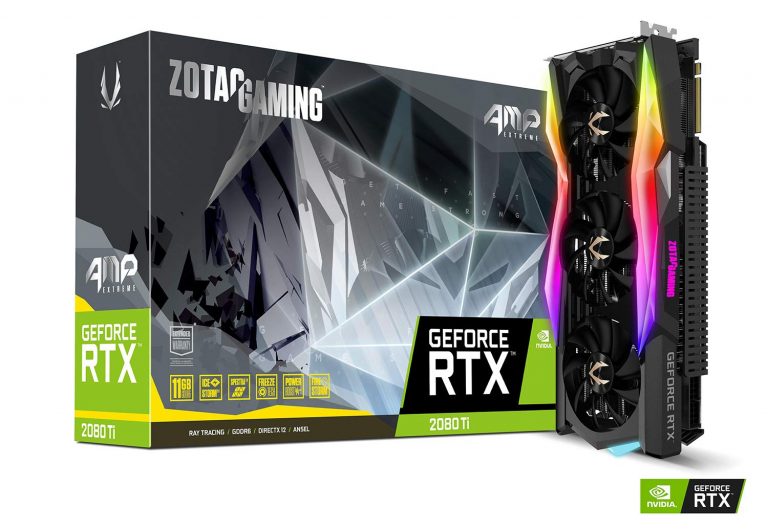
7. Zotac GeForce RTX 2080 Ti AMP Extreme

This GPU has something special which makes it unique. It’s IceStrom 2.0 heatsink which improves its temperature. With an 1815 MHz clock speed, this card’s durability is fantastic. For greater protection, it has a wraparound backplate. This is a kind of choice from the manufacturer ZOTAC.

Features:

  • It has the strongest cooling system.

  • 11 GB RAM Space.

  • Enhanced power stability.

  • The clock speed of 1815 MHz.

  • Dimensions: 32.39 x 13.59 x 5.89 cm.

Pros

  • Stays cool at max 1815MHz clock speed.

  • Supports ray tracing.

  • Easy to install.

Cons

  • More RGB Lighting.


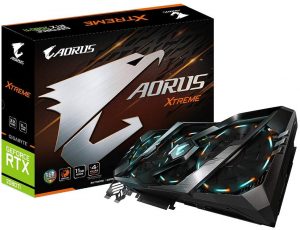
8. Gigabyte AORUS GeForce RTX 2080 TiXtreme 11G


gigabyte aorus geforce rtx 2080 ti xtreme 11g

If you’re willing to buy from gigabyte then this card is a topmost suggestion from our side because the specifications of this card deserve to get a place honestly. RGB fans are a super cool statement from gigabyte. It can Tick all your boxes to be a favourite GPU. But some features of this card has made the reputation down. One specification is its engine. AORUS engine is one of the lowest rank engines to date. Otherwise, this card has more buyers.

Features:

  • The clock speed is 1770 MHz.

  • It is fitted with RGB fans.

  • Real-time ray tracing feature.

  • Dimensions: 2.5 x 2.5 x 2.5 cm.

Pros

  • Outstanding Performance.

  • Has good thermal performance with low airflow.

Cons

  • Extra RGB Lighting.

  • Expensive.


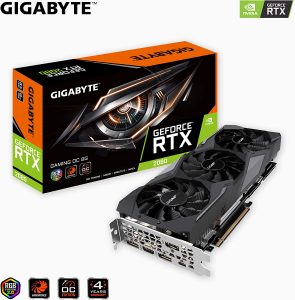
9. Gigabyte GeForce RTX 2080 Gaming OC


Gigabyte GeForce RTX 2080 Gaming OC

Triple fan cooling with wind force and plain design is simple but effective in this case. This card also includes the AORUS engine. It has a 1665 MHz clock boost. It may clock slower than other variants. It is affordable and a common card for all. Because of its cheap price maximum individuals use this one.

Features:

  • 8 GB RAM space.

  • 1665 MHz clock speed.

  • Easy to install.

  • It comes with a user manual.

  • Dimensions: 28.65 x 11.46 x 5.03 cm.

Pros

  • Faster than the GeForce GTX 1080 Ti.

  • Highly energy-efficient.

  • Quiet in gaming.

Cons

  • High price.

  • Small overclock out of the box.

  • Power limit adjustment range lower than on Founders Edition.


 10. NVIDIA GeForce RTX 2080 Ti founders Edition

NVIDIA GeForce RTX 2080 Ti founders Edition

At last, we’re referring to this founders edition cards having a clock speed of 1635 mega Hz. It is a reference model from NVIDIA. It has dual cooling fans so it is ranked lower. Because of its low clock speed, it cannot make its move.

Features:

  • 11 GB RAM space.

  • Dimensions: 26.67 x 4.45 x 11.56 cm.

  • Should fit in a mid- or large-tower.

Pros

  • Powerful card.
  • Great in terms of performance.
  • A great choice for hardcore gamers.

Cons

  • Incredibly, expensive product.


 Conclusion

Users need to know that NVIDIA’S turning architecture is known to win the hearts of the customers.  Also, it’s best when it comes to quality.  Here, we’ve discussed some of the best RTX 2080 Ti Graphics Cards which will help you to decide which suits you and which is the best for your PC. Now, it’s your call.


How to Set Up Parental Control on Android?

0

Parental control applications have transformed parenting. It has opened multiple pathways of parents to engage in efficient parenting. As smartphones have become an inevitable part of a child’s life, they can actually be helpful for parents in controlling their children and their conduct.

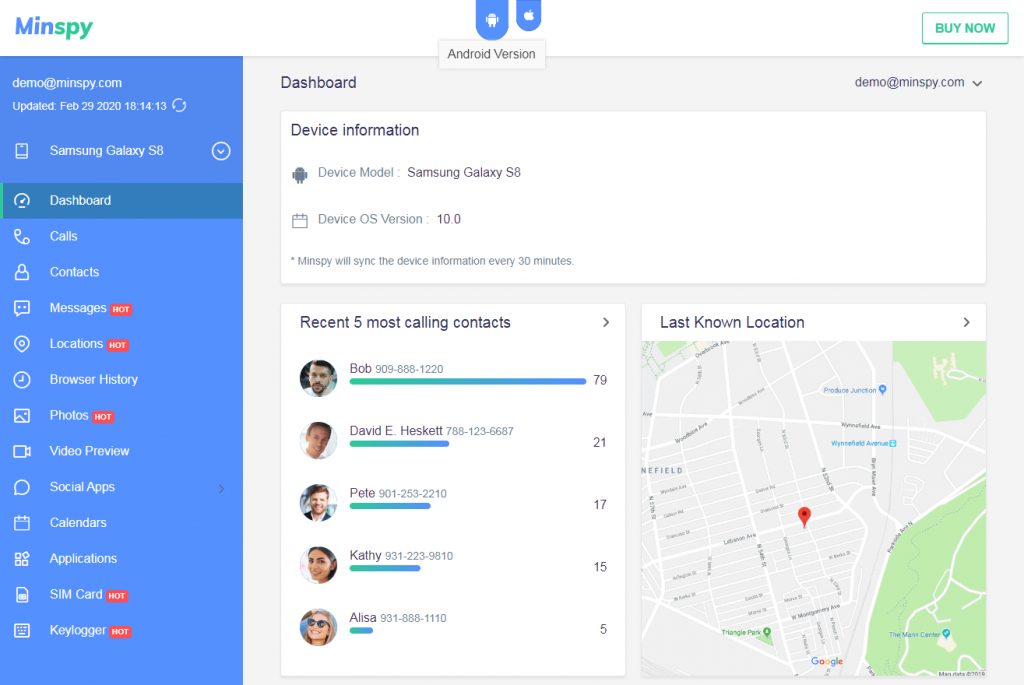
Yes, there are applications such as Minspy that provide the much needed insight into your children’s life. You can see everything your child is doing, where they are, who are they talking to, texting, and messaging all day. You can even see their Instagram, Snapchat and Facebook interactions.

Is Minspy the only app offering efficient parental control? No, but definitely is the best there is to exist. You can read more on how this app is an efficient parental control tool and helps parents around the world to be informed about their children and what they are up to. 

Why Minspy?

If you search for a parental control app on the internet, you will find bewildering alternatives. There will be many apps offering free demos, free trials, but they indeed are phishing tools and will flood your system with malware.

Further, the feedback forms and the robot verifications that these apps require are a colossal wastage of your time, effort and money. Minspy is a tried and tested method of ensuring that you can spy seamlessly on your child. 

Spying on your child’s phone can be tricky. However, it is a very prominent way to ensure honesty or safety of your child. Therefore, Minspy offers a friendly dashboard and a trustworthy platform to spy extensively. 

While Minspy is laden with a lot of beneficial features, it also has some core features that make this app a truly special one. Some of such core features are as follows:

Ensures Data Privacy

Minspy understands your concerns with privacy and rightly addresses the issue. It leaves no stone unturned in ensuring that anonymity and interests of the parents and the children are protected and retained. No parent using Minspy has ever been caught.

Lesser Trails through Web Access

As Minspy is a web based application, there is no need to install the app. This is important in a way that it lessens the chances of leaving a trail. It does not necessitate any unwanted installations, etc. and keeps requirements as simple as possible.

Secrecy through Stealth Mode

Minspy’s stealth mode is well embedded into its very structure. It is almost like going incognito while spying. You can check your child’s phone all day without even instigating any suspicion.

No Unnecessary Linkages

You do not need to indulge in any form of rooting or jailbreaking to operate on Minspy. You require only essential and minimum interface with the target Android phone. The details sought are their minimal best. Your safety while spying is of utmost importance to Minspy.

Hidden Android Spy App

Speaking of Android, no spy application can attain direct remote access to an Android phone. Due to Android phone’s software configurations and stringent rules, you can’t attain direct access. Minspy is no exception and any other app claiming direct access is just lying.

But, Minspy addresses this issue well. While direct remote access is still not possible, Minspy offers you a very convenient trick that can allow you to spy remotely. Let’s learn a little more about the same.

How to Set Up Parental Control on Android 

Minspy is functional on Android in an effortless and seamless way. When it comes to an Android phone, the process is a little tricky, but very handy. Below is the step wise procedure of how to set up Minspy’s parental control on Android:

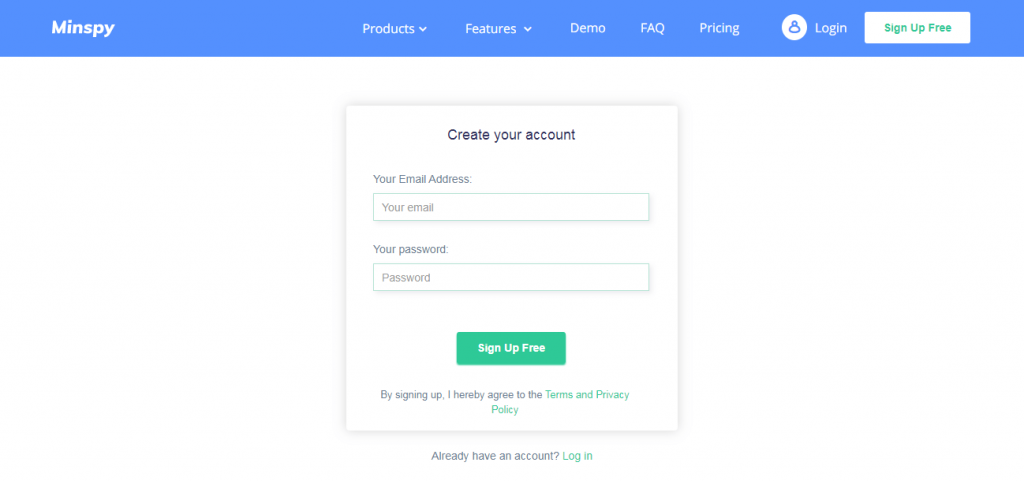
  • Registration: You initiate the process by registering on Minspy’s app.  You can register on Minspy’s app by using your email ID and that is all. No extra birthday, anniversary or social media account linkages required. 

  • Plan Selection: After the registration, you will then need to select the most appropriate plan that suits your requirements. For example, there are various plans to choose from in Minspy and all plans have different offerings. 

Every plan has different deliverables and purposes. From monthly, premium to family plans, the list is extensive and exhaustive. You can do an analysis of your needs and then go ahead with it. 

  • Set Up: After you have selected and bought the plan chosen, you would then automatically receive the set up instructions on the registered email ID. The set up link, once clicked on, will be self explanatory and easy to use.

After the installation is finished, Minspy will ask you about the target platform. That’s where you will mention ‘Android’ as you wish to set up parental control on Android. Now, with Android, you can’t have direct remote access, but Minspy allows you to work your way around even then.

Link to the Android phone in under 5 Minutes: When you select ‘Android’ as the target platform, you would then need to download the app on the target Android phone. The process of downloading the app only takes a few minutes. 

While downloading might seem a heavy task to some, Minspy makes it very simple. The trick here is to hide the application immediately upon download. When hidden, the app goes invisible and even vanishes from the library of Apps. 

  • Checking Data on Dashboard

The last and final step is to access and view the information available post linkage. The dashboard of Minspy is so superb, it flows seamlessly. You can jump from one tab to another with a streamlined database.

It only takes a few minutes to register, install, download and then hide Minspy. On  establishing a successful link with your child’s Android phone, you can view every data on their phone.

Conclusion

You can read more on Minspy and its superb functions. There is a reason why it is the most trusted parental control application popular with parents around the world. It just has everything that you want to know about your child. 

As parents, it is essential to know that they are on the right track and essential to know they are keeping good company. If you ensure that your children have their priorities right, the rest of their lives will be sorted.


Top 10 Best am3+ Processor for Professional Usage

0

AMD has taken over the processing market with a storm. With the am3+ socket processors, AMD completely redefined processing with the advanced features embedded into its processors. If you are looking for the best am3+ processor, then you are at the correct stop.

On this website, not only we will give you the list of the best am3+ processors, but will also tell you how to choose the correct processor for your CPU. For choosing the right processor, Clock speed, Turbo Boost, and overclocking are only of the few things that need to be considered. Read out the article to find out about more such criteria.

Click here for the list of:

Buying Guide

Clock Speed:

This is the speed with which your processor runs. It is measured in GHz. Usually, almost all the processors feature a turbo boost or overclocking that allows it to run to operate over the base speed.

Core Count:

This is the number of cores that your processor has. The better the number of cores, the better will the distribution of the workload among the CPU. If a CPU has a higher core count, it is destined to perform faster.

TDP

TDP stands for Thermal Design Profile or Power. The maximum heat generated by the processor is measured in Watts. It is used to determine the CPU’s consumption, and for choosing the right cooling solution.

Cache

The processor’s internal memory is called its cache memory. Generally, there are three types of cache: L1 cache, L2 cache, and L3 cache. The cache has exponential performance in comparison to the RAM. The bigger the cache, the better will be the processing speed.

Check the latest update for Raspberry Pi 5 computer here.

1.AMD FD9590FHHKWOF FX-9590 8-core

am3+ processor

I used this processor due to the extreme 4.7 GHz frequency is provided. Moreover, under certain conditions, the turbo boost could make it run at even 5 GHz.

For everyone who wants to build a beast gaming pc at a budget range, this is the best am3+ CPU processor that you can find. With the high frequency, run even the most demanding programs with ease.

Features:

  • Perfect for running highly intensive applications
  • Budget-friendly workhorse
  • Features multitudes of innovative technology
  • Up to 5.0GHz clock speed

Pros

  • Comes with a heat sync
  • Easy to over-clock

Cons

  • Requires extra cooling
  • Limited motherboard support


2. AMD FX-8150 8-Core Black Edition

AMD FX-8150 8-Core Black Edition

One of the best am3+ CPU, I personally recommend it if you want to do some serious multiprocessing under £200.

Get an advanced overclocking capability for a big boost in performance and speed to game or work non-stop and lag-free. With the AMD OverDrive software, monitor the system performance and stability while the processor is pushed from its limits. It features a heatsink and fan for optimal thermal performance.

Features:

  • Bulldozer architecture
  • AMD Turbo CORE Technology
  • AMD OverDrive software
  • Advanced Instruction Support

Pros

  • Great overclocking
  • Serious multi-threading for less than £200

Cons

  • just slightly faster at stock than 1100T
  • Struggles against 2500K

Also Check :

3. AMD FX-8120 8-Core Black Edition

AMD FX-8120 8-Core Black Edition

Featuring the Bulldozer architecture, this is one of the best am3+ processor, as it gives you unparalleled multitasking and pure core performance with the help of increased core communication.

With the Advanced Instruction Support, give your system the required stability and performance as it works with almost all the new generation applications. Get a stable and smooth performance with the 32nm die shrink that accounts for impressive energy efficiency.

Features:

  • AMD Turbo CORE Technology
  • AMD OverDrive software
  • Advanced Instruction Support
  • Larger Caches

Pros

  • Great performance in multithread applications
  • Boasts AMD Turbo Core technology
  • Easy and controlled overclocking

Cons


4.AMD FD4300WMHKBOX Black Edition FX-4300

AMD FD4300WMHKBOX Black Edition FX-4300

With a base speed of 3.8 GHz, this is one of the best am3+ processors, as it has an incomparable single-threaded performance.

This quad-core processor can be easily overclocked to 4 GHz to process everything fast and smooth. Get a powerful performance all your work-related software, this processor can also run on low memory setups. You can even work with different dual-core functions.

Features:

  • Brilliant single-threaded performance
  • Extremely easy to install
  • works on low memory setups
  • uses a clock multiplier

Pros

  • Can work with a dedicated software program for your convenience
  • Does well on 3D modeling setups

Cons

  • A bit outdated for demanding applications
  • Zero performance updates.


5. AMD FD832EWMHKBOX FX-8320E

AMD FD832EWMHKBOX FX-8320E

I used this processor as it is one of the cheapest and best 8 core processors that have a boost frequency of up to 4 GHz, which is more than enough to handle all your work.

With the impressive multithreaded performance, get the best FPS for your games, and do all the work with ease. Being energy efficient, this is one of the best am3+ CPU’s available in the market.

Features:

  • immersive gaming experience
  • High dynamic performance
  • Easily overclocked with enhanced stability
  • Manageable power requirements

Pros

  • Better heat management
  • Lowered power consumption

Cons

  • No native USB 3.0 support
  • few performance barriers


6.AMD FX 8-Core Black Edition FX-8300

am3+ processor

With a fully unlocked 8-core processor, get the maximum output from your computer as it can run at up to 4.2 GHz when turbo boosted, making it one of the best am3+ processors.

With this processor, you can play all the latest advanced games at a high frame rate and work at super speeds. Forget about lag, as with this model, we promise you ultimate speed.

Features:

  • Full unlocked
  • easily overclockable
  • Amazing price/performance ratio
  • bulldozer architecture

Pros

  • Offers super-fast operation
  • Great multithread performance

Cons

  • The stock cooler isn’t good enough
  • Can’t adjust the maximum speed between 3.3 and 4.2 GHz


7. AMD FD8370FRHKBOX FX-8370 Black Edition

AMD FD8370FRHKBOX FX-8370 Black Edition

Enjoy a top-notch CPU performance, as you can get a clock speed of 4.3 GHz with AMD’s specialized Overdrive software, making it one of the best am3+ socket processor.

I liked this processor as it has a base frequency of 4 GHz that is more than enough by itself for handling heavy loads and multitasking. This processor gives a faster and reliable computer performance at a very

Features:

  • brilliant cooling system
  • Chaperone system
  • Amazing 3D stereo sound effect
  • Very high HTC Vive image quality

Pros

  • Very quiet operation
  • Incredible base speed of 4.0GHz

Cons

  • Higher power consumption
  • Heating issues


8. AMD FD8350FRHKBOX FX-8350 Black Edition Processor

AMD FD8350FRHKBOX FX-8350 Black Edition Processor

If you have an AMD motherboard, then this is one of the best am3+ processor that you can get for your PC.

Featuring a base speed of 4 GHz that can reach up to 4.3 GHz with the help of a turbo boost, this processor performs all the tasks with ease. Be it multi-tasking, 3D video editing, or heavy gaming, do everything without any lag with this processor.

Features:

  • Impressive benchmark scores
  • compatible with AMD motherboards
  • 8 cores along with 8 threads
  • AMD Overdrive technology

Pros

  • Powered by AMD Overdrive technology
  • Bulldozer architecture transforms overclocking potential
  • ​Peak performance for mega-tasking

Cons

  • The cooling fan gets loud
  • Incompatible with other non-AMD motherboards
  • CPU temperature hikes during marathon sessions


9. AMD FD6300WMHKBOX FX-6300 Black Edition

AMD FD6300WMHKBOX FX-6300 Black Edition

With an amazing overclocking feature that uses multipliers to overclock, you can an impressive speed of up to 4.1 GHz, that makes it one of the best am3+ socket processor.

Get an amazing performance and durable design with this budget-friendly low-cost processor features a 3.1 GHz base frequency that lets you run all your favorite apps in a breeze.

Features:

  • Up to 4.1GHz clock speed
  • Quality performance
  • durable design
  • Amazing overclocking feature

Pros

  • Effortless to overclock with multipliers
  • ​Low-cost processor

Cons

  • Multi-player gaming not supported
  • ​Requires more power than Intel processors


10. AMD FD8320FRHKBOX FX-8320

AMD FD8320FRHKBOX FX-8320

I recommend this model to you as the pre-equipped cooling fan makes the processor operate at an optimal thermal level even during peak CPU usage, making it one of the best am3+ processor.

With an 8-core unlocked multiplier feature, get a speed of up to 4 GHz which is amazing considering the price of the processor. It can even give you a top-notch speed of 4.8 GHz if you use a liquid cooling system along with the processor.

Features:

  • High dynamic performance
  • Manageable power requirements
  • Easily overclocked with enhanced stability
  • Durable build quality

Pros

  • Excellent multi-core performance
  • Better heat management

Cons

  • No native USB 3.0 support
  • The thermal paste gets dry with time


Conclusion:

The various factors such as clock speed, CPU cores, and turbo boost among various other factors have been taken into consideration while preparing the list of the best am3+ socket processor. We hope that you were able to decide the right choice for your PC. If you want to go for heavy usage, choose a processor with a higher frequency and see your computer run at turbo speed. Follow our guide for more such updates.

How Mobile Phones are Enabling a World Class Betting Service

0

Sports betting continues to grow worldwide, with many people deciding to gamble on their favourite sport while they watch games.

There are many reasons why the sports betting industry is growing at this rate, but at the heart of this is certainly the service that is on offer.

A big part of that has been thanks to the introduction of mobile betting. No longer do people need to travel to a bookmaker, or stay and bet from home on their computer.

Essentially, if they want to, anyone that has a mobile phone, has a bookmaker in their pocket.

Want to bet while you are at work? You can. Fancy a wager while out with friends? You can.

Offers such as risk free betting for new players attract newcomers to the industry. When they are betting, it is the quality of the service, and the mobile offering in particular, that keeps them hooked.

The Convenience of Betting with a Mobile Phone

If you look at any aspect of daily life, you are more than likely going to find something that makes it a little convenient for you.

From ordering online to get things delivered, saving you the trouble of leaving your home, to ordering takeaway food, hiring people to do jobs you don’t want to do and much more.

At the heart of everything we do in life, convenience is right there for all to see. The betting industry has seen this, and that is why we now have a mobile phone betting service. Not only that, but it is also why bookmakers are investing millions into their mobile service, they can see how important it is now, and will be in the future.

People will bet less, or maybe even not bet at all, if they have to go out of their way to do so. Having a mobile app, a phone in your pocket, and a connection to the internet, which we all have, allows you to bet how you want, when you want and from where you want.

New Features That Feed into Mobile Betting

Mobile phones are exceptional devices right now, and a quick look at the latest Android news will show that Android phones are far more than just devices we use to contact people.

The battle between Apple and Android over the past decade has led to mobile phone capabilities going through the roof and bookmakers have used that to their advantage.

The hi-tech services that they offer such as betting in play and live streaming are both available for people to use on their mobile phone.

This means if you are at work and want to place a bet on a horse racing, not only can you do that but you can then also watch the race on your phone, cheering home your selection.

We have seen some excellent features become a part of the betting industry and they have added them all to their mobile service, so those users get the very best possible deal.

How Bookmakers are Competing with Each Other

It is fair to say that the betting industry is one of the most competitive out there, and mobile betting has only given bookmakers something else to compete for.

You will see big welcome offers from bookmakers to try and gain new players, these are loss-making for them, but secure vital new players.

However, this is not what the bigger picture is about. You also have to retain players and while offers for existing customers help with this, it is vitally important that bookmakers also offer a strong service.

This comes by having the foundations in place, an easy to use website, great mobile betting app, good payment options and customer support if anyone needs help.

To win the battle of the bookmakers, all of the above is needed and that now includes mobile betting capabilities, and whether the company offers an app or not.

The Future of Mobile Betting

It is clear that mobile betting is going to only go one way from here, and that is up. More people will turn to it, the number of bets placed via a mobile device will increase, and this luxury convenience will become part of daily life for gamblers.

But what will the actual service look like?

The foundations are there, and many enhanced features are also in place, so the start is certainly impressive. In terms of the next steps, if bookmakers want to switch their customers across, look out for mobile-only betting offers becoming a bigger part of their marketing strategy.

Also look out for voice recognition software being used. There may be laws to stop this from being used to place bets, but you could use something like this to ask for odds, offers and results in the near future.