Blog Page 80

10+ Best Payment Gateways in India with Charges and Plans

2

Payment Gateways help users to accept electronic payments through various methods like debit cards, credit cards, online banking, e-wallets and more. These payment Gateways take the money from the buyer on your behalf and transfers then into your linked bank account after deducting the transaction fee.

Many merchants, small business owners, and online entrepreneurs use such services to generate revenue from various parts of the country and rest of the world. In Simple words, you can say that a Payment Gateway is a middleman that bridges the gap between buyer and service provider. When customers enter their card details, your website sends the encrypted information to the Payment Gateway who confirmed the details with the bank account of the customer and processes the payment accordingly.

Being a Merchant, you will also like to check these best POS and card Swiping machines, it will help you get money at your retail stores.

10+ Best Payment Gateways in India with Charges and Plans

Here in this article, we have listed some of the best Payment Gateways in India that offer fast and secure service at reasonable prices.

1. InstaMojo (No Setup Cost, )
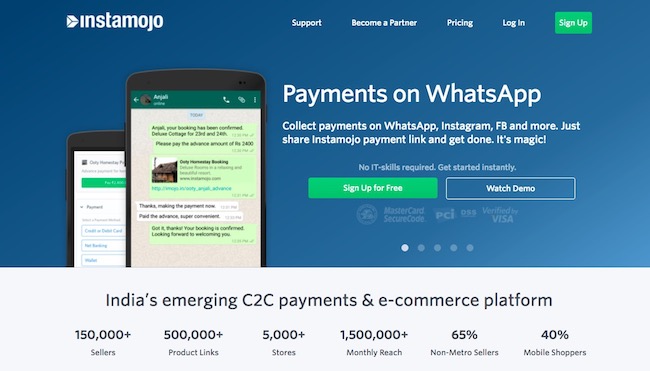
InstaMojo is recommended for those who sell their digital products online for example music, eBooks or videos. InstaMojo is an India based company that offers convenient payment collection option at decent rates. InstaMojo lets users showcase the Buy Now option on the website, and the customer can purchase your digital content without leaving your website.

Signup For Free

Instamojo Charges and Plans

For every successful transaction, InstaMojo charges 1.9%, and if you wish to host your content on InstaMojo website, then you will be charged 5% for each transaction.
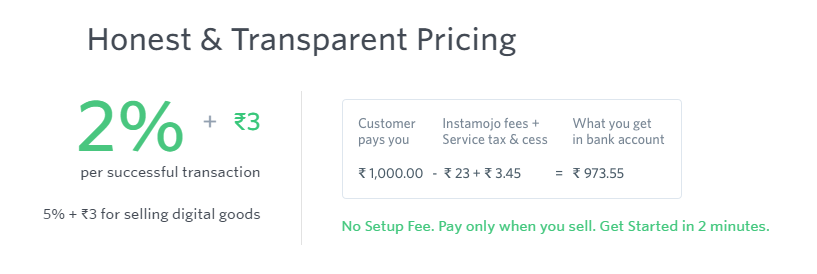
The payment gateway accepts the payment on the user’s behalf and sends it to his/her bank account (which is linked to the service) within three working days after deducting the transaction fee and service tax. For Instance, if a person receives $100 for any digital product sold, then $97.83 will be credited to the user’s bank account after taking $1.9 (charge) + $0.27 (service tax) from the total amount. There is no setup fee required for InstaMojo, but it doesn’t support multiple currencies so you cannot use it to receive an international payment.

2. PAYKUN (NO SETUP FEES, FLAT 1.75 % TDR)
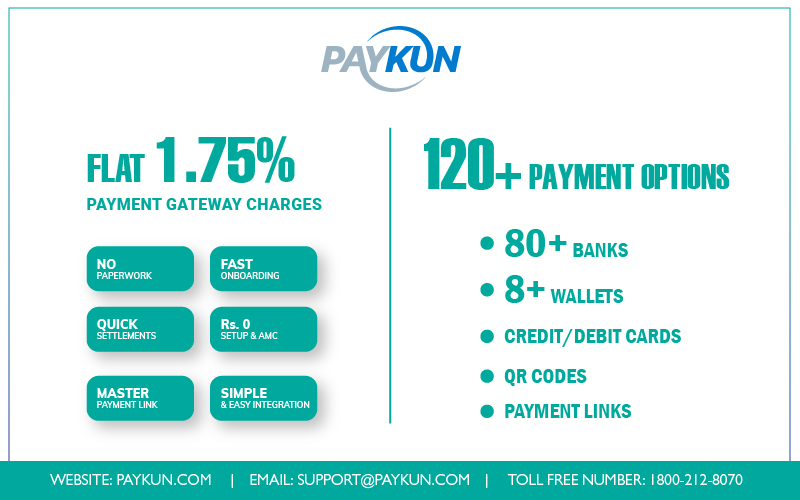
PayKun is the Best Payment Gateway in India. It is opted by any type of businesses for a smooth acceptance of payment like small startups, large enterprises, freelancers, bloggers, YouTubers, with a website, with an application or even without a website. So, if the users have a website or mobile application they can integrate the checkout easily with its available SDKs and ready Plugins for all the major platforms. If there is no website then too they can provide a checkout to their customers with the help of payment links and master links. They can even offer an embedded ‘Pay Now’ button on the website. 

So, any individual or businesses can register and activate the Merchant Account on PayKun easily in a few hours and start offering 120+ payment options to their customers with its checkout including Debit/Credit cards, Master Card, Visa, AMEX, Diners Club, RuPay, 80+ Net Banking, Wallets, UPI/BHIM and QR Code. PayKun App is available for Android and iOS so one can manage and track their transactions from their smartphones too. They have a dedicated support team to resolve the clients’ issues as soon as possible through chat, email and call.

PayKun Charges

PayKun provides free integration services in-house and also there is no setup fee charged to any kind of registered merchant account. Further, there are no maintenance fees too. There is only one fee and that is per transaction rate of just flat 1.75% plus applicable GST on that. Rest assured there will not be any hidden charge ever levied upon any merchant.

3. CCAvenue (No Setup Cost, 2% TDR)
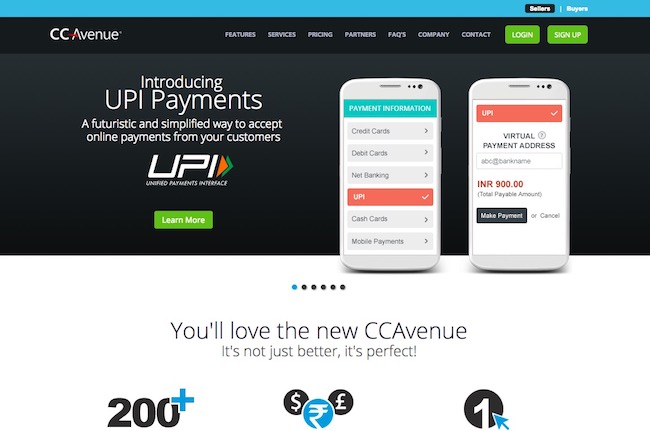
CCAvenue is one of the most popular payment gateways in India that offers plenty of payment collection options for the users. It provides support for international credit cards and the payment gateway option supports around 27 currencies such as UAE Dirham, USD, Pound Sterling, Saudi Riyal, Canadian Dollar, etc. So you can sell your products from the online store in multiple regions without any problem. The payment options include credit cards such as Visa, MasterCard, American Express, JCB, Diners Club, Discover, and Amex eZeClick.

It also accepts payment from over 100 debit cards including all Visa, MasterCard, RuPay or Maestro, 53+ Net Banking, Cash cards like ICash, ITZCash, PayCash, etc., mobile wallets such as Paytm and mobikwik, Immediate Payment Service from more than 40 banks and more. They provide 24 x 7 x 365 days support via Chat, Phone call, and email, but the Chat team is not available on weekends. The mobile app works fine with iOS, Android and Windows phones. There is no setup cost included, and the payment gateway supports multiple eCommerce CMS like Drupal, Joomla, Cubecart and much more.

4. PayUbiz (Integration Fee Starts from Rs 4900)
It is a subsidiary of PayU which is a global firm and has the presence in various countries such as Poland,  South Africa, Russia, and Hungary. PayU India accepts payment from Visa, Diners Club and MasterCard credit cards and processes debit card payment for more than 50 banks like HDFC, Axis Bank, SBI, etc. They also accept payment modes such as 45+ net banking, six mobile wallets, 8+ bank EMIs, provides support for international cards and more.

The company’s website claims that it can enhance the conversion rate by 12% due to advance features like quick retry, single click checkout, dynamic switching, mobile browser, etc. They offer a secure payment gateway and have PCI DSS compliant system. The portal provides CVV less transaction, so you have no need to enter CVV again and again.

PayUbiz Charges and Plans
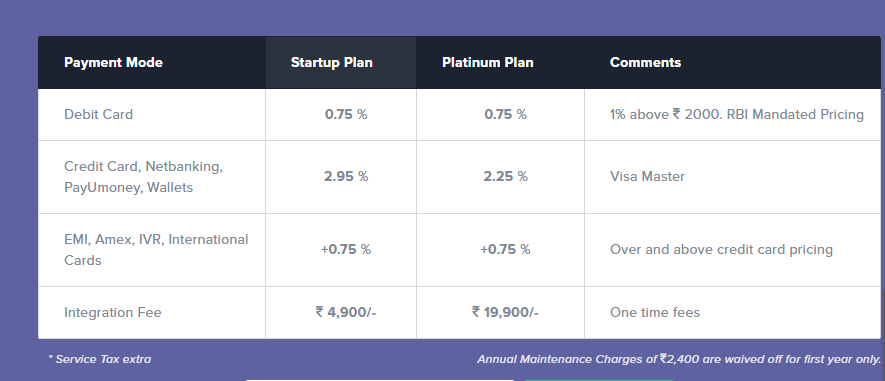
For debit card transactions below INR 2,000, they charge 0.75% and more than 2,000 1% commission. The commission rate varies for the credit card, cash cards, multi-bank EMI and online transactions as per the amount.

5. PayPal Payment Gateway (Zero Setup Fee)
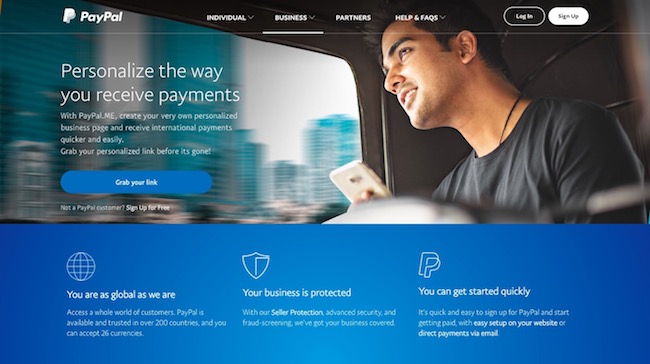
PayPal is the most popular and one the biggest global payment platform that provides service in more than 200 countries and is being used by millions of users across the globe. The company doesn’t charge users for Annual Maintenance and offers a high level of security for each transaction.

Paypal Charges

If you sell your products through eBay, then PayPal charges you 3.9% of the amount + $0.03 USD per transaction, and if you sell any service or product online from any other website then it takes 4.4% of the amount + $0.30 USD for that as its commission.

The documentation to start a service is quite simple, and users need to confirm their identity, verify the PAN, add your bank account and fit out an appropriate purpose code. PayPal doesn’t charge any Withdrawal Fee, but users need to obtain a Foreign Inward Remittance Certificate which acts as a testimonial for each Remittance coming to India. PayPal provides multi-currency support (100+ currencies), and merchants get the facility to keep the amount in around 57 currencies.

6. Atom Paynetz Payment Gateway (First Year Free, )
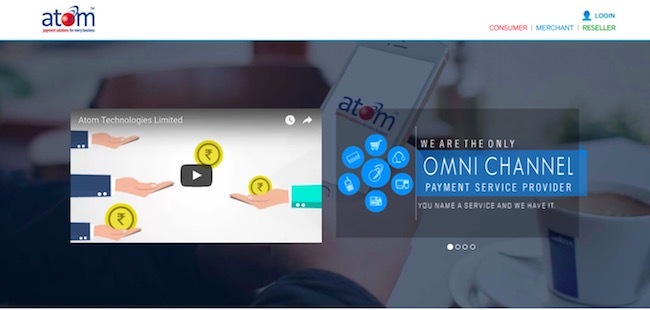
Atom Paynetz is an advance Payment Service Provider that offers over  100 payment options. Usually for the first year, the Annual Maintenance Charge gets waived off from the company. However, the standard charge of INR 2,400 will be applied from the next year. Alike the previously mentioned payment gateway, Atom Payne’s also takes a commission of 0.75% below INR 2,000 transaction and 1% for above INR 2,000 via debit cards.

They charge 2.1% transaction fee for each credit card transaction. It doesn’t support international cards or foreign currency, but you can use it for domestic transactions via multiple credit cards such as Visa, MasterCard, JCB, AMEX, Discover, and Diners. It also provides support for various CMS systems like WooCommerce, Magento, and Prestashop.

7. Citrus Pay (AMC Rs 1200)
Citrus Pay offers world class security and provides various services like Citrus Cash (wallet for sending and receiving money), Citrus Cube (App for bill payments) and Citrus for Merchants (online payment gateway for e-commerce websites and online stores). They charge flat 1.99% + INR 3 per transaction via domestic debit cards and credit cards such as MasterCard, Visa, and Maestro.

They charge 3% fee for international payments and transaction through American Express card. They support USD as multi-currency, accept international payments as well as credit cards and do not charge withdrawal Fee. Interested users need to prepare for extensive documentation before starting a transaction with Citrus Pay payment service provider, and you get 14 days to submit the documents after the two-step signup. They also charge the AMC of Rs 1200.

8. EBS Payment Gateway (AMC Rs 2400)
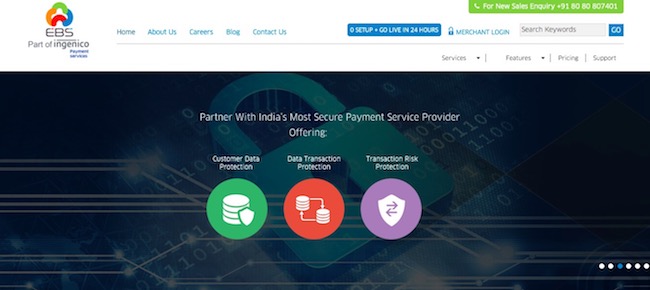
EBS gives you complete peace of mind as it provides a high level of data safety and keeps your transaction secure. It is the first Indian payment gateway that is PCI DSS 3.0 compliant and ISO 27001- 2013 certified. The Annual Maintenance Charge is flat INR 2,400 per year for all and users need to pay one time set up fee as well, which varies from package to package, apart from that transaction fee is also applicable which differs as per the plan you select while signing up for the service.

EBS can prove to be a great solution to enhance your success rate as it offers 100+ payment options and accepts payment from international credit cards like Visa, Master Card, AMEX, Diners, and JCB. It also supports several currencies such as USD, GBP, AED, Euro, CAD, HKD and more.

9. PayZippy
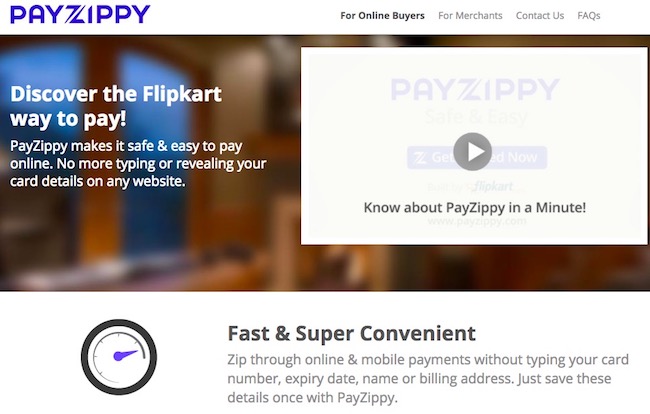
PayZippy makes mobile and online payments fast as well as convenient as users have no need to type the details like the name, card number, expiry date, billing address for each transaction, you can simply save them with the service provider once. PayZippy is backed by Flipkart which is one of the most trusted eCommerce company is India. They keep your data safe, transactions secure and provide 24 x 7 support for any issue.

PayZippy charges 0.75% commission for an amount below INR 2,000 and 1% for above INR 2,000 transactions via debit cards like Visa, Maestro, and MasterCard. They accept payments from international credit cards and charge domestic fee + 1.50% above that amount. For any transaction made by AMEX cards, the commission fee is flat 3.50%, and if anyone processes payment via Net-Banking or credit cards like Visa and MasterCard, then it will differ as per the amount.

10. Zaakpay
Zaakpay is another great payment gateway service that accepts payments from over 52 net-banking and all domestic as well as international Visa, MasterCard, Discover and Diner’s cards. The service provides multi-currency support and receives payments in 13 different currencies. They have an annual maintenance charge which is negotiable and provide support for multiple eCommerce CMS Systems like CScart, XCart, Cubecart, OsCommerce, etc. They do not charge any withdrawal fee, and the transaction fee is customizable. The mobile app is compatible with almost all iOS, Android and Windows phones.

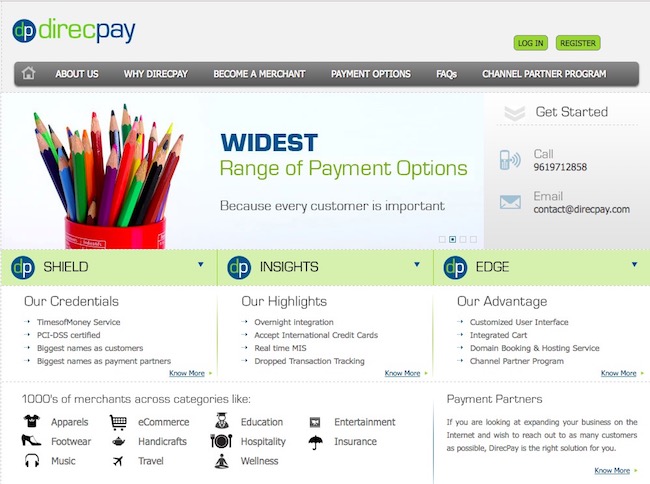
DirecPay is another popular payment gateway service in India that doesn’t charge any Annual maintenance fee. The service provides accepts international payments/credit card transactions, but users need to International Payment Gateway first and deposit INR 30,000 which is refundable. Payment Settlement usually takes two working days from the date of the transaction. It supports multiple eCommerce CMS Systems such as OpenCart, Prestashop, nopCommerce, OsCommerce, WordPress, Joomla, Cubecart and more.

Their customer support is available on weekdays, but won’t be available on weekends. Users have no need to pay any withdrawal fee and the charges per transaction are also very similar to other payment gateways. It provides multi-currency support after the activation of International Payment Gateway only.

So, these are some of the best payment gateways in India that you can check and apply for the account.

If you run an online store and sell your products through your website to global customers, then you require a medium to process that payment. As per the norms of RBI any local bank account cannot accept the cross-border payment from any foreigner directly without a proper channel.


How to Keep Your Smartphone Secured From Hacking

0

In simplest terms, Hacking is unauthorized access to your smartphone, with an intent to steal information or have control over the phone

Usually hacking results in some kind of monetary or personal loss to the owner of the phone. Any smartphone these days contains lots of personal, professional, banking and financial details.

“Full access to someone’s phone is essentially full access to someone’s mind,” says Eva Galperin, director of cybersecurity at the Electronic Frontier Foundation.

According to the Regulation of Investigatory Powers Act 2000 (‘RIPA’) and/or the Data Protection Act 2018, hacking the phone is a criminal offence. 

This is done either, taking advantage of the weakness of the phone security or carelessness on the part of the user. Generally, it is executed bypassing the security system of the smartphone or gaining access to the password of the phone.

How is the Smartphones Hacked?

There are many ways in which a smartphone can be hacked. The hackers are very innovative and new methods are evolved at a staggering pace. However, some of the common and popular ways are;

  • GAIN ACCESS TO UNATTENDED OR UNLOCKED PHONE:

Unfortunately, in spite of such serious threats of hacking, many users do not lock their phones or keep them unattended in public places. This is a golden opportunity for the hacker to snoop into your phone and gets his hands on all kinds of information he wants.

  • BLUE HACKING:

Bluetooth is often used to transfer files or media from one device to another and also to connect to accessories like apple/android wear, headsets, and the likes. This active Bluetooth connection provides one more gateway to the hacker to get into your phone.

  • CLONING:

The sim is illegally cloned, using some hardware and software and is used parallelly to access all messages, calls, and mails of the victim.

  • VIRUS ATTACK

The target phone is infested with malware, spyware and entire data is accessed/ stolen. The malware may get an entry to the target phone, through some apparently innocent-looking links or messages. 

If the victim opens these perilous links, the malware gets installed in the background, without the knowledge of the victim.

  • PHISHING

The hackers may at times present a fictitious site camouflaging it as the original. This is known as phishing and through these illegal sites, data can be stolen/manipulated.

  • FRAUDULENT RESET

The hackers could impersonate the victim and change certain passwords to critical sites or passwords of online banking etc and do away with unscrupulous activities.

How do you know if your Smartphone is Hacked?

The hacking onslaught is so obscure, that for a long time the victim is unaware of what hit his phone. It is only after some major loss that the fact unfolds. Be on a regular lookout for these symptoms of hacking on your phone;

  • BATTERY DRAIN

The battery gets discharged too often even on regular or normal use. This happens because the suspicious script (malware, spyware is continuously working and consuming the battery)

  • UNUSUAL HEATING

The handset gets warmed up, even when not in use or charging. This could be a technical problem too. Get it clarified from the service centre.

  • AUTOMATIC REBOOT

The Phone reboots itself when left alone.

  • SLUGGISH HANDSET

The phone or some apps installed on the phone, suddenly perform very slow or become unresponsive.

  • NEW APPEARANCE

You can notice some new apps or shortcuts on your phone. This could be hacking.

  • PASSWORD GLITCH

Suddenly your trusted and tested passwords don’t work for some apps or sites.

  • UPDATE BLOCKED

The regular updates from your phone manufacturer or software vendors cannot be executed. The updates get terminated. 

  • ERRATIC BEHAVIOUR

The phone literally operates on its own. The flashlight may light up, or any screen may pop up or some music may play. This is the manifestation of a virus attack.

  • NOISY CALL

Apart from the reasons for a bad network, your call may echo or it could become too noisy. This may be because your call is intercepted.

  • MOBILE DATA

Sudden spurt in mobile data usage for no valid reason.

The worst symptoms apart from these could be a message alert of cash transfers from your account, which you did not initiate.

Simple ways to Safeguard your Phone from Hacking

Not every one of us is a geek, to be able to thwart such attacks with technical prowess, but all of us can take some precautions, which will reduce the incidence of hacking considerably.

  1. Never leave your phone unattended and definitely use a password to lock your phone. The password should not have any link to your personal details.
  2. Use of good antivirus can also help in securing your device.
  3. All Bluetooth sharing and linking should be done with a password set. After use remember to put off the Bluetooth sharing.
  4. Never store bank, credit card details or PIN on phone and if you do have to store them, store in some password-protected app.
  5. Always update your device with official updates.
  6. Whenever you install an app, install it from the official store. No third-party app should be installed. Check permissions that the app needs to install. Unreasonable permissions mean a skewed app. Don’t install it.
  7. Never click on suspicious and unknown links.
  8. Always opt for phone tracking and disabling features offered by your manufacturer. If lost or stolen, you can track your handset and if you cannot recover, then at least entire data can be wiped and frauds prevented.
  9. In case you have to use open and unprotected Wi-Fi, use VPN services like CyberGhost, Tunnelbear or any such kinds.
  10. If possible, lock the apps individually too and with different passwords.
  11. Do not root your phone. 

And just in case you find your phone is hacked, do not panic. Reset your phone to the factory setting. Check your bank for any fraud. Change all your passwords from mail to credit cards, to online banking, etc.

Google Cloud Updates Enable Increased Data Security in the Cloud

0

Most, if not all, organizations have some level of cloud usage. The level of this usage may vary from just taking advantage of cloud-based webmail services (like Gmail or O365) to having core business data storage and applications located on cloud infrastructure.

Regardless of the scope of an organization’s cloud deployment, data security is a critical issue in the cloud. Unlike on-premises deployments, where the organization controls the hardware and has visibility into all network traffic to it, cloud resources are hosted on infrastructure owned and operated by a cloud service provider (CSP) and can be directly accessed via the Internet, meaning that traffic does not flow through an organization’s perimeter-based defenses and scanning solutions.

This problem is exacerbated by the fact that many organizations set their cloud deployments to public, making them accessible to anyone who knows where to look, and store data unencrypted in the cloud. Google Cloud’s announcement of upcoming new features, External Key Manager and Key Access Justification, are designed to help solve this problem for organizations using Google Cloud. However, many organizations use multi-cloud deployments from multiple vendors, meaning that they need data security solutions for the cloud as a whole, not just for a single CSP.

The Challenge of Data Security in the Cloud

While many organizations have transitioned over to using cloud computing, this doesn’t mean that they are comfortable or secure when using it. A large number of recent data breaches have been caused by improperly configuring the security settings provided by an organization’s CSP.

One of the most common mistakes in cloud computing is improperly setting the privacy settings on a cloud deployment. Many CSPs have a simple security model, where a cloud-based resource can be set to either private or public. A cloud-based asset with private security settings requires users to be explicitly invited to view and edit content. While this is the right choice for most situations (and is the default setting), many users change it due to the inconvenience of manually managing access.

A cloud-based resource with security settings set to public is accessible to anyone who can discover the URL, and tools exist explicitly for searching for cloud deployments that are set to “public”. Since cloud resources are accessed over the open Internet, an organization may not even be aware that its cloud-based data has been accessed by an attacker. Many unsecured cloud deployments are only secured once they are discovered by ethical hackers and reported to the company that owns them.

Data Security in Google Cloud

The fact that a cloud resource is set to public in the cloud isn’t the end of the world if it is otherwise secured properly. If cloud-based resources are encrypted with a key that is not accessible to an attacker, then taking advantage of the poorly configured security settings on the cloud only gives the attacker access to encrypted data that they are unable to decrypt and read. However, since only 40% of data stored in the cloud is properly encrypted, the majority of improperly-secured cloud deployments leak sensitive data.

Google is trying to address this problem in their cloud offering and has recently released additional features to help accomplish this. While Google Cloud already encrypts user data stored there by default, the new External Key Manager and Key Access Justifications are designed to bring this security to the next level.

One of the main challenges with data encryption in the cloud is balancing security and accessibility. In order to access the data stored in the cloud, a user needs access to the corresponding decryption key, making it logical to store this data in the cloud as well to make the cloud-based resources accessible from anywhere. However, this violates the security of the cloud deployment since the attacker can also gain access to the secret keys and decrypt the data.

Google Cloud’s External Key Manager is designed to help with this problem by enabling users to store encryption keys on a third-party system where they can be requested as needed. Key Access Justification forces the user to include a justification for each access request for the encryption keys, allowing the key manager to more closely control (and even automate) the process of granting access.

Securing the Cloud

The deployment of Google Cloud’s External Key Manager and Key Access Justification help to secure data in Google Cloud. By separating the encrypted data and encryption keys onto separate systems and requiring justification for accessing the encryption keys, the new functionality makes it more difficult for an attacker to successfully access and decrypt sensitive data stored in the cloud.

Unfortunately, this new functionality is limited to Google Cloud, and many organizations currently have multi-cloud deployment strategies using products from several different CSPs. As a result, it can be difficult to properly secure sensitive data stored on the cloud and to enforce consistent security policies across cloud deployments.

This is why using a standalone, cloud-native data security solution may be a good choice for many organizations with cloud deployments. Rather than attempting to manage access to cloud resources at the cloud level, an organization can achieve consistent security across their on-premises and cloud infrastructure using a standardized solution. This enables organizations to automatically identify repositories of sensitive data, determine if they contain any vulnerabilities, and manage access to them, ensuring that their data is secure, regardless of where it is stored.

 Solutions to Save Audio from Youtube on Mac

If you were to take a look at the official statistics on YouTube, you’d find that there was an average of 4 billion hours of MP3 and video watched on the website each month. YouTube claims to have received over a trillion views during 2019. This is a sign that more people than ever are using YouTube as a way to listen to the latest songs and watch the latest music videos.

YouTube might allow you to listen to those songs, but what would you do if the internet went down? That’s why people want to know how to record the sound from YouTube on Mac and have it ready to listen to offline on their computer, iPod, or iPhone.

Grab the Best Apps to Convert the Youtube Videos to Audio Format 

The importance of Youtube is increasing day by day. It is presumed to be one of the most reliable platforms for getting hold of favourite videos and audios at the same time. Some people prefer video content whereas some mainly prefer the MP3 format of the same videos. However, it is a very complicated and tough process. If you are in an area where there is a good problem of the network then it is always better to convert it into MP3 by using some software. In this case, the most vital application that can help in conversion is Airy.

Let’s Review one of the Best YouTube audio recorders for Mac

Today we’re taking a close look at a program to record sound from YouTube; Airy. Airy may appear to be nothing more than a simple YouTube downloader for Mac but don’t be fooled, it’s packed full of features to make the recording audio from YouTube process simple.

A great feature of Airy is that it is able to download long videos and MP3 files from YouTube. Airy is able to record audio from YouTube no matter how long the video is. It can even download an entire playlist or channel. Airy is able to download videos in bulk too, so you can download as many videos as you want. This also applies to YouTube audio; you’re able to download any length video as an MP3.

If you want to get a good long YouTube video to MP3 on Mac then Airy is the right choice because it allows for two free downloads. If you enjoy the app and want to keep using it then you can purchase the Pro version. The Pro version comes with some extra special features that make the price tag worth it too.

Once you download and install Airy then you’re ready to get started recording audio from YouTube. Just open up YouTube and then open up the video that you want to download. Copy the URL for the YouTube video and paste it into the Airy user-interface. Choose a media format to download in – such as MP3 – and then click the download button to get started.

If you’re wondering if this is all it takes to record audio from YouTube, then the answer is yes; it really is this simple. Airy is all you need to get started downloading long YouTube to MP3 on Mac in a few clicks. If you want to get the most out of the videos and music that you download through Airy then you should consider getting your hands on Elmedia Player. Elmedia offers a range of cool features that for playing your videos and listening to your music.

Steps to deal with Airy:

Some essential steps must be followed in order to download Airy. It should be followed accordingly.

  1. First, visit the Airy website and then download the app according to the requirements of the system. It can be downloaded either on Mac or Windows.
  2. Now execute the step file after downloading and installing the application.
  3. The user can enter the link of the Youtube that is so desired and then paste the URL section of the application. It will be the right step.
  4. Soon the user will get a prompt for different download options. Now the user can select all if they want to download all the videos or go for the selected ones.
  5. The whole conversion and downloading process will depend on the speed of the network. At the same time, the user will get the option of pausing or stopping the downloading at any point. 

Bottom lines:

Lastly, it has been seen that with the help of airy most of the work becomes easier and smoother for the user. This helps immensely helps to download and convert the files. It is such a help that may not be achieved from any other source. So, within a small span of time, the user will get their desired audio and videos. It is a great help for them. 

Junglee Games Story : How they achieve Unicorn status with 20 Mn Users

0

Thanks to cheap internet plans and budget-friendly Smartphone options out there, people are very much addicted to online gaming these days. However, the situation was not the same just a decade back.

Back in 2012, online gaming was far from being common in the Indian market, however, several gaming startups saw the potential of the industry in the near future and got on the bandwagon.

Ankush Gera is an Indian entrepreneur who realized the huge potential for online gaming in India and joined the race in 2012 with his startup, Junglee Games. Within just seven years since inception, the company now operates in 7 countries and has over 20 million users.

According to Gera, the company has matured a lot over these days by improving operational efficiency, hiring a good team, and laying the groundwork for future scaling.

And the strategies seem to have paid off for the company. Despite entering the competition late and having a limited budget, the company has managed to grab a sizeable portion of the market so far. The company claims a year-on-year growth between 80 percent and 100 percent and expects to generate over $600 million as revenue in the form of entry fees on its gaming platform. By the end of FY-19, the company expects to have around 50 million active users on its platform.

The idea and foundation of Junglee Games began in San Francisco, where Ankush Gera has been living for about 25 years. Before diving into the world of online gaming, Gera had also started a digital advertising company called “Monsoon” way back in 2001. Monsoon is a pioneer in helping brands to launch their own mobile-focused experienced and have many well-established and global companies as its clientele, including HP, Zazzle, Yammer, and several other companies including ones that are listed within the Fortune 100.

Instead of pursuing the then-popular business ideas of SaaS business, eCommerce, or travel, Gera decided to start an online gaming company mainly because of his own passion.

As an avid gamer, Ankush Gera loved playing offline games such as sports tournaments, poker, and rummy to challenge his mind during college days. In the 2000s, online gaming was on its way to mass popularity and after selling off his first startup Monsoon, Gera couldn’t resist following his love for games.

Junglee Games entered India in August 2012 after going through the initial pilot launch in San Francisco. However, at the time online gaming platforms weren’t properly regulated in India, thus giving rise to the debate of whether such platforms were another mode of online gambling.

Then came a ruling from the Supreme Court of India in 2015 that legalized skill-based real money gaming in India. In skill-based gaming, the outcome of the game is dependent upon the physical and mental abilities of the player rather than sheer luck. To allow fair operation of skill-based gaming platforms, the Supreme Court also laid down clear guidelines on how such companies are to be operated.

The ruling gave Junglee Games clarity on its goals and so far the company has successfully released 4 skill-based games: Junglee TeenPatti, Howzat Fantasy, Eatme.io, and Junglee Rummy.

The mobile gaming industry is currently dominated by online-based games and Junglee Games is fighting a fierce battle in the space with other gaming giants that has millions of dollars in funding and twice or thrice the team size.

Despite still being a seed-funded company with a workforce of 200 employees, what allows Junglee Games to stay on top of the competition is its business strategy. The company focuses on converting potential customers into paying users of the platform and then making sure to retain the customers by offering them services they like. Moreover, instead of running expensive marketing campaigns, Junglee Games have been partnering with growth hacking companies to ensure maximum customer satisfaction.

Gera makes sure that the primary focus of the company is not just their customers, but their own employees as well. To achieve maximum employee involvement and satisfaction, the company incorporates an open work culture where any employee can share their ideas. If the ideas are backed up with appropriate data, then it is put to test thus allowing the employees to contribute to the innovation and growth of the company.

Despite all the achievements, it is not going to be a smooth sail for Junglee Games in the future. Nowadays well-established and global companies are entering the online gaming sector and are investing heavily to innovate several industries such as education through gamification. The focus of Junglee Games moving ahead will be to maintain a sustainable and profitable online gaming platform.

With over 300 startups already establishing the presence in the gaming space, Gera is also aware that the industry can get overcrowded in the future and thus the idea of consolidation is inevitable in the long run. As he says, “The gaming space now is more like an iceberg and Junglee Games is just at the tip of it”.

Top Best Coreldraw Alternative Graphics Designer Tool

0

CorelDraw is one of the best tool that you can use for painting or to develop computer graphics. It is a must have tool for all the image developers, flyer designers and graphic designers over the web. In fact, it has the feature to create animated images too. Creating different layers and developing an animated structure are few of the instances, where this tool serves greatly for the users. There are some of the Coreldraw alternatives, which are going to be perfect for your web drawing and pamphlet creation.

Top Best Coreldraw Alternative Graphic Designing Software

1. Inkscape

It is having shape tool and even the layer creation tool, where you can use your pencils to draw the images. This support in the app makes its special and a perfect alternative of Corel Draw. It is having some of the features that can really be compared with that of Corel Draw. It is having some of the best features and so is a good choice of many designers. Official Sites.

Inkscape

2. Open Office Draw

This is a tool that comes in the pack of open office, from Sun. This very thing makes the package different from that of Microsoft Office pack. You will not get any such tool in the Microsoft package, which is there in this tool. The tool is having all the features that you will get in Corel Draw in this software extension. Just use it free. You will get the real fun using it. Here is the Official Web.

Open Office Draw

3. Karbon

This is a free tool that works on different bases. It is having some of the special tools, that are essential for all the image developers, over a PC tool. It is having layer creating aid, with the help of which, you can create some of the most interesting images, you have ever found. So get this tool and design your image, with all the features included in it. Check here for more details.

Karbon

4. Creative Docs

It is such a file that will help you in all possible ways, so that you can find an ultimate support for your image development purpose. It is a tool that is going to be a perfect alternative. There are certain important features in this tool, which are going to give you a great effort. You are going to experience a perfect support from the tool. Official Website.

Creative Docs

5. Alchemy

Alchemy is the tool that is going to be a great support for the users, where you can find a real design. There are some of the features in this tool, that is going to be ideal for your business. One of the best feature that this tool is having is a ready-made option for yours.

Alchemy

You need to have the best support for your drawings. There you will need layers and some of the shadings, especially with the illustrations and other factors. The above five tools are having excellent features and all of them are compatible for your daily usage. Just use any of the tool. All of them are free to download and install. Once you use them, you will find them to be real alternative to CorelDraw.

6 Best Github Alternatives Source Code Hosting Sites

1

Best GitHub Alternatives

If you are looking for a more modern and fully featured Source code hosting and sharing services then take a look here i am presenting one of the best source code hosting sites. We have numerous Source code hosting service out there but we always want best one. No matter which device you are using because it can support multiple platforms. Without any tension you can build your software in more secure way. These hosting services will make you to easily collaborate with your team and co-works. By using these hosting services you may approve code and review other team members code. Every service has different key functions from other. Here you will get full information about best source code sharing site.

Other Alternatives

6 Best Alternatives of GitHub

Gitlab

Gitlab is most popular code hosting file service in world. It’s available for free and is open source software across multiple platforms. By using Git-lab you can code, test and deploy together in one software. so what’s you thinking just simply download and install on your device in two minutes. It has named powerful code review in the world. It offers hosted accounts similar to GitHub. It allows you to use third party services. There are so many people using this software for code hosting service. It has very useful features just have a look here.

Key Features of Gitlab

  • It works more powerful code review
  • It has a activity stream
  • There is a file browser
  • You can solve your problems because it’s available issue management
  • Web hooks, code snippets , GIT hooks
  • It’s available free software

Bit Bucket

Bit Bucket is one of the best alternative of GitHub. It’s a open source platform for multiple devices. It has a capability to support different operating systems such as like windows, mac, OS X, Linux. Even you can use directly by creating online account, Simple sign up on official website of bit bucket. Basically it is based up on  source code management. You can collaborate on code with inline comments and you may pull requests also. You can easily manage and share your git repositories. You can enjoy flexible deployment models for teams of all sizes. You can easily get private and public repositories on bit bucket.

bitbucket

Key Features of Bit Bucket

  • You can pull request to anyone for code review
  • There are unlimited repositories
  • There are flexible deployment models
  • It has jira integration’s
  •  You can connect to framework also
  • It may support trigger web-hooks

Code plane

codeplane

Code Plane is most popular web hosting service in the list. By using code plane you will get up to 2 GB git repositories. You may create as many as repositories as you can fit in to 2 GB. Would you like to collaborate on your repositories, you can it has no limit. But before that you must have paid account. It gives you to manage all your staff right from your terminal. It has designed very simple manner. You can do anything to your terminal. Its up to you what changes do you want. It can support different platforms also.

Key Features of code plane

  • You can easily create repositories
  • It has back up repositories also
  • It has so many advanced features
  • It can support full featured terminal
  • It’s work on more reliable  way

Redmine

Redmain is best alternative to GitHub. It’s easy to mange multiple projects at a time. Basically redmine is used as best project management software and bug tracking system. It can support multiple operating systems. It has many advance features such as like calendar, gantt chart, file management, documents, integration news, email notifications, wed feeds etc. You can easily handle anything from this website. It’s not a big thing. It’s available more than one language. It’s completely free to use.

redmine

Key Features of Read-mine

  • It can support multiple database
  • You can use different plugins
  • There is a simple time tracking option
  • It can support multiple ldpa authentication
  • It can support role based access control
  • It’s available more than 34 languages

Also Check :


These are best GitHub Alternatives. You can select best web based code hosting services for your device. You can easily manage your projects. It will help you best way. I can make sure that you will have nice experience.

14 Best Free/Paid Online File Sharing Sites List and Apps for Android/iOS

In this era of smart technology pretty much everyone is very familiar with the file transfer and sharing the process on smartphones for sure. But this file sharing option sometimes lacks in usage when you have a higher MB of files to share and load. Like in the case of email, you can not attach a file more than 25MB on Gmail and also Whatsapp allows only 16 MB.

It is because of this developers have come with the idea of online file sharing where you can enjoy unlimited file sharing and downloading options.

Any file sharing site is an online access to sharing and distributing files such as pictures, documents, programs, multimedia, videos and audios providing access to digital media. There are a couple of ways for sharing files online through these files sharing sites.

List of Top 13 Online File Sharing Sites

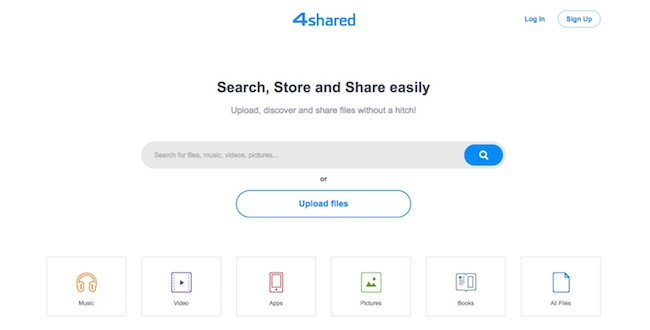
1. 4shared (15 GB Free)

4shared

This is a very popular online file and document sharing website that was founded by Sergey Chudnovsky and Alex Lunkov in 2005. With this, you can store, share or even load any files. It offers 15GB free storage space. This site requires registration, and over 10, 00,000 people are using it. It is ranked 456 as per Alexa Rank, and it supports transfer on both Firefox as well as Internet Explorer. It supports all major OS and has apps for all devices.

Download: ioS, Android, Windows Phone Store, Windows PC, MAC OS

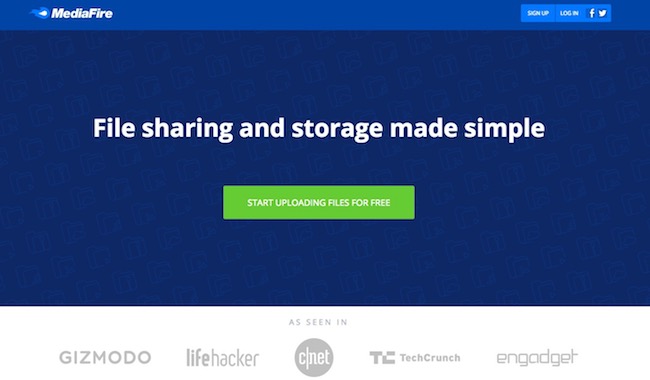
2. Mediafire.com (10 GB Free)

mediafire-com

It is a US-based cloud storage service site that was developed by Tom Langridge and Derek Labian in July 2006. This is one unique online sharing website through which you can share your images on social networks such as LinkedIn and Facebook. This comes with two kinds of accounts; one for business and other professional. Both the accounts offer many additional services and long-term storage service. This online sharing site now supports video file format after up-gradation in 2013. It is also available for Android and iOS.

Download : Android || iOS

3. Mega.nz (50 GB Free)

mega-nz

It is a New Zealand based online sharing site that came in January 2013 created by Kim Dotcom. It provides free online storage space of 50GB, and its monthly paid schemes include 500 GB, 4TB, and 2TB more free space as per payable amount. It is ranked 2,148 as per Alexa Rank, and this application supports on Android, Blackberry, and iOS.

Download : Android, iOS, Windows Store, BlackBerry, PC Client, Chrome Extension

4. Box.com (10 GB Free)

box-com

Offering online free storage space of 10GB Box is an awesome file sharing website ranking 877 as per Alexa rank, 1,060 as per eBizMBA Rank and 1,274 as per complete rank. It has almost approx 6,750,000 monthly visitors. With Box service, from presentations to various types of financial videos, photos, taxes and spreadsheets you can store almost any type of files online. With this service keep everything organized on your online file sharing page, just like you do on your desktop. It is available for Windows, Blackberry, Android, and iOS. This service allows you to use some third party applications such as Netsuite, Google Apps and Salesforce.

Download : Mobile Apps

5. Rapidshare

rapidshare

Rapidshare is another familiar file sharing site which has an estimated monthly visitors of around 3,250,000 holding 2,084-Alexa Rank, 7,217-Complete Rank, and 4,651-eBizMBA rank. It is a file hosting online site that was introduced in 2002. By 2009 it was considered to be the most visited site for online file sharing with over 3,000,000 visitors. You need to register to this site to use it. This site requires payment after which you can enjoy unlimited downloads speed and files can be stored for unlimited period.

6. Google Drive (15 GB FREE)

google-drive

This popular file sharing site that is known by many has approx monthly 18,500,000 visitors. This site had file synchronization and storage service offering 15GB free storage space and was launched in 2013 on 13th May. To enjoy the additional storage space you will be charged which is worth paying. This Google Drive file sharing software site supports Mac OS, Chrome OS, Microsoft Windows, Android, iOS, Linux; It supports a wide range of file formats, so you don’t need to bother about that. With this 15GB free space, you can enjoy storing and sharing all your pictures, files, and documents.

Download : PC || Android || iOS

7. iCloud.com (5 GB Free)

icloud-com

This online cloud computing website is developed by Apple and is ranked 365 as per Alexa Rank. It has over 320,000,000 users around the world. This site supports restore and backup option and is mainly created for iOS and MAC OS. You need to sign up to an Apple account to use this after which you can enjoy storing of eBooks, iBooks, music, photos and more with gifted free 5GB storage space but you can upgrade to larger storage space if you need. It is licensed by Freeware and has online backup service.

Download : Chrome || Windows || MAC || iOS

8. Dropbox.com

dropbox-com

Dropbox is available in 17 languages which are an online backup site ranking 134 as per Alexa Rank. Over ten lakhs users use Dropbox for sharing various files. It is a box system sharing site whose client software supports Linux, MAC OS, Android, iOS and Windows. This site has admin control with the powerful security system. Your shared files go through two steps code verification process with encryption of 256 Bit. With this, you can either synchronize files across various devices, or you can just drop them into the Dropbox. It now supports offline access of 3 files on your PC. So now enjoy working anywhere.  You can also increase Dropbox free file storage limit.

Download : Desktop || Android || iOS

9. Wetransfer.com (2GB/File)

wetransfer-com

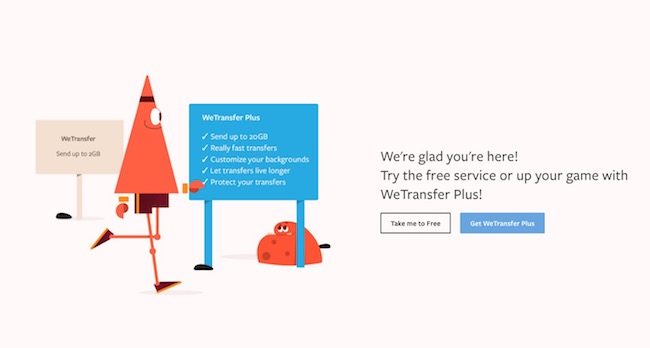
Wetransfer is another online sharing website which is amazing for document or file sharing. Ranking 264 as per Alexa Rank, it came to light in 2009. This sharing platform allows transfer of large files with great ease and for absolutely free. The website is secured, fast and good looking. You get transfer limit of 20GB enabling transfers with password protection. It has long term storage where you can set your own destruction time as well. Overall, it has a great impression in the world of online file transfer.

Download : Android || iOS || MAC

10. Turbobit.net (100GB/File)

turbobit-net

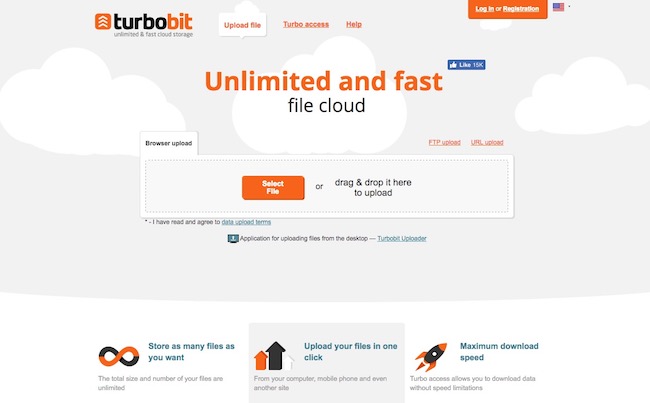
Turbobit.net is a one-click file sharing website. Using this site one can transfer, share and store files just by one click. This sharing website doesn’t require any registration for using the service. Its exchange files up to 100 GB and has file download speed up to 1gbit/second. Its Alexa rank is 839.

11. HighTail.com (2GB Free)

hightail-com

High Tail.com is a file upload website that is cloud based holding rank 6,181 on Alexa Rank. It was founded by Amir Shaikh, Khalid, and Ranjith in the year 2004. It comes with a free space of 2GB. In 2007 High Tail.com came with upgrades that offered some added features for business development purpose and provided plug-ins too. By the year 2014 company succeeded in creating more than 41 lakhs registered users across the globe and almost 102,398,476 files were shared online through this sharing website. High Tail service supports Android OS, iOS, Windows and MAC operating system.

Download : Android || iOS || Mac

12. SendSpace.com (300 MB/ File)

sendspace-com

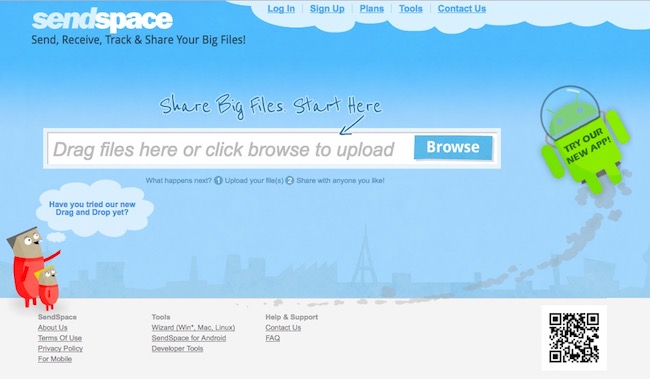
This is another popular online file sharing site ranking 1474 as per Alexa Rank and 3,272 as per eBizMBA with monthly visitors of 4,000,000. With this site, you can receive, send or track your files. This file transfer network service was developed in 2005. With SendSpace enables sharing of your images, videos, software programs, products, files and documents amongst your team.

13. OneDrive (5 GB Free)

onedrive

As per eBizMBA ranked 600, 650 as per complete rank and 550 as per Quantcast rank, SkyDrive is a popular file sharing site which is now known as OneDrive with monthly estimated visitors of 16,000,000 enables you to store and share videos, photos, documents and much more. You require a sign-in process to enjoy the features of this site. You can use this sharing site on any device and anywhere with a benefit of 15GB extra free storage space.

Download

14. ZippyShare (200 MB/File)

zippyshare

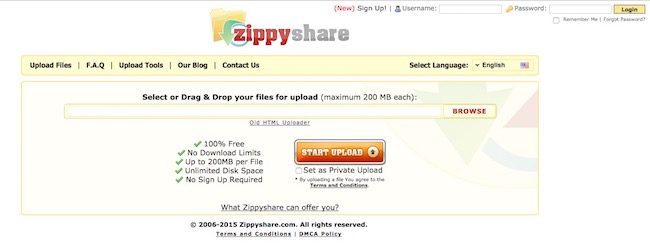
ZippyShare which is ranked 370 as per Alexa rank and 1,354 as per eBizMBA as of now with estimated monthly visitors of around 6,250,000 is a free service for document sharing that was founded in May 2006. It is one of the popular 100% free file sharing sites that requires no sign-up process. It offers a higher download speed and unlimited disk space with convenient usage design. All the data under this file is secured by DMCA policy. In this file sharing site, you can look for games, Mp3 music, documents, Android apps, pdf format books and much more.

These above discussions in this content are a compiled list of the most visited and used online based file sharing websites that stand out to be the top most online file sharing and transfer sites on the Internet.

THE WHAT AND WHY OF AUDIALS 2020

0

The usage of the internet for work and pleasure is increasing exponentially. Apart from being on social media sites, catching up with friends, one big avenue has opened up on the net and that is streaming music and movies. Netflix, amazon prime, Spotify, Deezer, sound cloud and the likes have seen increased subscriptions. But the biggest issue with these streaming sites is the availability of the internet for them to work. No internet, no streaming. 

Many subscribers of these streaming websites do not have access to the internet all the time for various reasons. And there is a need to access these entertaining movies/songs when the internet is not available.

WHAT IS AUDIALS

AUDIALS has very well understood this need for the present-day netizen. They have come out with windows software, which is 100% legal, to download the content from these streaming sites, on to your device and watch them later, even without the internet. 

It is really a state of art technology software, with lots of user-friendly features. It uses the features and capabilities of the processor of the device on which it works and this provides great quality and speed. 

Audials can be used to download music, movies, serials, audiobooks, podcast, online radio and any other content which is available on the streaming sites. 

 SITES SIT CAN  ACCESS

Audials can access and download songs of any genre, of any artist, or any album from any of the streaming sites.
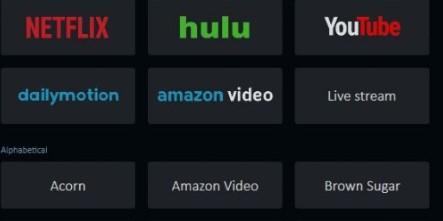
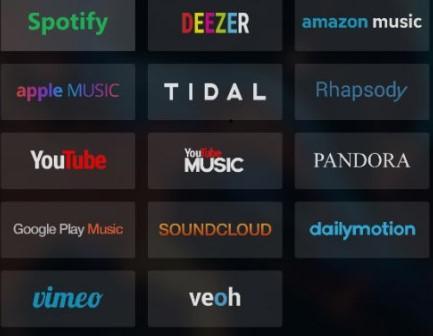
The most popular ones being Spotify, Deezer, Tidal, Apple music and more like shown in the adjoining image.

For videos, it can download from Netflix, Hulu, Amazon video and other popular videos/movie streaming sites.

All leading news, podcast and audiobook site are available with Audials.
Over 100,000 radio stations from all over the world and over 350,000 podcasts are available on Audials. 

The reach and scope of AUDIALS 2020 are unmatchable.

SPEED AND QUALITY OF DOWNLOAD

Audial claims of downloading at up to 15 times the normal speed of downloading. This may vary from site to site. Any number of parallel downloading can be done.

Drag and drop convenience is available to download audio/video. The Radio Jockey chatter on online radio sometimes gets too irritating and messes with normal downloading software. But Audials automatically removes the RJ presentation and any other advertisement audio from the song and downloads uncontaminated songs. 

The downloaded media is “finished” in every sense and does not need any further editing.

The media is downloaded in top ultra HD, HiFi or master quality and Audials supports all the popular audio formats and the downloaded songs can be converted to any desired format to make it compatible with any other device.

It supports over 100 formats of videos, the popular ones being EMV, MP4, PEG4, AVI, 3GP, 3G2, FLV, MKV, MOV, H.264 and so on.

The videos can be downloaded in any format and later converted into any other format as desired, using Audials converter.

MANAGING THE DOWNLOADED FILES

Audials has incorporated a high-end MUSIC MANAGER and TAG EDITOR to organize the media either on the personal computer, or cloud or any other device.

As the song gets downloaded, relevant cover and lyric also get downloaded and are integrated with the song.

Similarly, whenever a movie/video is downloaded, the movie description, details of actors, producers and the like are also stored along with the video.

The subtitles, also get downloaded and when you play the downloaded media, the subtitles would work as it did while streaming.

As the collection increases, chances of duplicity and redundancy increase. The Media Manager detects all duplicates and can delete them. 

The downloaded media, whether audio/video can be classified and stored taking into consideration the genre or the artist, or the site from where you got it or maybe according to date or you can create your own customized AUDIALS PLAYLIST.

ADDITIONAL FEATURES

With AUDIALS, wish list can be created and, as and when any of the streaming sites gets that media, it will get downloaded in the background and saved on your PC.

The media stored in AUDIALS can be transferred from the PC to any other device wirelessly, through the cloud.

Imagine watching season1 of some series and you liked it, you can set the audials in such a way, that when the later seasons come, they would be automatically downloaded and neatly stored in a dedicated folder.

If you desire, you can burn CDs and DVDs from the saved media.

Looking back to the previous versions of Audials, this version has bettered itself, taking into account the user’s feedback. Download speeds have revved up, and the quality of download has also improved substantially. Media management along with the cloud option makes the post download experience smooth and hassle-free.

The user interface needs little concentration and focus to use. But once you get a feel of it, the functionality of the console is good, though not so user-friendly.

Audials has its radio app in the play store and apple store

A free demo version is available at audials.com

8 Reasons Why You Cannot Afford Not To Use a VPN Network

0

The use of internet is no longer voluntary for anyone these days. For some or other reasons, everyone has to log on to the world wide web. The most common reasons to hook to the net could be Govt/employer registrations, banking, ticketing, booking hotels, or social interactions, professional communications and a few other reasons.

Performing these tasks on the net, definitely entails, sharing lots of private and crucial information, like your banking details, your personal and family details. If these data are intercepted by unscrupulous minds, it can befall financial/ traumatic losses on you.

Antivirus, antimalware and the likes do work, but analogous to over the counter medicine, it has limited utility and efficiency. Lots of other devices, technology, codes, and scripts come as an alternative, but nonetheless, the problem continues.

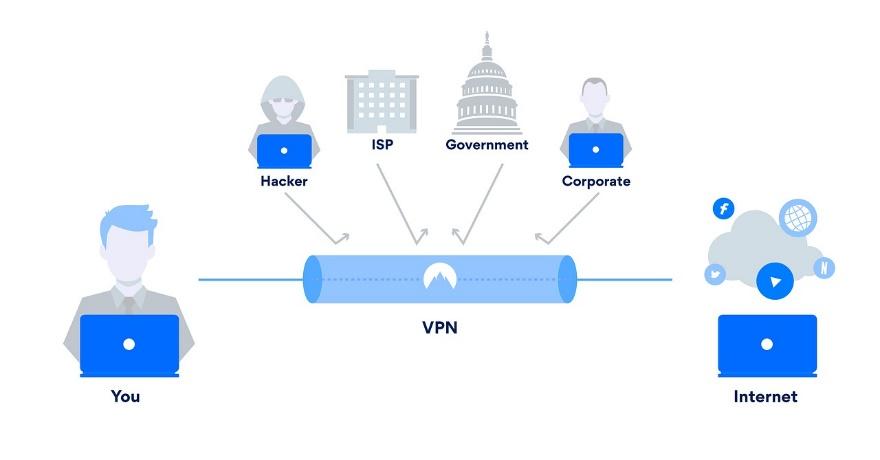
VPN comes as a silver lining to the cloud. It is the acronym for Virtual Private Network. Your access to the internet may be through your ISP, or you may be hooked to some public Wi-Fi or workplace Wi-Fi.  These channels are not exclusive to you but are accessed and used by a huge number of netizens. That means what data you send and receive on these networks is not hidden from the prying eyes of the hacker, or your ISP, net crooks, and the likes.

Walking on a public road, where anyone and everyone can come and go, increases the chances of mugging, loot, and crime greatly.

The VPN creates a kind of ‘data tunnel’ for your data to go safely to the desired destination, without being seen and snooped on by anyone. It is a virtual shield created out of codes and technology, which goes beyond the scope of this article.

By far this technology is gaining a lot of acceptance and appreciation and can give you the requisite protection needed when you are on the Internet.

You Cannot Afford not to Have a VPN Because it Offers….

1. BETTER ONLINE SECURITY:

Any data that you send across the web, is safe and away from the snoopers. If they cannot get your data, they cannot harm you. If definitely prevents you from being the victim of cybercrime, personal blackmail or any such situations.

VPN uses encryption to scramble data and then it is sent over the Wi-Fi. This encryption makes the data unreadable by anyone and hence it is said that the data travels through a “safe tunnel”. The tunnel of encryption and scramble.

2. INCOGNITO INTERNET BROWSING:

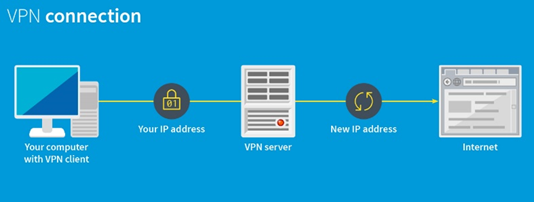
The VPN server, hides your IP address and assigns a new IP address to you. This new IP address can never be traced back to you or your device and hence you go incognito, that is you go hiding.

What you do on the internet is very personal and should be at your sole discretion. No one should have the right and access to your activities on the net.

3. CHEAPER AIRLINE TICKETS:

The first time you browse for a ticket, most of the airlines track your IP. So, if again you go to their site, they recognize you and start offering costly tickets.

But if you go through the VPN, your IP cannot be tracked and hence the offer that you get is quite reasonable. The difference is substantial enough, to be ignored

4. THE WAY TO BYPASS REGIONAL BLOCKADES:

For those web-savvy travellers, regional blockades are a great hurdle to access the net, the way they want.

Some countries or states have their own regulations, and for some social/political/ economical may restrict the usage of the internet.   These can be a really very harrowing experience for seasoned surfers and they find this very irritating and unjustified.

VPN can very easily help you bypass the regional blockades and surf the net, without any restrictions.  If you are a regular traveller to places that have internet restrictions, VPN is a great way out.

 5. HELPS YOU UNBLOCK PROHIBITED SITES:

Your office/school may on many occasions go ahead and block some sites, like social media sites, or live cricket/sports sites, or some streaming site.

If you have a VPN access, you can almost magically unblock these sites and access them, without anyone knowing about it. The process of doing this is very simple and doesn’t warrant the knowledge of any programming or coding. It is just a matter of a few clicks.

6. DOWNLOAD DISCREETLY:

All your downloads can be done inconspicuously. Many times, what you download from the internet triggers a series of spam messages and emails, suggesting more downloads of the songs/ video of a similar genre.

This can turn into a nightmare, with your inbox full of emails you don’t want

7. TENSION FREE LOGIN INTO ANY PUBLIC WI-FI:

You are always wary about logging onto any public Wi-Fi, fearing for your device or data snooping.

With VPN by your side, login at Starbucks, or airport or metro, without bothering about the ill effects of public Wi-Fi.

8.BETTER SPEED AND EFFICIENCY:

Expect much better speed and efficiency, when logged onto the internet using a VPN. This happens because of the “data tunnel”, created by VPN.

SO DON’T BE WITHOUT A VPN, YOU CANNOT AFFORD TO BE WITHOUT ONE.

Train Chart Preparation time for Indian Railways Irctc

43

Booking a train ticket on IRCTC can be a daunting task and if your ticket is still on the waiting list then the process is even more frustrating. But the good thing is, If your waiting list number is not too high, chances are your ticket will get confirmed before the train chart preparation. This makes the chart preparation an event to keep an eye on.

According to the official website of IRCTC, charting is done is prepared 4 hours before its scheduled departure from Originating station. For trains departing in the early morning, the process is completed the night before.

There are many misconceptions and queries about train chart preparation time. Here we present you the complete process of charting and if you got any queries it will be solved by the time you finish reading this article.

Train Chart Preparation Time is important when you book train ticket and if you get Waiting list for that. So if you want to know whether your name is in the final list of the passenger in the reserved category or not. Then it is finalized at the chart preparation time. So it is necessary to know the Railways chart preparation time.train chart preperation timing

Train Chart Preparation time for Indian Railways

The chart preparation of train depends on its departure time, for every train Chart preparation time is different and it also depends on whether train departure time is in morning or evening. Generally chart is prepared 4 hours before the schedule departure.

Though the chart prepared is not final and can still be altered by railway. The final chart is prepared 30 minutes before the departure of the train, in the final list people having RAC tickets could be confirmed. So it is always a best practice to wait for until 30 minutes before train departure.

Suppose you booked a ticket in tatkal and you got 37 Waiting List (W/L), now either keep checking whether your ticket is confirmed or not. Or wait for Chart preparation, because if your ticket is not confirmed till chart preparation, then you have to travel without a reserved seat. If you booked the ticket online, your waiting list ticket will get canceled automatically. You can not travel with an e-ticket that is not confirmed. The refund for the canceled ticket will be refunded automatically to your account without the need of performing an extra step.

And if you have booked your ticket online and if it is on the waiting list after chart preparation then your ticket will auto cancel. Check Train ticket cancellation rules for that.

What is Chart of Train ?

A train chart is the list of passengers that have reserved the seat on that train with all of their details like Name, Gender, Age and station of boarding and destination. It also consists of Coach and seat number of the passenger with confirmed ticket and RAC. This chart is usually pasted on notice board of your train platform or at your coach.

When you check PNR status, you may have found this message Chart not prepared. You must be thinking what does this means. As I told earlier if you have your seat in the reserved category or confirmed then you do not need to worry about this chart preparation. But if your seat is on the waiting list or RAC then you have to wait till chart preparation, as only after chart preparation, you will get to know whether your seat is confirmed or not. If your seat got confirmed at the time of chart preparation, you will get your seat and coach number on the chart. Otherwise, you will be on waiting list.

Note: From Nov 12, You can book online ticket 30 minutes prior to train departure. And the chart will also be prepared two times. One before 4 hrs of scheduled departure and another 30 minutes before the scheduled departure.

Chart Preparation Time for Morning Trains

Generally, the chart for morning train (i.e train before 11 A.M )is prepared on the previous day before 8 P.M, but it also depends on the origin station working criteria. So if you are leaving through some morning train, then your chart will be prepared on the previous evening, so it would be easy for you to get to know whether your seat is confirmed or not.

Chart Preparation Time for Evening Trains

As I told earlier for trains chart are prepared before 4 hrs of its departure time, so all the train in evening their chart is prepared for about 3-4 hours before it leaves.

Chart Preparation time for Mid Night trains

If your train is in midnight or early morning then your train chart will be prepared in the evening at 8 P.M.

Also check :

How to check Whether Chart is prepared or not?

To know whether your train chart is prepared or not. You need to have your PNR number, now just do PNR status check on Indian Railways site or on IRCTC. There you will get to know complete details, weather chart is prepared or not. Or your ticket is confirmed or not.

You must keep in mind that train chart is prepared before its departure from origin station, so sometime you may come across a situation that train chart is prepared 1 day from your time. As it might be a case that train origin is from some far station, so while checking chart preparation or PNR status, it is also important to know train origin station and it’s timing.

You can check chart prepare or not by doing PNR status check on Indian Railway website or if you have book online on IRCTC, then just do PNR status check online on our irctc account directly.

I hope you are now clear about the chart preparation timing of train. If you want to ask anything else related to INDIAN railways or IRCTC. Just comment here we will definitely answer your query.